
stripe-android
 stripe-android copied to clipboard
 stripe
[Question] How can we set the CardMultilineWidget edit text hint color
Summary
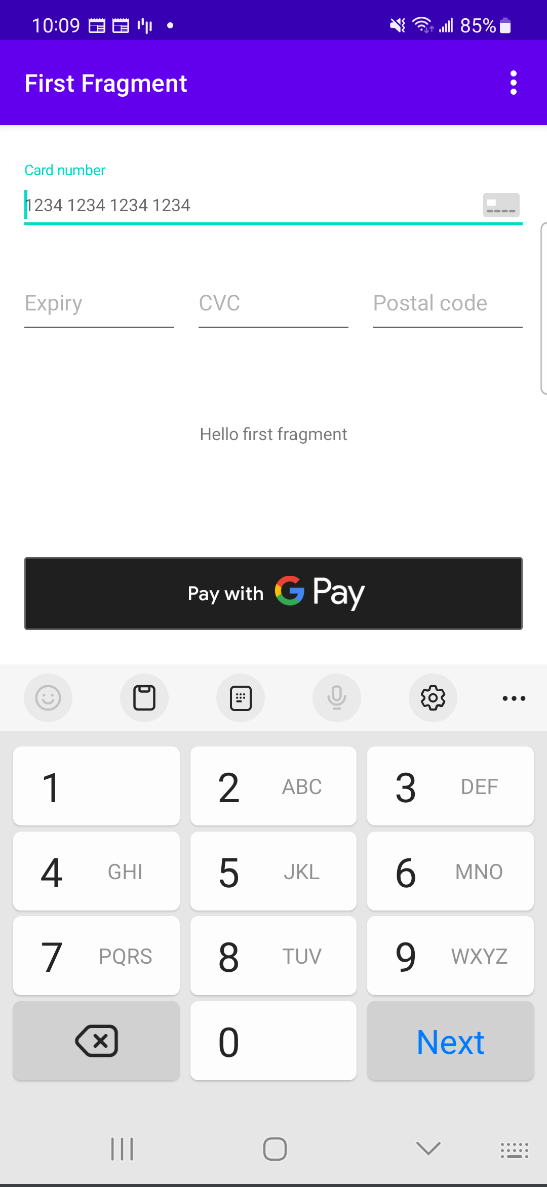
Card number、Expiry、CVC、Postal Code hint not showing, But adjust the version to 17.2.0 and it will be able to show.
Android version
Android 13
Impacted devices
Samsung A52
Installation method
Dependency installed through gradle.
Dependency Versions
implementation 'com.stripe:stripe-android:20.24.1'
Screenshot


Hi @Henry7604, thanks for opening this issue. Can you verify if you see this issue with other phones or emulators? That would help. Additionally, it would be helpful to see some code samples, such as the XML layout and how you are inflating this view.
I tried reproducing this issue on my Samsung device, but didn't see a problem. Let me know what you find, thank you!

Hi @jameswoo-stripe, I used other devices and found the same problem, below is the device information and XML and gradle
device info: OPPO A53, Android 11
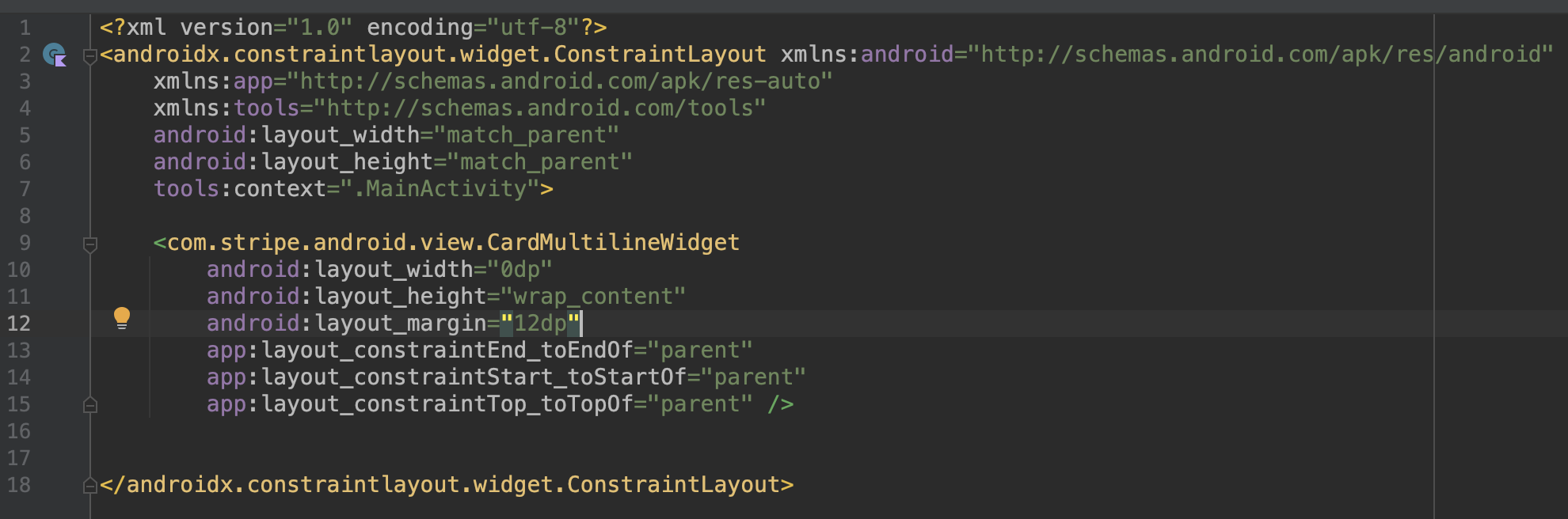

@Henry7604 I used the code sample you provided in a new Android project and I am still unable to reproduce this issue.
Could you please share your sample application in a github repo? Maybe there is something else going on. I don't have access to an Oppo or Samsung A52 either. Would you please try testing this on an emulator and let me know what happened?
I also encountered the above issue on the Samsung Galaxy S20 FE5G phone, where Card number, Expiry, and CVC do not display Hint when there is no focus by default
implementation 'com.stripe:stripe-android:20.15.1'

Hi @jameswoo-stripe , I found the reason for this problem, you need to enable dark mode on your device, and remove your value-night/themes.xml, because the APP we developed does not support dark mode, so the default background is white.
The tested emulator is Pixel 5 API 31
@Henry7604 @fujiuhongnew
The CardMultiLineWidget was designed to support dark themes, so we need to provide colors for both dark and non-dark themed apps.
A quick workaround for your apps, since you might not support dark theme is to set the default night mode to none:
AppCompatDelegate.setDefaultNightMode(AppCompatDelegate.MODE_NIGHT_NO)
See this stackoverflow for more information.
Is it possible to add dark theme to your apps?
Another option is to override our styles with your own.
@Henry7604 We haven't heard from you in a bit, so we're going to close this issue. Please reopen if needed!
