
stripe-android
 stripe-android copied to clipboard
 stripe
[BUG] Error when using stripe as payment gateway with Google Pay API
Summary
I'm integrating Google Pay API as the doc suggest in https://developers.google.com/pay/api/android/guides/tutorial If I add the example payment gateway it works as expected, but if I add stripe as payment gateway its giving an error when trying to process the payment. A dialog is displayed saying : "An unexpected error ahas occurred. Please try again later. [OR_BIBED_01]
Code to reproduce
I'm adding the following code where I set the payment gateway:
/**
     * The name of your payment processor/gateway. Please refer to their documentation for more
     * information.
     *
     * @value #PAYMENT_GATEWAY_TOKENIZATION_NAME
     */
    const val PAYMENT_GATEWAY_TOKENIZATION_NAME = "stripe"

    /**
     * Custom parameters required by the processor/gateway.
     * In many cases, your processor / gateway will only require a gatewayMerchantId.
     * Please refer to your processor's documentation for more information. The number of parameters
     * required and their names vary depending on the processor.
     *
     * @value #PAYMENT_GATEWAY_TOKENIZATION_PARAMETERS
     */
    val PAYMENT_GATEWAY_TOKENIZATION_PARAMETERS = mapOf(
        "gateway" to PAYMENT_GATEWAY_TOKENIZATION_NAME,
        "stripe:version" to "2018-10-31",
        "stripe:publishableKey" to BuildConfig.STRIPE_API_KEY)
Android version
I experienced this issue on Android 10 and Android 12.
Impacted devices
Xiaomi mi 8 lite Samsung Galaxy s22
Installation method
Dependency installed through gradle.
Dependency Versions
implementation 'com.stripe:stripe-android:20.6.2'
implementation 'com.google.android.gms:play-services-wallet:19.1.0'
For stripe-android: ./gradlew :dependencies | grep com.android.tools.build
For Android Gradle Plugin: ./gradlew :dependencies | grep com.stripe:stripe-android
kotlin: '1.6.10' stripe-android: 20.6.2 Android Gradle Plugin: 7.0.0 Gradle: 7.0.0

A dialog is displayed saying: "An unexpected error has occurred. Please try again later. [OR_BIBED_07]
Dependency Versions implementation 'com.stripe:stripe-android:20.15.3' implementation 'com.google.android.gms:play-services-wallet:19.1.0'
Android version I experienced this issue on Android 10, and Android 12.
Kindly Please check ASAP. Our Customer not doing payments through Google Play. It's very urgent. Customers Facing this issue as well.

Hi, thanks for reporting! I'm taking a look and trying to reproduce. Just to confirm, this is happening in prod?

I was able to reproduce the error [OR_BIBED_07] when trying to collect a payment in production from an app that wasn't approved by Google to take payments through Google Pay. I see this error log on logcat:
[1325] ekb.b: Unexpected response code 500 for https://payments-pa.googleapis.com/payments/apis-secure/ui2/buyflowservice/initialize
I also confirmed that Google Pay is working for a release build of an app that has been approved, so this is not an issue with Stripe or the Android SDK.
Have you followed Google's instructions on requesting production access? You must submit a request for Google to enable your app to accept payments through Google Pay.
If you were able to process payments though Google Pay before and this has changed now, I would recommend checking if your app shows as active on the Google Pay & Wallet Console, and contacting Google's support from that page. Looking at this question hints at the possibility of the issue being the Google Play Store re-signing your app with a different key, which could cause Google Pay to reject the payment request. You can test if that's the case by building a release version of your app locally, with the signing keys that you have previously used, and see if that works.
@juanCoutoWalla Are you having issues in production?
I'm using these parameters, where apiVersion is "2020-03-02".
I tested with "stripe:version": "2018-10-31" and it still works normally, I wasn't able to reproduce the error [OR_BIBED_01].
Have you requested prod access to Google Pay, and has your app been approved? Are you using your Stripe live api key (starting with pk_live_)?
I was able to reproduce the error [OR_BIBED_01]:
- Using a signed, release build of my test app that has been approved by Google to process Google Pay payments in production.
- Setting the environment to production on the Google Pay settings.
- Creating a Payment Intent in test mode, and using my Stripe test keys.
Google Pay is launched correctly, I can select a card saved to my Google account and tap "Continue". The payment fails with the dialog:
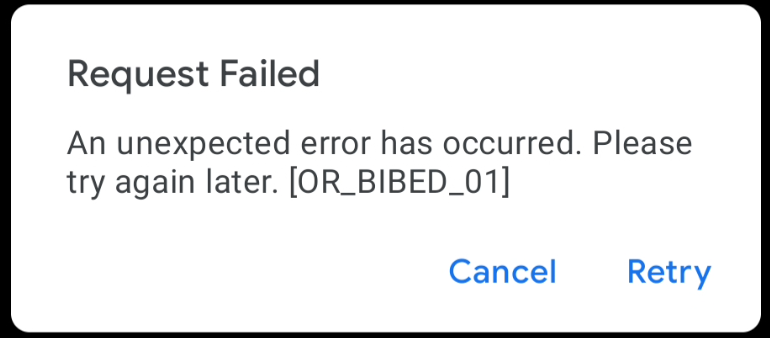
In order to fix that, the Payment Intent should be created in production, using the Stripe live API keys.
Hello Team, This is not happening in the Production Environment. This issue facing in Stripe Test Environment/Sandbox Environment. So I m requesting kindly please fix this issue.
Hi @bridgingamit18, As I mentioned above, I've tested the most recent version of the SDK and everything is working correctly. If you're seeing an error, it's likely due to some misconfiguration. Can you post a code snippet of your integration? What classes is your integration using? A fully working sample where the issue occurs would be great, as it would allow me to test and find out what the issue is. Are you using your Stripe API test keys, and setting the environment to "Test" in the Google Pay configuration? This is a working sample integration. You can run it in the example app by following the instructions here, verify that everything works and compare with your implementation.
Hi @brnunes-stripe , I'm still facing this issue.
I'm trying it in test environment and also using the test key for stripe.
const val PAYMENTS_ENVIRONMENT = WalletConstants.ENVIRONMENT_TEST
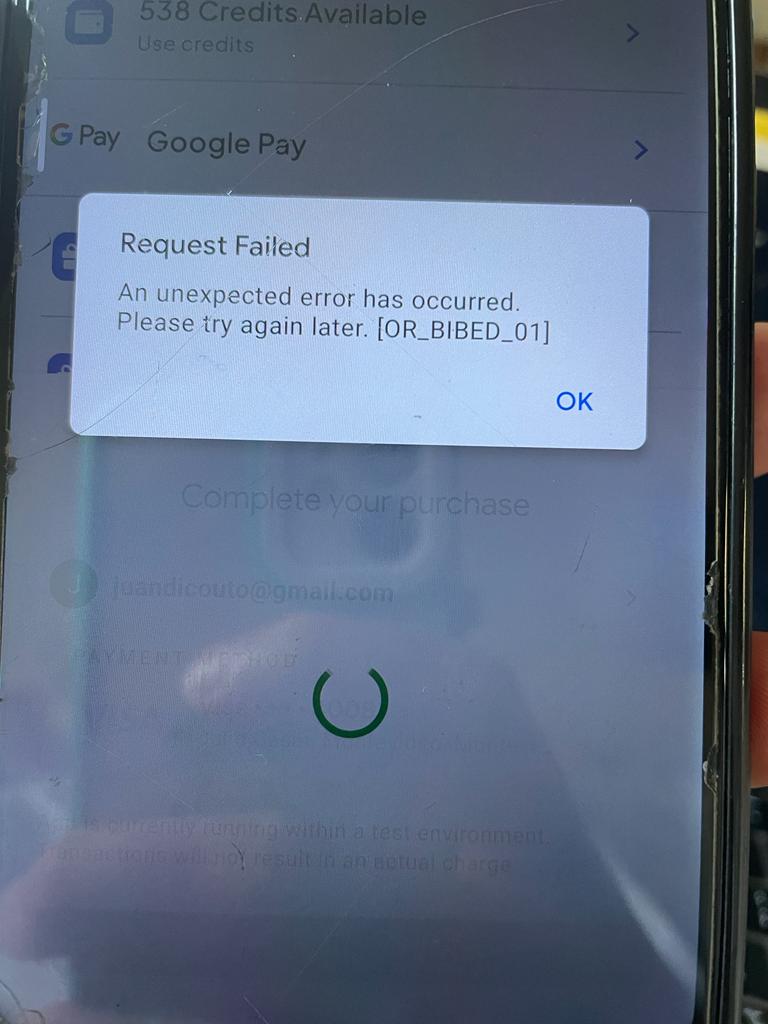
I'm able to open the google pay bottom sheet and choose my cc. Although when I click the button to continue with the payment I receive the error [OR_BIBED_01] as shown in the image attached.
If you could help me with this issue it would be great!
Thanks.
Hi @juanCoutoWalla, make sure to use a valid test/production publishableKey in your gateway configuration for Stripe and the appropriate environment (test/production) for Google Pay.

hii @brnunes-stripe
this error will be faced on producation mode when we try to add a card for payment
https://user-images.githubusercontent.com/88833804/232006949-01ec2dc4-db71-4679-9408-bf0c085d780b.JPEG)

It sounds like there are multiple people with different problems here. And it's been a while since we've heard from you all. I'm going to close this issue. But if you're still experiencing an issue, please open a new issue with steps to reproduce. Thanks!
