

 storybookjs
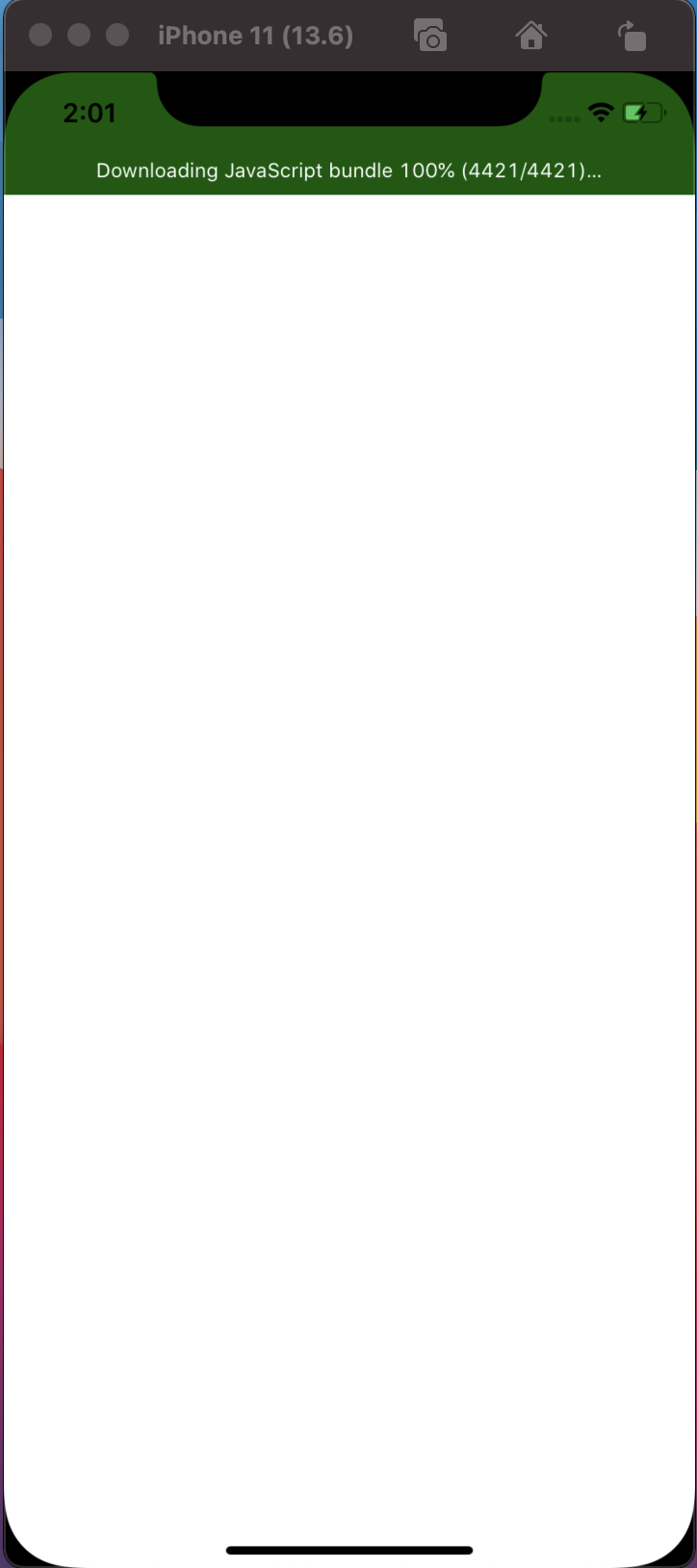
Empty Screen
I created a new barebone project
npx react-native init AppTest --template [email protected]
Then I ran this command
npx -p @storybook/cli sb init --type react_native
After that on my main App.tsx file I added this line
export {default} from "./storybook";
Finally, I run npx react-native start and then npx react-native run-ios
The app loads but the screen remain empty.
System Info
npx react-native info
info Fetching system and libraries information...
System:
    OS: macOS 11.0.1
    CPU: (4) x64 Intel(R) Core(TM) i5-6360U CPU @ 2.00GHz
    Memory: 49.17 MB / 8.00 GB
    Shell: 5.8 - /bin/zsh
  Binaries:
    Node: 14.15.1 - ~/.nvm/versions/node/v14.15.1/bin/node
    Yarn: 1.22.4 - /usr/local/bin/yarn
    npm: 6.14.8 - ~/.nvm/versions/node/v14.15.1/bin/npm
    Watchman: 4.9.0 - /usr/local/bin/watchman
  Managers:
    CocoaPods: 1.10.1 - /Users/aerik/.rvm/gems/ruby-2.7.1/bin/pod
  SDKs:
    iOS SDK:
      Platforms: iOS 13.6, DriverKit 19.0, macOS 10.15, tvOS 13.4, watchOS 6.2
    Android SDK:
      API Levels: 23, 25, 26, 27, 28, 29, 30
      Build Tools: 23.0.1, 23.0.2, 23.0.3, 25.0.0, 25.0.2, 25.0.3, 26.0.1, 26.0.2, 27.0.3, 28.0.2, 28.0.3, 29.0.0, 29.0.2, 30.0.2
      System Images: android-22 | Google APIs Intel x86 Atom, android-25 | Google APIs Intel x86 Atom, android-28 | Google APIs Intel x86 Atom, android-28 | Google Play Intel x86 Atom
      Android NDK: Not Found
  IDEs:
    Android Studio: 4.1 AI-201.8743.12.41.6858069
    Xcode: 11.6/11E708 - /usr/bin/xcodebuild
  Languages:
    Java: 1.8.0_121 - /usr/bin/javac
    Python: 3.8.3 - /Users/aerik/anaconda3/bin/python
  npmPackages:
    @react-native-community/cli: Not Found
    react: 16.13.1 => 16.13.1
    react-native: 0.63.4 => 0.63.4
    react-native-macos: Not Found
  npmGlobalPackages:
    *react-native*: Not Found
Thanks!

with react native cli you need to add the component you want to render to the app registry
AppRegistry.registerComponent(appName, () => App);
normally you put export {default} from "./storybook"; in the app.tsx and then in index use import App from "./App";

with react native cli you need to add the component you want to render to the app registry
AppRegistry.registerComponent(appName, () => App);normally you put
export {default} from "./storybook";in the app.tsx and then in index useimport App from "./App";
I did it, and still, the issue persists :-(
can you share more of your code otherwise its hard to say what the issue would be
I Have encountered the same problem using both RN and Expo cli.
I have narrowed the problem down to @storybook/react-native imports. Importing this package causes the Expo Go or installed app on android emulator to stuck on splash screen or showing a blank screen and after a while the app will crash.
@dannyhw any idea on why it's happening?
FYI: This issue was not happening a week ago!!!

Try setting inline imports to false in the metro config.
I'm using expo-yarn-workspaces to generate metro config which has set inlineRequires to false by default.
Hey guys, I am also experiencing this issue, ever since updating to Expo SDK 41 in my app. (Bare config). It is preventing my app from loading at all.
Like @ahendessi, inlineRequires is already set to false in my metro config.

Hey guys, I am also experiencing this issue, ever since updating to Expo SDK 41 in my app. (Bare config). It is preventing my app from loading at all.
Like @ahendessi, inlineRequires is already set to false in my metro config.
We've tested it with Expo SDK 38, 39, and 40 as well. Both managed and bare setup faced the same issue. So I don't think it's an Expo related issue.
Is there any error? Have you done any debugging to find what is happening? Can you share the code where you intialize storybook?
@costerik I followed the steps in you provided in the issue description and was not able to produce the same issue. The storybook UI loads fine for me. Please provide an example repo which produces the issue.
This issue was not happening a week ago!!!
@ahendessi Nothing has changed with storybook since a week ago so you must have changed something on your side. If you can provide some steps to reproduce the issue I will happily try to assist. When I test it everything is working, so you will need to provide more information about your setup.
I was actually able to find some issues when trying to use expo 41 however that is not the issue described in the initial description here so I would suggest making an issue for expo41 and moving expo related discussion there.
@ahendessi @shoes22 please see #159 and continue discussion regarding expo there
I also experience this problem with my existing project using the react-native cli. Before, it was the problem with the inlineRequires. After setting it to false, it worked. But, a few days ago, I installed Chromatic and then removed it. Just today, I tried to run my app again and this problem occurs. I follow this solution and it solved for now.
@ahendessi @shoes22 please see #159 and continue discussion regarding expo there

@dannyhw Yes, I can confirm on my side the issue is stemming from the Promise polyfill in @storybook/addons. Patching that file to remove the polyfill require does fix this as a workaround, but hopefully a more sustainable solution is figured out ASAP, as I imagine this problem is going to become more prevalent in the future, since some core react-native library packages are now relying on the proper function of Promise.finally.
In any case, thank you for your help and timely support on this!
I've been talking with the storybook maintainers about a possible solution to this. Ideally there would be a modern build of storybook/addons available or atleast one without the es.promise polyfill.
Recently i.e11 support was separated out into a separate repo so this could make it possible to provide a solution without the promise polyfill since ie.11 is the only browser without support for promises.