

 stoplightio
Performance issue on "Try it" response code viewer
Describe the bug
We are currently trying out Stoplight Elements with our API spec. We have a few endpoints where a limit: 1000 is often used, and the endpoint is returning a ~500kB response in 800ms. However, it takes 31 seconds until the response is rendered in the DOM in the right preview sidebar. Use a limit higher than 1000 and the browser hangs and crashes while rendering the response...
To Reproduce
- Given any API that can return 1000+ items
- When you use the "Try it" button to send a request, it will hang for a long time
Expected behavior
The "try it" functionality that renders the response body on the page, should not cause the browser to crash or take 30s+ time. We come from Swagger UI where it renders fine, even with a larger amount of records although not recommended of course.
Additional context
Screenshots I used Chrome to profile and find the slowness but unfortunately, it's a bit hard to read because of minified JS. We could try a non-minified build to investigate more, but meanwhile I attached the performance breakdown file (after redacting the URL's): Profile-limit-1000-20211018T173951.json.zip
I'm not sure in what part of the src I need to look, I'm new to spotlight elements, but I could not find the @stoplight/mosaic-code-viewer source. It seems to use Prismjs and Prism-react-renderer, although from the screenshots below I don't think it's a prism issue.
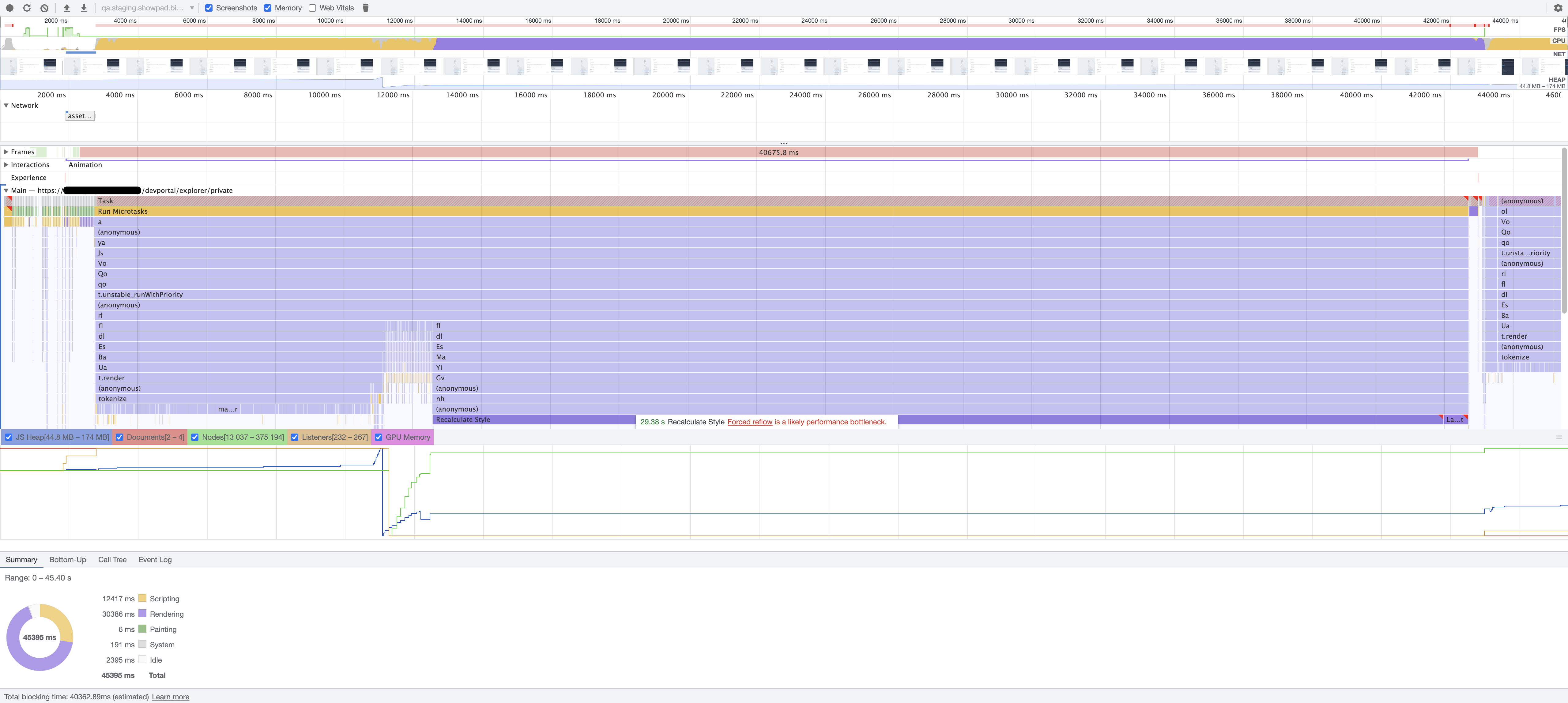
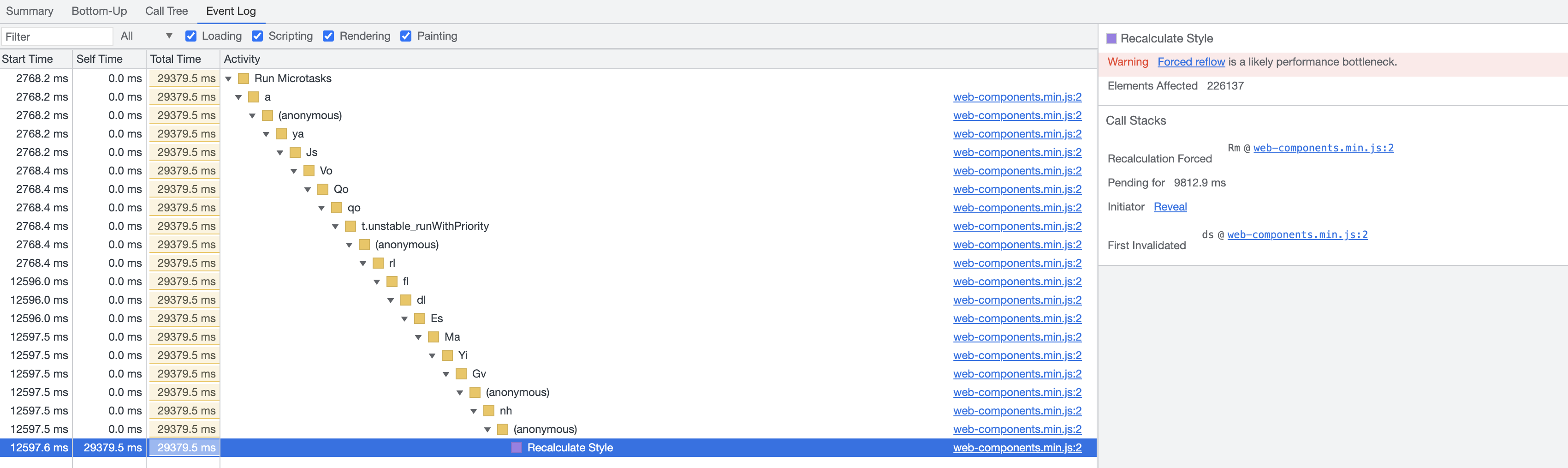
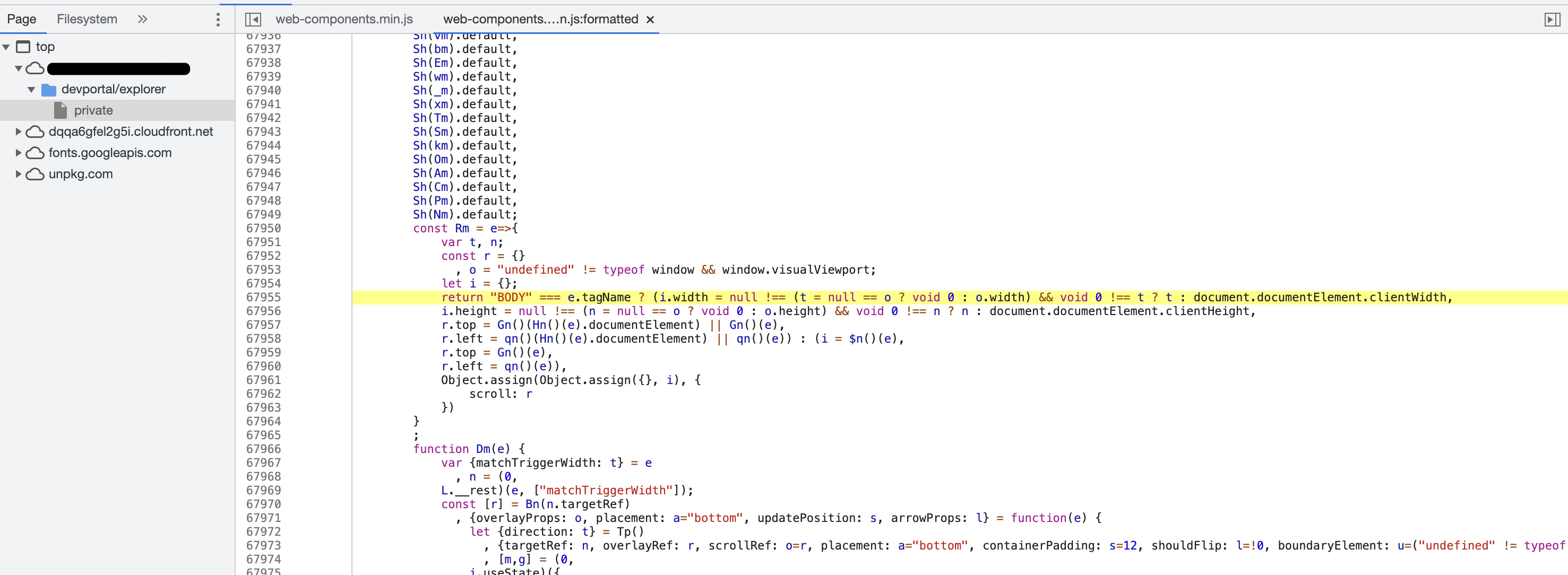
When I click on the Recalculate Style's source in the stacktrace, it leads me to web-components.min.js:2 and after hitting the prettify button it shows this line as the cause:
Suggested Resolution
- Offer a download button when the response is too large for the DOM. Specifically, greater 200kbs (or less if crashes still occur)
- Bonus points for providing a snippet.
Let me know how I can provide more details, happy to help out
Environment:
- Library version: 7.3.1 (latest)
- OS: MacOS 11.6
- Browser: Firefox 93.0 or Chrome 94.0
- Platform: web

Thanks for reporting this @jessedobbelaere.
I'm not sure if we would know how to render 500kb of JSON and im not sure we should try. We should however come up with a better error saying something like "Response size too large, please use the request code below to generate a CURL command so you can try this out in the command line" or something like that.
@mnaumanali94 what do you think?

Can I make a suggestion to not stop the rendering at all but instead, add an option to disable syntax highlighting on large responses?


I do think the suggested workaround (not highlighting for huge responses) is already implemented, see https://github.com/stoplightio/elements/blob/909e7308de4a052c30dedf342d8bd7d60b1fe539/packages/elements-core/src/components/TryIt/Response/ReponseCodeViewer.tsx#L6
