

 stm32duino
An error occurred in the communication between the stm32f103c8t6 and python smbus
The code I tested is below. python code:
import smbus
bus = smbus.SMBus(1)
# Read a block of 6 bytes from address 0x18, offset 0
data = bus.read_i2c_block_data(0x18, 0, 6)
arduino code:
#include <Wire.h>

#define I2C_ADDR  0x18

void setup()
{
  Wire.begin(I2C_ADDR);         // join i2c bus with address #0x18
  Wire.onRequest(requestEvent); // register event
  Wire.onReceive(receiveEvent); // register event
  Serial.begin(115200);           // start serial for output
}

void loop()
{
  //empty loop
}

// function that executes whenever data is received from master
// this function is registered as an event, see setup()
void receiveEvent(int howMany)
{
  while(0 < Wire.available()) // loop through all but the last
  {
    char c = Wire.read();     // receive byte as a character
    Serial.print(c);          // print the character
  }
  int x = Wire.read();        // receive byte as an integer
  Serial.println(x);          // print the integer
}

// function that executes whenever data is requested by master
// this function is registered as an event, see setup()
void requestEvent()
{
  Wire.write("hello\n");  // respond with message of 6 bytes
                          // as expected by master
}
Test Results: The code was successfully uploaded to stm32 without errors. When I run the python smbus code, 6 bytes of data were successfully read, but I did not see any information on the serial monitor.
I changed my bluepill to arduino nano for testing and the code runs successfully. The difference is that I saw the print data from the serial monitor. The printed data is exactly the offset parameter in the smbus code.
bus.read_i2c_block_data(address, offset, data size)
In other words, the problem with stm32 i2c is that the offset parameter of smbus cannot be obtained.

Hi @timaker Do you have pull up resistor (4.7KΩ) on each I2C Line ? It is mandatory to have them.

Hi @timaker Do you have pull up resistor (4.7KΩ) on each I2C Line ? It is mandatory to have them.
Yes, I have soldered the pull-up resistor, and I2C can communicate normally
Yes, I have soldered the pull-up resistor, and I2C can communicate normally
Does it means it is now OK ?
If you have always the issue please give us more information as stated in the GH template else We could not help. Arduino IDE version? Core version? Board selected? Options if not the default? Did you test the Serial before ? All relevant information.
I mean, Bluepill and Arduino Nano are used differently in I2C slave mode, and I'm running the SMBUS code on Raspberry Pi and requesting 6 bytes of data. BluePill does not receive the parameter of offset. However, the same Arduino code burned on Arduino Nano can receive the parameter of offset. In Python code, I need to set different offset parameters so that I can read different data, but STM32 doesn't know what my offset parameter is, so the slave can't tell what the master is requesting. The master sends the offset parameter to the STM32 slave, and then the master sends a command requesting data. The STM32 can then use the offset parameter to determine what data to send to the master. However, I still hope that when my Bluepill and Arduino Nano run the same program, the result will be the same, instead of Bluepill not receiving offset parameter.
Ok but you don't provide info requested:
If you have always the issue please give us more information as stated in the GH template else We could not help. Arduino IDE version? Core version? Board selected? Options if not the default? Did you test the Serial before ? All relevant information.
Ok but you don't provide info requested:
If you have always the issue please give us more information as stated in the GH template else We could not help. Arduino IDE version? Core version? Board selected? Options if not the default? Did you test the Serial before ? All relevant information.
Desktop (please complete the following information):
- OS: Windows
- Arduino IDE version: 1.8.13
- STM32 core version: 2.0.0
- Tools menu settings if not the default: default
- Upload method: SWD
Board (please complete the following information):
- Name: Generic STM32F1 series
- Hardware Revision: BLUEPILL_F103C8
- Extra hardware used if any: no
Additional context Serial is ok,when i send the data to stm32,the serial monitor can see the print data.
HI @timaker I think one issue could be the usage of Serial.println() in the ISR. Serial also used IT with higher priority. Could you try to store the read value and print them in the loop.
HI @timaker I think one issue could be the usage of Serial.println() in the ISR. Serial also used IT with higher priority. Could you try to store the read value and print them in the loop.
I tried to store the read data and print it in the loop, but the smbus offset data was not printed.
The test code and test results are as follows.

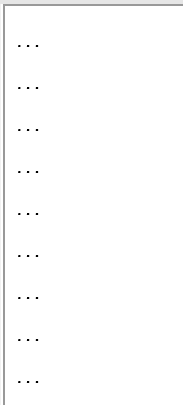
Arduino code:
#include <Arduino.h>
#include <Wire.h>
#define I2C_ADDR 0x18
String value = "";
void setup()
{
    Serial.begin(115200);
    Wire.begin(I2C_ADDR);
    Wire.onRequest(requestEvent);
    Wire.onReceive(receiveEvent);
}
void loop()
{
    Serial.println(value);
    Serial.println("...");
    delay(1000);
}
void receiveEvent(int howMany)
{
    while (0 < Wire.available())
    {
        value += Wire.read(); // Store the offset parameter value
    }
}
void requestEvent()
{
    Wire.write("hello\n"); // Send data to master
}
Python code:
import smbus
import time

bus = smbus.SMBus(1)
addr = 0x18
data = bus.read_i2c_block_data(addr, 0, 6)
print(''.join(chr(i) for i in data))
Hi @timaker We found an "issue" btw a Jetson nano and a STM32 with I2C. It seems the stretching cause some trouble. Could you try to change this line:
https://github.com/stm32duino/Arduino_Core_STM32/blob/25d5d1e44569ef5ef0f80148fa25ed2021124ced/libraries/Wire/src/utility/twi.c#L769
-        handle->Init.NoStretchMode   = I2C_NOSTRETCH_DISABLE;
+        handle->Init.NoStretchMode   = I2C_NOSTRETCH_ENABLE;
Hi @timaker We found an "issue" btw a Jetson nano and a STM32 with I2C. It seems the stretching cause some trouble. Could you try to change this line:
https://github.com/stm32duino/Arduino_Core_STM32/blob/25d5d1e44569ef5ef0f80148fa25ed2021124ced/libraries/Wire/src/utility/twi.c#L769
-        handle->Init.NoStretchMode   = I2C_NOSTRETCH_DISABLE;
+        handle->Init.NoStretchMode   = I2C_NOSTRETCH_ENABLE;
When I set the I2C_NOSTRETCH_ENABLE,The I2C slave cannot work properly.
I looked up some information about it.
NoStretchMode: This member is about I2C disable clock extension mode Settings, used to disable clock extension in slave mode. It must remain off in main mode.
Have you solved your problem?
- Pull-up resistors are necessary, we use 6.8k in both clock and data lines.
- Disable stretching and PEC.
- use HAL_SMBUS_Master_Transmit_IT HAL_SMBUS_Master_Receive_IT functions with Option of transfer as SMBUS_FIRST_AND_LAST_FRAME_NO_PEC

thanks I used a trick and can read stm32 data normally. The method is to first send a command to stm32, stm32 will receive the command normally, process it, prepare the data I need to read, and then read the data sent by stm32. This method is cumbersome and slow, but it does work for stm32.
python code:
import smbus
import time

bus = smbus.SMBus(1)
addr = 0x18

bus.write_i2c_data(addr, 0)
time.sleep(0.05)
data = bus.read_i2c_block_data(addr, 0, 6)

print(''.join(chr(i) for i in data))