

 steve-community
ID/OCPP Tag expiry
Hello,
Can someone please explain how this works? I tried in the expiry date/time but it doesn't work!


hello @goekay , thanks for the quick reply, can you point me to the right direction here, which ocpp specs?
Hi @UBT-FJ
@goekay refers to ocpp specification Section 3.5. Local Authorization & Offline Behavior (page 12).
The question is more: what do you expect with the tag expiry?

Hello,
thanks for the replies.
What I testes is that the charger will read the RFID and I can see it in SteVe and then allow it, but how can I set the expiry for example to make it work for a period of time? and then set to expired or delete, I know I can do this with API and tried it, it works.
It is not a feature provided by Steve out of the box but you can fork and propose an update.
But why not do it by the API if it works? It looks like the best approach.
the details page of an ocpp tag has the field "Expiry Date/Time" which you can set.
the details page of an ocpp tag has the field "Expiry Date/Time" which you can set.
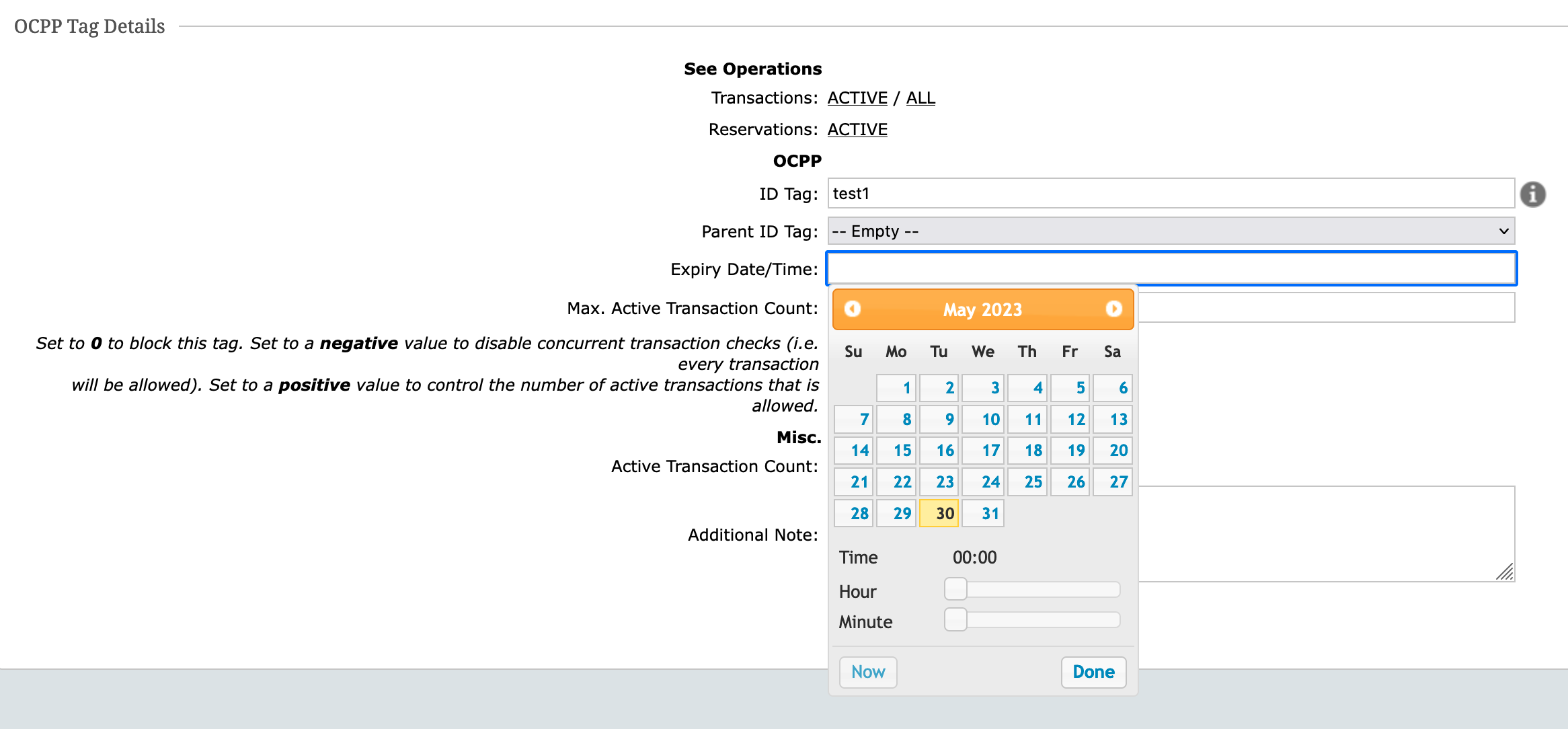
Helo @goekay this is my point, it doesn't work!
What "doesn't work" means? Do you see in the logs that Steve authorizes the transaction when the station asks for it?
Please, explain and share logs that show the issue.
if I set the expiry I should see that ID Tag as expired but it doesn't work, I was thinking maybe the problem is the TZ as I'm in CEST and SteVe is in UTC?
I was thinking maybe the problem is the TZ as I'm in CEST and SteVe is in UTC?
you found the reason. database, backend, frontend are using UTC for all types of timestamps/datetimes.
Ok, I confirm that is the reason, TZ, I just needed to add in the expiry -2hrs and it worked :)
[3,"AOsjbFZwq31HispDqXHRBhKDOpsoZlR9kyDX",{"idTagInfo":{"status":"Expired","expiryDate":"2023-06-01T06:10:00.000Z"}}]
P.S. one thing I didnt understand, when you pick the datetime from the browser for expiry in the "now" button I think that syncs with the browser time and not the actual server!
sorry one more issue here with ID Tag api, when I use the TZ to change the expiry with method PUT I get this:
{ "timestamp": "2023-06-02T10:41:33.902Z", "status": 500, "error": "Internal Server Error", "message": "JSON parse error: Invalid format: \"2023-06-02T10:40:12.456Z\" is malformed at \"Z\"; nested exception is com.fasterxml.jackson.databind.JsonMappingException: Invalid format: \"2023-06-02T10:40:12.456Z\" is malformed at \"Z\" (through reference chain: de.rwth.idsg.steve.web.dto.OcppTagForm[\"expiryDate\"])", "path": "http://ip/steve/api/v1/ocppTags/2" }
when I remove the TZ like this "expiryDate": "2023-06-02T10:40" as it is suggested in the schema
expiryDate | string($date-time)A date/time without timezone. Example: 2022-10-10T09:00
I get this
{ "timestamp": "2023-06-02T10:50:33.031Z", "status": 400, "error": "Bad Request", "message": "Error understanding the request", "path": "http://ip/steve/api/v1/ocppTags/2" }