
linter-ui-default
 linter-ui-default copied to clipboard
 steelbrain
linter-ui-default not working since upgrading Atom
I upgraded Atom today to 1.32.1 and no longer see any of the linting. I've tried apm uninstall linter-ui-default, apm install linter-ui-default multiple times, tried restarting Atom multiple times, and attempted to set config like
"linter-ui-default":
    showPanel: true
or (this appears to be the default)
"linter-ui-default": {}
without success.
Previously, I had Hide panel when empty, show decorations, show status bar, show tooltip enabled and they all worked. Now, none of them work, not even the gutter underlining. Any ideas?

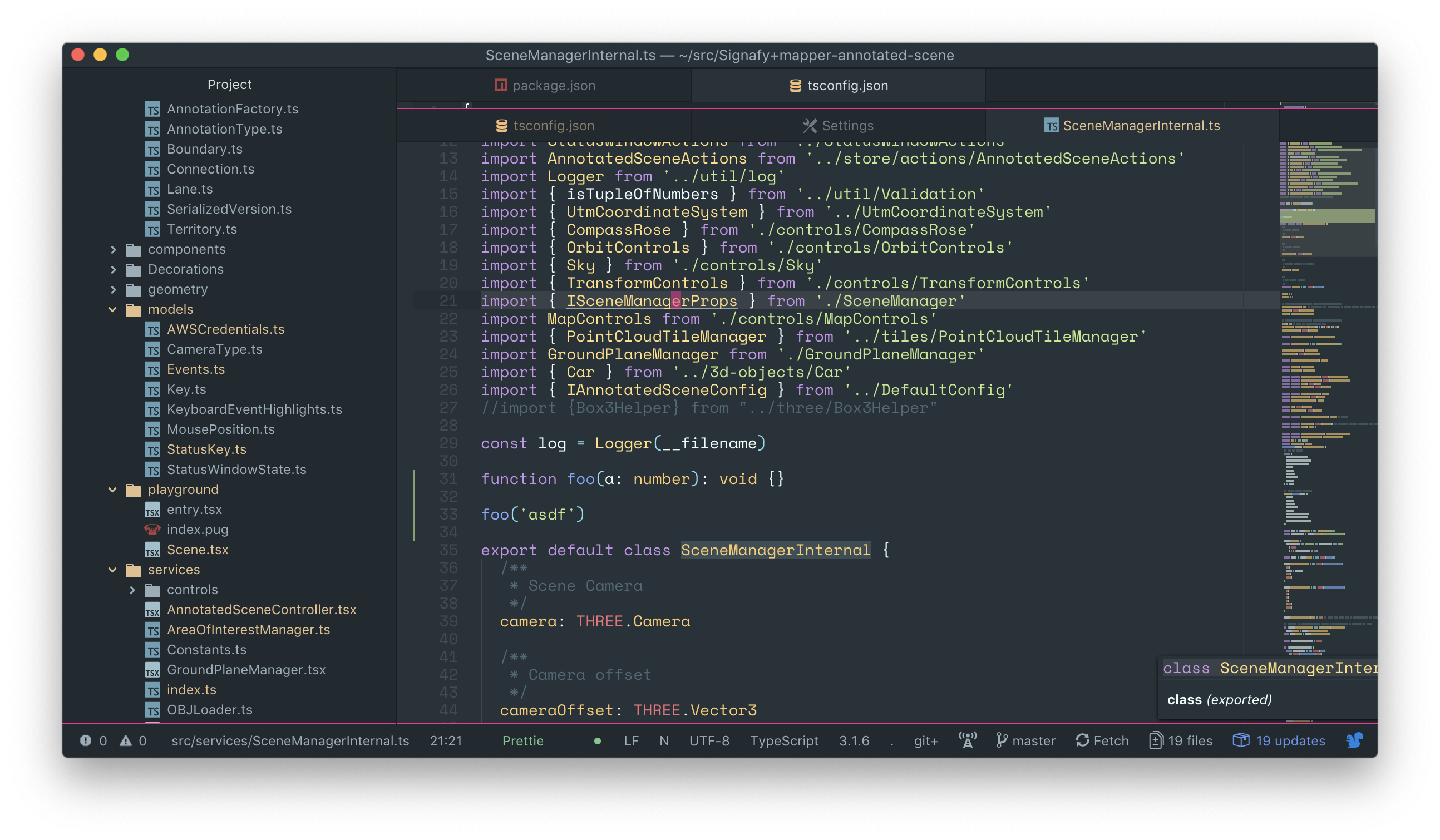
Not sure if related, but I see the following at the bottom in the status bar (from linter-ui-default), which looks awesome with the colored style, but when I click it nothing opens. Should something open?


I also have atom-ide-ui enabled. Not sure if both can be enabled at the same time?
Basically, here's with atom-ide-ui enabled, and linter-ui-default/intentions disabled (shows nothing helpful):
And here's with atom-ide-ui disabled, and linter-ui-default/intentions enabled (shows helpful info, but clicking on the red/blue errors/diagnostics at the bottom does nothing, and the intentions are not visible by default as expected which you described):
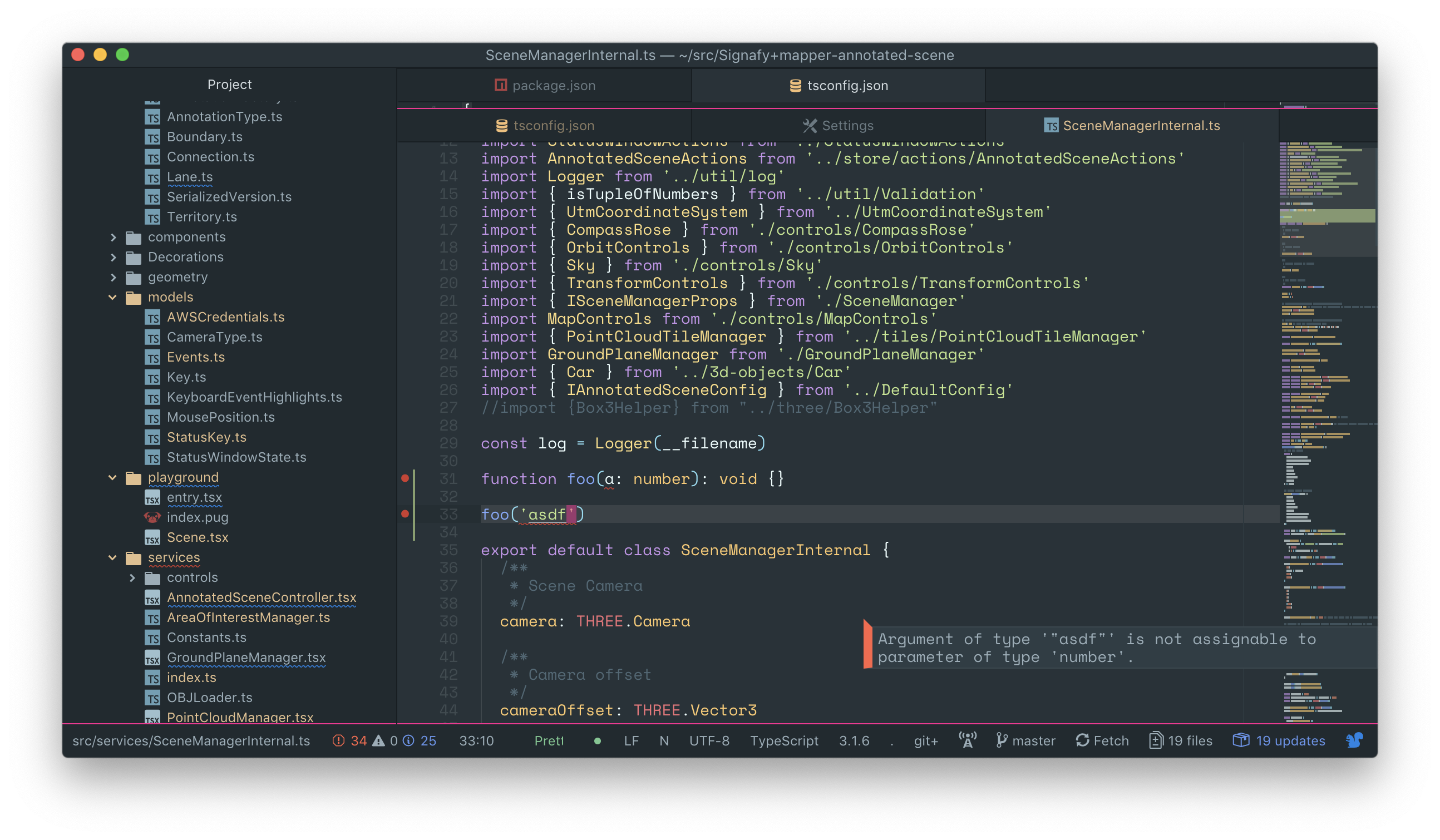
The squiggly lines under the file names are super useful, I've never had that when using atom-ide-ui (at least, it never worked for me if that feature exists).
The only thing working for me with atom-ide-ui is ESLint errors. It is nice to be able to hover on them in the gutter and see the errors, not just hovering on the code. With linter-ui-default I don't seem to be able to hover on the gutter marks.
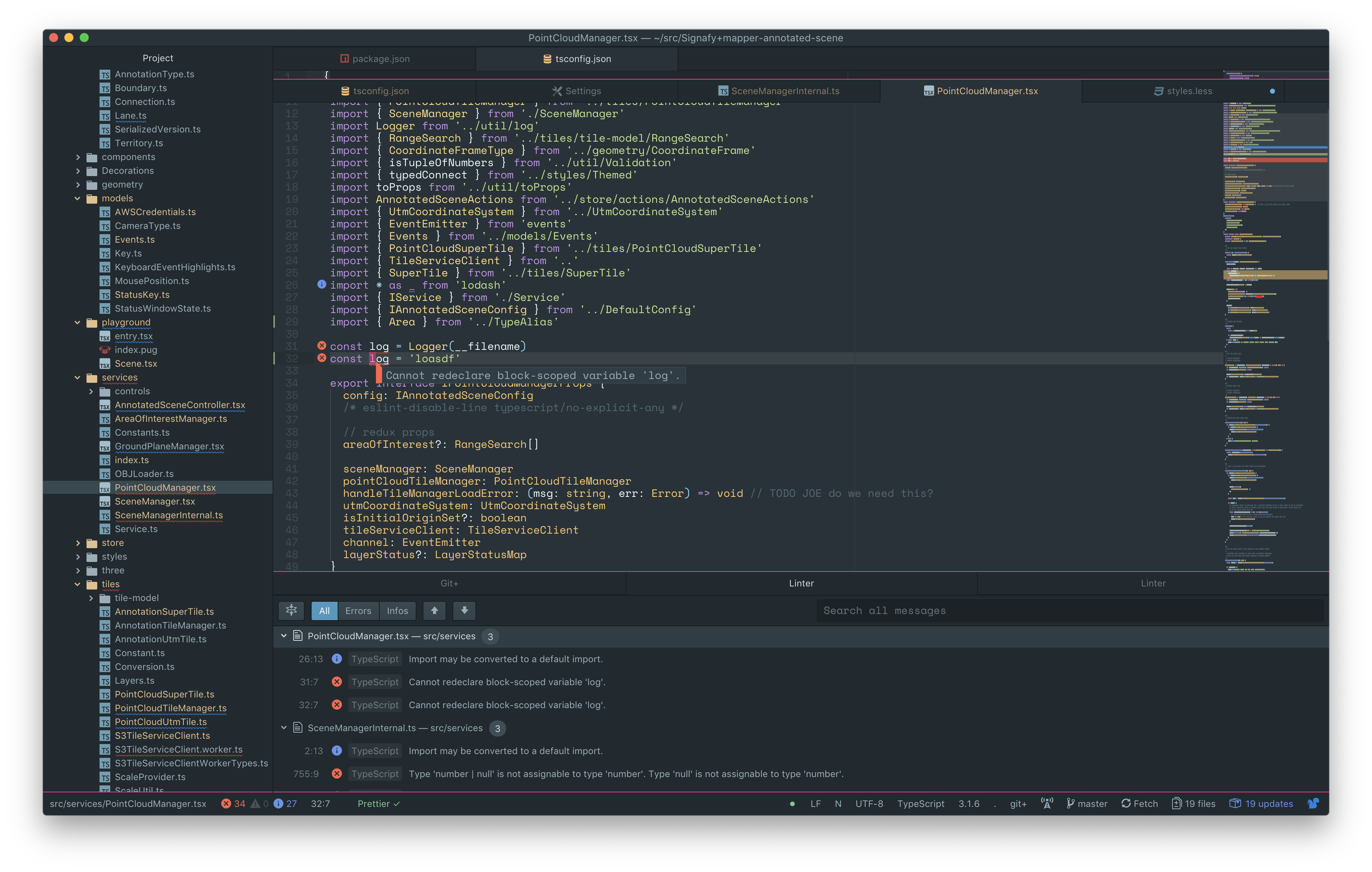
Here's what I did to get the best experience: I installed both linter-ui-default and linter-ui-plus, then I disabled the features of each package that I didn't want, keeping only the ones from each package that I liked.
For example, I wanted to keep the file/folder squiggly underlines in the file explorer and the tooltips from linter-ui-default, but the gutter icons and panel from linter-ui-plus are much better.
So I in linter-ui-default settings, I disabled the panel feature.
Then in my Atom stylesheet I hid the features that I didn't like:
// I like the gutter icons from linter-ui-plus, so hide the ones from
// linter-ui-default:
[gutter-name='linter-ui-default'] {
	display: none;
}

// I like the squiggly underlines from linter-ui-default better, so disable the
// squiggly underlines from linter-ui-plus:
.highlights {
	.highlight[class*='linter-highlight-'] {
		display: none;
	}
}
And now Atom looks like follows with all features showing (except type definition tooltips), and the experience is awesome:
And here's the type definition tooltips (shown separately because otherwise they will overlay on top of the error tooltips):

In both shots, the tooltip is right under the mouse, but the shots don't show the mouse.
Since upgrading I have linter pane as tab, and nothing at bottom:

Is this repo maintained?

@jwicksnin and @AlexWayfer:
- Are you seeing any errors in the Developer Tools Console?
- Are you sure that you have a provider enabled for the document you are on?
- You can check this by running
Linter: Debugfrom the Command Palette
- You can check this by running
- Is that provider returning any errors?

Are you seeing any errors in the Developer Tools Console?
No.
Are you sure that you have a provider enabled for the document you are on?
Yes.
Is that provider returning any errors?
Yes.
I see correct errors at Linter tab, but somewhy it opens as tab in the same pane instead of bottom.
I see correct errors at Linter tab, but somewhy it opens as tab in the same pane instead of bottom.
The linter-ui-default Pane is implemented as a Dock item, meaning you can drag it anywhere you want. You can simply drag it back into the bottom (or side) Dock if that's where you want it.
The linter-ui-default Pane is implemented as a Dock item, meaning you can drag it anywhere you want. You can simply drag it back into the bottom (or side) Dock if that's where you want it.
Oh… I found it. Bottom pane and Dock are different things. And I can drag a tab into Dock. Thanks!
It works for me now.