

 status-im
Keycard account is displayed as regular on login screen after switching dark/light mode while splash screen is shown
Bug Report
Problem
This is an edge case, but might be worth a look. Feel free to close if you think it's a won't fix.
There are two scenarios for regular and keycard accounts.
1. Keycard account [still relevant]
Steps (same as for regular account):
- Create a keycard account on an Android device
- Close the app
- Open the app and very quickly tap the overview system Android button (square one) while the splash screen is shown
- Change the mode of device from dark to light or wise versa
- Open the app
Actual result:
Two types of behavior were found on different Android devices.
- on Huawei P40 Lite: regular account is opened instead of keycard account; cannot log in until re-opening the app
https://user-images.githubusercontent.com/67952253/182149476-0d19033a-c7a4-4005-a592-965ac267a60c.mp4
- on Pixel 2: error (until re-opening the app)
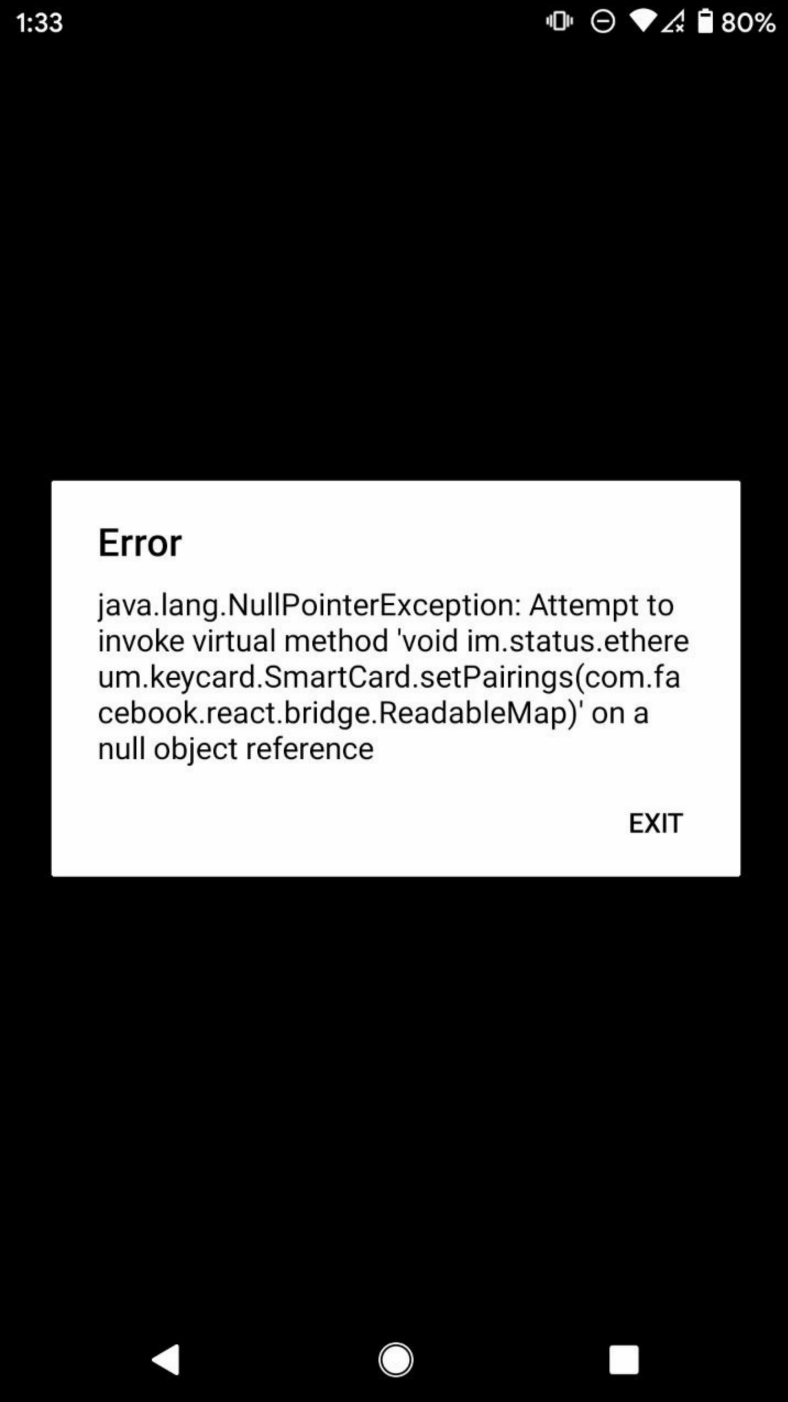
2. Regular account [FIXED in #13759, kept for context]
Steps:
- Create a new account on an Android device
- Close the app
- Open the app and very quickly tap the overview system Android button (square one) while the splash screen is shown
- Change the mode of device from dark to light or wise versa
- Open the app
Actual result: error Cannot read property 'root' of null; reopening helps
Expected result: no error
https://user-images.githubusercontent.com/67952253/182148156-941420b0-821c-4aec-a98e-93b4b3296de5.mp4
Additional Information
- Status version: 1.19
- Operating System: Android

Adding for reference:
Issue is in system-theme-mode-changed event. In this event we reinitialize root for applying theme properly and that is causing issue for keycard account.

keycard account issue is not related with splash screen. Same behavior of showing regular account instead of keycard account also reproducible if theme is changed after screen is opened/