

 stashapp
[Feature] Immediately play video when image is clicked. Go to details upon text click
Is your feature request related to a problem? Please describe. no
Describe the solution you'd like From the main video page, it would be nice to have the option to enable immediate video playback. The idea is from this screen, tap the image icon and video pops up full screen or with media controls. If you hit the text then go to the video details page
Describe alternatives you've considered I haven't , i think this makes the most sense Additional context
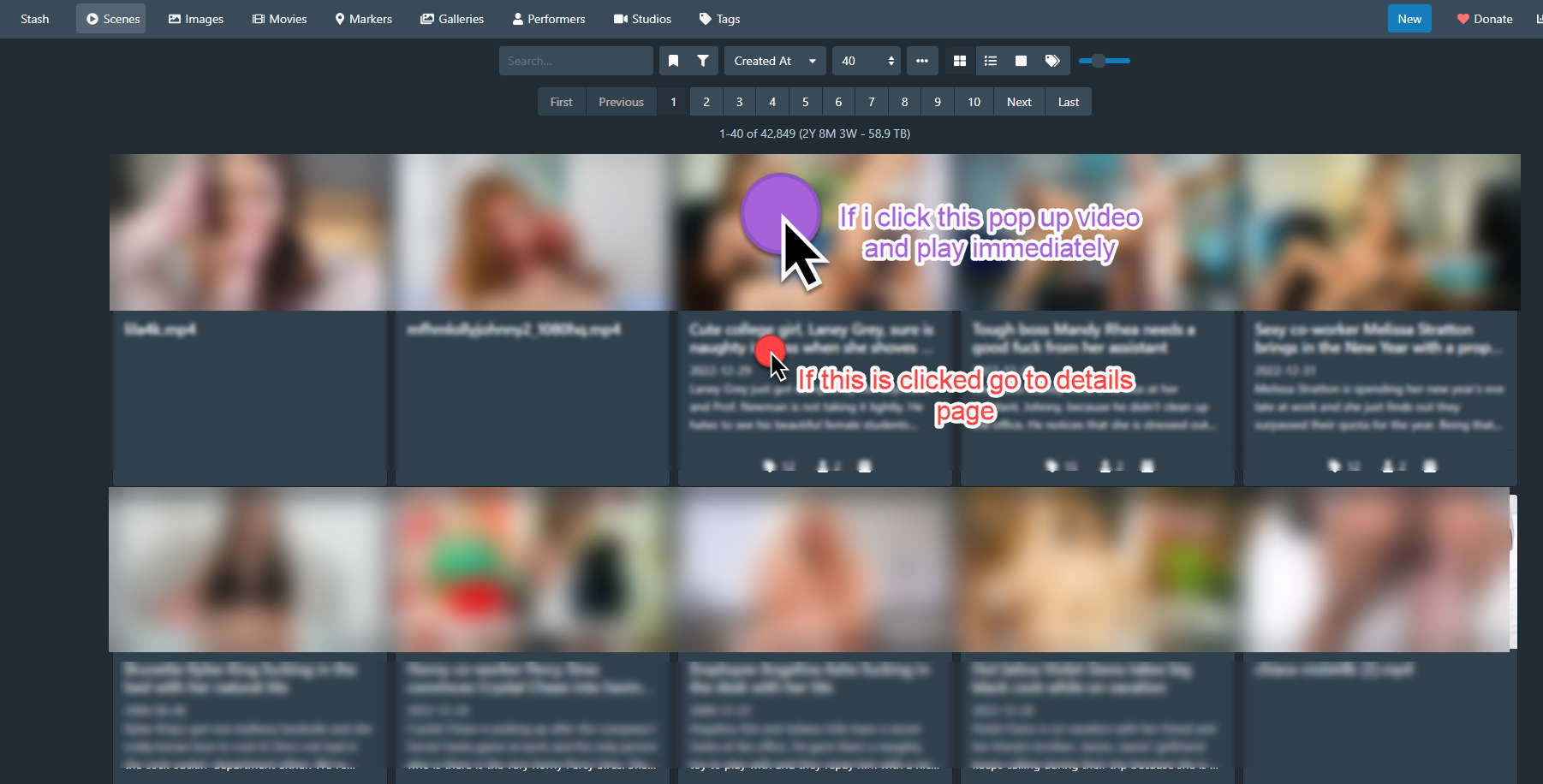

My custom javascript solves this problem. https://github.com/philpw99/StashCustomJavascripts
screen:
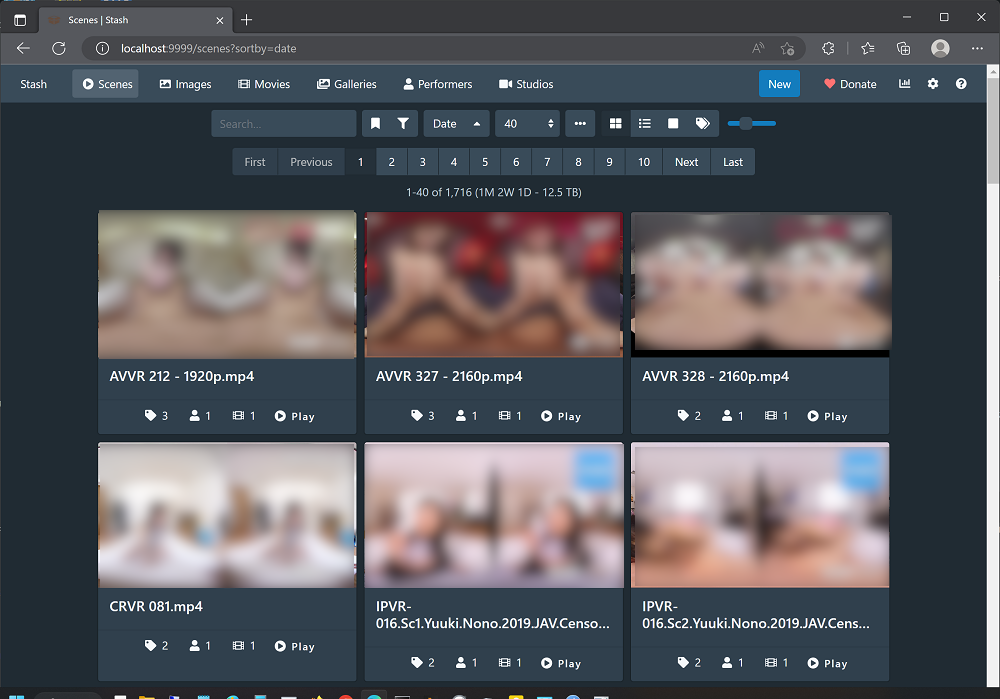

In my opinion, having different behavior based on which portion of the card is clicked would be unexpected. I think the existing "Auto-start video" option is sufficient. When enabled, clicking either the preview or text would result in the video starting automatically.

But when you click on a button called "Play", what do you expect ?
The problem of "Click a scene card and let auto-start do the playing", is that each time user will need to click on "back" to see the next video.
In my opinion, having different behavior based on which portion of the card is clicked would be unexpected. I think the existing "Auto-start video" option is sufficient. When enabled, clicking either the preview or text would result in the video starting automatically.
I dont know I think people are smart enough to figure it out really. If I want more text details click "Text", if i just want to watch the video press the thing that looks like a video?
My custom javascript solves this problem. https://github.com/philpw99/AutoCreateMovieFromScene/tree/SceneCardVideoPlayer/scripts/SceneCardVideoPlayer
screen:
Is this something you could to a PR to just add to a build of stash? Kinda want to keep stash as vanilla as possible
This is just an optional add-on for people who need this kind of feature. For most people, they just need to click on the scene card, goes into scene and the video should be played automatically. This is the de facto way. But for me, I would like to just click on the "play" button and watch it right away. Also this custom script might fix the android playing problem, like you can use Quest 2 browser with this plugin. I am trying to make it work.
Now when the mouse hovers over the play button, it will show more info like this:

Thank you philpw99 for the script. Though I do have a few things to say.
- User goodtimes2's suggested feature is extremely intuitive. In that the clickable area is large for quick preview (I really like this). And there is no added UI element for that extra functionality.
- I'm currently using Plex theme for Stash. I'm not able to get the javascipt to work.
But thanks anyway for the script

But when you click on a button called "Play", what do you expect ?
The problem of "Click a scene card and let auto-start do the playing", is that each time user will need to click on "back" to see the next video.
Technically you don't. There is a queue that you can navigate directly from that page.

Hi, guys. Thanks for the feedback ! I agree with ghfsa and goodtimes2. Click on the preview then play is a great idea. Maybe I will use this idea in the next version. The script now is v.1.2. Much improved than before. The best thing is that now with the "player" mode, I can finally use Oculus Browser to watch VR videos easily. Oculus Browser is the preferred way to see Stash at its full glory, and being able to watch videos quickly just makes the experience even better. Love this custom javascript feature. Whoever got it done deserves a big hug from me ! 😄
Technically you don't. There is a queue that you can navigate directly from that page.
😵💫 I didn't even remember the queue exists. For the whole year I have been using Stash frequently. Yet the queue just never the tool for me. I thought that was for playlist purpose.
@philpw99 I'm really looking forward to further tweaks of your script. Sorry for not being clearer before, but does your script work in custom themes? I'm using PLex theme & the play button doesn't appear on cards.
I'm really looking forward to further tweaks of your script. Sorry for not being clearer before, but does your script work in custom themes? I'm using PLex theme & the play button doesn't appear on cards.
The script will wait for <video class="scene-card-preview-video" ... > element in the html, then it will look for <a class="scene-card-link" ...> and <div class="card-popovers" ...> tags. Maybe Plex theme has changed them. If you want to make the buttons appear, just find those tags and either
- change the id name in plex theme
- or change the id names in the script.
Today I made the browserfull mode works better with Oculus Browser. Also too bad that WebXR only works with https protocol, otherwise I can control a lot more things in the webpage. So for most Stash users, we are out of luck.
Btw, I created a repo for custom javascripts: https://github.com/philpw99/StashCustomJavascripts
@philpw99 these scripts look great! However on installing them, I also don't see the play button and I've turned off all custom CSS and I've tried all of the scripts in your repo. Any help appreciated.

I believe this could be solved by this https://github.com/stashapp/stash/pull/6368

I believe this could be solved by this #6368
Not really. It's adding the option to auto-start the video on the player itself, instead of only in the settings page. This feature is more like the image feature where clicking the center of the thumbnail image opens the lightbox.
