

 standardnotes
note list bar sometimes shows as a thin slice and becomes unresizable
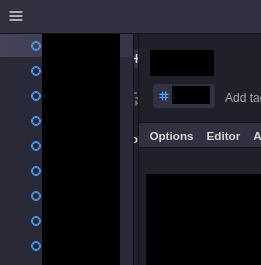
I occasionally experience this weird UI bug. the note list bar is usually minimized for me (resized to zero). but sometimes it switches to displaying a few pixels (see screenshot below) and when this happens I can't resize it anymore (the mouse pointer doesn't turn into the resize arrow where it used to). restarting the app undoes the weirdness, the note list bar goes back to zero width and I can resize it again.
this only ever happened to me on Gnu/Linux, 3.8.18 and the Snap version, so the bug could be specific to each of these.

Hi @chaserene, thank you for the report. I'll keep my notes list collapsed in the desktop apps I'm using to see if I can reproduce the bug on my end. 🙂
Does this issue occur upon starting the app or does the notes list go from being fully collapsed to partially open at some point in using the desktop app?

thanks @JaspalSuri!
Does this issue occur upon starting the app or does the notes list go from being fully collapsed to partially open at some point in using the desktop app?
the app always starts without this issue, it occurs as time goes one and I use the app.