

 sstur
sstur
Missing class names and stylings
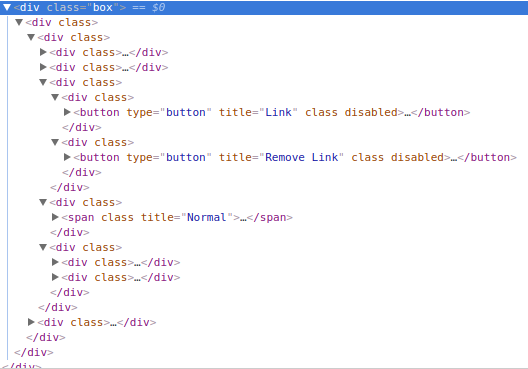
Hi. I want to use react-rte with my Node\React web app, also using webpack (importing from 'react-rte/lib/RichTextEditor'), and when I try to run it, I get class names and no styles so the whole div looks really bad and not usable. I believe it's some small issue and not a bug but I can use the package w/o solving it. Have you encountered this?

Hi. Can you create a repro example using https://www.webpackbin.com so I can check on this?

Hello! I'm having this same issue, and any help would be greatly appreciated!! The generated markup is missing class names, and thus styling is missing from the rich text editor interface. It looks like this:
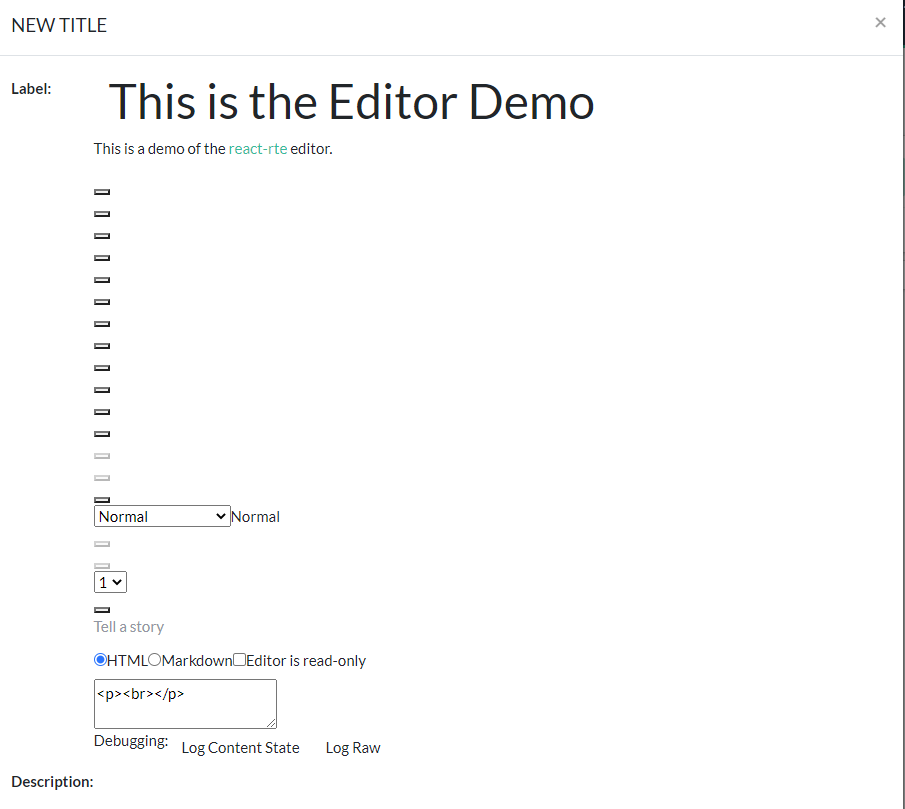
All the editor functionality seems to be in place, and clicking on buttons carries out the associated action. If I click on a button, then class="undefined" is added to that button's markup. There aren't any console warnings, except one about "Supplying an onTab prop to DraftEditor has been deprecated."
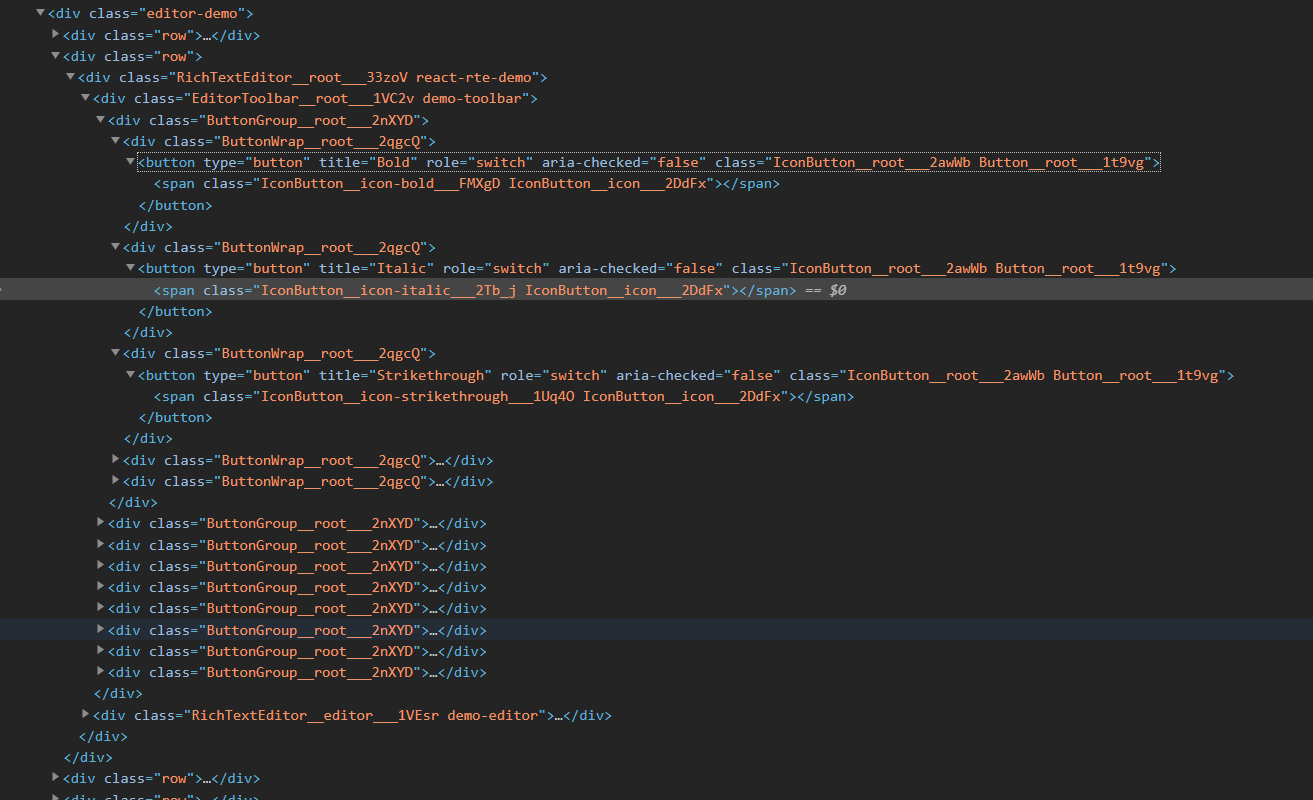
I can get your demo to work locally by following the instructions, and it looks great. I checked the props being passed into each component in React Developer Tools in the demo vs my application, and they're identical. The markup is what is so different. To get the editor working in my project, I've used the sample code from your demo (removing any flow annotations).
Demo markup:
Markup in my project:
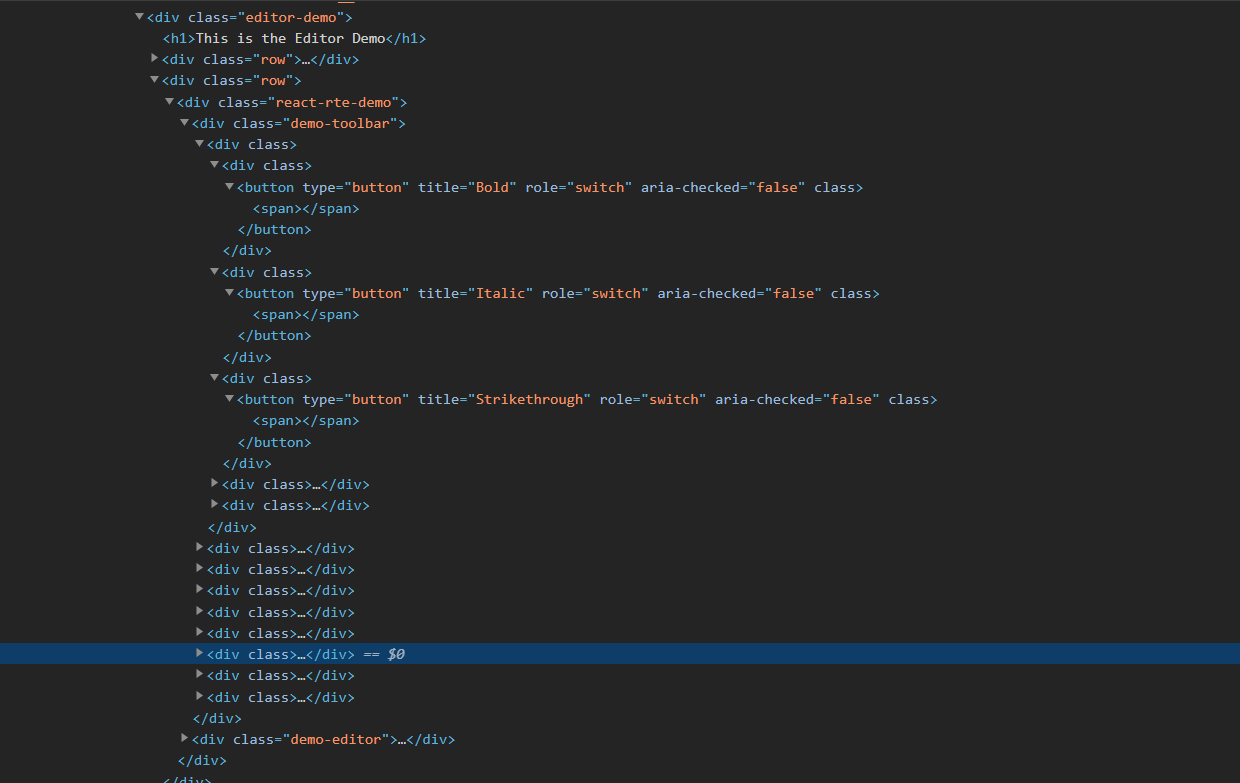
As you can see, the classes are missing from the buttons and spans that determine the presentation.
Please let me know if you have any ideas or need more information from me. Thank you!

I'm coding in a create-react-app (v18) + redux toolkit + mui (v5) environment and found same issue as @spchaplin described (first uploaded image situation). Initially I believed that my app configuration used webpack as a dependency, so I imported react-rte using
import RichTextEditor from 'react-rte/lib/RichTextEditor';
But, reverting back to
import RichTextEditor from 'react-rte';
solve the issue. Hope this helps.
