

 sshahine
[Feature] JFXTooltip
https://material.io/guidelines/components/tooltips.html#tooltips-tooltips-desktop


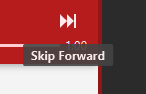
I implemented a dummy that can be used as a basis for the tooltip. I am unfortunately quite new to JavaFX, so there might be a better solution. There is one critical bug I could not fix: The layout calculation and transitions are correct, if the tooltip is shown a second time, but not on the first time. The colour might be off by a bit, because i have not found them in the Material Design specification, but here is a screenshot of the tooltip:
 The source files for the tooltip are in the archive:
JFXTooltip.zip
The source files for the tooltip are in the archive:
JFXTooltip.zip

I fixed the issue with the layout and fade out/in on the first apperance of the tooltip. These are the updated source files. This should be a complete Material Design Tooltip: JFXTooltip.java
import javafx.animation.FadeTransition;
import javafx.animation.Interpolator;
import javafx.geometry.Point2D;
import javafx.scene.Node;
import javafx.scene.Parent;
import javafx.scene.control.Tooltip;
import javafx.scene.text.Font;
import javafx.util.Duration;

/**
 * Dummy implementation of the Material Design Tooltip
 *
 * Issues:
 * <ul>
 *     <li>The colour palette might be off by a margin (as stated in the CSS file)</li>
 * </ul>
 */
public class JFXTooltip extends Tooltip {
    private static final String STYLE_SHEET =
            JFXTooltip.class.getResource("/css/jfx-tooltip.css").toExternalForm();
    private static final String DEFAULT_CSS_CLASS = "jfx-tooltip";
    private Node layoutNode;

    /**
     * The JFXTooltip allow the use of a Material Design Tooltip.
     *
     * Issues:
     * <ul>
     *     <li>The colour palette might be off by a margin (as stated in the CSS file)</li>
     * </ul>
     *
     * @param tooltip    The text that should be displayed
     * @param layoutNode The node that will be used to determine the position of this tooltip. The node should not be null.
     * @throws NullPointerException Throws a NullPointerException, if the layoutNode is null.
     * @see <a href="https://material.io/guidelines/components/tooltips.html#tooltips-tooltips-desktop">Material Design Desktop Tooltip</a>
     */
    public JFXTooltip(String tooltip, Node layoutNode) {
        super(tooltip);
        this.layoutNode = layoutNode;
        initialize();
    }

    /**
     * The JFXTooltip allow the use of a Material Design Tooltip.
     *
     * Issues:
     * <ul>
     *     <li>The colour palette might be off by a margin (as stated in the CSS file)</li>
     * </ul>
     *
     * @param layoutNode The node that will be used to determine the position of this tooltip. The node should not be null.
     * @throws NullPointerException Throws a NullPointerException, if the layoutNode is null.
     * @see <a href="https://material.io/guidelines/components/tooltips.html#tooltips-tooltips-desktop">Material Design Desktop Tooltip</a>
     */
    public JFXTooltip(Node layoutNode) {
        super();
        this.layoutNode = layoutNode;
        initialize();
    }

    private void initialize() {
        // Check for a null value (use @NotNull)
        if (layoutNode == null) {
            throw new NullPointerException("The tooltips layout node is null");
        }
        // Adding default style information
        this.getStyleClass().add(DEFAULT_CSS_CLASS);
        this.getScene().setUserAgentStylesheet(STYLE_SHEET);
        this.setFont(Font.font("Roboto Medium"));
        this.setPrefHeight(22);
        // The popup should adjust itself, iff it would overflow the screen
        this.setAutoFix(true);
        // Try to calculate the bounds before doing anything
        this.getScene().getRoot().autosize();
        // Do this, if the tooltip is displayed
        this.setOnShown(ev -> {
            // Get the horizontal center and the vertical top of the layoutNode
            // relative to the screen
            Point2D nodeLayout = layoutNode.localToScreen(
                         0.5 * (layoutNode.getLayoutBounds().getMinX() +
                         layoutNode.getLayoutBounds().getWidth()),
                         layoutNode.getLayoutBounds().getMinY());
            // Adjust those values (the tooltip has built in hard coded offset)
            // to be at the bottom end of node
            double ownerX = nodeLayout.getX();
            double ownerY = nodeLayout.getY() - 7 +
                                        layoutNode.getLayoutBounds().getHeight();
            // Adjust the coordinates of the tooltip according to its width
            // (the height is constant, because of the Material Design specification)
            Parent parent = this.getScene().getRoot();
            this.setAnchorX(ownerX - 0.5 * (parent.getBoundsInParent().getWidth() +
                                     parent.getBoundsInParent().getMinX()));
            this.setAnchorY(ownerY + 14); // Distance of the tooltip to the actual
                                     // node (14 Pixel as in the desktop specification)
            // Fade in transition (duration: 150ms)
            FadeTransition transition = new FadeTransition(Duration.millis(150),
                  this.getScene().getRoot());
            transition.setFromValue(0);
            transition.setToValue(0.9);
            transition.setCycleCount(1);
            // Set the deceleration curve to show this tooltip
            transition.setInterpolator(Interpolator.SPLINE(0.0, 0.0, 0.2, 1));
            transition.play();
        });
        // Do this, if the tooltip will be hiding
        this.setOnHiding(ev -> {
            // Fade out transition (duration: 150ms, is shown for 1.5s after leaving the associated node)
            FadeTransition transition = new FadeTransition(Duration.millis(150),
                   this.getScene().getRoot());
            transition.setFromValue(0.9);
            transition.setToValue(0);
            transition.setCycleCount(1);
            transition.setDelay(Duration.millis(1500));
            // Set the acceleration curve to hide this tooltip
             transition.setInterpolator(Interpolator.SPLINE(0.4, 0.0, 1, 1));
            transition.play();
        });
    }

    /**
     * {@inheritDoc}
     */
    @Override
    public void show(Node ownerNode, double layoutX, double layoutY) {
        this.layoutNode = ownerNode;
        super.show(ownerNode, layoutX, layoutY);
    }

    public Node getLayoutNode() {
        return layoutNode;
    }

    public void setLayoutNode(Node layoutNode) {
        this.layoutNode = layoutNode;
    }
}
jfx-tooltip.css
.jfx-tooltip {
    -fx-text-fill: #ffffff; /*The specification says Grey 700, but it looks quite ugly*/
    -fx-font-weight: bold;
    -fx-background-color: #444444; /* This should be #646464 according to Material Design */
    -fx-opacity: 0.9;
    -fx-padding: 3px 8px;
    -fx-font-size: 10px;
    -fx-max-height: 22px;
    -fx-max-width: 250px;
    -fx-background-radius: 2px;
    -fx-pref-width: 100%;
}
@Slin61, is there something stopping you from making a pull request to make JFXTooltip part of the JFoenix project?

@jfoenixadmin Should we make a PR for Slin61 solution? It doesn't need a lot of changes
I think it's very simple implementation, the requirements for JFXTooltip are:
- supports side ( top / left / right / bottom )
- supports custom animation / content
- supports custom behavior (delay should be optional)
Hardly any of these requirements is met, so I'd rather not to make a PR for this code yet.