

 ssborbis
Features of CS SideBar added in Quick Menu
CS SideBar has a number of advantageous and exclusive features compared to those of Quick Menu, which I would suggest to be added-adapted to Quick Menu (which thing might render SideBar menu a bit redundant). Specifically:
- Searched terms history and suggestions
- Move / dock / undock button
- Position Options when undocked: Relative (like the current QM’s) or Absolute (like the current SB’s - menu not movable when scrolling and with last position saving).
- Overlay an icon for opening as an additional opening method (with or without terms preselection)
- Keyboard opening method even without terms preselection
- Open automatically when the page loads option
- CS Settings page button
And some relative improvements:
- Suggestions improvement: (As is the case in FF’s search and address bar) When writing terms and moving through the suggestions with the up and down keyboard arrows: a) to be able to delete (with the ”delete” key) anyone of the suggestions, b) the cursor to stay at the end of the characters, in the search field, so as the user to be able to continue writing and adding terms.
- Docking Improvement: Docking Improvement so as parts of the page not to be covered / hidden in some sites i.e. the pages should be extended to a width that equals the total minus the QM’s width.
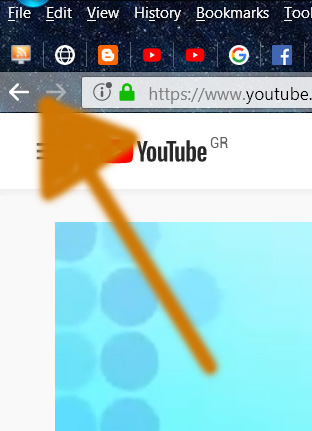
- New tool: Go Backwards and Forwards tool (like that of FF’s address bar) for accessing a number of the last searches, with right click for showing and selecting through searches’ history list.

Out of curiosity, why not just use the sidebar if you prefer it over the quick menu? Is it just that you can't open it the same way as the quick menu? (edit) oh right, the tools
Suggestions improvement:
Seems doable.
Docking Improvement:
I've done a pretty thorough accounting for page elements when the sidebar is docked. It's impossible to make it work perfectly with every website, as I have to work around each site's styling, javascript, etc. It's taken many hours getting it where it is now and I'm not really sure how much more can be done. I think all the code is in dock.js. You're welcome to take a look at improving it.
New tool:
You mean the dropdown button to the right of the URL? My FF may not be set up the same as yours. That button doesn't do anything on my browser, but I think I know what you're after.

I mainly use CS to search for terms selected or simple-clicked, which is doable only with the use of QM, and of course, there are the tools too. So, I really think that all those powerful features like history-suggestions list, dockability and overlay icon, already existing in CS’s SB, are not less useful when searching with the use of QM. The other features like no preselection keyboard opening, automatic opening when the page loads and settings button may be of not that great importance in my view, but I suggest them too for a proper QM-SB merging so as one who uses more usually SB, won’t miss something he is accustomed with, when using QM.
It's taken many hours getting it where it is now and I'm not really sure how much more can be done. I think all the code is in dock.js. You're welcome to take a look at improving it.
I wish I could do something on that. Unfortunately, I’ve absolutely no knowledge in coding. Since you have played on it so much, I’m sure the best possible has been done.
You mean the dropdown button to the right of the URL?
I mean the Backwards-Forwards arrows tool (and its right-click list) as shown in the following pictures.

Thank you.
Huh, I didn't know there was a right-click menu on those buttons. I'll come up with some kind of search term history navigation.
The Back-Forth (especially the Back one) buttons are the more useful or necessary. The right-click list may be a kind of luxury.
Why not just use the sidebar if you prefer it over the quick menu?
I see that already a number of settings in the QM tab are commonly exploitable by SB (and Tool Bar), namely:
- Search Actions
- Icon Size
- Tools (Inactive, when same column number)
So, I’m wondering if the other way around would make such a “two in one” suggestion easier, more feasible or preferable. I mean the addition of some options for activating instead, in SB the advantageous features of QM:
- Opening methods
- Tools
- Where to enable on
- Opacity (?)
I already have the qm modified with basically everything the sb has, minus the docking.
Here's what the qm looks like with all the menus turned on. I don't have a forward / back button, but the search icon can be clicked to show recent history
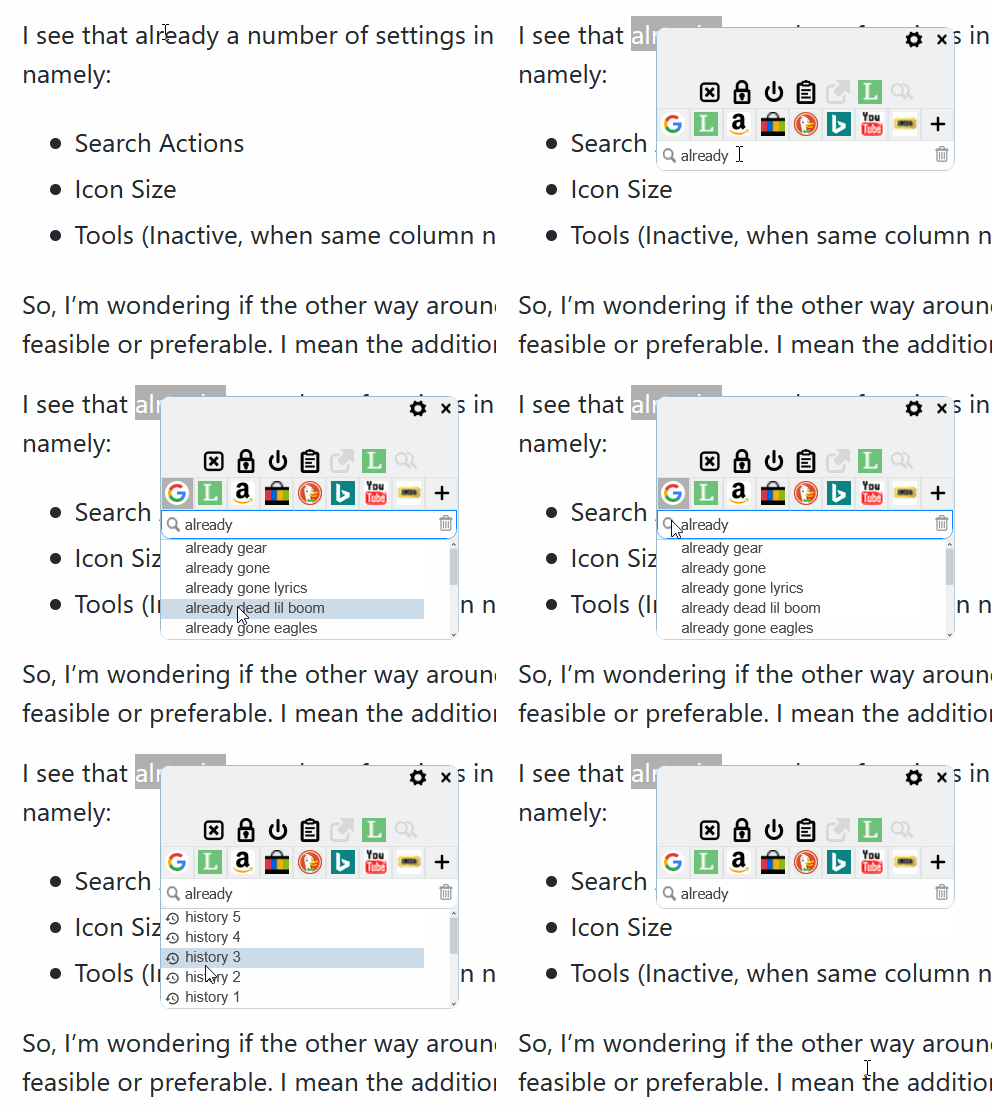
Wow! I’m trying to simplify things so as to be more easily implemented, just to realize that you find no difficulties and you can code in “two minutes” time nearly anything. Thank you. Notify if a repo testing needed.
I have a number of changes underway. I don't want to make a push just yet without more debugging, but I'll let you know.
Ok, push made. You'll want to export your settings before sideloading in case something goes wrong with newer code.
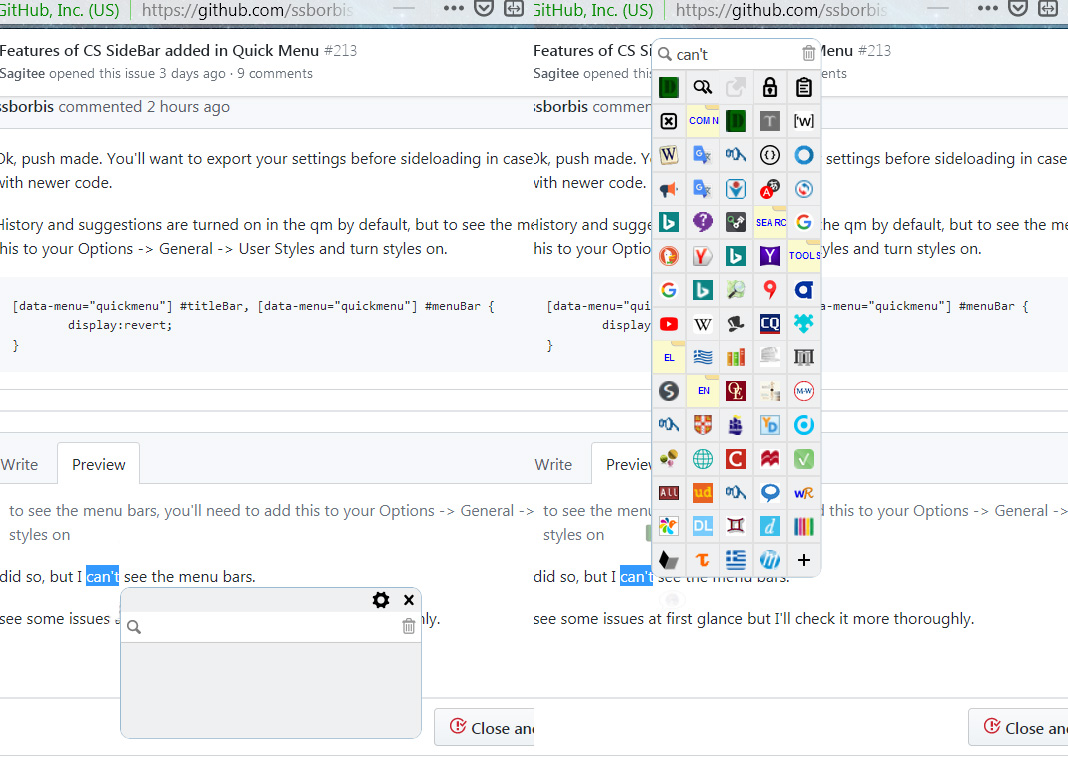
History and suggestions are turned on in the qm by default, but to see the menu bars, you'll need to add this to your Options -> General -> User Styles and turn styles on.
[data-menu="quickmenu"] #titleBar, [data-menu="quickmenu"] #menuBar {
	display:revert;
}
to see the menu bars, you'll need to add this to your Options -> General -> User Styles and turn styles on
I did so, but: momentarily appears what's at the left of the picture to then rapidly turn in my normal QM (what's at the right).
I see some issues at first glance but I'll check it more thoroughly.
I also noticed that opacity now works on Mouse select and Simple Click too.
Hmm. Maybe your styles are being applied in a different order than mine. I tried using your same toolbar and searchbar positioning, but no effect.
Are you sure your styles are turned on? I get that behaviour when I disabled styles. Did you add the lines outside of the commented example?
"User Styles/Apply custom CSS styling" to menus is checked. Yes, the lines are outside of the commented example.
The history / suggestions box is working but I see 3-4 issues, which I want make some testing on to be able to exactly describe when and what is happening.
I'll have to be absent for the following hours though.
About the History-Suggestions list
When Immediate Search is activated:
- After an Immediate Last Used search, the term is not added in the History list.
- While typing in the search field and under it there are shown suggestions, a Last Used search is executed per every one, two, three or more (a random number of) typed characters. That behavior is taking place until the total number of the characters grows so as no suggestions are supplied any more.
- During the moments of those unwanted repeated Last Used searches, some keystrokes are lost e.g. some characters typed are lost-deleted or in contrast some characters deleted are reemerged-undeleted.
- When the Magnifying Glass button at the left of the search field is pressed, a Last Used search is taking place simultaneously with the opening of the History list
When one is typing in the search bar field, so as more than one suggestions to be supplied, and then he/she presses the down arrow key more than one time, so as to make a selection after (below) the first suggestion, then the page with/and the QM scrolls lower so as the selected (blue) suggestion to be at the top of the ff window (if the page is not already scrolled down at its lower end), so as the search bar to be hidden.
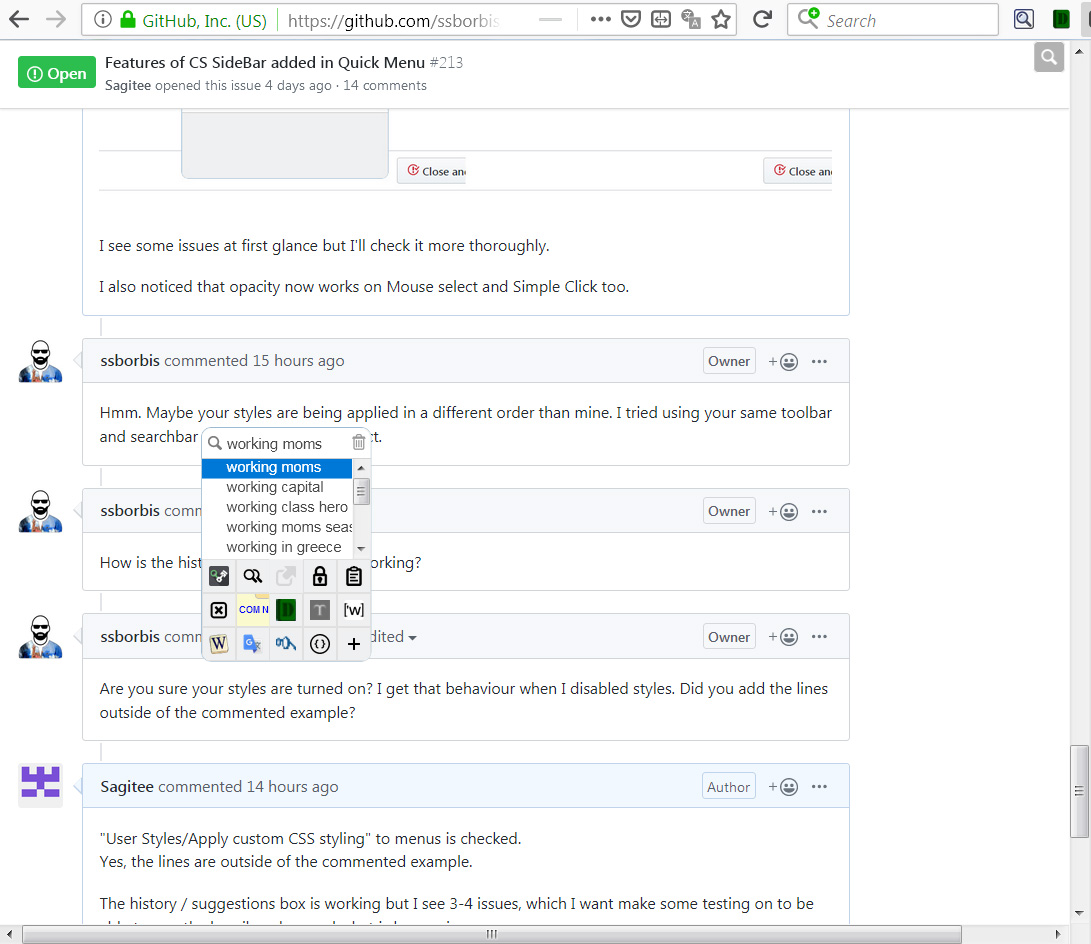
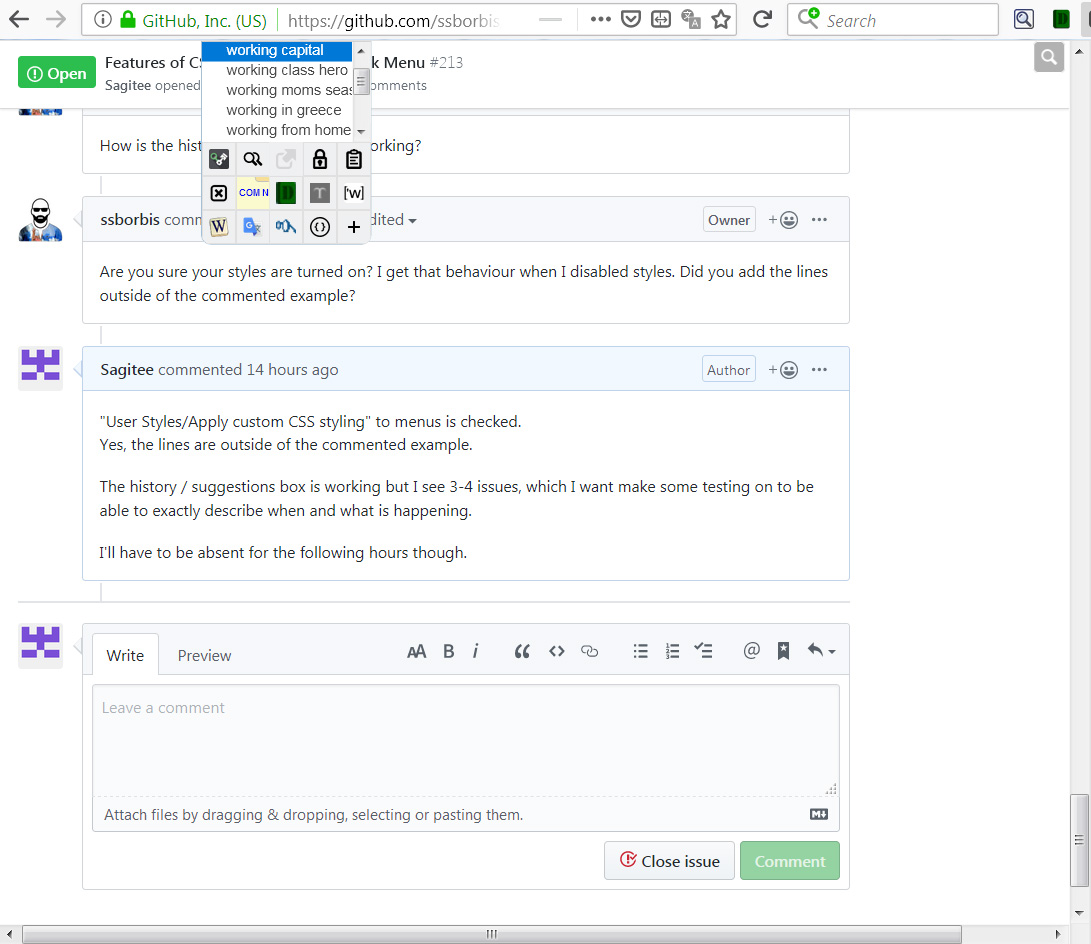
- the unwanted behavior is in bold characters
About the menu bars issue, I tried to change a lot of the CS settings or to disable other addons but nothing worked.
(edit) Fixes in the repo
1 ~~After an Immediate Last Used search, the term is not added in the History list.~~
2 ~~While typing in the search field and under it there are shown suggestions, a Last Used search is executed~~
3 During the moments of those unwanted repeated Last Used searches, some keystrokes are lost
Type timer has been delayed, and fixing the cause of 2 & 4 should help. May still happen, though.
4 ~~When the Magnifying Glass button at the left of the search field is pressed, a Last Used search is taking place simultaneously with the opening of the History list~~
5 ~~the page with/and the QM scrolls lower so as the selected (blue) suggestion to be at the top of the ff window~~
Greatly!!
Seems that during testing I had disabled custom styling and I now find that the issue of the menu bars is also resolved (they are shown and work properly).