
SevenZipSharp

SevenZipSharp copied to clipboard
 squid-box
Access archives within archives quickly
Hi Joel,
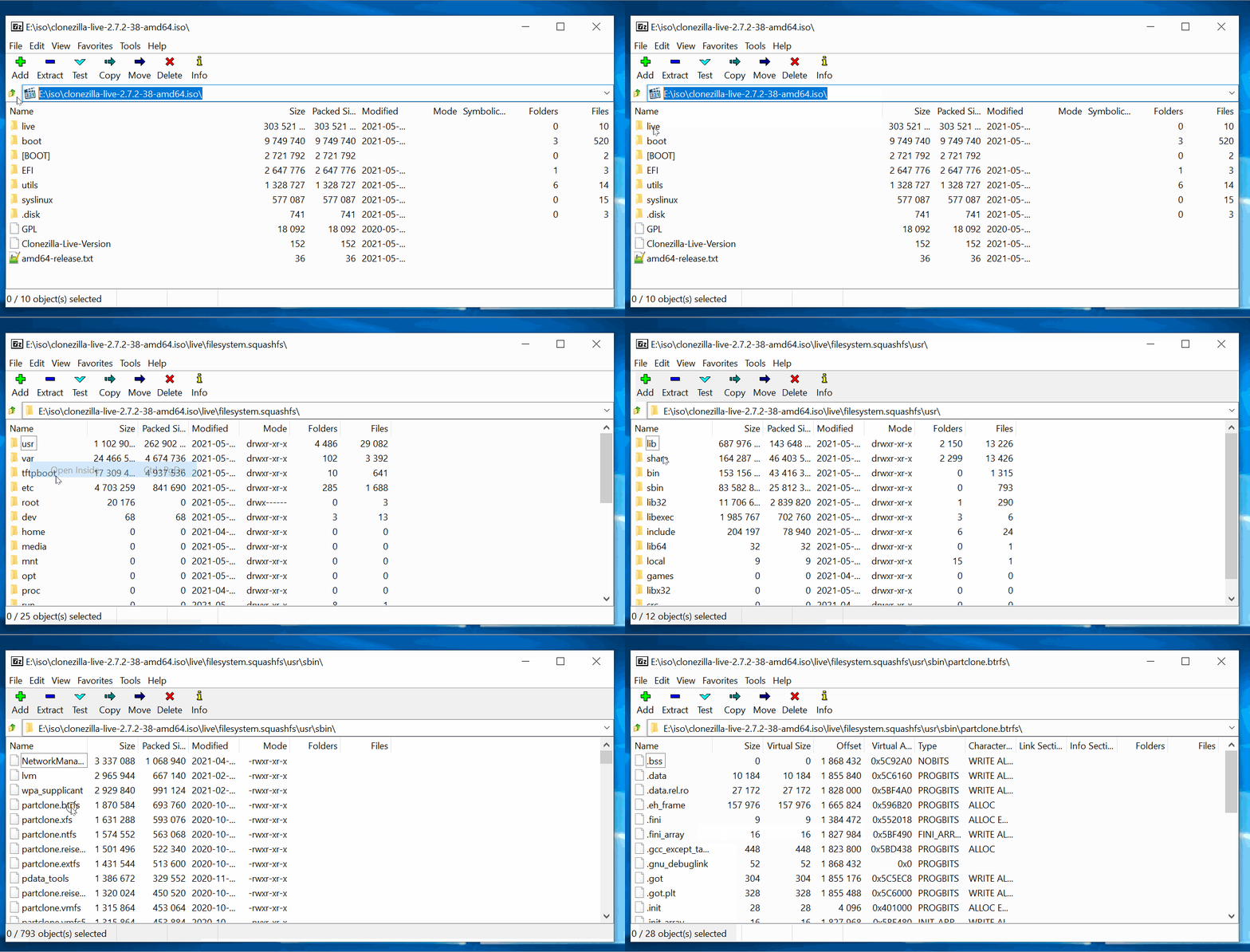
I have a series of nested archives:
clonezilla-live-2.7.2-38-amd64.iso
        live\filesystem.squashfs
                usr\sbin\partclone.btrfs
The iso is available here if you need.
I can drill down using the following code:
var filename = @"E:\iso\clonezilla-live-2.7.2-38-amd64.iso";

SevenZipBase.SetLibraryPath(@"C:\Program Files\7-Zip\7z.dll");

//this is fast
var isoExtractor = new SevenZipExtractor(filename);
var isoFilenames = isoExtractor.ArchiveFileNames;

//this is fast
var squashFsStream = new MemoryStream();
isoExtractor.ExtractFile(@"live\filesystem.squashfs", squashFsStream);
var squashFsExtractor = new SevenZipExtractor(squashFsStream, InArchiveFormat.SquashFS);
var squashFsFilenames = squashFsExtractor.ArchiveFileNames;

//this is slow
var partcloneBtrfsStream = new MemoryStream();
squashFsExtractor.ExtractFile(@"usr\sbin\partclone.btrfs", partcloneBtrfsStream);    //specifically this step takes 20 seconds
var btrfsExtractor = new SevenZipExtractor(partcloneBtrfsStream, InArchiveFormat.Elf);
var btrfsFilenames = btrfsExtractor.ArchiveFileNames;
The 7-Zip GUI lets me drill into the nested archives without any delay using the "Open Inside" feature:
Do you have any suggestions for improving the speed?
Thanks, Fidel
