

 sqlitebrowser
Tabname shows only first character (MacOS only bug)
Details for the issue
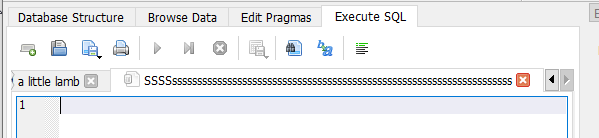
Hi, when I started to write and execute SQL against database, I found, that the Tab name is not displayed.
There is only first char S... but fullname of the Tab should be visisble - i.e. all characters
See:

Useful extra information
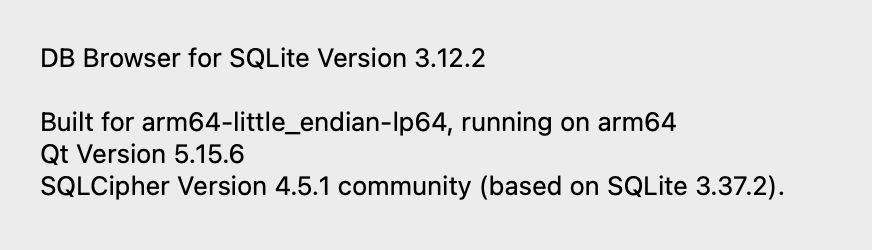
DB4S v3.12.2 [built for arm64-little_endian-lp64] on macOS 12.6 (darwin/21.6.0) [arm64] using SQLCipher Version 4.5.1 community (based on SQLite 3.37.2) and Qt 5.15.6

Oh, that's interesting. I think we've probably all seen that before, but not consciously recognised it as a problem.
As a thought, how much of the tab name do you feel should be shown by default? :smile:

This is a weird Mac thing, as this 'feature' doesn't occur in Windows.
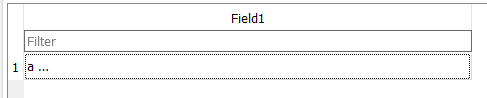
The Qt grid cell has a weird quirk where it'll display ellipses if the text won't fit, rather than putting what it can in a cell.
As a data point, this is not occurring here (at least on Windows) - it'll display all.

The tab name doesn't contain any weird unicode characters does it?

ode characters does
I would say, the full tabname should be displayed, if there is enough space, or if that is too complicated, at least first 10 characters should be always visible, so we can see difference between different tabs.
I can confirm, that tabname does not contain any weird characters.
I just used the default name, which opens automatically when you switch into Execute SQL tab. I compared it with Windows - where the tab is named "SQL 1" - and exactly that is hidden in the shortened string "S..." on macOS.
Hmmmm. @chrisjlocke Was your screenshot with DB4S 3.12.2, or a nightly build?
Hmmmm. @chrisjlocke Was your screenshot with DB4S 3.12.2, or a nightly build?
Hi, it is version 3.12.2
All data here:
@chrisjlocke Was your screenshot with DB4S 3.12.2, or a nightly build?
Yes, specifically used 3.12.2.
Apparently macOs 12.5 can run in a VM ... no idea if 12.6 can...
Can a nightly be run in 12.6?
@chrisjlocke Yep, macOS (intel) can run in a VM, including those versions. It's not even hard to set up. And yep DB4S will run in that.
I've occasionally run macOS (intel) in a VM when I need to try something out, as our actual intel hardware mac is so ancient it's blooooooody slow to do anything with. :wink:
This is the easy setup approach I've used before, which runs under KVM:
https://github.com/notAperson535/OneClick-macOS-Simple-KVM
I have the same problem, but on investigation it's a bit more odd. The longer the name is, the more is displayed (ie, it's always truncated). For example, naming the tab "thisisalongname " (note the extra spaces a the end)) will display all of the text. Naming it "th" displays nothing at all.
DB Browser for SQLite Version 3.13.0
Last commit hash when built: 777fe12

Built for x86_64-little_endian-lp64, running on x86_64
Qt Version 5.15.13
SQLCipher Version 4.6.0 community (based on SQLite 3.45.3)
