

 spotify
App Store Review Rejected due to "Continue with Apple"
Greetings,
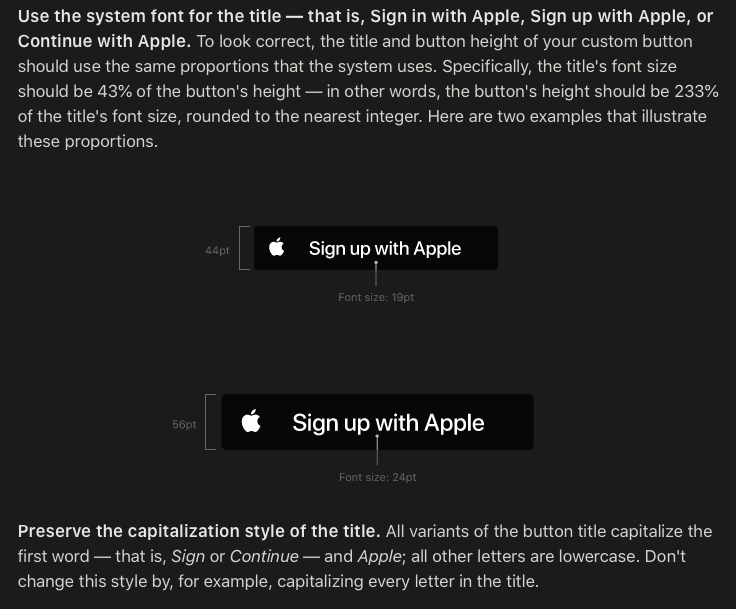
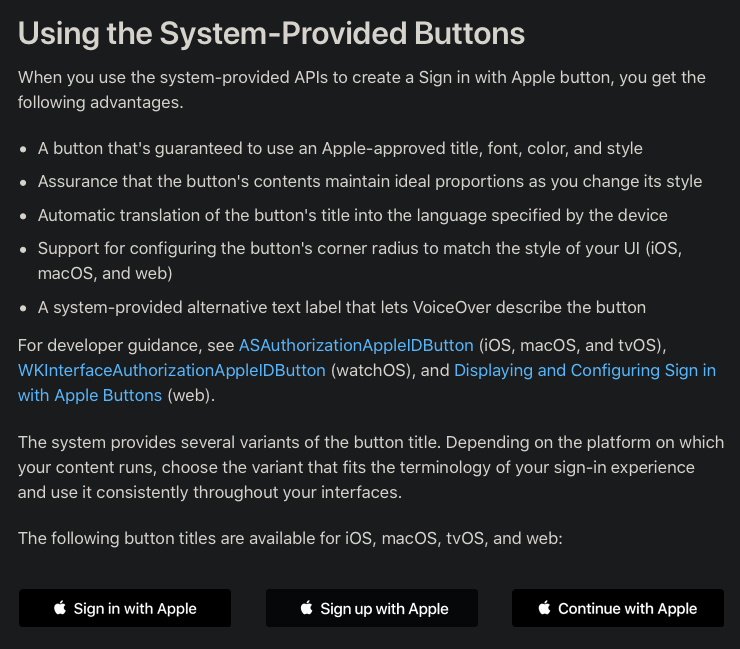
I am developing an app that utilizes the Spotify login webview and was recently rejected due to the "Continue with Apple" button not saying "Sign in with Apple" per the Sign in With Apple Human Interface Guidelines .
How can I go about having this fixed? I realize that this isn't an issue with the SDK but a backend-webpage fix.
Thanks

Hi! That seems like a weird rejection since it is clearly stated in their own guidelines about buttons that "Continue with Apple" is allowed as an alternative to "Sign in with Apple". Try referencing that to the app review team.

Hello,
Thank you for the link! I will definitely reference this in the review.
As you might know... the app review process is very very inconsistent. I've had app updates request changes to stuff that haven't changed since the beginning.
Chris
Hello,
I provided them the link to the page and they still did not accept it. Perhaps the proportions need to be changed? Here are the three screenshots they provided in response:
Thanks for all of the help so far.
Chris
Hello @kkarayannis - Do you happen to know whom I can contact about this issue? Is there a Spotify support email and/or phone number for these kinds of issues?
The links to the screenshots you provided above are not publicly accessible. It just shows "forbidden" when I click on them. Can you try posting them again?
Sorry about that. I think I had a direct link to the attachments instead of uploading so I have uploaded them below. The middle one is the issue and the other two are screenshots they provided in the review with no explanation but I assume it is how to fix it?
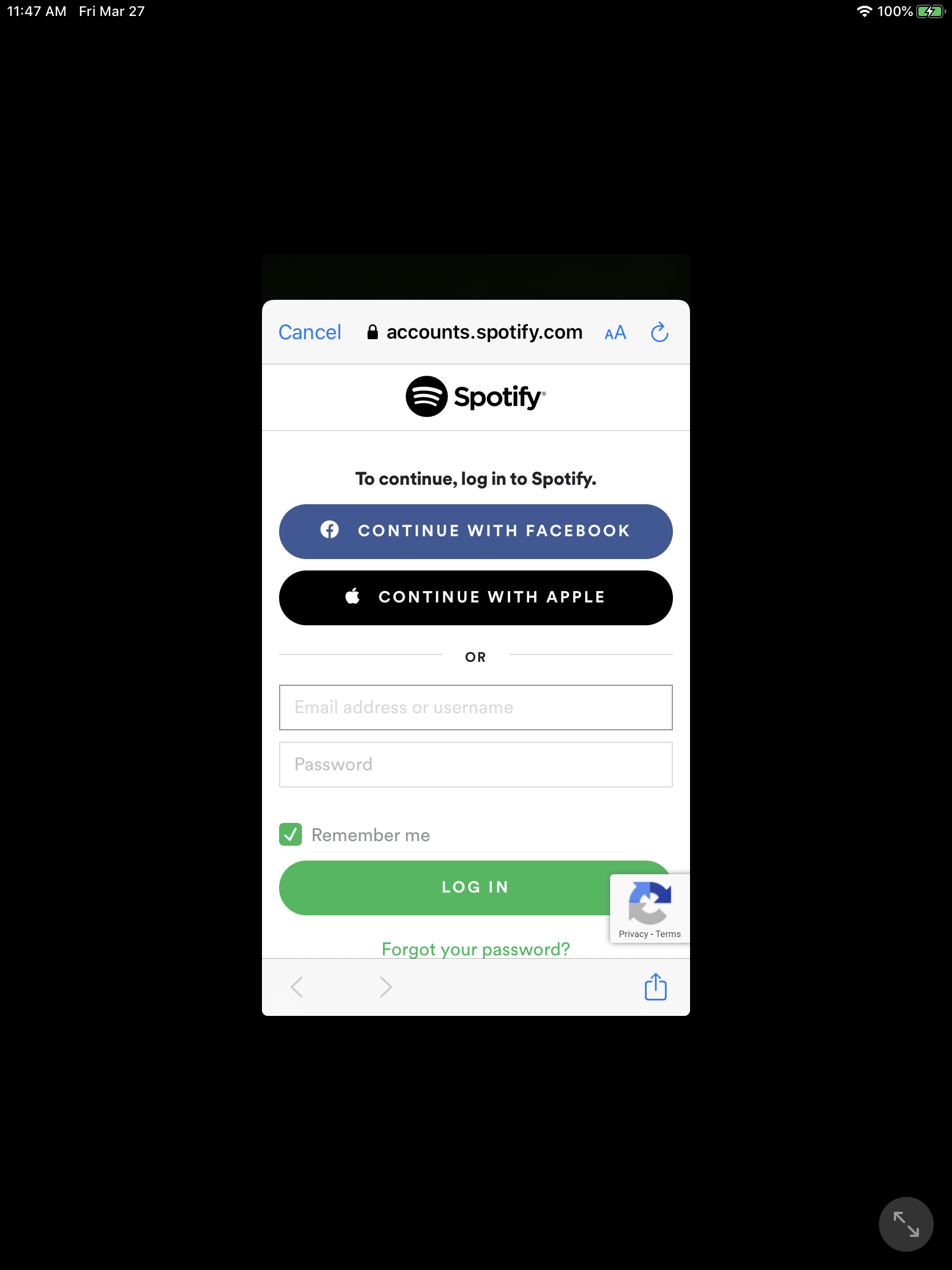
Hello - This not the first thing the user would see but they will eventually have to login via a button to proceed using the app
It seems the guidelines for apps and web are different and the experience of using a web view in an app is not very well defined. Currently, we are not looking to make changes to our web sign in. I would suggest that you use the Spotify app to sign in, if it is available, and disable this feature if it isn’t.
Hi @kkarayannis , this issue is affecting my iOS app as well, and the App Store reviewer said to reach out to Spotify to ask whether there is a different web view that can be provided to sign in to the user’s Spotify account. As this sign in flow is standard with the Spotify iOS SDK, is there a way to accommodate this Apple requirement now that the Spotify web view sign in is considered in violation of Apple’s Human Interface Guidelines?

Hey @politankz - This is basically the same response that I got from Apple. They even rejected the app again when I changed the authentication flow to use Safari directly and not the SDK's webivew. I would say there is nothing you can do to get past the review other than removing the Safari authentication path from your app. Unfortunately removing Spotify from the app I am working no is not an option.
@kkarayannis Is it possible to revisit a change on accounts.spotify.com to use the correct Guidelines? Spotify is a huge part of the App that I am working on and cannot remove it.
Thanks,
Chris
@kkarayannis Any updates?
It seems pointless to provide the "Continue with Apple" button when it obviously is not accepted by Apple.
