
spectre.console
 spectre.console copied to clipboard
 spectreconsole
Confirm inside a Status displays incorrectly
Information
- OS: macOS/Windows
- Version: Big Sur / 10
- Terminal: Terminal / Windows Shell
Describe the bug
Nesting an AnsiConsole.Confirm inside of an async Status block causes the prompt to behave unexpectedly.
Sometimes the prompt will show (on macOS it seems to), but sometimes not (on windows), and when you enter the input, it flashes briefly before disappearing. You can manage to enter it and hit return with the right timing to get the confirm to return correctly, but obviously not the intended experience :)
To Reproduce
await AnsiConsole.Status().StartAsync("[bold blue]Synchronizing configuration...[/]",
  async ctx =>
  {
	  ctx.Spinner(Spinner.Known.Ascii);
	  ctx.SpinnerStyle = new Style(Color.DodgerBlue1, decoration: Decoration.Bold);

	  await Task.Delay(1000);

	  ctx.Status("Status 2...");

	  await Task.Delay(1000);

	  if (AnsiConsole.Confirm("Will this work?"))
	  {
		  AnsiConsole.MarkupLine("YES!");
	  }

	  AnsiConsole.MarkupLine("NO");

	  await Task.Delay(1000);

	  ctx.Status("Status 3...");

	  await Task.Delay(1000);
  });
Expected behavior
The prompt should display reliably, and the input should not clear.
Screenshots
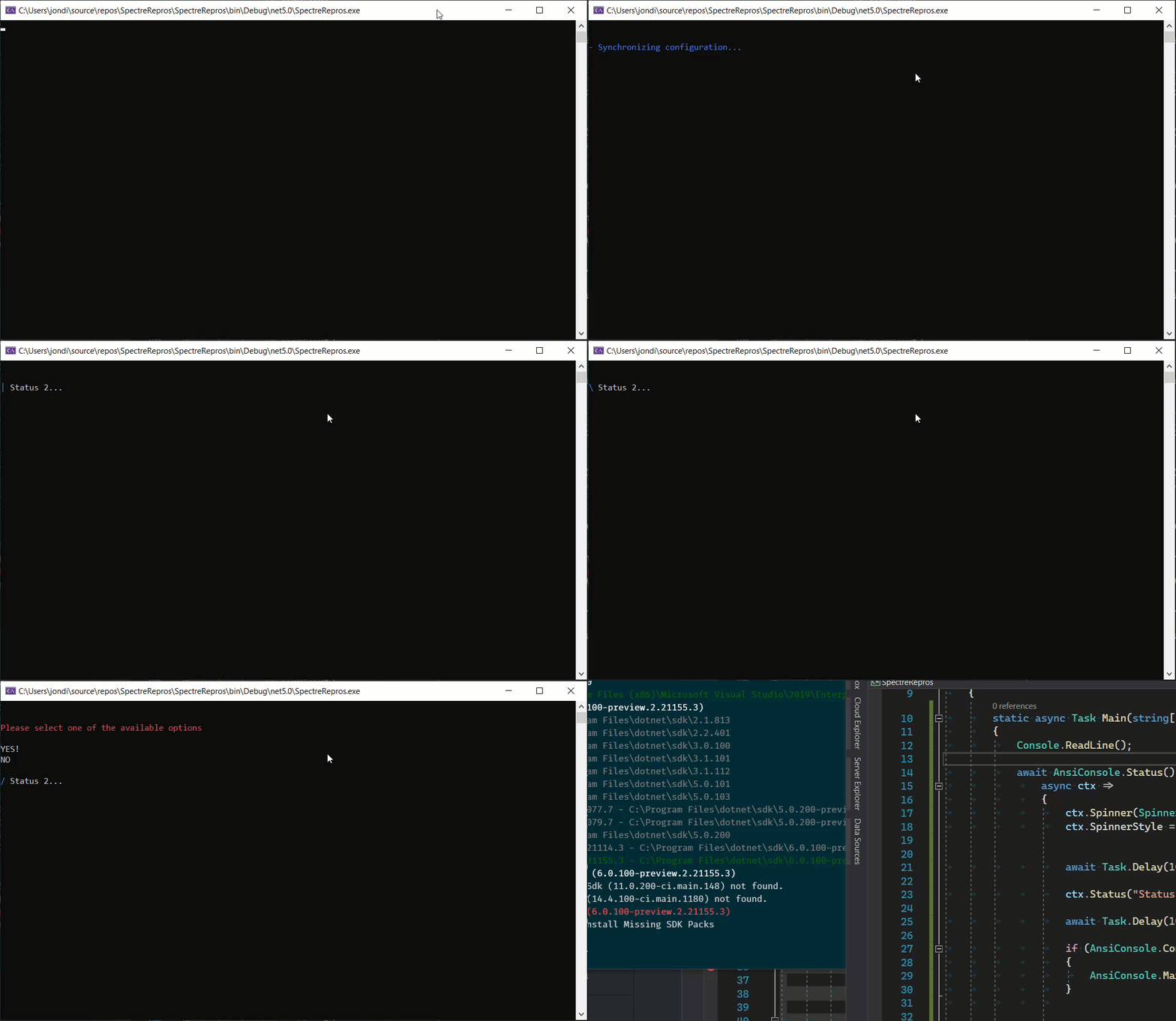

First, this is an excellent bug report. Love it.
I think, unfortunately, the bug in question is that the Confirm method isn't throwing an exception that you can't do that while rendering a status/progress bar. The output functionality of Spectre.Console can be divided into three separate things right now
- Static rendering of things like markup and tables
- Dynamic display of progress and status
- Interactive prompts
Right now, combining two of those three in any combination is gonna result in the strangeness you are seeing.
Short term, I think the solution is being more explicit in the docs regarding what can and can't be mixed. And if they do get mixed, it should be failing hard when those boundaries get crossed.
Long term, it seems perhaps off the ProgressContext some sort of interactivity could be added but there is a significant amount of design decisions there I think that would need to be considered.

I have faced the similar challenge, but solved it by splitting it into two calls to Status().StartAsync().
However, I guess it is caused by the fact that two components, the spinner and the prompt, will write to the console concurrently. How about adding a property (e.g. Paused to StatusContext (and ProgressContext)? That way, the user could stop the spinner before displaying a prompt.

Just a heads up, #298 was recently merged in.
This doesn't fix this issue, but it does fail with an error message indicating this isn't supported behavior. In addition the docs have been updated too.
Want to be totally clear - this doesn't mean this isn't a valid usage scenario that's gonna be ignored. It just can't be done right now. It's just one that is gonna take a lot of rethinking to make it work properly and consistently for all users.
It'll probably fall under a new feature that matches the Live behavior of Rich.