Hack
 Hack copied to clipboard
 source-foundry
Create automated Windows installer builds
TODO:
- [ ] create automated Windows installer build when new Hack font builds are pushed to this repository

I would like to propose the following:
-
Create new Hack fonts that are labeled DEV in both the font name (Hack DEV Regular etc.) and also have the DEV inside the filename (e.g.
Hack-Regular-DEV.ttf) -
This would allow to create a second repo (Hack-Windows-Installer-DEV) that could install these fonts BESIDE the existing "normal" Hack fonts.
-
This would allow users to give a new DEV release of Hack a quick try (by selecting "Hack DEV"), and if it doesn't work they just select "Hack" again. No re-installation etc. needed.
-
If possible we should find a way that a new push to the /Hack foundry causes a pull from the Windows-Installer-DEV repo, which would cause an automatic AppVeyor build so a setup.exe for the DEV fonts would be ready in about 5 minutes.

@texhex IMO this should be a post-compilation change in the font naming over in the new repository rather than a new set of duplicate build files that are released here with a different name scheme. Please let me know where you intend to support this tooling for automated builds and I can PR a Python script to perform the renaming (both OpenType tables and font paths) for now. It will require a new fontTools Python library build dependency in your Appveyor script. If you can automate the preparation of a new installation tool to take files from build/ttf and create a new installer anytime that there is a set pushed a non-master branch, then your proposed approach will work. We are commonly working on these issues outside of the dev branch and the testing happens before the compiled font files hit the dev branch.
The workflow on your end would look like this:
- pull all
build/ttf/Hack-*.ttffiles from any non-master branch when changes are pushed (note: there is not an automated build inbuild/ttfwith every commit at the moment) - run post-compilation Python script that renames fonts to whatever naming scheme you would like
Hack-DEV Regular,Hack-DEV Italic,Hack-DEV Bold,Hack-DEV BoldItalicand associated new unique file paths (I can make these constants in the script that you can define however you'd like). - create new build artifacts for Windows installs via Appveyor so that they are available to Windows users who would be testing changes and need to have access to pre/post testing renders with two installed fonts.
My longer term goal is to create a new tool that will modify OpenType name tables so that users can easily and directly (rather than requiring modification of source + rebuild) change the names displayed to the end user in the OpenType table of build products. This will support users who build one off modifications like a change in a single glyph and then want to release it under a different name (rather than modify the source to do this prior to builds). Font paths can be redefined using standard scripted operating system file path renames (e.g. mv, etc) or for those who do not need to automate this, OS dependent GUI file viewing/path editing tools (e.g. Finder).
Let's make sure that our approach for Windows testers is documented (either here or in the new installer repo) so that we have a site that can be used to link instructions rather than manually explaining the process for testing each time that we encounter it.
See https://github.com/source-foundry/Hack/issues/185 for associated issue report.
@texhex Also, if there really is a way to build the installer with font files that are pushed in a branch dependent way, it would be useful to (and I assume that you are planning this based upon your comment) also automate the Windows installer intended for releases as well! This would be fantastic if this happens within minutes of a new release being pushed to the repository.
As something along these lines materializes, let's review the Install sections of the README documentation here that currently point to your Windows Installer repo for all Windows users. Will confirm that all information for Windows installs remains current with the changes for routine releases that take place.
It also struck me that a much simpler alternative approach if you don't/cannot automate things in this fashion, is that I would be happy to PR new development files to the Windows development installer repo to build the installer tool. If you have a consistent directory for the files, the PR will run against Appveyor and the user could obtain the installer built with the files in the PR?
Let me know what approach works best for your Tex.
@chrissimpkins OK, I think now I understood it.
My first impression was that the Hack repo will also include DEV builds with different names and versions. But the DEV builds will only have the SHA1 hash as version, but are else still "Hack" (for the font name and the version).
This then really means the AV scripts needs to take the pushed fonts, change the file name and also apply new names. So I think for the start the manually push approach will be used and the AV script will be extended to make the necessary changes to the file name and the name table entries to allow a side-by-side installation with an existing Hack font.
Let me create the repo this week and after it I will drop you a note so you could push the PY scripts.
Regarding the automation:
In theory, this should be easy. Set up a webhook if something new is pushed to Hack, and push a simply "trigger" file to the Hack-Windows-Installer-DEV repo. The AppVeyor script could then pull the newest fonts from the Hack repo before working on them with the PY script. But let's move that to a later date, first let's see that we actually get a working auto build system.
@texhex
v3.000 release files are now in master and ready for Windows installer. ty!
@texhex cleared v3.0 milestone and will leave this open so that we can continue to discuss the automated installer build process for the Windows installer. If easier/better to have the conversation on the Win installer repo, let me know and we can close this and continue there.
Hello I've managed to build (on my Kubuntu VM) a customized forward slashed zero version of Hack. It's there a plan to release these build custom version of Hack too ? Maybe windows installers ? Or I've to build my own (just changed the zero glif) version at every new release and install on windows the classic way ? Just to know :), thank you.

@dok42 Great! Releases of some combinations of these custom builds in the future are a possibility. We are going to add other glyphs to the alternate library so it will be possible to create a large number of combinations with glyphs that you like. Down the road there are plans to release tooling that automates these customizations prior to the build. @texhex developed the Win installer and I don't know if he had plans to build and release custom versions of Hack with the installer. If not (or if so and you want to participate) and you feel that it would be useful to other Win users out there, I would encourage you to consider contributing to the project by participating in this work @dok42. This new major release was very much intended to make this a possibility for anyone out there.
I would be interested to know if it is possible to use the current build approach on MinGW / Cygwin on Windows and whether this was something that you considered before you went with a Linux VM? If updates to the build documents are necessary to support easier builds on Windows, please let us know.
@texhex is the customizable (ie with other fonts than Hack) Win installer tool stable enough to recommend to @dok42 at this stage?
Hi, I've been able to build my slashed zero version of Hack because of your/Alt-Hack good documentation and, because I got a bit of experience while customizing Iosevka font. Now, following @texhex instructions on how to build the installer, I've just replaced the *.ttf on the Hack_v3 directory and compiled the Windows installer but, I know nothing about Inno setup, how to build an installer, I'm a self-taught person for this kind of stuff, sure I would like to help if I can, this could help me learn a lot of things too in the process.
Not sure yo asked me about Linux VM but, since I've already used ttfautohint there (well it was on Manjaro), and I'm more confident using a Linux terminal.. I went with a Linux VM, installed ttfautohint, used a python virtual env for fontmake and just "make ttf". I just did read documentations.
@dok42 excellent! That makes a documentation writer happy :)
Let's wait for feedback from @texhex. He has been working on a version of the installer for Windows that works with any fonts. Might be something you will want to use with future builds for repeat installs on Win.
Enjoy the new custom build!
@dok42 Good to hear that the build process worked as expected :-).
Regarding your questions: The installer script we are using for the Hack Windows Installer is actually the FSCW "toolkit". This is for font developers that want to offer a Windows font installation EXE, but do either not have access to Windows or simply don't want to be go into much details for creating such an installer.
For this, we also deliver a AppVeyor script with that allows the script to be run automatically when you push something to the repo and retrieve the EXE.
The next step is to include some PY font tools into this mix, so you could create a special "DEV" installer for example that can be used to quickly test new builds from a font while still allowing the go back to the latest stable build without running an installer again. We will need this for the Hack DEV versions because right now also the dev builds of Hack are called "Hack" and overwrite the existing fonts.
Once this is in place, I hope that all tools are in place to build Hack from the individual glyphs. Then everything should be fully automated and once you pushed to your repo, a setup for Hack (dok42 Remix) should be ready.
About learning the setup installation: I would not recommend the FSCW/Hack-Windows-Installer script for this. This is driven by pre-processor scripts that read an INI and create am InnoSetup on the fly, and we also have some Pascal Scripting in as well. Trying to understand all this at once would mean your learning curve would be in the Eve Online area ;)
Hack (dok42 Remix)
👍 has a nice ring to it
@dok42 if you do happen to decide to maintain a downstream repo with the slashed zero glyph (for Windows users only or otherwise) and there is anything that we can do to help, let us know!
@chrissimpkins The Hack Test Win Installer should now have all features we were discussing here (Font renamed to Hack-Test-XXX.ttf, Font family changed) and is automatically build using AppVeyor. When you had time testing this out, I can copy this scripts over to the "normal" Hack Windows Installer and you can build there automatically as well.
@texhex Excellent! I will give it a try this weekend and be back in touch. Thanks for working on this Michael.

And for future reference, here is how you display the version string for the installed fonts on Windows 10
- Control Panel\Appearance and Personalization\Fonts
- Right click on Family Name
- Select Preview
The version string is located at the top:
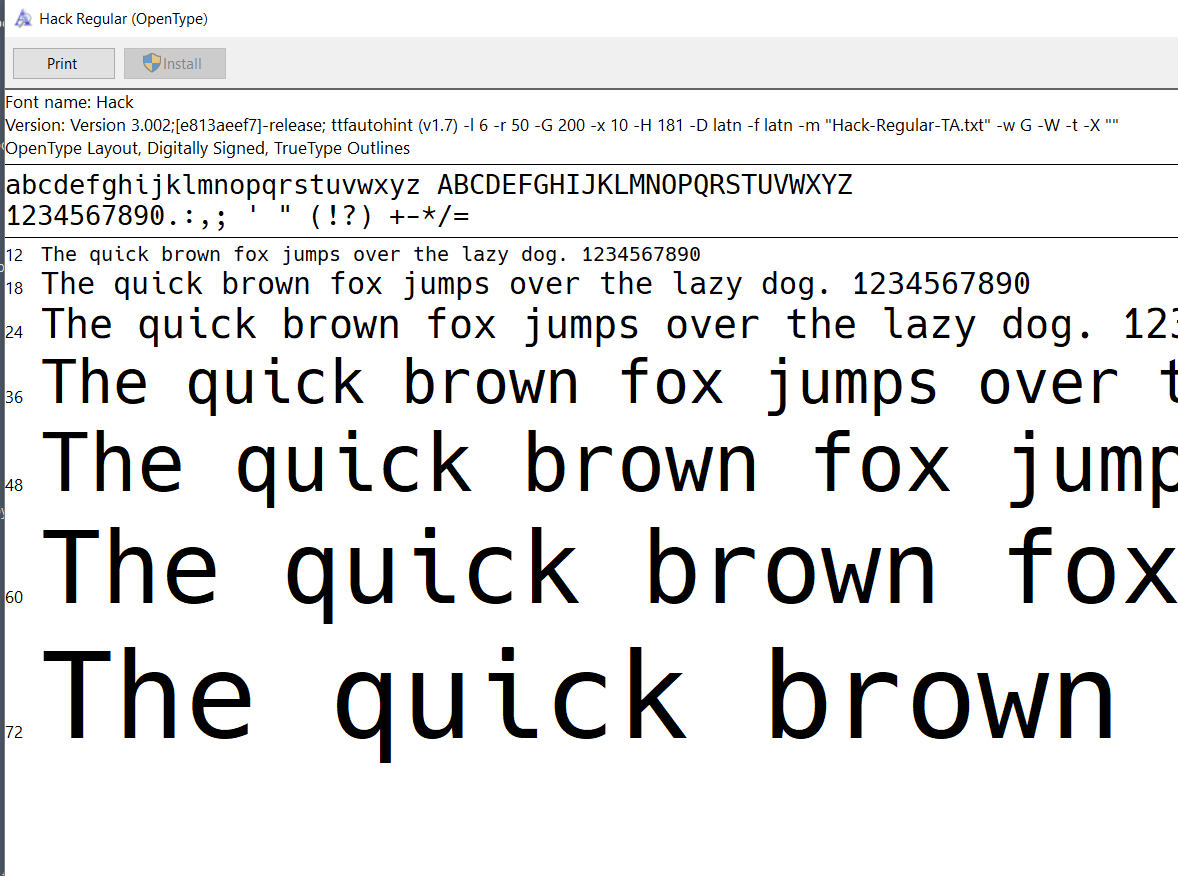
@texhex think that we should add the above information about how to locate your version string to the installer/test installer repos or to this repo somewhere?
New icons for the two Win installers are being built into the Hack Win installer and Hack Win Test installer applications.

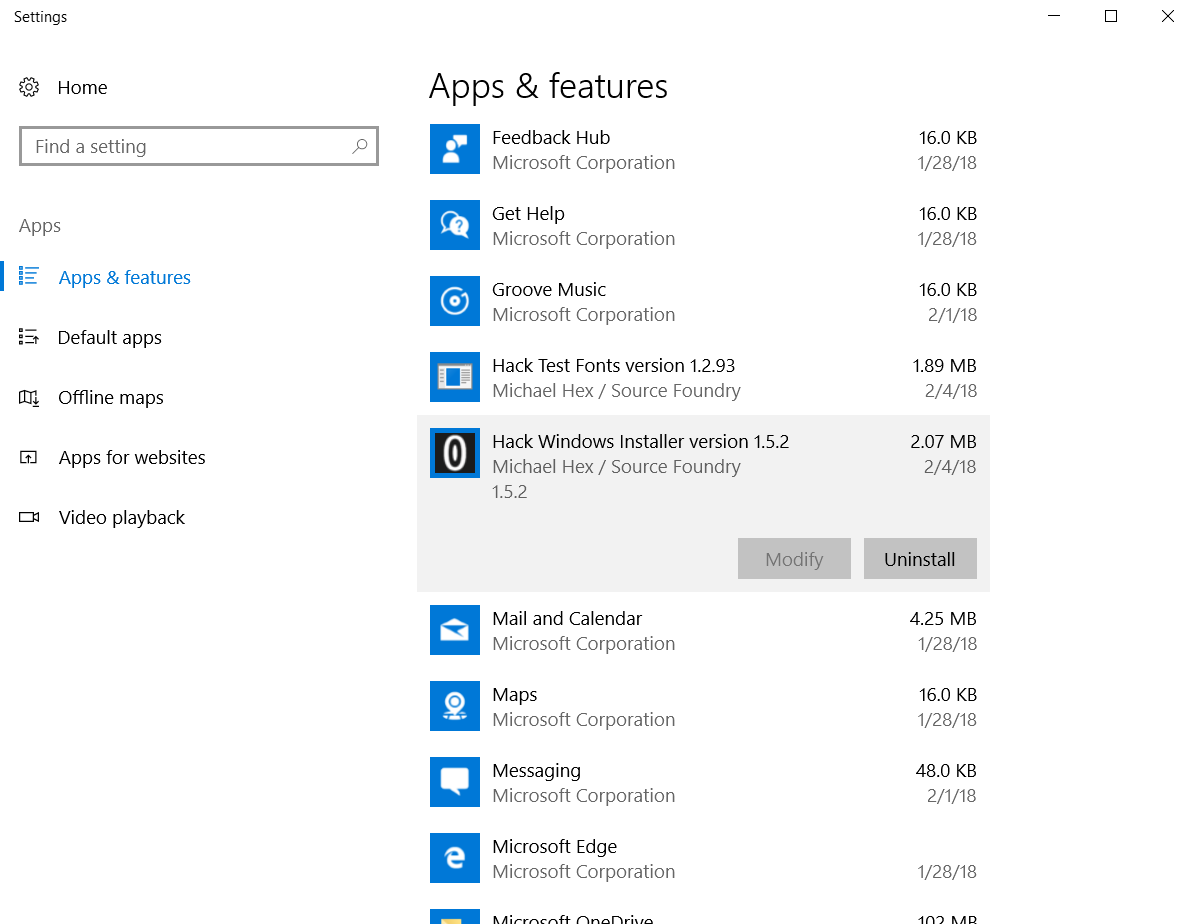
For Windows 10 users, the uninstall workflow looks like this:
- Add or Remove Programs
- Click appropriate Hack installer
- Click Uninstall button