

 software-mansion
useAnimatedStyle does not re-render when sharedValue changes
Description
I am trying to create spotify kind of scroll view, where the list items are going on top of the first sticky item, then the first sticky item will go blurry on scroll. I implemented it in the native Animated RN API, and now want to convert it to reanimated. However I can't seem to make the animation re-render on scroll.
this is the overall component:
  const scrollOffSet = useSharedValue(0);
  const scrollHandler = useAnimatedScrollHandler({
    onScroll: (event) => {
      scrollOffSet.value = event.contentOffset.y;
    },
  });
  const headerAnimatedStyle = useAnimatedStyle(() => {
    const result = {
      opacity: interpolate(scrollOffSet.value, [0, 80], [1, 0], Extrapolate.CLAMP),
      transform: [
        {
          scale: interpolate(scrollOffSet.value, [0, -80], [1, 2], Extrapolate.CLAMP),
        },
      ],
    };
    return result;
  });


return (
         <Animated.ScrollView
            stickyHeaderIndices={[0]}
            showsVerticalScrollIndicator={false}
            contentContainerStyle={[s.mt0, s.pt0]}
            style={s.bg_white}
            onScroll={scrollHandler}
            scrollEventThrottle={16}
          >
            <Animated.View
              style={[s.bg_white, s.flx_i, { zIndex: 50 }, headerAnimatedStyle]}
            >
              <View style={s.ph3}>
                <ProfileHeaderV2 />
              </View>
            </Animated.View>

            {/* unanimated scrollable items go here*/}
            <View style={[{ zIndex: 1000 }, s.bg_white]}>
            </View>
         </Animated.ScrollView>
 );
Expected behavior
On scroll, first item should go blurry, until the opacity is gone
Actual behavior & steps to reproduce
Doesn't re-render at all. however if i scroll a bit, then save the code (force to re-render), the style applies. Am i allowed to have nested Animated.View in Animated.ScrollView? I'm not sure why this is not working.
also when i put console.log in scrollHandler, it is applying the scroll offset value on scroll. it's just that the useAnimatedStyle is not re-rendering
i'm on iOS simulator iphone 13
Package versions
    "react-native": "^0.65.0-0",
    "react-native-reanimated": "^2.3.1",
- NodeJS: v16

![github-actions[bot] avatar](https://avatars.githubusercontent.com/in/15368?v=4 "Published by a pub.dev verified publisher")
Thanks @robertwt7 for reporting however the description lacks a lot of details and does not make the issue actionable to us. The code you provided has missing components, so please at least share the missing pieces that'd allow us to save time on guessing what you exactly have. Sharing a link to a github repo where the issue can be reproduce would be the preference here as well.
From the issue description I don't see anything obvious that might've gone wrong in this case and would expect this to work. If you don't have time to work on a repro I'd suggest just seeing if scroll handler gets properly triggered? If it does, do the animated-style gets triggered as well? The easiest way to test that is just by adding console.log in scroll handler or in the animated style callback.

hello @kmagiera , thanks for replying to my issue. I have to go back to RN native animated API at the moment to make it work.
I'll try to reproduce the issue in snack, however what I realise was that stacking Animated.View inside Animated.Scrollview doesn't seem to work in react-native-reanimated. I will try to create an example repo as the project I mentioned is commercial in my company and I can't share it.
Hey guys!
FYI this is still happening from a simple Animated.View inside Animated.ScrollView, i end up using react native native API for this one. not sure if it's happening to anyone else


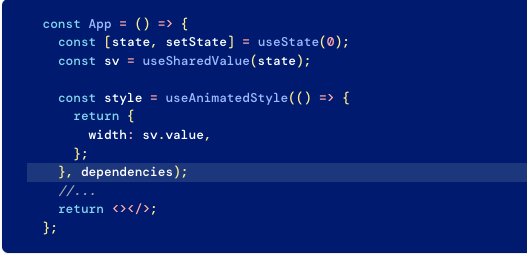

I am not sure if the cases are the same or not but I had a case with similar symptoms for the useAnimatedStyle. But my case does not have the useSharedValue functionality.
Logging the animated style, I observed viewDescriptors fields waitForInsertSync, sharableViewDescriptors, items are changing in the steps. My conclusion is Reanimated can be mutating the same object, which is not caught by the react as a re-render change. The log steps:
STEP-1:  {"viewDescriptors":{"batchToRemove":{},"tags":{},"waitForInsertSync":false,"waitForRemoveSync":false,"sharableViewDescriptors":{"value":[]},"items":[]},"initial":{"value":{"height":57.875,"width":57.875,"borderRadius":8.94217927472446}},"viewsRef":{"items":{}}}

STEP-2:  {"viewDescriptors":{"batchToRemove":{},"tags":{},"waitForInsertSync":false,"waitForRemoveSync":false,"sharableViewDescriptors":{"value":[]},"items":[]},"initial":{"value":{"height":57.875,"width":57.875,"borderRadius":8.94217927472446}},"viewsRef":{"items":{}}}

STEP-3:  {"viewDescriptors":{"batchToRemove":{},"tags":{},"waitForInsertSync":true,"waitForRemoveSync":false,"sharableViewDescriptors":{"value":[]},"items":[{"tag":43,"name":"RCTView"}]},"initial":{"value":{"height":57.875,"width":57.875,"borderRadius":8.94217927472446}},"viewsRef":{"items":{}}}

STEP-4:  {"viewDescriptors":{"batchToRemove":{},"tags":{},"waitForInsertSync":false,"waitForRemoveSync":false,"sharableViewDescriptors":{"value":[{"tag":43,"name":"RCTView"}]},"items":[{"tag":43,"name":"RCTView"}]},"initial":{"value":{"height":57.875,"width":57.875,"borderRadius":8.94217927472446}},"viewsRef":{"items":{}}}
My workaround
For my case I was lucky since I have no strict performance handicaps so I implemented following workaround. I introduced a new state variable, rerender and used it to signal react to re-render. But let me emphasize, if you will use this you'll want to consider performance impact.
...
const [rerender, setRerender] = React.useState(0);
function incrementRerender() {
	let nextVal = rerender + 1;
	setRerender(nextVal);
}
...
const animatedStyles = useAnimatedStyle(() => {
	runOnJS(incrementRerender)(); // <<<<<<-----  Injected to signal react to re-render. (WORKAROUND)
	return {
		height: props.height,
		width: props.width,
		borderRadius: props.borderRadius,
	}
}, [props.height, props.width, props.borderRadius]);
...
return <PanGestureHandler
	rerender={rerender}
	onGestureEvent={gestureHandler}
	maxPointers={1}
	minDist={10}
>
	<Animated.View style={[constantStyles.tile, animatedStyles, animatedTransformStyles]}>
		{props.children}
	</Animated.View>
</PanGestureHandler>

Can this issue be closely related with; https://github.com/software-mansion/react-native-reanimated/issues/2836 and https://github.com/software-mansion/react-native-reanimated/issues/2571? (If so, it seems the expected fix commit is https://github.com/software-mansion/react-native-reanimated/commit/f4990d965ff535dd27aa5b623e0aeffcc4aa615f.)
there was an error existing in [email protected] in my project, after updating to 3.4.2 it works fine

there was an error existing in
[email protected]in my project, after updating to3.4.2it works fine
Yes I can confirm too that it's working with 3.4.2

