
panasonic_cc
 panasonic_cc copied to clipboard
 sockless-coding
Switch NanoeX for"deviceNanoe=2" and EcoFunction feature (switch)
My aircon have feature deviceNanoe=2, so, to turn on NanoeX, turn-on value is 4.
And device have feature "ecoFunction=1", then "ecoFunctionData" is parameter to turn it on/off. And I think below are values of ecoFunctionData
  class ecoFunctionData(Enum):
    Unavailable = 0
    Off = 1
    On = 2
It look like this for my device
dryTempMin : -1 modeAvlList autoMode : 1 fanMode : 1 airSwingLR : True nanoe : True autoMode : False autoSwingUD : True ecoNavi : False heatTempMax : -1 temperatureUnit : 0 iAutoX : True coolTempMin : -1 autoTempMin : -1 quietMode : True powerfulMode : False timestamp : 1660290341146 fanMode : False coolMode : True summerHouse : 0 coolTempMax : -1 permission : 3 dryMode : True nanoeList visualizationShow : 0 nanoeStandAlone : True heatMode : False fanSpeedMode : -1 dryTempMax : -1 autoTempMax : -1 fanDirectionMode : -1 ecoFunction : 1 heatTempMin : -1 pairedFlg : False parameters ecoFunctionData : 1 airSwingLR : 1 nanoe : 4 lastSettingMode : 0 ecoNavi : 0 ecoMode : 0 operationMode : 1 fanAutoMode : 1 errorStatus : -255 temperatureSet : 28.5 fanSpeed : 3 iAuto : 1 airQuality : 0 insideTemperature : 27 outTemperature : 34 operate : 0 airDirection : 0 actualNanoe : 1 airSwingUD : 5 deviceNanoe : 2

Hello,
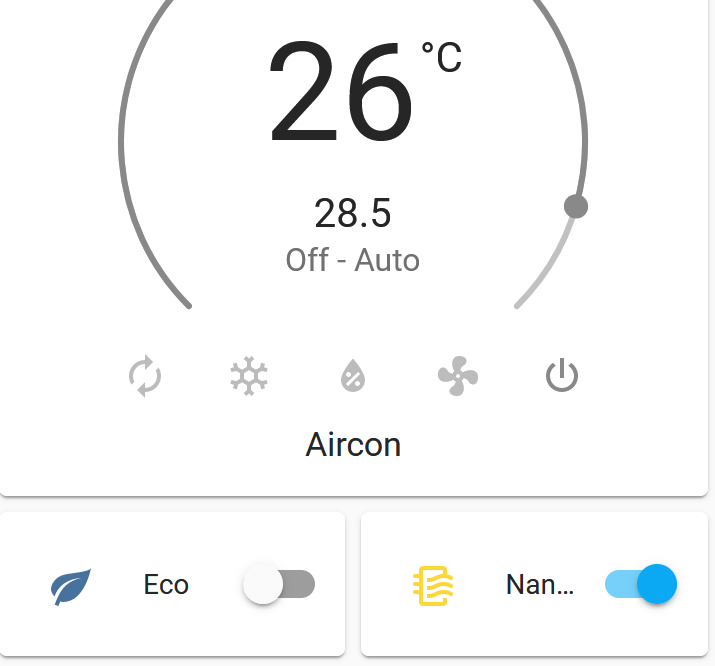
Can you please tell me how you created a Eco switch for the panasonic?

I'm not familiar with hassio dev, I just use File editor to copy/paste and modified some code base on @sockless-coding . Steps which I did like this: A. With pcomfordcloud package:
- Add this to "constants.py":
class ecoFunctionData(Enum):
Unavailable = 0
Off = 1
On = 2
- With "session.py": add to def set_device(self, id, **kwargs):
  if key == 'ecoFunctionData':
    parameters['ecoFunctionData'] = value
add to _def read_parameters(self, parameters = {}):
  if 'ecoFunctionData' in parameters:
    value['ecoFunctionData'] = constants.ecoFunctionData(parameters['ecoFunctionData'])
B. Back to switch.py of PCC of @sockless-coding :
- Create new "class PanasonicEcoFuncSwitch(ToggleEntity):". Please refer to original Nanoe class and modify code accordingly (name, id ...)
    def is_on(self):
        """Return the state of the sensor."""
        return self._api._ecofunc == self._api.constants.ecoFunctionData.On

    async def async_turn_on(self, **kwargs):
        """Turn on nanoe."""
        await self._api.set_eco_mode(self._api.constants.ecoFunctionData.On)

    async def async_turn_off(self, **kwargs):
        """Turn off nanoe."""
        await self._api.set_eco_mode(self._api.constants.ecoFunctionData.Off)
- Register new Eco switch entity. My modification as below:
def setup_platform(hass, config, add_entities, discovery_info=None):
    devices = []
    for device in hass.data[PANASONIC_DEVICES]:
        devices.append(PanasonicNanoeSwitch(device))
        devices.append(PanasonicEcoFuncSwitch(device))
    add_entities(devices)

async def async_setup_platform(hass, config, async_add_entities, discovery_info=None):
    pass

async def async_setup_entry(hass, entry, async_add_entities):
    devices = []
    for device in hass.data[PANASONIC_DEVICES]:
        devices.append(PanasonicNanoeSwitch(device))
        devices.append(PanasonicEcoFuncSwitch(device))
    async_add_entities(devices)
- Add below for turn on/off eco switch in "panasonic.py": add this to async def do_update(self):
 self._nanoe_mode = plst['nanoe']
   self._ecofunc = plst['ecoFunctionData']
create new function for setting ecomode by add this at the end of file:
    async def set_eco_mode(self, eco_mode):
        new_values = { "ecoFunctionData": eco_mode.value }
        await self.hass.async_add_executor_job(
            self.set_device,
            new_values
        )
        await self.do_update()
Hope you could apply for your version.
Wow haha, i do not understand it that far yet :P
I thought you just created an lovelance button/switch for the ECO. Like Nanoe has its switch by default.
Thought i just could create a new "switch" entity in Home Assistant :P
