

 snipe
snipe
Custom Field with around 4000 characters
Debug mode
- [X] I have enabled debug mode
- [X] I have read checked the Common Issues page
Describe the bug
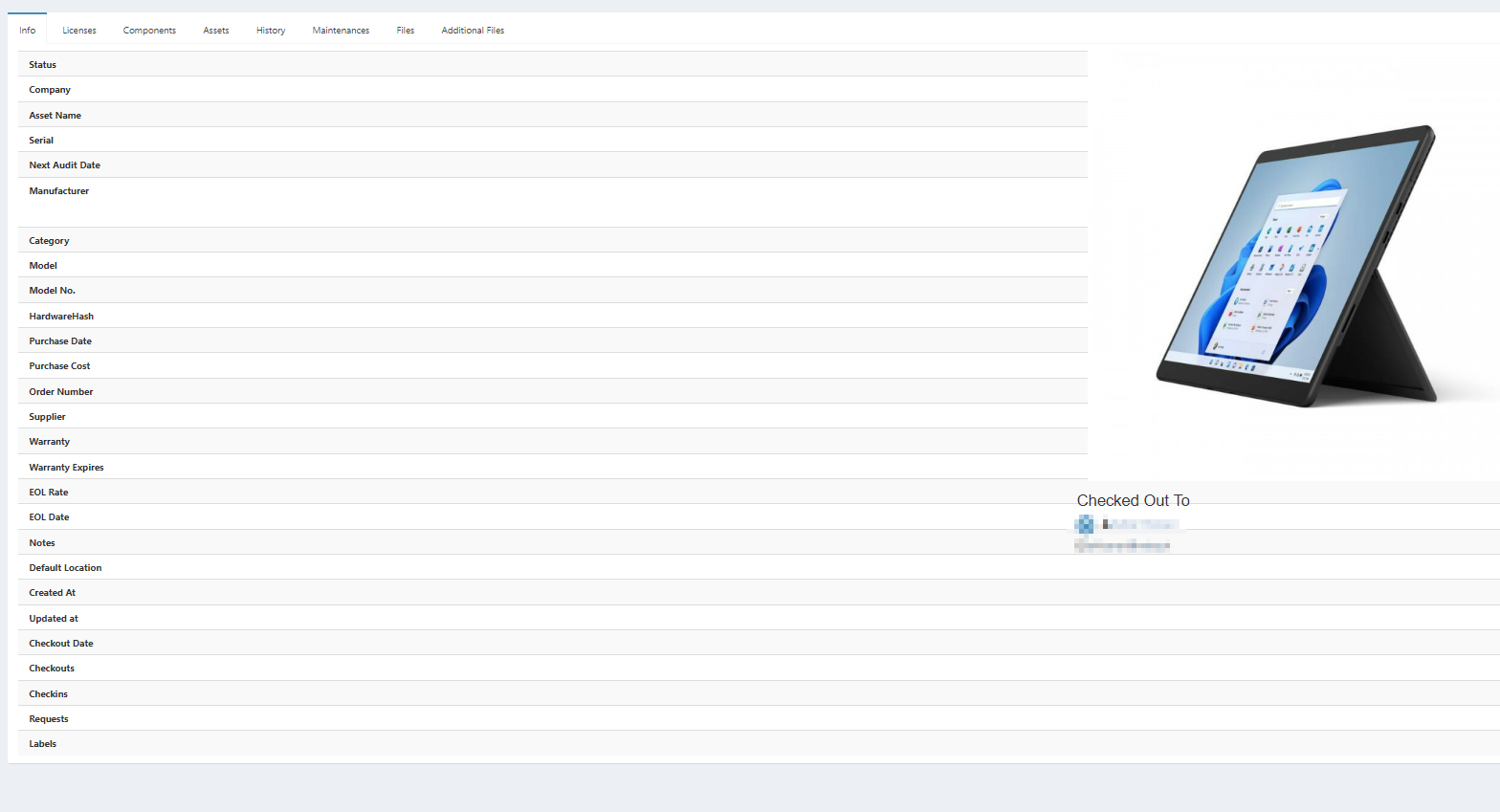
I would like to enter the hardware hash of my notebooks in Snipe-IT, but I think it is too long. There are about 4000 characters with letters, numbers and special characters. I have used the Custom Field function for this and tried the Text-Box and Textarea form elements with the format ANY, but every time I insert and save this, Snipe IT cannot display the attributes for this asset. It looks buggy then.
Reproduction steps
- Create a Custom Field with Text Box or Textarea choose the Format ANY.
- For an asset, enter a 4000 character string with numbers, letters and special characters (+/,).
- Click save and click on the Asset and try to view the attributes.
Expected behavior
That it displays the hardware hash under the attributes
Screenshots

Snipe-IT Version
6.0.13 build 8923 (g30f4af3ac)
Operating System
Windows Server 2019 Version 1809
Web Server
IIS
PHP Version
8.1.12
Operating System
Windows 11
Browser
Microsoft Edge
Version
MS EDGE Version 108.0.1462.42
Device
No response
Operating System
No response
Browser
No response
Version
No response
Error messages
No response
Additional context
No response

All custom fields are set as TEXT fields in MySQL, so while there is a hard(ish) limit on the number of characters. Your screenshot seems a little unclear. I'm not seeing buggy, I'm seeing nothing at all as a value for that field, so I need a little more info.

On the current screenshot it looks normal and when I insert the 4000 digit HardwareHash into the Custom Field it looks like on the screenshot above.
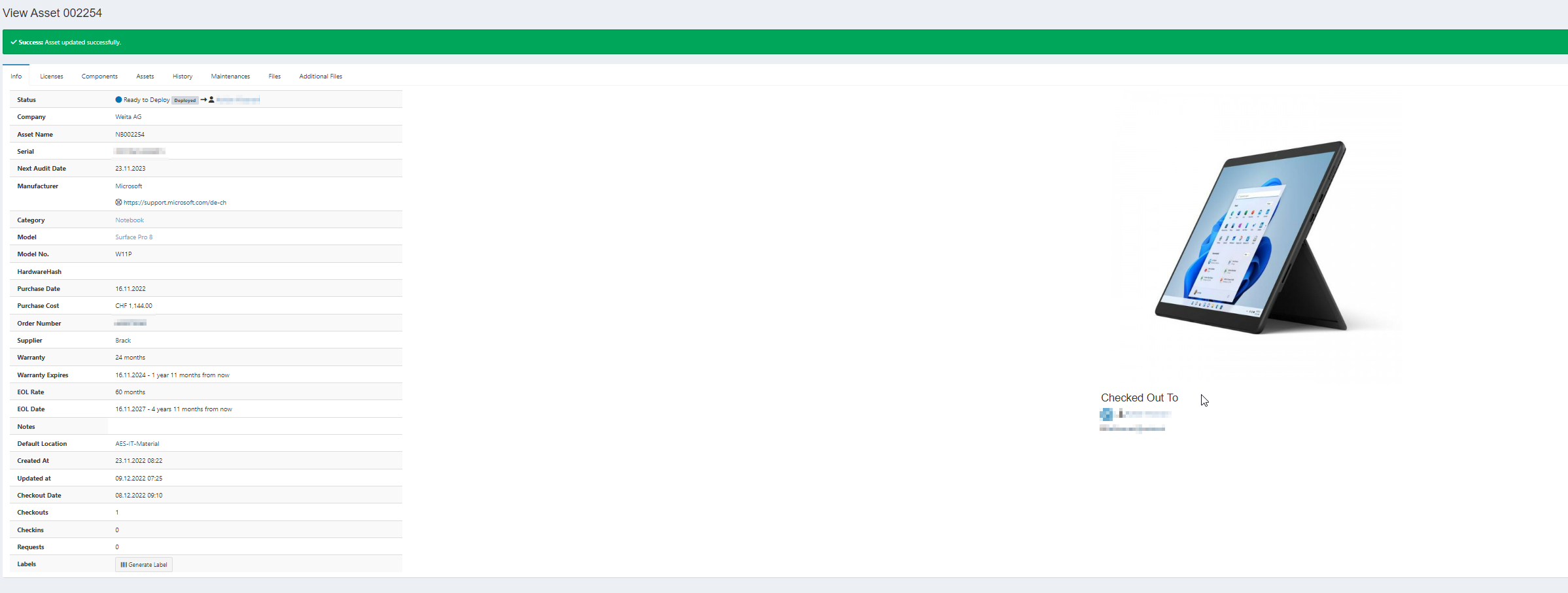
PS: I did the update to 6.0.14 and the problem unfortunately still exists. Thanks in advance for the help :)
So when you have that custom field, it makes some of the rows extend to the end of the screen and all the asset information is unviewable? That definitely seems wrong, I don't know where the custom field you created is on that page though

The custom Fields name is HardwareHash you should see it on both screenshots. Unfortunately it is empty on both, because when I fill it in then the bugged view comes up.
I did some testing with the SnipeIT demo and I can confirm that this is an real issue. It probably is just because they didn't expect people to be entering over 1000 characters, but it is still something to note. The "background" I refer to here is the white and gray lines that separate the field values.
Milestones: 80 characters - the text leaves the boundaries of the original background
230 characters - the backgrounds start to extend
250 characters - the backgrounds extend into the checked out info area
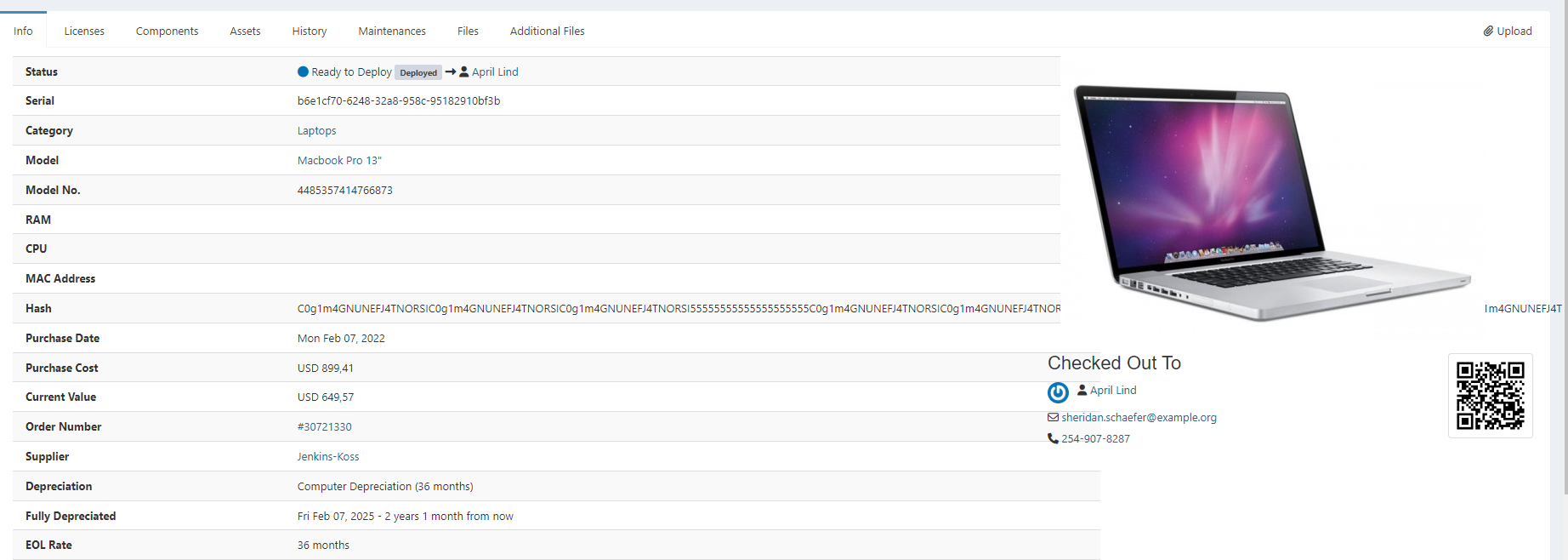
350 characters - by this point, all the background is extended to the end of the screen
350 characters - after this, text will continue to be pushed to the right until it disappears
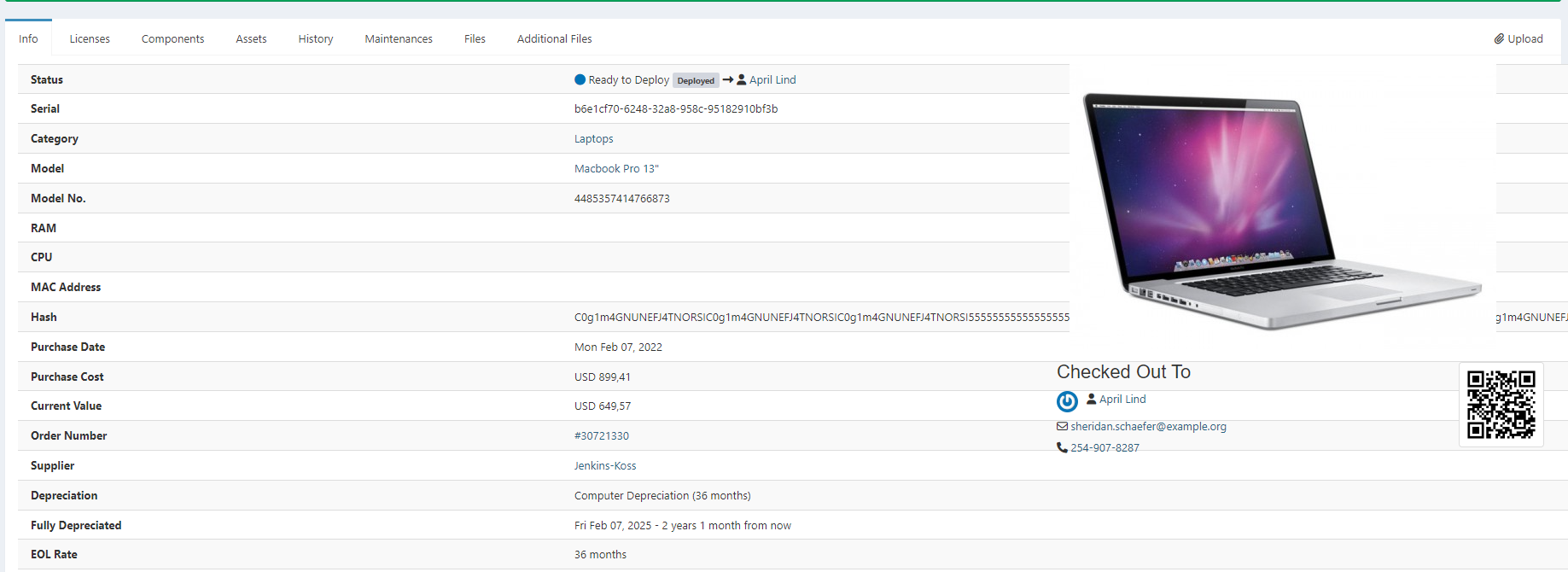
1420 characters - the text has moved far enough to the right to be nearly invisible. you can see a little bit of it on the right in the screenshot
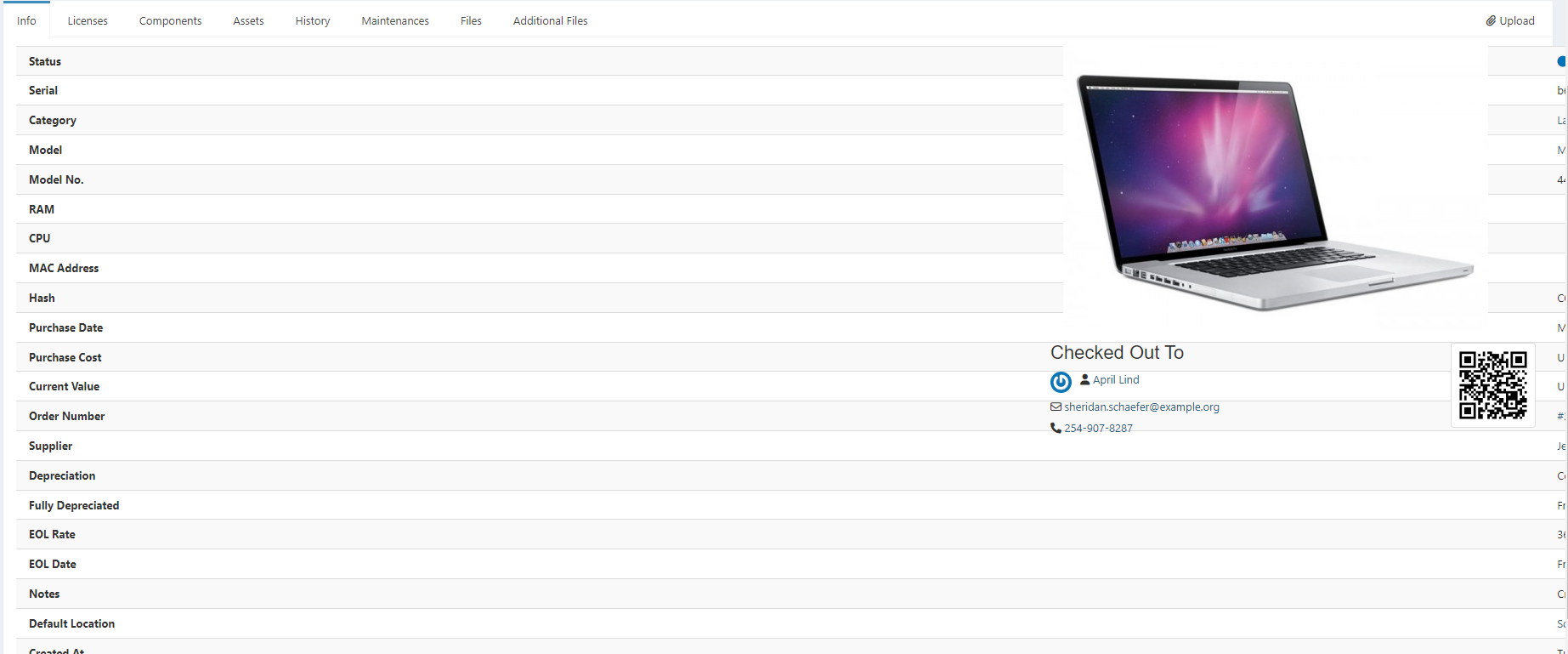
1428 - at least on my screen size and resolution (23.8", 1920x1080p), all text is now completely gone, pushed out of bounds to the right of the screen
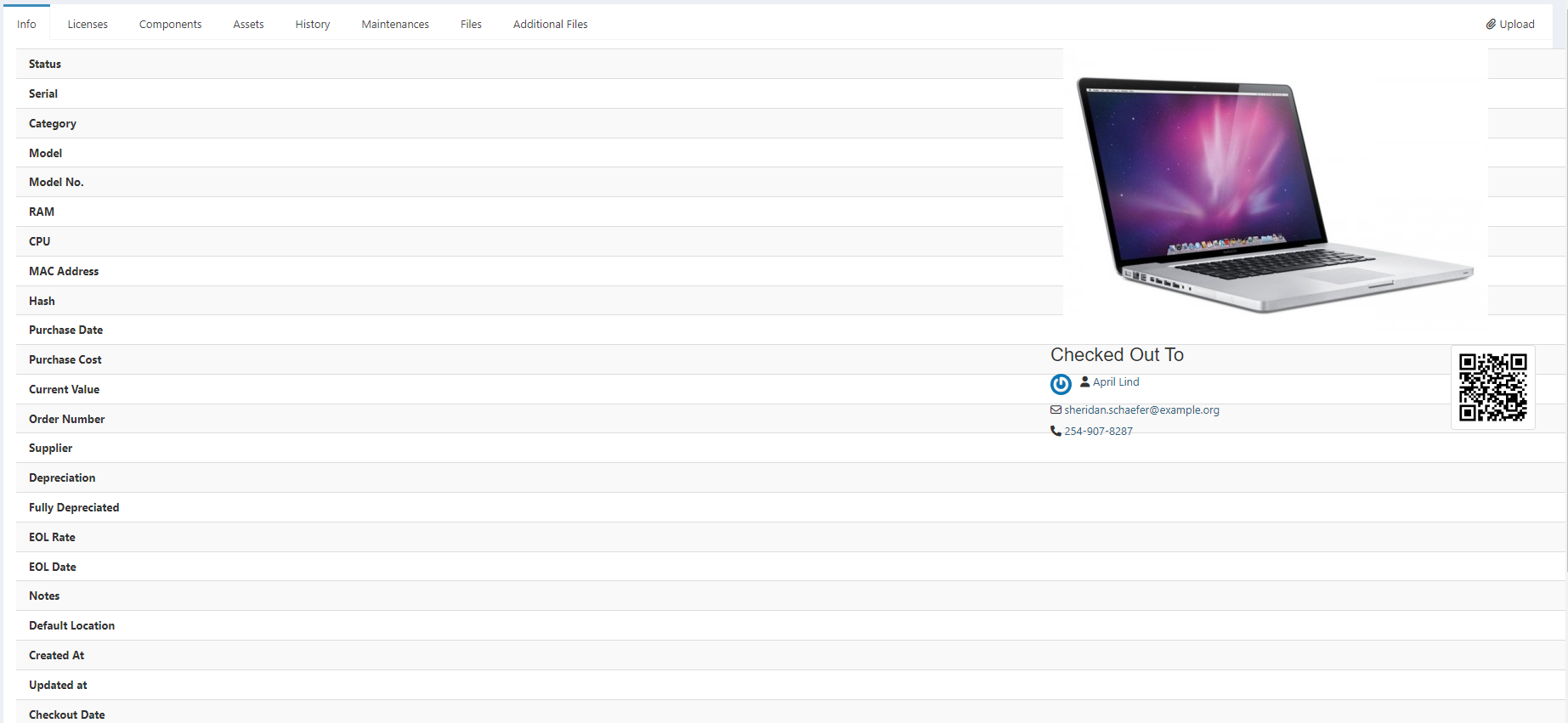
These character values probably vary across devices but I thought it would be helpful to document different parts of the process that lead to this issue.
I would really appreciate it if someone would work on it, because unfortunately it's beyond my abilities <3. @snipe