

 snipe
snipe
Empty Lists
Debug mode
- [X] I have enabled debug mode
- [X] I have read checked the Common Issues page
Describe the bug
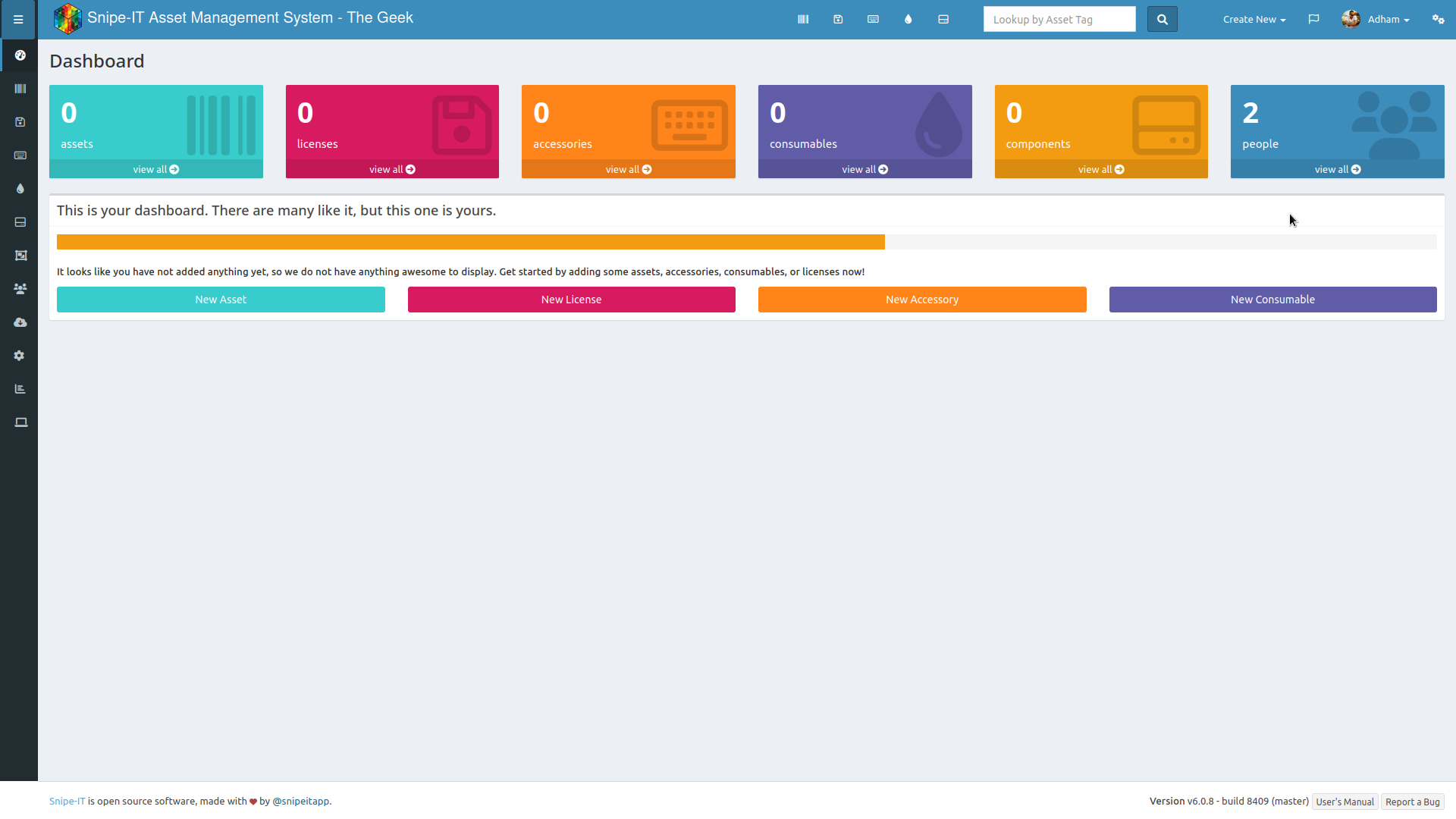
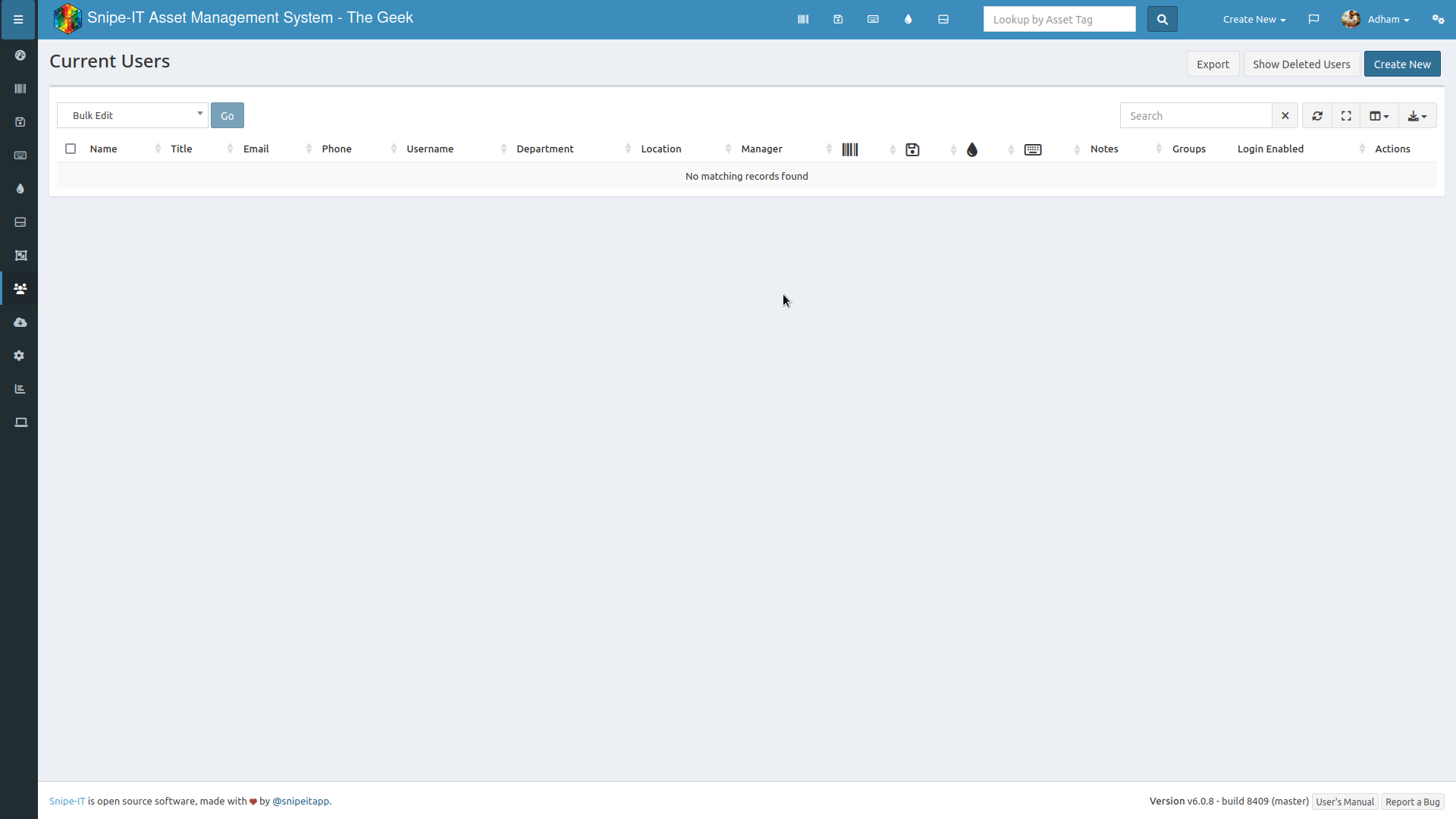
All lists are empty (users, companies, etc)
Creating a new user or company with the same name results in an error saying “name already taken”
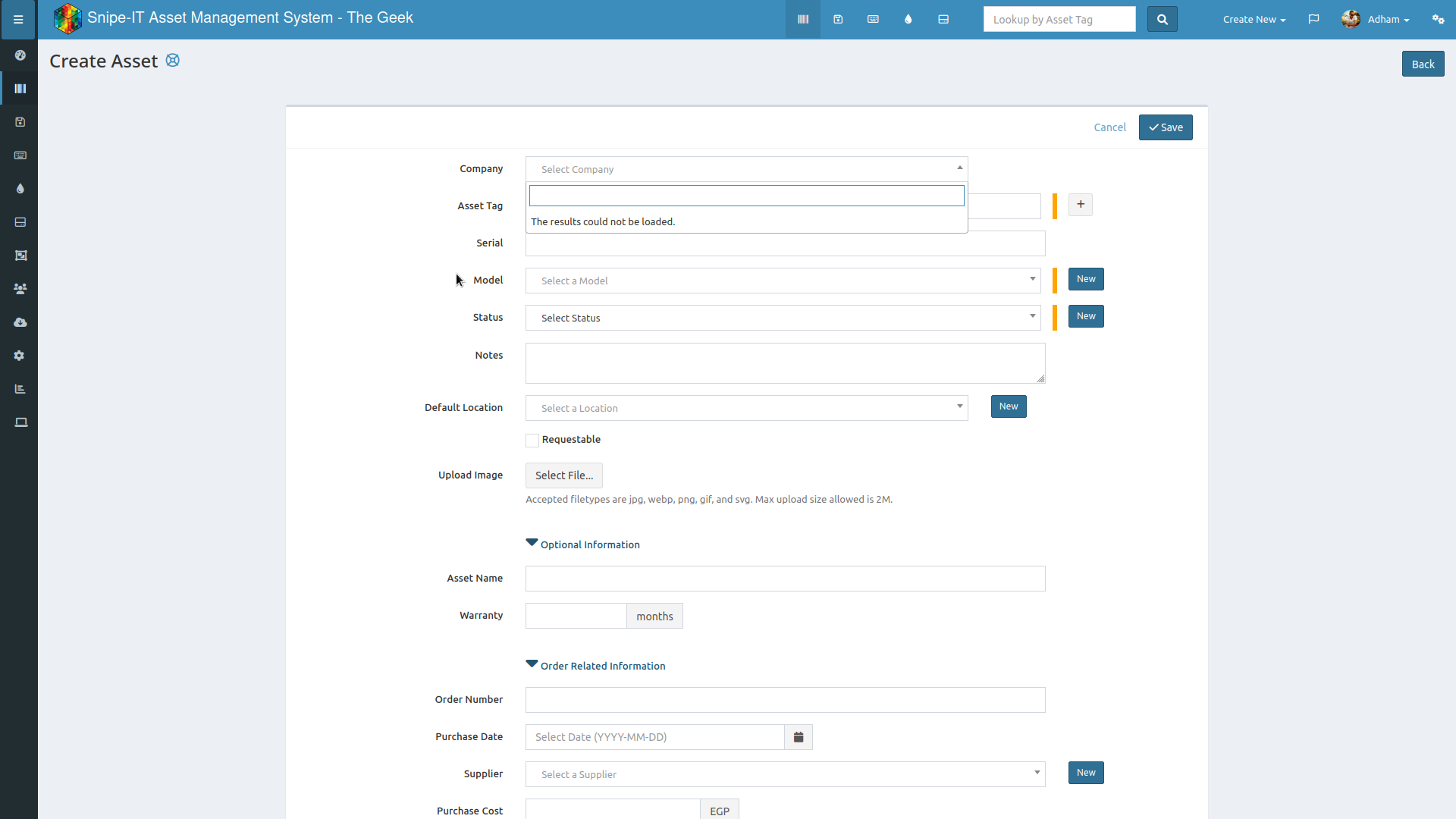
Even dropdown menus show nothing and give an error “The results could not be loaded.”
I also tried setting location, but I'm facing the same issue
Reproduction steps
- Installed snipe-it with install script
- preflight setup was all green and ready for final setup
- created company under companies page (multi-company support enabled), success, but nothing shows in the list
- created new users, success, but again nothing shows in the list
- trying to create a new asset, nothing shows in company dropdown ...
Expected behavior
Data to be shown in lists, dropdown menus to have choices
Screenshots
Snipe-IT Version
v6.0.8 - build 8409 (master)
Operating System
Ubuntu 22.04
Web Server
Apache
PHP Version
8.1.2
Operating System
Arch Linux
Browser
Chromium, FireFox, Brave
Version
Latest
Device
No response
Operating System
No response
Browser
No response
Version
No response
Error messages
No response
Additional context
Fresh installation using install.sh

👋 Thanks for opening your first issue here! If you're reporting a 🐞 bug, please make sure you include steps to reproduce it. We get a lot of issues on this repo, so please be patient and we will get back to you as soon as we can.
![welcome[bot] avatar](https://avatars.githubusercontent.com/in/4141?v=4 "Published by a pub.dev verified publisher")
Updated to the latest commit, still having the same problem.
I saw that people had the same issue before in the past, and I went through most if not all of them and tried the solutions posted on there, but I'm still having the same issue.
Hi - sorry you're having trouble. As mentioned in the Issue Template, we need a stack trace and browser console errors in order to help you.
You can either provide the contents of your storage/logs/laravel.log (please do not attach files, just paste in the log lines that occur when you trigger the error, you can turn APP_DEBUG=true and then trigger the error and show us what's on the screen, or you can tail the log file. More information is available in the documentation.
https://snipe-it.readme.io/docs/getting-help https://snipe-it.readme.io/docs/advanced-debugging
Snipe-IT DocumentationIf you're having trouble setting up Snipe-IT, don't worry!
Snipe-IT DocumentationSnipe-IT ships with the Laravel Debugbar, an amazing piece of software that lets you introspect much further into the framework and application to troubleshoot issues that may be a little harder to track down. To enable the debugbar, set the following in your .env file, and clear your config cache: ...
