

 snapcrafters
Preview no longer working, video black
Since the November 8th update, the preview does no longer work in OBS. It stays black and tend to lock OBS.
If add a video device, it shows in the device settings (properties for 'Video Capture Device (V4L2)'). But once I change anything, the video goes black.
In the main OBS screen, I cannot turn on 'Enable Preview'. It doesn't gave an error, actually nothing happens if I try to turn on preview.
Even if I select an image instead of a video source, it stays black. No preview.
If I change window arrangements in OBS (like make the preview panel smaller), it also messes things up.
Ubuntu 20.04, Radeon RX580 GPU. Video works in other applications, not in OBS. V4L2sink also doesn't work anymore for Zoom, Skype and Teams (virtual device not showing up). I can get it to work with Discord however.
Edit: added info regarding V4Lsink

Is it possible for the maintainers to provide an older version in stable and put the new features in edge? That would help a lot, as I always dread updates to obs as it's a work in progress and it has caused issues before... I tried to revert the snap, but alas to no avail. Many thanks!
Under wayland I do get a preview. Update: sometimes I do get a preview under Xorg, but if I resize the window, it becomes and stays black. Windowed Projector (Preview) does work all the time, however.
I'd like to add that I experience this issue on elementary OS 5.1 (based on Ubuntu 18.04 with hwe) on an Nvidia GTX 1070 with the snap, but installing the obs deb from the official PPA works fine.

Are you referring to just the preview of camera sources being black or the preview of the entire scene being black?

Here's what I see in OBS, complete with artifacting when I resize the lower bar

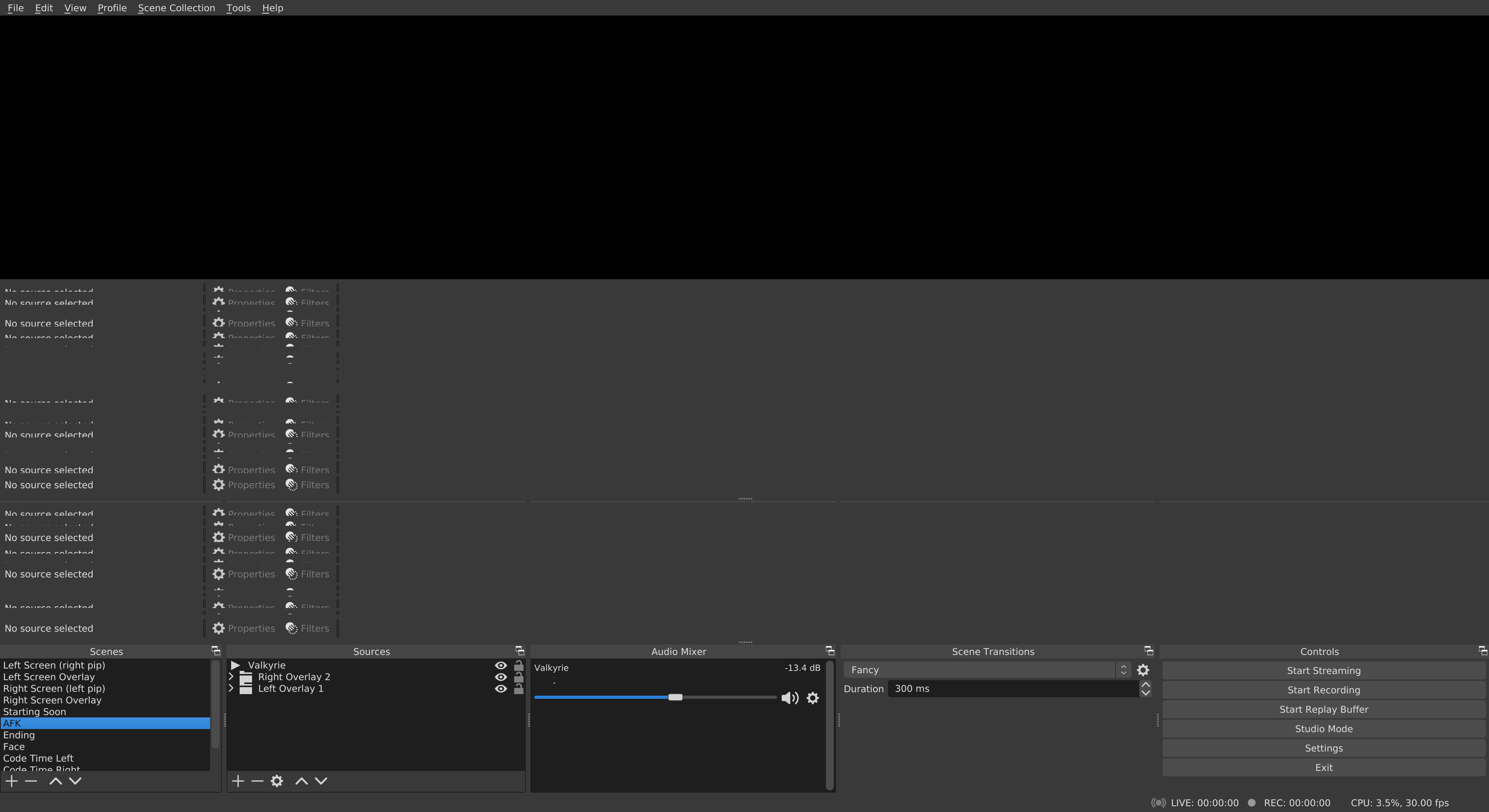
The basic preview stays black, but the windowed projector (preview) option works and gives a preview in a separate window.
Please attach a log file from your current session so I can review it.
Here's stdout and stderr from opening obs, resizing the bar, and closing obs
I don't really know what to suggest other than perhaps trying the 455 NVIDIA drivers:
- https://launchpad.net/~graphics-drivers/+archive/ubuntu/ppa
It turns out I had already added that PPA and installed the 450 driver. I tried upgrading to 455 and I'm having the same issue. I wonder if removing the PPA and downgrading the driver would work. Although I'm not convinced that's it since the OP is having the same issue with an AMD card
fwiw I also confirmed that the windowed projector works, as mentioned in @stijnghesquiere 's comment