

 snapcrafters
Can not run OBS after installing Nvidia drivers on Debian
What I tried:
snap run obs-studio
What happened:
Command failed with the following output:
/snap/obs-studio/1090/usr/bin/obs: symbol lookup error: /snap/obs-studio/1090/usr/lib/x86_64-linux-gnu/libGL.so.1: undefined symbol: _glapi_tls_Current
Exit code
$ echo $?
127
What should have happened:
I expected to see a window of obs-studio visible (and functional) on my desktop environment.
Extra information
Output from neofetch:
       _,met$$$$$gg.          rafael@nt-raf
    ,g$$$$$$$$$$$$$$$P.       -------------
  ,g$$P"     """Y$$.".        OS: Debian GNU/Linux 9.8 (stretch) x86_64
 ,$$P'              '$$$.     Model: Inspiron 5557
',$$P       ,ggs.     '$$b:   Kernel: 4.9.0-8-amd64
'd$$'     ,$P"'   .    $$$    Uptime: 16 hours, 42 minutes
 $$P      d$'     ,    $$P    Packages: 3621
 $$:      $$.   -    ,d$$'    Shell: bash 4.4.12
 $$;      Y$b._   _,d$P'      Resolution: 1920x1080, 1920x1080
 Y$$.    '.'"Y$$$$P"'         WM: i3
 '$$b      "-.__              Terminal: mate-terminal
  'Y$$                        CPU: Intel i7-6500U (4) @ 3.1GHz
   'Y$$.                      GPU: NVIDIA GeForce 930M
     '$$b.                    Memory: 2534MB / 15943MB
       'Y$$b.
          '"Y$b._             ████████████████████████
              '"""
It was working just fine 2 days ago
The command snap run obs-studio has been working fine for several months until yesterday, when I installed nvidia-driver on my system.
$ sudo apt-get install nvidia-driver
[sudo] password for rafael:
Reading package lists... Done
Building dependency tree
Reading state information... Done
nvidia-driver is already the newest version (390.138-1).
0 upgraded, 0 newly installed, 0 to remove and 164 not upgraded.
Output of glsanity
Script source: https://github.com/amonakov/glsanity
$ bash glsanity.in
Running 32-bit tests
info:  libGL.so.1:	loaded from: /usr/lib/x86_64-linux-gnu/libGL.so.1
info:  libGL.so.1:	symlink to:  /usr/lib/x86_64-linux-gnu/nvidia/current/libGL.so.1.7.0
info:  X display:	:0
info:  X Ext. "GLX":	present
info:  X Ext. "NV-GLX":	present
info:  GLX server:	NVIDIA Corporation
info:  GLX client:	NVIDIA Corporation
info:  GL vendor:	NVIDIA Corporation
info:  GL renderer:	GeForce 930M/PCIe/SSE2
info:  GL version:	4.6.0 NVIDIA 390.138
Running 64-bit tests
info:  libGL.so.1:	loaded from: /usr/lib/x86_64-linux-gnu/libGL.so.1
info:  libGL.so.1:	symlink to:  /usr/lib/x86_64-linux-gnu/nvidia/current/libGL.so.1.7.0
info:  X display:	:0
info:  X Ext. "GLX":	present
info:  X Ext. "NV-GLX":	present
info:  GLX server:	NVIDIA Corporation
info:  GLX client:	NVIDIA Corporation
info:  GL vendor:	NVIDIA Corporation
info:  GL renderer:	GeForce 930M/PCIe/SSE2
info:  GL version:	4.6.0 NVIDIA 390.138
Output of snap version
$ snap version
snap    2.45.2
snapd   2.45.2
series  16
debian  9
kernel  4.9.0-8-amd64
Output of snap list obs-studio
$ snap list obs-studio
Name        Version  Rev   Tracking       Publisher     Notes
obs-studio  25.0.8   1090  latest/stable  snapcrafters  -
Possibly related to:
- https://bugs.launchpad.net/snapd/+bug/1866855
- https://forum.snapcraft.io/t/no-opengl-on-debian-9-nvidia/15848
- https://forum.snapcraft.io/t/nvidia-libraries-not-accessible-inside-snaps/15227

Some more evidence: I've just removed the nvidia drivers and obs-studio started working again.
sudo apt-get remove nvidia-*
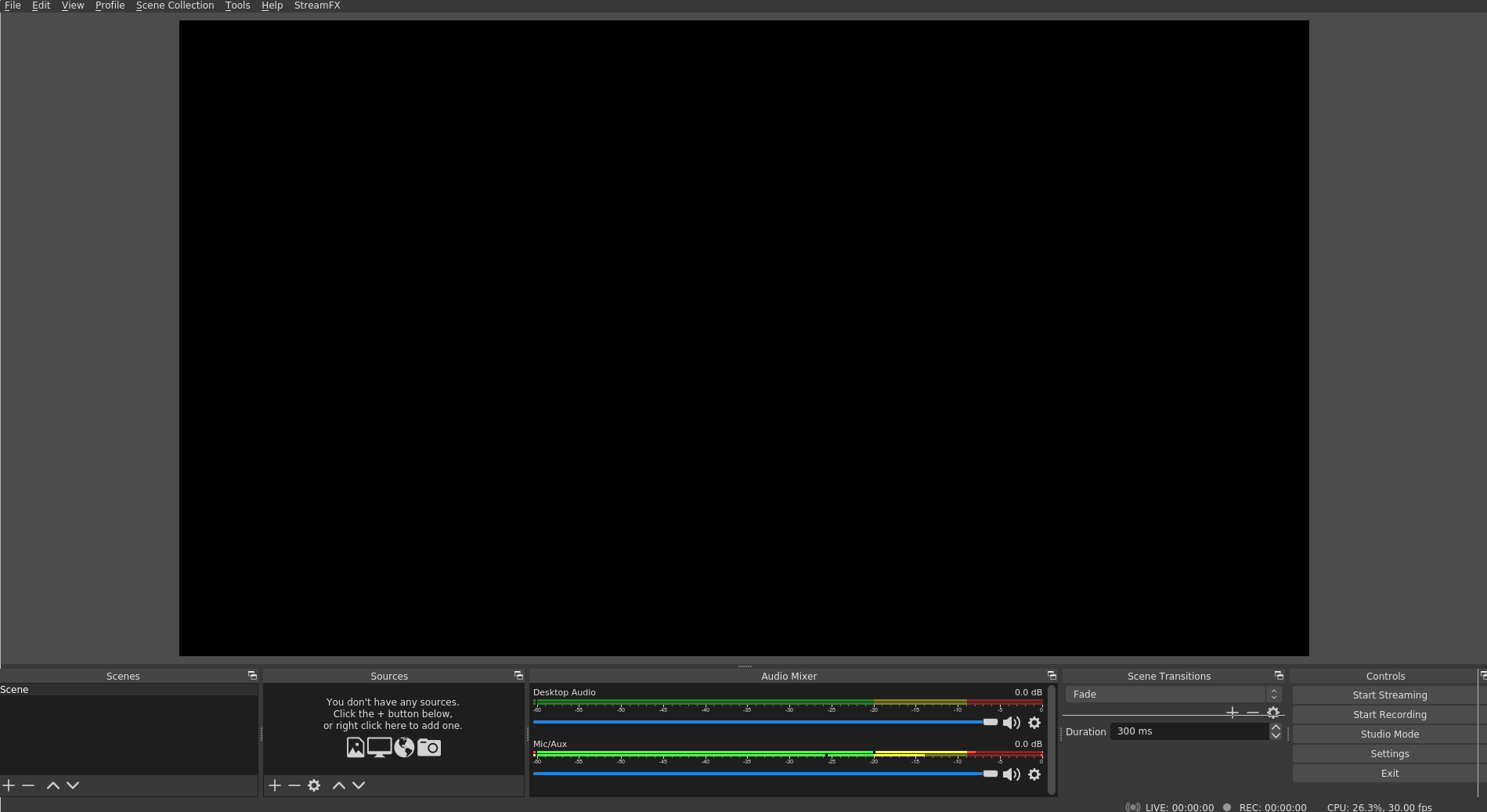
Well, that does not fix the root cause, and I'd really like to keep using the nvidia drivers if possible :-)
I've crafted a temporary fix based on https://forum.snapcraft.io/t/nvidia-libraries-not-accessible-inside-snaps/15227 and https://askubuntu.com/a/1036611/113640.
SOURCE="/usr/lib/x86_64-linux-gnu"
DEST="/snap/obs-studio/1090/usr/lib/x86_64-linux-gnu/"
sudo mount --bind $SOURCE/libGL.so.1 $DEST/libGL.so.1
sudo mount --bind $SOURCE/libEGL.so.1 $DEST/libEGL.so.1.0.0
sudo mount --bind $SOURCE/libGLX.so.0 $DEST/libGLX.so.0
sudo mount --bind $SOURCE/nvidia/current/libGLX_nvidia.so.390.138 $DEST/libGLX_mesa.so.0
Due to /snap/obs-studio/ being read only, instead of simply copying, I had to resort to mounting the correct libraries on top of it.
If anybody in the future try to reuse those commands, you should check for the correct SOURCE and DEST in your specific setup, and perhaps the exact name of the files.
Looks like this is a bug regarding the interaction between snapd and the way nvidia-driver provides NVIDIA userspace in Debian.
- https://bugs.launchpad.net/snapd/+bug/1866855

@rpagliuca's answer helped me fix my problem, though the error message was different, a pop-up with the text
Failed to initialize video. Your GPU may not be supported, or your graphics drivers may need to be updated.
you should check for the correct SOURCE and DEST in your specific setup, and perhaps the exact name of the files
I found that in DEST you can use current instead of the version number, and link libGLX_nvidia.so.0 instead of the versioned file library. That should remove the need to adapt to new versions.
A full wrapper script:
SOURCE="/usr/lib/x86_64-linux-gnu"
DEST="/snap/obs-studio/current/usr/lib/x86_64-linux-gnu"

sudo mount --bind $SOURCE/libGL.so.1 $DEST/libGL.so.1
sudo mount --bind $SOURCE/libEGL.so.1 $DEST/libEGL.so.1
sudo mount --bind $SOURCE/libGLX.so.0 $DEST/libGLX.so.0
sudo mount --bind $SOURCE/nvidia/current/libGLX_nvidia.so.0 $DEST/libGLX_mesa.so.0

snap run obs-studio

sudo umount $DEST/libGL.so.1
sudo umount $DEST/libEGL.so.1
sudo umount $DEST/libGLX.so.0
sudo umount $DEST/libGLX_mesa.so.0

For anyone encountering this issue, Debian users have a couple of options for getting a current OBS Studio version:
- OBS Studio Container - comes with the same plugins as this snap
- OBS Studio Flatpak - vanilla upstream release