
bootstrap-select

bootstrap-select copied to clipboard
 snapappointments
When clicked, the select menu does not come out, until up or down arrow is pressed.
Hello there!
I'm using a normal select menu in an asp.net project. For example that one:
<div class="form-group">
                            <label asp-for="CliendId"></label>
                            <select asp-for="CliendId" asp-items="availableClients" data-live-search="true" class="selectpicker form-control">
                            </select>
                            <span asp-validation-for="CliendId" class="text-danger"></span>
                        </div>

And when I click it, it gets that blue frame, like it is marked:
 And when I press the up or down arrow, it starts working properly:
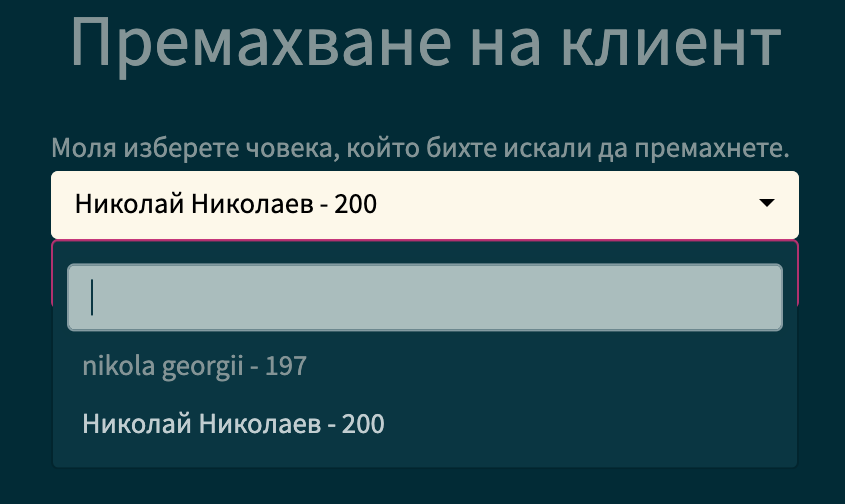
The bootstrap theme I'm using is that one: https://bootswatch.com/solar/ - v5.1.1 Do you have any ideas where the problem can be?
Thank you very much in advance! :)

add this in you css
.bootstrap-select .dropdown-toggle:focus,
.bootstrap-select > select.mobile-device:focus+.dropdown-toggle {
    outline: 0px auto -webkit-focus-ring-color !important;
}

Hello, @tophackr! Thank you for your answer. Unfortunately, that did not help. The problem still persists. Any other ideas?