

 snapappointments
Selects not working on firefox and other browsers occasionally
- I searched and could not find any issues relating to this specific problem I'm having.
- I am using latest version (v1.13.18)
- jQuery 3.2.1, Bootstrap 4.3.1, Bootstrap select 1.13.18. I found this issue using Chrome browser and Firefox browser.
- I can't see to create an isolated test case, as it only happens to me with Firefox.
I'm creating a dashboard for a bot that I have several people who are testing it. In this dashboard, I have a fairly empty select element:
<select class="selectpicker ruletargets" data-live-search="true" title="Loading..." class="permissiontargets" id="removeruletargets" disabled data-size="5"></select>
Later, I have a script that adds options to the above select (and many others, but they are exactly the same as above except different classes + ids), as I request an endpoint which requests a websocket for data, and returns it to the page. I edit them using this piece of code:
        } else {
            select.html("")

            var copt = [`<optgroup label="Cogs">`]
            for (let name of json.data.COGS) {
                copt.push(`<option value="${name}">${name}</option>`)
            }
            copt.push("</optgroup>")
            select.append(copt.join(""))

            var cmopt = [`<optgroup label="Commands">`]
            for (let name of json.data.COMMANDS) {
                cmopt.push(`<option value="${name}">${name}</option>`)
            }
            cmopt.push("</optgroup>")
            select.append(cmopt.join(""))
        }
        select.selectpicker({ title: "Choose target" })
        select.removeAttr("disabled")
        select.selectpicker("refresh")
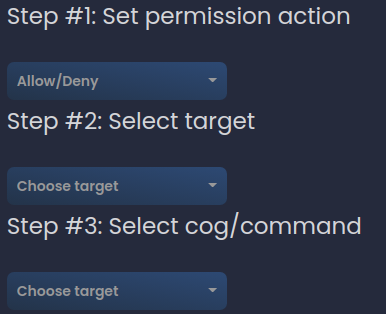
I'm not sure if this is the supported way of editing, but I found a few things online pointing to do it in this way. However, while testing this, my users have figured out that it usually looks fine on Chrome (I did have one person saying it looked like it had on Firefox), but on Firefox, it was just a bulleted list. I was able to reproduce the issue on Firefox, but not on Google Chrome. I have screenshots below so they can be seen. You can also view the full code examples at https://github.com/NeuroAssassin/Red-Dashboard/blob/master/reddash/app/home/templates/guild.html.
Chrome:
Firefox:
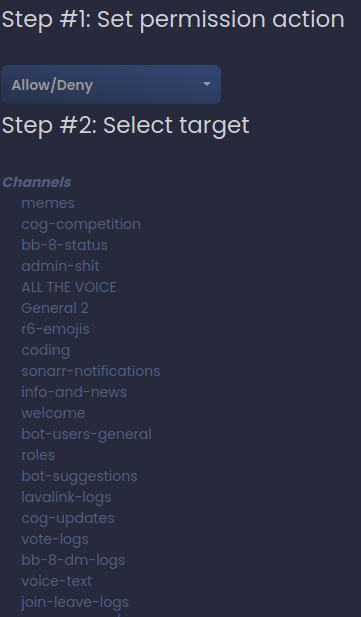 and it keeps going afterwards, with the two bottom dropdowns.

Please link me to some sort of a live example. If you'd rather not post the link here, feel free to send me an email.

I do have a live example (it's what the above screenshots are for) however it requires Discord as authorization, so it would require you to join a server. Does that work, or would you rather me make a separate example?
Actually, nvm, I managed to create a separate example and reproduced. Here's the link: https://run.plnkr.co/preview/ckcp4xllp0008316bxsjtv1gv/
The preview links expire after a certain amount of time. Try linking directly to the editor view.
Recreated it: note that the external link has to be opened in firefox or it won't show. Seems that it also only happens when you run it after document is ready, but not entirely sure about that. Here's the link: https://plnkr.co/edit/qDlHHB4MK88SMDGh
Having this same problem.
Ran on my PC, when other devs pulled code from repository would not work in their browsers (Google). Mine is working in Google, but not Firefox

I'm having similar problem.
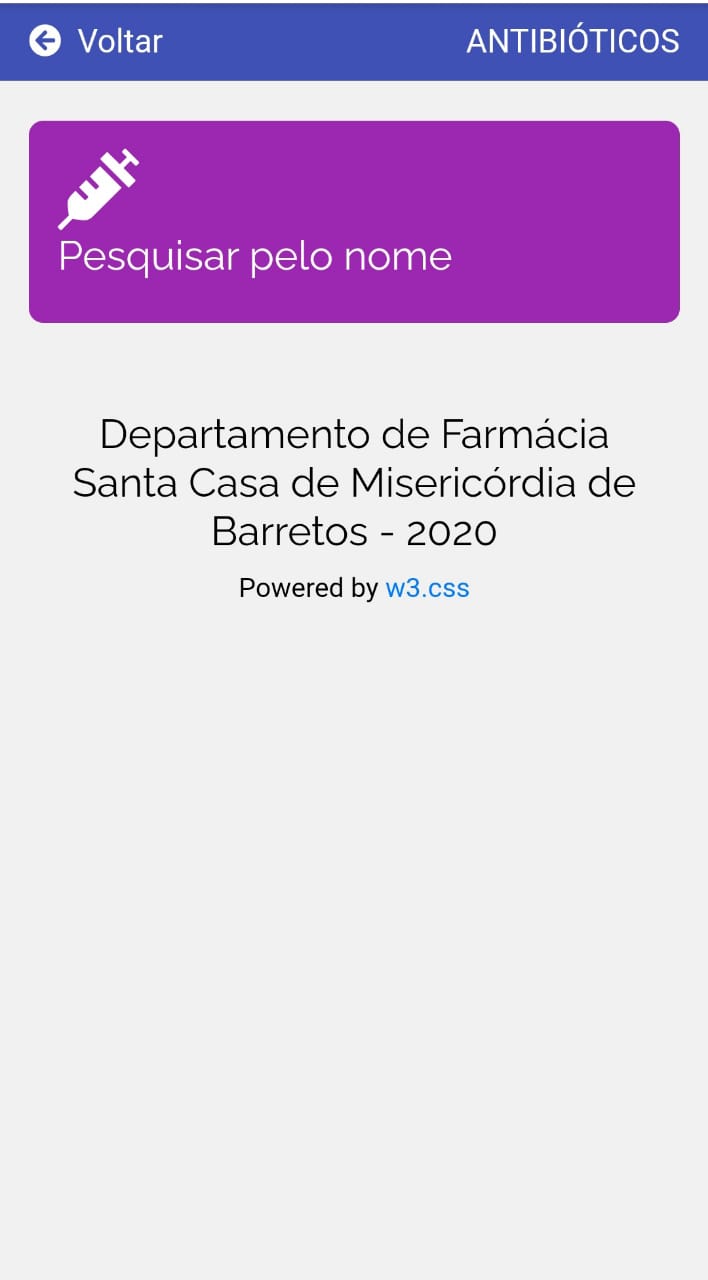
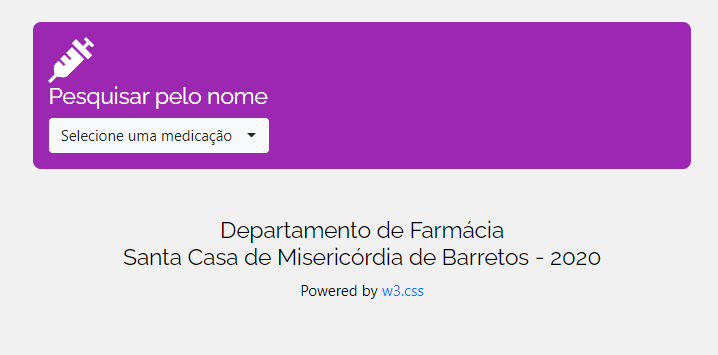
http://www.santacasabarretos.com.br/farmacia/atb.php is correctly showing on Desktops and some mobile phones, but in Chrome 87.0.4280.86 & Android 10 it doesn't work. I installed other browsers like Firefox, Edge and Opera but still doesn't work on that phone.
Mobile
Desktop

For me, the dropdown looks normal on Firefox, when clicking it opens the native dropdown of Android, but I cannot select anything from the list - seems bootstrap-select is broken in more ways in regards to this
