

 smartavionics
getting tiny infill lines instead of circles
I'm on the latest windows build that was put out a few days ago using a custom core xy printer. I installed this version when I saw it linked from https://github.com/Ultimaker/Cura/issues/5110 I was hoping it'd fix the issue, but maybe it's a different issue?
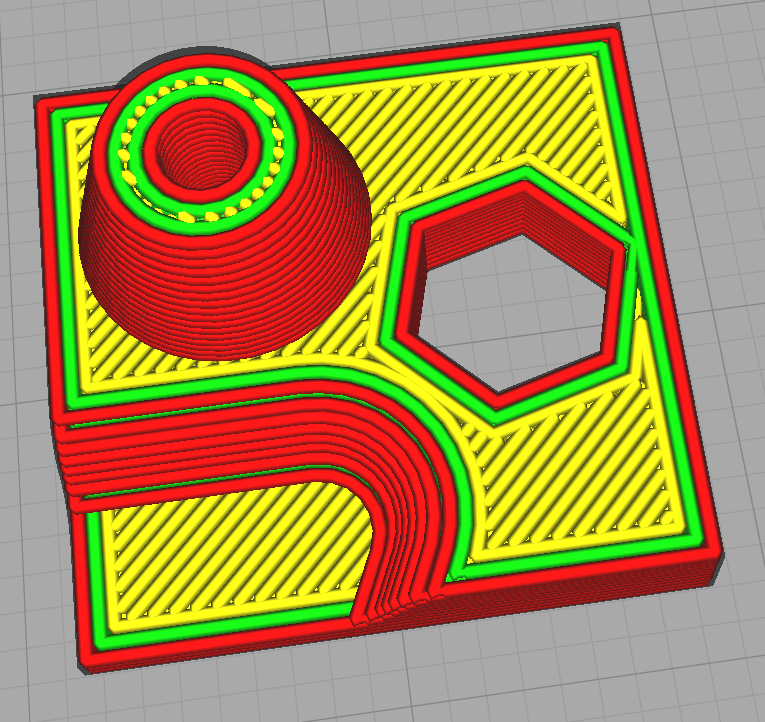
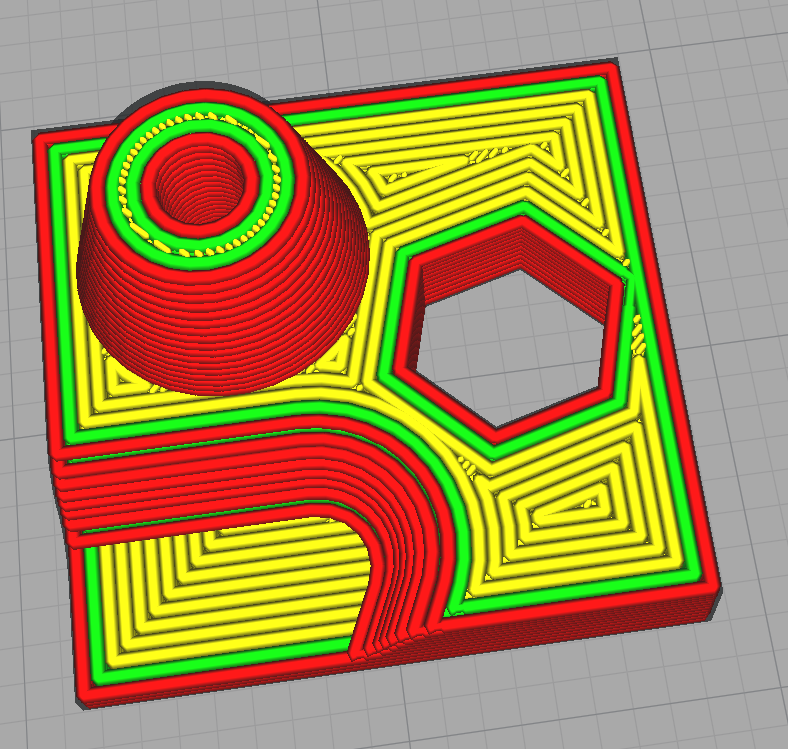
It can be seen at the very top of this cone, instead of a smaller circle, it creates a bunch of lines. It's the same for the 3 layers below that top one.
Actual:
Top/Bottom Pattern Lines:
Top/Bottom Pattern Concentric:
I've tried adjusting loads of settings, but no luck.
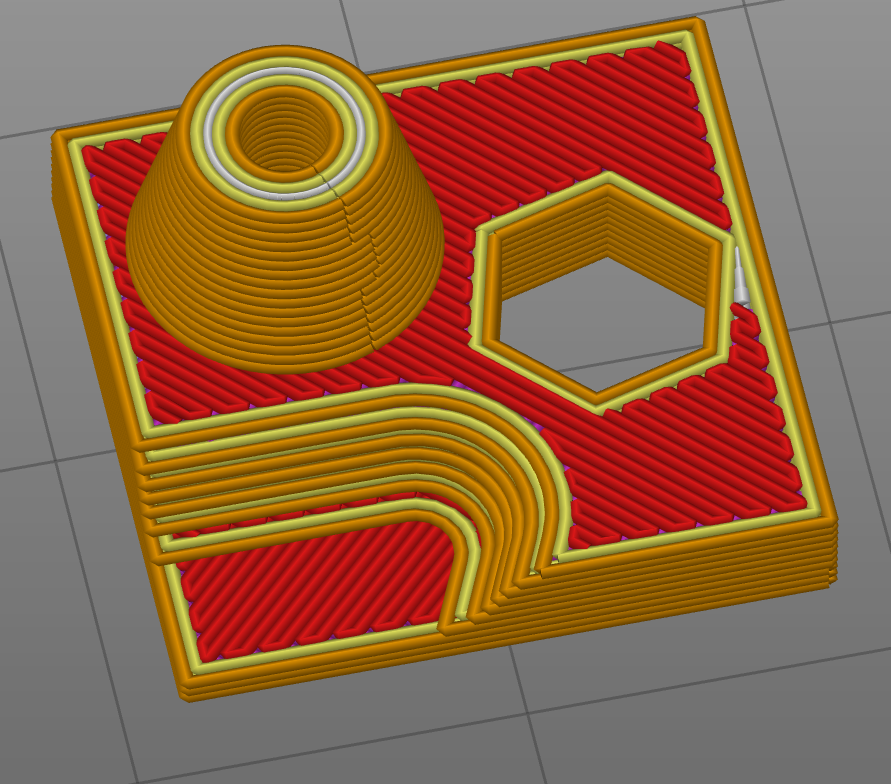
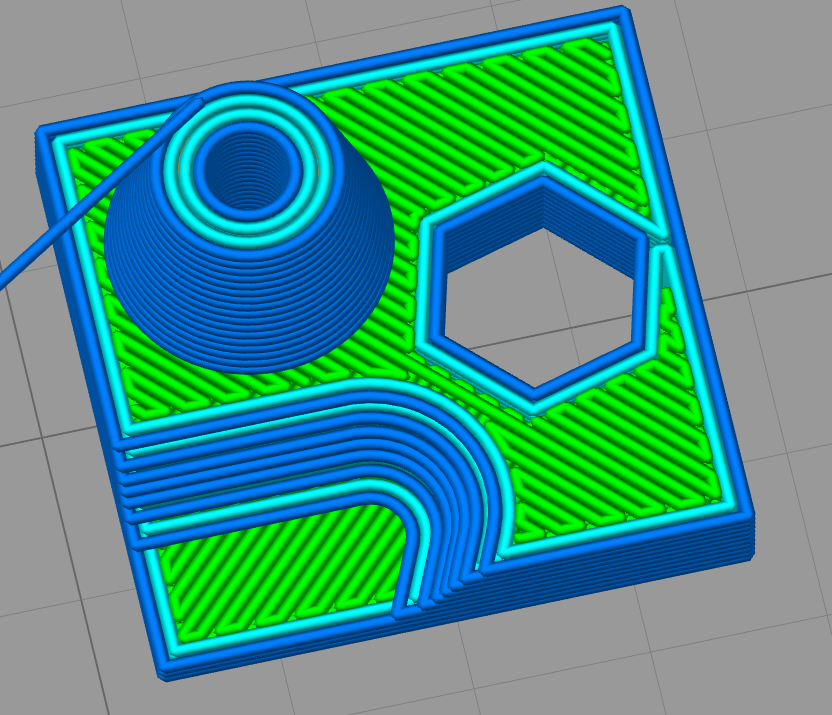
Expected:
PrusaSlicer
Simply3D
Any ideas?
There's also that tiny gap on the right side of that hexagon next to the wall. It's filled on concentric, but just left open otherwise. Not sure how to get it to get filled either.
Here's the stl I'm slicing: bottom.stl.zip

Hi, the image above showing the concentric skin pattern is using Ultimaker's release, not mine. Also, the Prusa example is using narrower line widths. The best result I get is by using top surface layers = 1 and top surface pattern concentric...
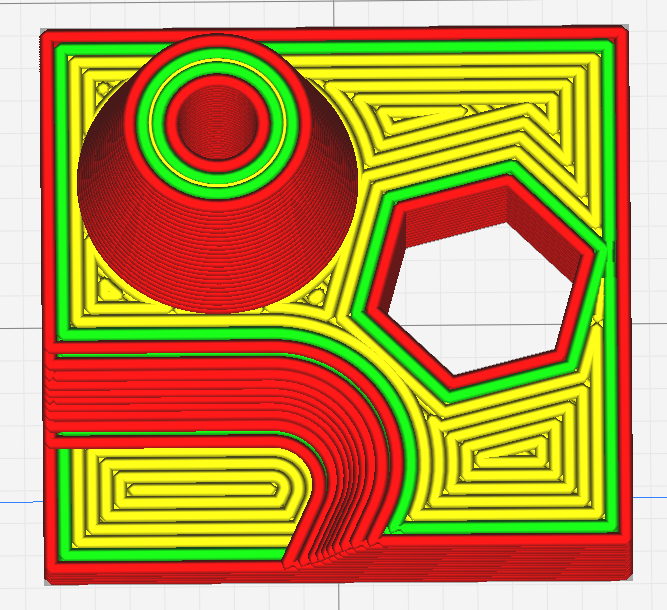

I get nice results if I set the line width to 0.35 and also the minimum gap area to 0.1. I discovered a bug in my release in that disabling the filter tiny gaps setting isn't effective and so you need to set the min gap area to a small value.
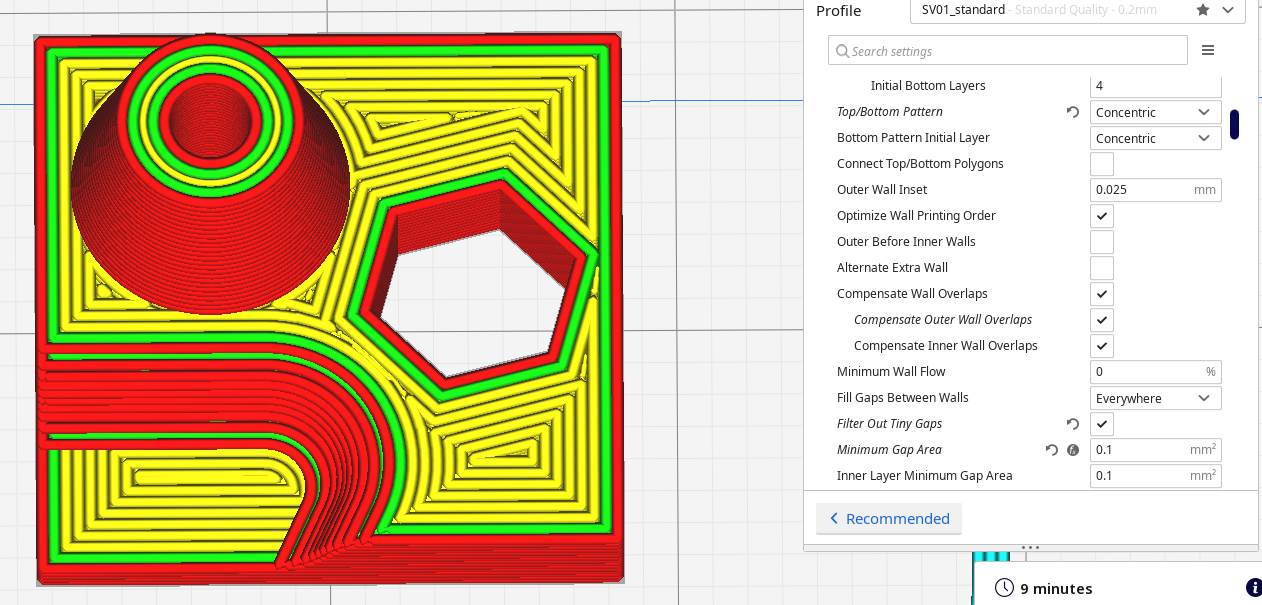
Thank you for the suggestions. I played with it some more and got it working well. Seems that it just doesn't want to play nice with lines pattern, though using zig zag it was happy enough to make concentric circles at the top there. I was playing around with your version, though I had both open at the same and was on the wrong one when I took the screen shots. The op image with lines does look close to the same in both, and the concentric one looks much better in yours.
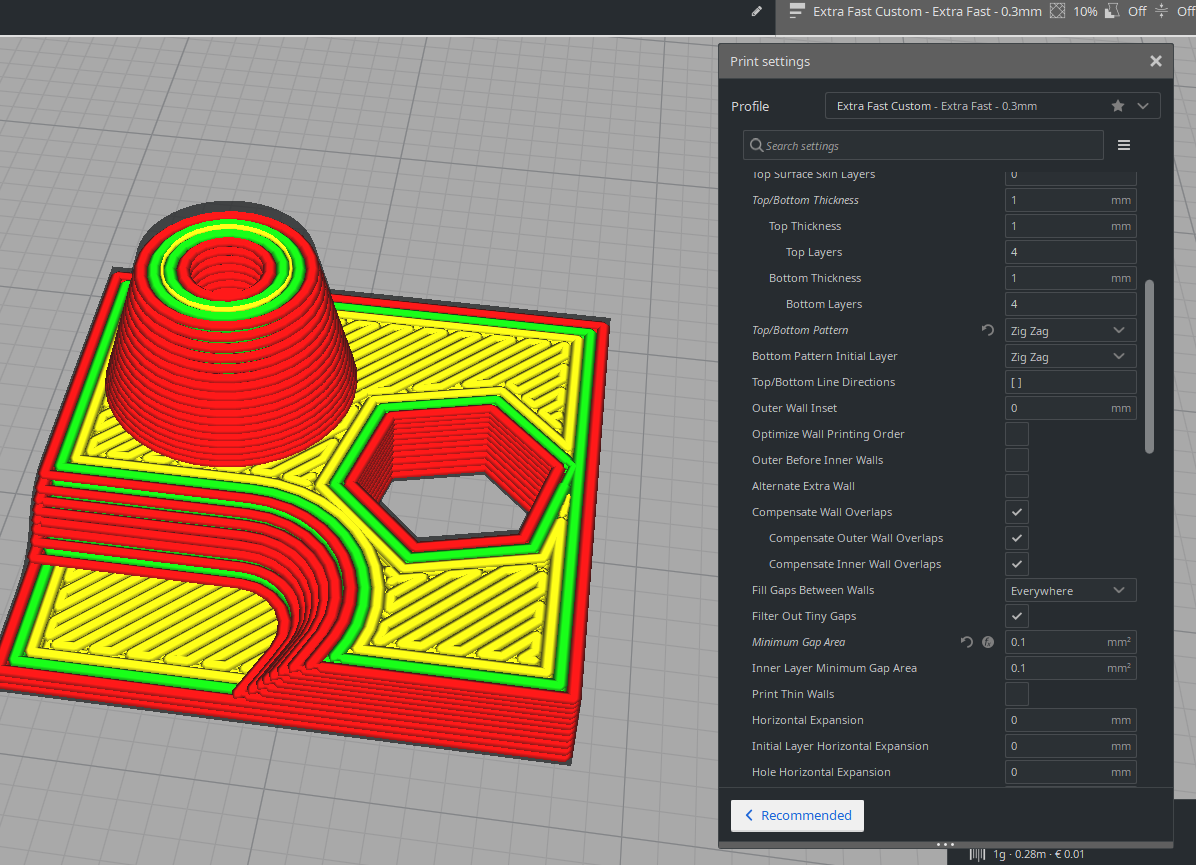
I did notice this one layer being weird. The other layers above it are smooth circles, this one is peculiar
https://imgur.com/a/oGHf8yV
Very Nice part for testing the difference between the 4.8 beta and The Cura Master 4.8 ... I have also some stange difference not only on the Infill Gap trajectory but also in the Infill movement ? It's suppose to be the same parameters ( Except the parameters dedicate to the Cura Master release)
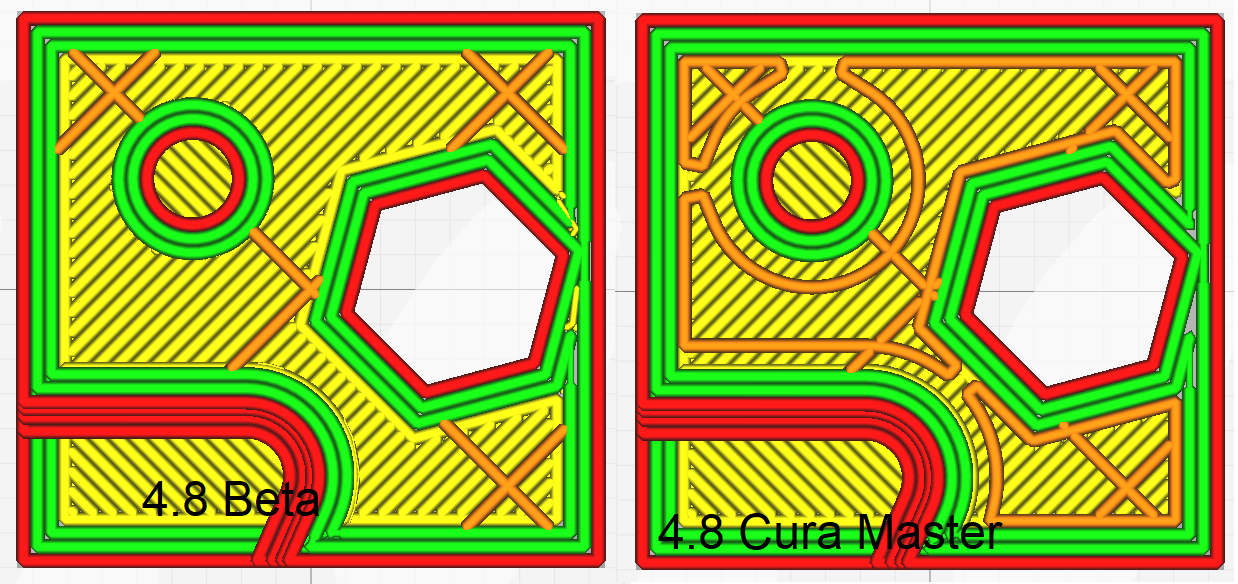
In both cases "Filter Out Tiny Gap" is not activated . But as we can see there are a filtration in the Master release
Concerning the Infill Trajectory , I cannot find any parameter wich can create this geometry. bottom.zip

I put this model together to test the printing of a much larger electronics box that contains loads of these features all over. The cone is for a PCB mount, and the hexagon is cooling, the sloped thin area is for saving on material and speed. Prints are a few min and lets me test lots of slicer results quickly.
I too noticed those extra infill lines, happened on most of the other infill types as well.
Concerning the Infill Trajectory , I cannot find any parameter wich can create this geometry.
Skin edge support thickness/layers
Ok right ... But something strange . Excatly same project and same configuration but the default value for Skin edge support thickness are not the same ?