
Cura
 Cura copied to clipboard
 smartavionics
Compact Purge Tower/Brim issues
Application Version ~8/26
Platform WIN10
Printer IDEX
Steps to Reproduce It's a little fineky, not sure exactly how to reproduce. I suspect linked settings may be turning each other off.
Set Compact Prime Tower Set Prime Tower Brim play with all brim settings
Actual Results
Tower prints just inside of brim, one layer off bed.
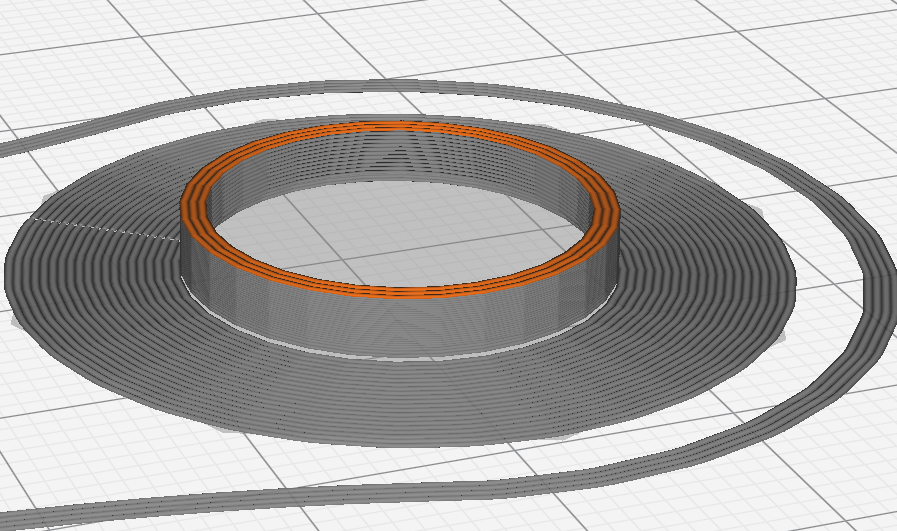
Expected results Tower should print on brim
Additional Information I keep changing 'brim only on outside' and Build Plate Adhesion Type and getting changes that don't always make sense.
I'm unclear if brim is too small (Support Replaces Brim??) or if bottom layer of brim is missing.
Center of tower isn't filled in on first layer, either. Seems unrelated to "brim only on outside".

The compact prime tower feature is a work in progress so it's definitely a case of YMMV. I'm doing it to support using the Palette device. Do you have the project file that produced the above image?

I do now BadTowersCleanCats.3mf.txt
I'm also irritated that `85% of the time I hit "slice", progress bad goes ~halfway, freezes, then blanks out. Hit cancel, then slice, and ~1/10th of the time it works. Don't think it's you, though, I think I was seeing that in mainline.
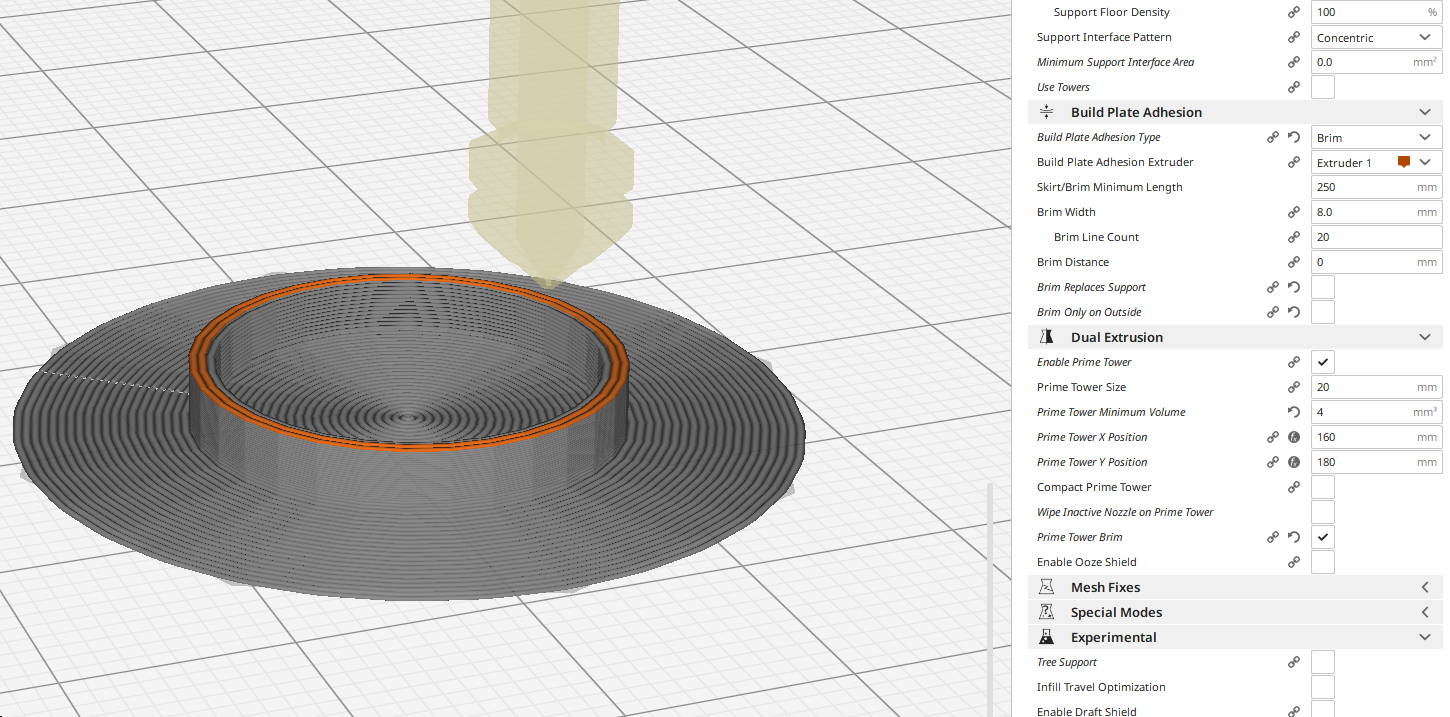
Not compact works. I think compact will work for my pla/pla stuff. I was getting failures with the standard tower and variable layer heights.
With Prime Tower Brim off, but Brim on in general, I still get the error. With brim off..... I get.... A missing bottom layer.
I'd say the issue is the center of the Compact prime tower is hollow, whereas the normal one is a solid filled in circle. At a guess. Basically the entire first layer is missing on the compact tower.
Weak thick layers on prime tower is an issue that belongs on CuraEngine instead of here? Not quite ready to write it up yet
It's no show stopper for me personally, I just thought errors should be logged.