

 slimgroup
//usr/local/lib/libfftw.a(fftwnd.o): relocation R_X86_64_32 against `.rodata.str1.1'
My system environments are as follows: gcc version is 4.8 cuda version is 9.0 cudnn version is 7.1.4
I had installed the Curvelab-2.1.3 in FDCT and fftw-2.1.5 in FFTW, and installed the swig-4.0.2.
However, when I run the "python setup.py build install", an error happened.
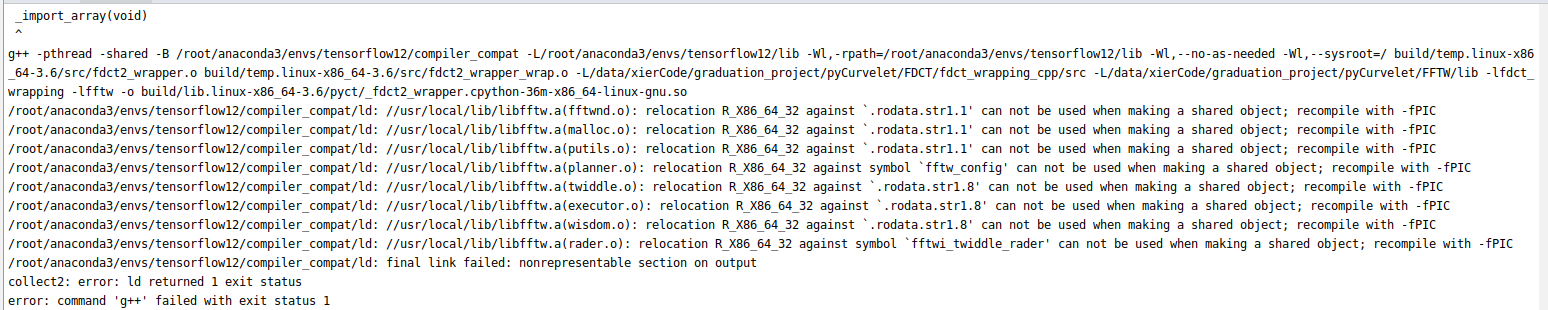
Please. how can I do next?

Hello XeChen,
have you found a solution yet?
I have a similar error. After having installed Curvelab-2.1.3 and fftw-2.1.5, when I run "python3 setup.py build install", I get this error message:
x86_64-linux-gnu-g++ -pthread -shared -Wl,-O1 -Wl,-Bsymbolic-functions -Wl,-Bsymbolic-functions -Wl,-z,relro -g -fwrapv -O2 -Wl,-Bsymbolic-functions -Wl,-z,relro -g -fwrapv -O2 -g -fstack-protector-strong -Wformat -Werror=format-security -Wdate-time -D_FORTIFY_SOURCE=2 build/temp.linux-x86_64-3.8/pyct/fdct2_wrapper.o build/temp.linux-x86_64-3.8/pyct/fdct2_wrapper_wrap.o -L/home/fabian/Applications/CurveLab-2.1.3/fdct_wrapping_cpp/src -L/home/fabian/Applications/fftw-2.1.5/lib -lfdct_wrapping -lfftw -o build/lib.linux-x86_64-3.8/pyct/_fdct2_wrapper.cpython-38-x86_64-linux-gnu.so /usr/bin/ld: /usr/local/lib/libfftw.a(putils.o): relocation R_X86_64_PC32 against symbol fftw_node_cnt' can not be used when making a shared object; recompile with -fPIC
/usr/bin/ld: final link failed: bad value
collect2: error: ld returned 1 exit status
error: command 'x86_64-linux-gnu-g++' failed with exit status 1`
I suppose it has to do with the fact that fftw sets up the libraries statically, and somehow this causes a problem for PyCurvelab. I tried installing fftw-2.1.5 with the configure option --enable-shared for shared libraries, and this removed the error. However, in that case, CurveLab itself doesn't find the libfftw-files anymore (which it told me when I executed make test in the curvelab-folder), and so PyCurvelab still doesn't work.
I also tried to install instead the Python-2 version, but I encountered exactly the same problems.
I really don't know how to fix this problem, because I m following the exact installation instructions for FFTW, CurveLab and PyCurveLab from the respective websites, and it just does not work.
I have Ubuntu 20.04 with Python 3.8.5 and gcc Version 9.3.0.

Okay, it seems that I solved the problem by following the "Tips and Tricks for Dependencies" from the PyCurvelabLops README