

 slab
slab
[iOS] No capitalization on entering a new line or deleting all existing text manually with backspace.
First letter is not capitalized in iOS browser when entering a new line or deleting all existing text manually with backspace.
Steps for Reproduction
- Visit https://quilljs.com/playground on an iOS device
- Type some text then delete all text or enter a new line
- Type some more text
Expected behavior: When user starts typing again after entering a new line or deleting text, the first letter is capitalized.
Actual behavior: First letter is not capitalized.
Platforms: Tested on iOS 12.2
Version: 1.3.6

This is happening to me as well. Another thing I've noticed is that the predictive text suggestions will keep the last letter that was deleted.
Reproduction steps
- Visit https://quilljs.com/playground on an iOS device
- Type some text then delete all text or enter a new line
- Type a letter
- delete it
- type another letter
- the predictive text now has appending letters
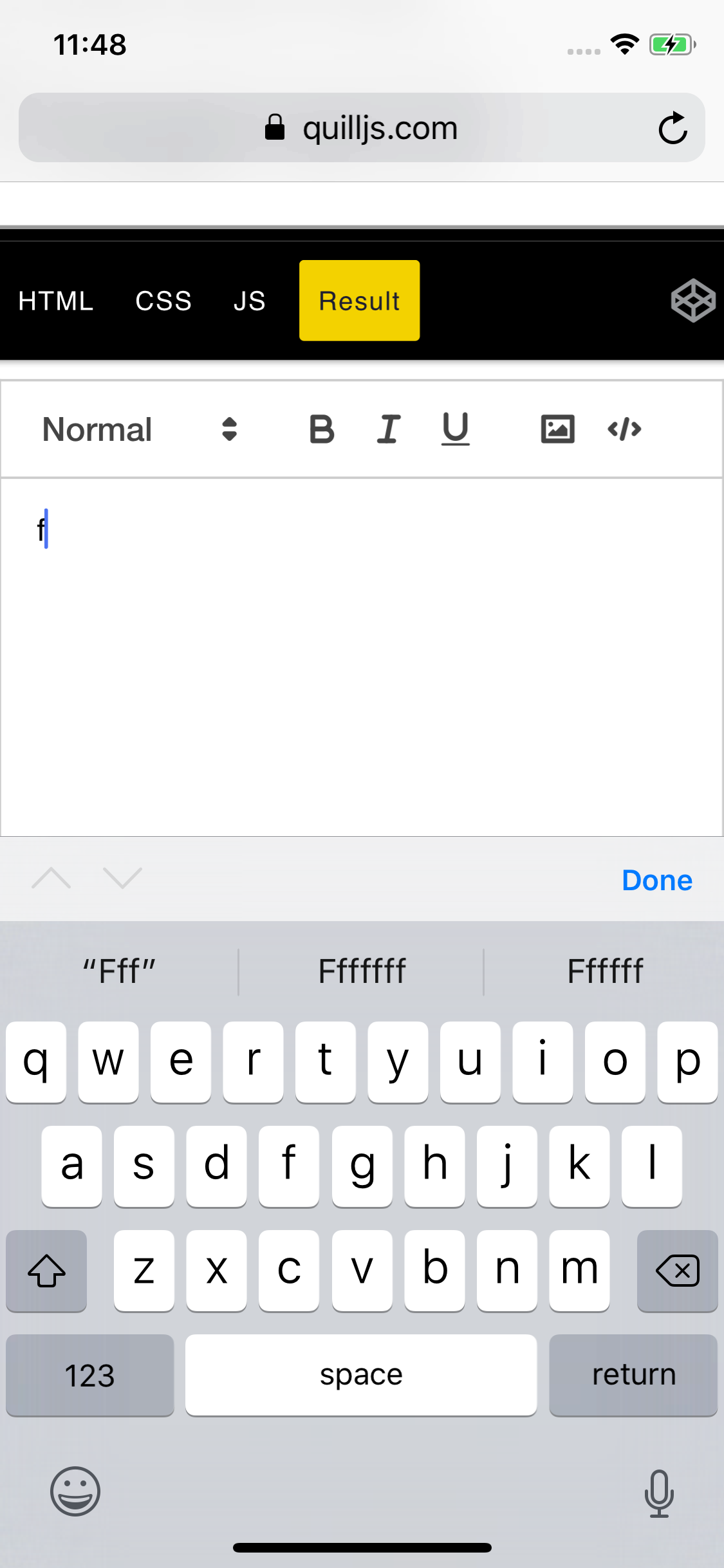

Yeah, this is a tough one for usability. I put together a quick and dirty hack. It can be extended to have heuristics around backspacing etc.
q.on('text-change', (d, _, source) => {
  if (source !== 'api') {
    const sel = q.getSelection();
    const [line, ] = q.getLine(sel.index);

    if (!line.children) { return }

    const val = line.children.head.value();
    if (val.length && val[0] === val[0].toLowerCase()) {
      q.updateContents(
        new delta().retain(q.getIndex(line.children.head)).delete(1).insert(val[0].toUpperCase())
        , 'api')
    }
  }
});


@sargismkhitaryan, given the age of this issue It's likely safe to say "never" I've long since switched to https://tiptap.dev/ which is substantially better than quill. Not just because it handles this correctly, but because of the overall architecture and much more.

Still having this issue, would appreciate a fix or a safe workaround.

kawaicheung
do you have any solution for the predictive text suggestions issue?

There is an Apple's bug tracker issue here, which you can comment on: https://bugs.webkit.org/show_bug.cgi?id=236937 This has been a thing since Safari was released, but nobody from Apple has claimed it to be "on purpose" or "a features" just yet, so we may be lucky and this gets fixed for all text editors in the world at once.

I have a workaround. This also addresses the autocorrect suggestions being joined together in WKWebView.
<input id="flick-target" type="text" tabindex="-1" />
<quill-element /> <!-- Insert it however you are used to -->
.flick-target {
  display: block;
  width: 0;
  height: 0;
  opacity: 0;
  border: 0;
  padding: 0;
  margin: 0;
}
if (platform.is.ios) { // Use your favorite way of checking if the device is running your favorite mobile OS
  quill.on('text-change', (delta, previousDelta) => {
    if (isEmpty(delta)) { // Use your favorite way of checking if supplied Delta/Text is empty
      flickFocus()
    } else if (isNewLine(delta, previousDelta)) { // Use your favorite way of checking is new line was *just entered*
      flickFocus(quill.getSelection())
    }
  })
}

function flickFocus(selectionTarget) {
  $('#flick-target').focus()

  quill.root.style.opacity = 0 // Make contentEditable element transparent - prevents page flicker when refocusing

  requestAnimationFrame(() => {
    quill.root.focus() // Return focus back to Quill contentEditable

    if (selectionTarget) {
      quill.setSelection(selectionTarget)
    }

    setTimeout(() => {
      quill.root.style.opacity = 1 // Restore visibility on next frame (may take up to 2 frames = 32ms)
    })
  })
}

function isEmpty(delta) { // Tweak this as you see fit
  return delta.ops.length === 1 && delta.ops[0].insert == '\n'
}

function isNewLine(delta, previousDelta) { // Tweak this as you see fit
  return delta.ops.length > previousDelta.ops.length
}
Instead of checking for new line entry you can also listen for Enter keydown event (e.key === 'Enter' || e.keyCode === 13).
As is typical with Apple, this was broken in even more ways than originally reported. When you focus into a field, type nothing, then press backspace (in an empty field) - the capitalization is gone. And no, native Apple apps don't show this behavior, so this is also an Apple bug.
Solution is to capture keydown for Backspace and then call flickFocus without delay.
Quill 2.0 has been released (announcement post) with many changes and fixes. If this is still an issue please create a new issue after reviewing our updated Contributing guide :pray:
