

 skrysmanski
Chrome Edge will not allow more than 1 separator per folder
Chrome Edge seems to filter out duplicate links in the same folder. To work around this I'm adding a random extra parameter (e.g. &l=1) so that the link is unique.
Might be easy to add a random guid value to the end of the url instead when generating a link for this purpose.

you can probably do so yourself by appending a hashtag (#123) manually in the link, then navigate to it once

you can probably do so yourself by appending a hashtag (
#123) manually in the link, then navigate to it once
That's an awesome response and it works. It could be added to readme or the explanation page.

I think this can be implemented in the website itself (like randomizing the hashtag value) instead of manually adding one by one

HI, I've created an extension called Infinite Bookmark Extensions , which will includes some of your tricks. For Edge browser it adds the time code, Date.now() to avoid duplication.
u can right-click on the listview and choose menu 'add separator' . if you right-click on it, it will add url of your website .
left-click simply adds 'javascript:' as separator.
gif demo, cheers :
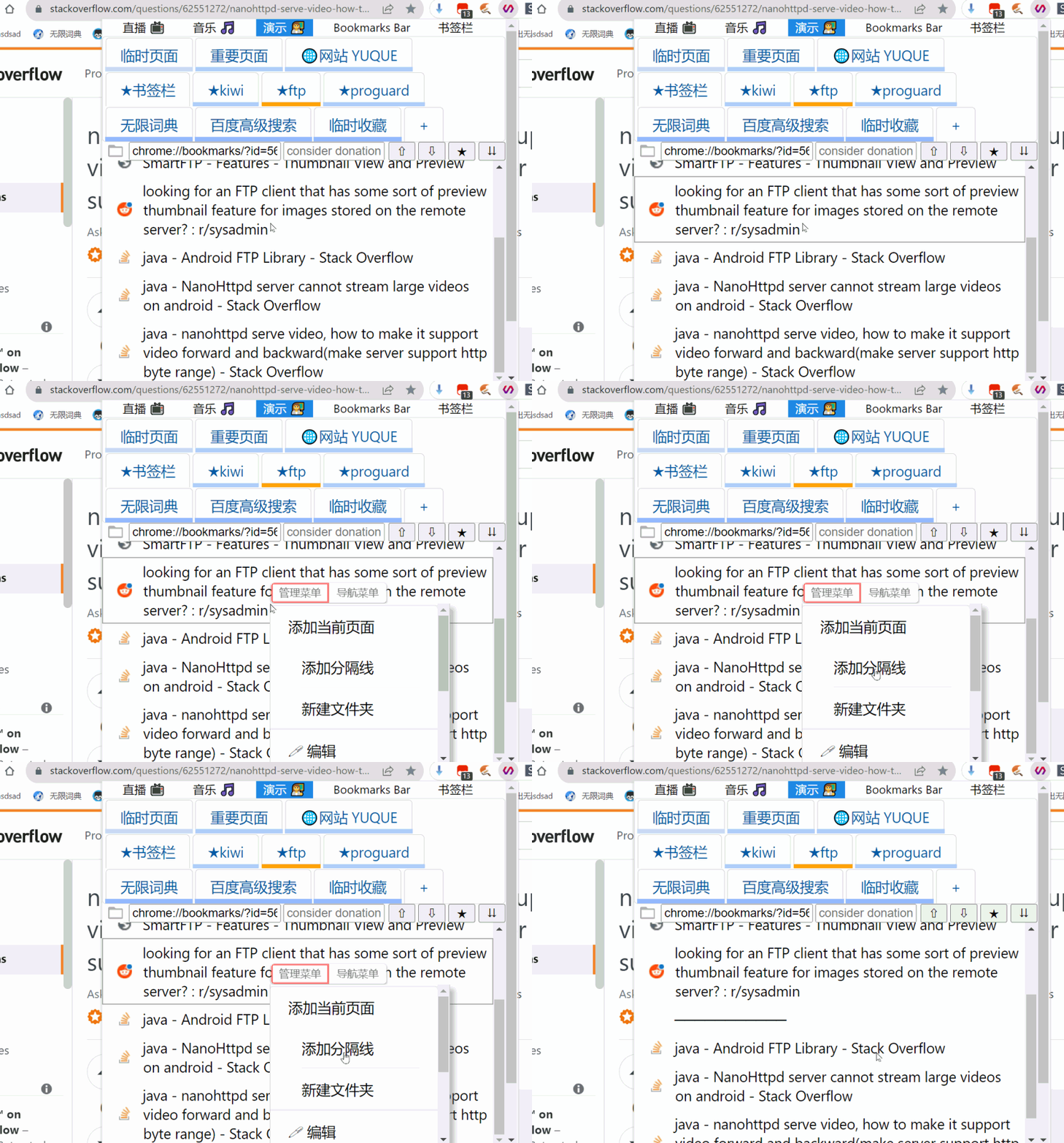

HI, I've created an extension called Infinite Bookmark Extensions , which will includes some of your tricks. For Edge browser it adds the time code,
Date.now()to avoid duplication.u can right-click on the listview and choose menu 'add separator' . if you right-click on it, it will add url of your website .
left-click simply adds 'javascript:' as separator.
Just did the same with my PR #15 but I guess the maintainer isn't rly paying attention to this project anymore.

Unfortunately, #15 introduced a different problem: The icon for the bookmark only appears after clicking the bookmark once. Also, even with #15 you would need to refresh the page (in Edge) before you can add a separator again.
So I've removed the random id part again (for now) until we can find a solution that doesn't break the bookmark's icon.

Unfortunately, #15 introduced a different problem: The icon for the bookmark only appears after clicking the bookmark once. Also, even with #15 you would need to refresh the page (in Edge) before you can add a separator again.
So I've removed the random id part again (for now) until we can find a solution that doesn't break the bookmark's icon.
I don't see any other option than adding a random string to it. On Opera I dont need to click the icon to display the seperator.
But an solution would be an interval generating the random hash every x second and auto setting the window.location.hash, so the current url and bookmark url is the same and the browser should load the icon correctly?!