

 sjg20
sjg20
paperman on Linux Mint 20
From: Thierry Chaverot
I've been looking for a replacement for paperport software for several years, and it was by chance that I discovered your very discreet paperman. From what I've read, it should be exactly what I'm looking for. Unfortunately, I can't manage to build it.
My configuration : Distribution : Linux Mint 20 Kernel : Linux 5.4.0-42-lowlatency (x86_64) Version : #46-Ubuntu SMP PREEMPT Fri Jul 10 01:43:58 UTC 2020 C Library : GNU C Library / (Ubuntu GLIBC 2.31-0ubuntu9) 2.31
I downloaded the tar.gz from there : https://github.com/sjg20/paperman/releases/tag/v1.0.1
I extracted the tar.gz here : /home/thierry/Téléchargements/paperman-1.0.1
As specified in the INSTALL, I did : thierry@MINT20WIN:~$ sudo apt-get install qtcreator g++ qt5-qmake libsane-dev libtiff5-dev cmake libpodofo-dev imagemagick tesseract-ocr tesseract-ocr-eng everything went normally, I didn't have any warnings or problems.
then, I did : thierry@MINT20WIN:~/Téléchargements/paperman-1.0.1$ ./configure Info: creating stash file /home/thierry/Téléchargements/paperman-1.0.1/.qmake.stash Project MESSAGE: Type 'make' to build paperman Project ERROR: Unknown module(s) in QT: core gui widgets printsupport xml
Then : thierry@MINT20WIN:~/Téléchargements/paperman-1.0.1$ make make: *** Pas de cible spécifiée et aucun makefile n'a été trouvé. Arrêt. (No target specified and no makefile was found. Stop.)
Then I tried : thierry@MINT20WIN:~/Téléchargements/paperman-1.0.1$ qmake Project MESSAGE: Type 'make' to build paperman Project ERROR: Unknown module(s) in QT: core gui widgets printsupport xml
I'm stuck here. Is there a solution?
Thanks in advance,
Thierry

I have updated the INSTALL instructions to add qt5-default and libpoppler-qt5-dev so:
sudo apt-get install qt5-default libpoppler-qt5-dev
Can you please try again?
Great, it's OK now, I can launch paperman with the command line. But... I get a window where all sub-windows are empty :
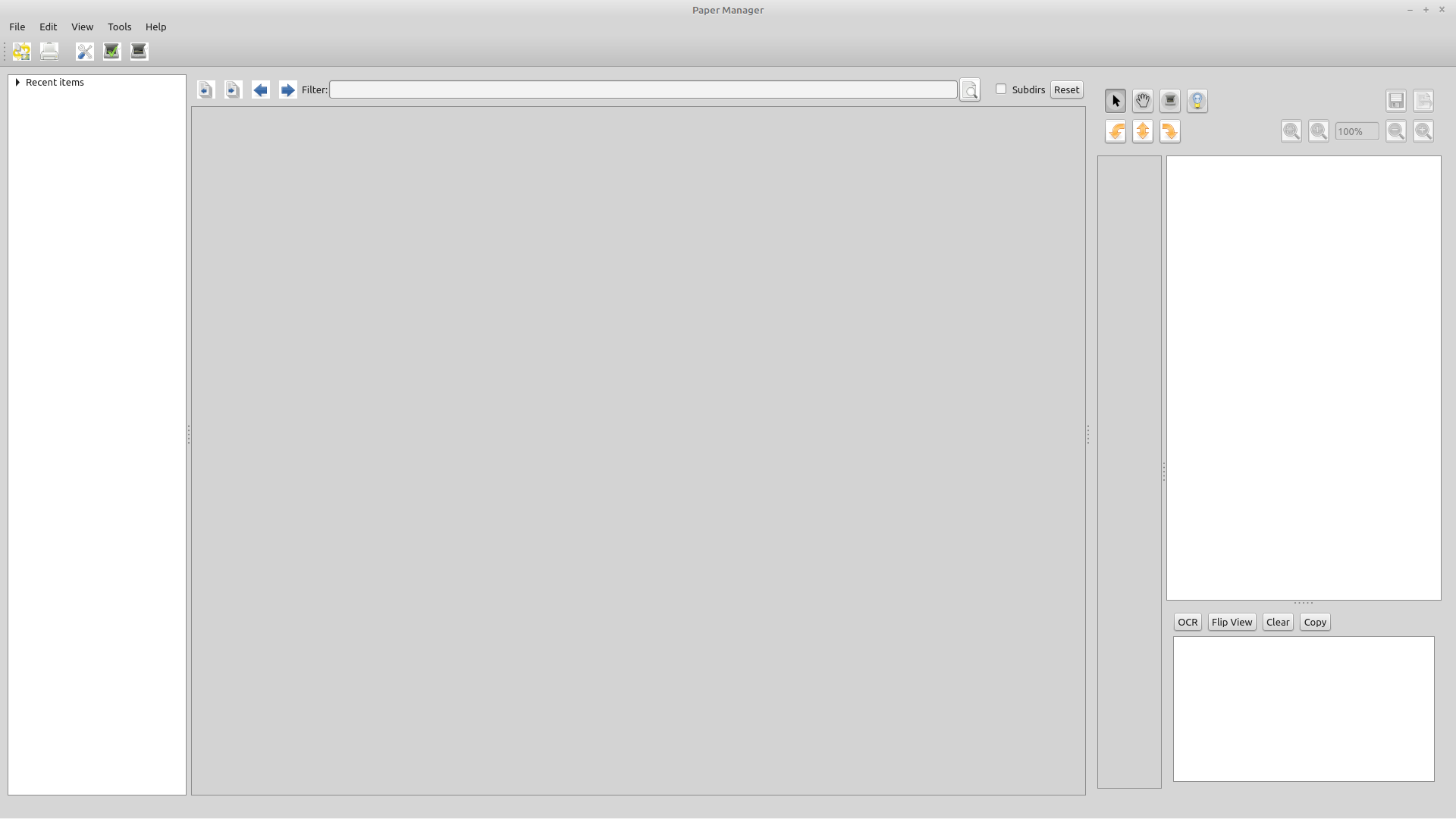
and in the File menu from the menu bar I have only two choices, Print and Exit. I couldn't find any way to load a directory.
The result of the command line, when clicking on Exit :
thierry@MINT20WIN:~$ paperman qt5ct: using qt5ct plugin qt5ct: D-Bus global menu: no
and when exiting by a click on the x button :
thierry@MINT20WIN:~$ paperman qt5ct: using qt5ct plugin qt5ct: D-Bus global menu: no resetFilter dir not found QObject::killTimer(): Error: timer id 1 is not valid for object 0x563c8faef080 (Desktopview, ), timer has not been killed couldn't write maxdesk.ini
Thanks for your help.

Please do read the INSTALL instructions all the way to the end:\
.. After you run it, right-click in the left window to add a paper repository with the 'Add repository' option. This should be the directory containing your paper files.
You are right, sorry for this.
When I try to remove a repository, nothing happens.
Very dangerous : Delete should not appear in the contextual menu because it can be confused with remove a repository and as it is a full delete, nothing goes to the recycle bin. Let a dedicated file manager do this job, at least you know what you are doing. Fortunately I tested this command with an empty directory...
Anyway, even when deleted, a repository remains in the repository list.