

 sitespeedio
Issue in passing custom edge for binary
Hey @soulgalore ! The documentation says that chrome flags are valid for edge also, but I'm unable to use a custom edge binary with the option
--chrome.binaryPath Is this even possible or I am doing something wrong over here?
Command Ran node bin/sitespeed.js http://amazon.com -b edge --chrome.binaryPath /Applications/Edge86.app/Contents/MacOS/Microsoft\ Edge --edge.edgedriverPath ~/86/msedgedriver
OS: BigSur 11.0.1 Versions OS: darwin 20.1.0 nodejs: v12.19.0 sitespeed.io: 16.1.0 browsertime: 11.0.0 coach: 6.0.1
[2021-01-05 20:39:00] INFO: Running tests using Edge - 3 iteration(s) [2021-01-05 20:39:00] INFO: Using Edge is experimental at the moment and use the same configuration as for Chrome [2021-01-05 20:39:00] INFO: edge failed to start, trying 2 more time(s): seleniumOptions.setChromeBinaryPath is not a function

Also FYI, Edge exact version is 86.0.622.38 and the msedge driver was used from here https://msedgedriver.azureedge.net/86.0.622.38/edgedriver_mac64.zip
Hi @jajo-shubham my guess is that I've missed to test, I guess we need also have a binary setup, let me try tonight. Thanks for creating the issue!

Hey @soulgalore I tried the new release 11.0.1 from browsertime but I am still facing an issue: It runs the test on edge but I checked the browser version while the test was loading and it picks up the default Edge which was Edge 87 instead of honoring the flag with binary path
node sitespeed.io/bin/sitespeed.js -b edge --edge.binaryPath /Applications/Edge86.app/Contents/MacOS/Microsoft Edge --edge.edgedriverPath ~/86/msedgedriver --visualMetrics true -n 1 --outputFolder /tmp/result --plugins.add analysisstorer https://microsoft.com
[2021-01-06 18:50:55] INFO: Versions OS: darwin 20.1.0 nodejs: v12.19.0 sitespeed.io: 16.1.0 browsertime: ^11.0.1 coach: 6.0.1
[2021-01-06 18:50:55] INFO: Running tests using Edge - 1 iteration(s) [2021-01-06 18:50:55] INFO: Using Edge is experimental at the moment and use the same configuration as for Chrome [2021-01-06 18:50:57] INFO: Testing url https://microsoft.com iteration 1 [2021-01-06 18:51:11] INFO: https://microsoft.com 69 requests, TTFB: 609ms, firstPaint: 1.76s, firstVisualChange: 666ms, FCP: 1.76s, DOMContentLoaded: 1.12s, LCP: 9.30s, CLS: 0.0003, TBT: 540ms, Load: 1.84s, speedIndex: 2.00s, visualComplete85: 3.90s, lastVisualChange: 8.07s
Can you try with a different binary and let me know if it works for you?
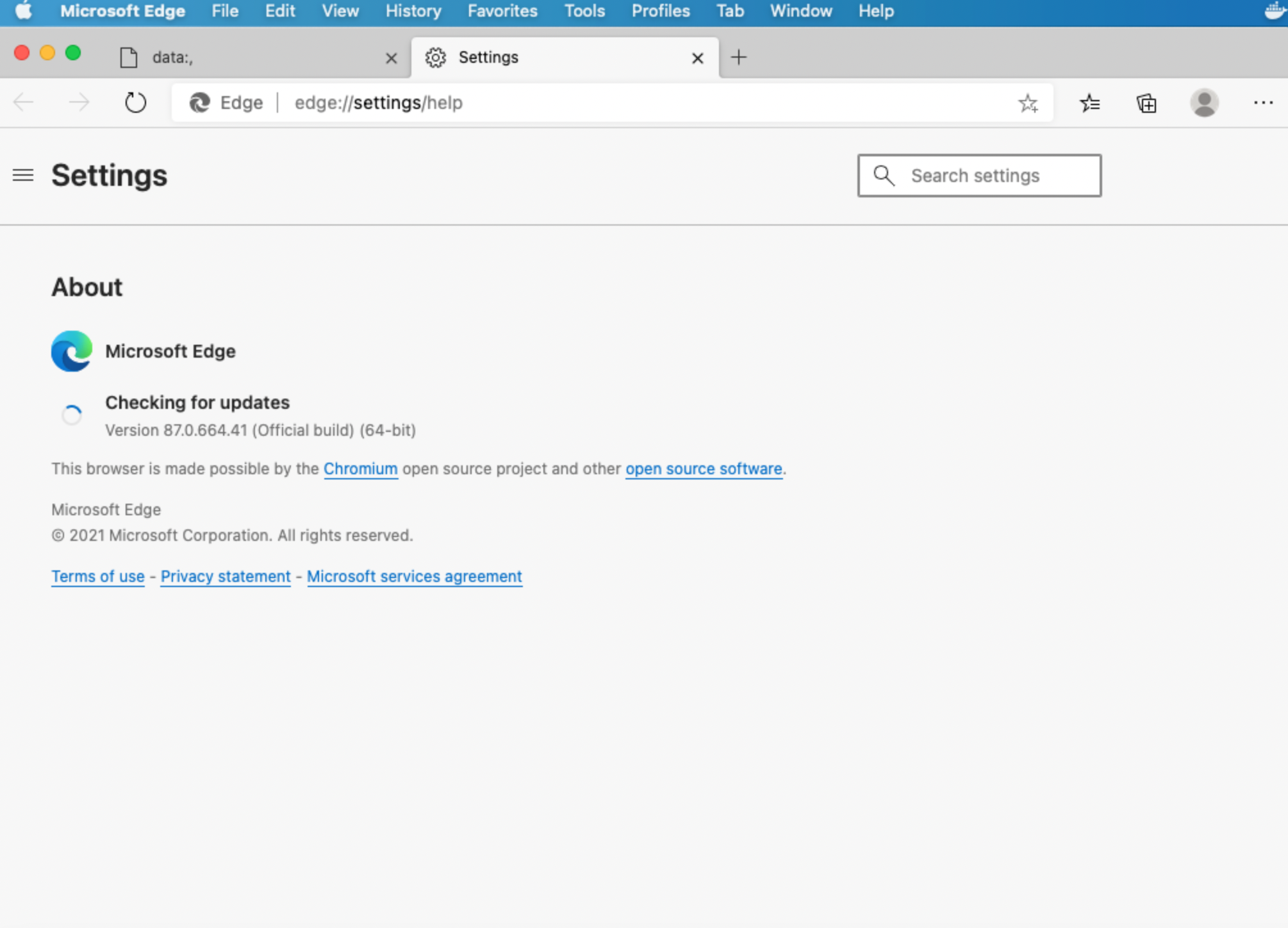
I tried direct in Browsertime, but I didn't download another binary. When I try with a broken path I can at least see that the path is picked up:
bin/sitespeed.js -b edge --edge.binaryPath /blahaha/ https://www.sitespeed.io -n 1
outputs:
[2021-01-06 15:33:33] INFO: Versions OS: darwin 20.2.0 nodejs: v12.18.1 sitespeed.io: 16.1.0 browsertime: 11.0.1 coach: 6.0.1
[2021-01-06 15:33:33] INFO: Running tests using Edge - 1 iteration(s)
[2021-01-06 15:33:33] INFO: Using Edge is experimental at the moment and use the same configuration as for Chrome
[2021-01-06 15:33:34] INFO: edge failed to start, trying 2 more time(s): unknown error: no msedge binary at /blahaha/
Do you get the same? I wonder if sitespeed.io was updated at that time when you tested?
So I retried with 16.2.1 directly and it is honoring incorrect path now, but on correct path it errors out with this error:
[2021-01-07 01:25:17] INFO: Versions OS: darwin 20.2.0 nodejs: v12.18.3 sitespeed.io: 16.2.1 browsertime: 11.0.1 coach: 6.0.1
[2021-01-07 01:25:17] INFO: edge failed to start, trying 2 more time(s): Server was killed with SIGABRT
I tried and I also gets an error (tried with the dev version and matching Edgedriver):
[2021-01-06 23:46:29] INFO: edge failed to start, trying 2 more time(s): unknown error: MSEdge failed to start: was killed. (chrome not reachable)
For Chrome that usually means a missmatch between Chrome and Chromedriver but I think I test the matching versions. Let me try it out some more.
I wonder if this is broken in Selenium/Edgedriver? I tried with Edge beta and it do not work. Setting the binary to stable also gives the same error:
bin/browsertime.js -b edge --edge.binaryPath "/Applications/Microsoft\ Edge.app/Contents/MacOS/Microsoft\ Edge" https://www.sitespeed.io -n 1
no msedge binary at ..
Running the same binary without setting "binaryPath" works.
Actually it was my fault or ... depending on how you see it. I turned on the Edgedriver log and I could see:
"binary": "/Applications/Microsoft\\ Edge\\ Beta.app/Contents/MacOS/Microsoft\\ Edge\\ Beta ",
Changing how to run to --edge.binaryPath "/Applications/Microsoft Edge Beta.app/Contents/MacOS/Microsoft Edge Beta" fixes this. I can confirm that it works now :)