
luci-app-partexp
 luci-app-partexp copied to clipboard
 sirpdboy
luci-app-partexp 一键自动格式化分区、扩容、自动挂载插件
访问数:[ ]
] 

=
luci-app-partexp
luci-app-partexp 一键自动格式化分区、扩容、自动挂载插件
luci-app-partexp
请 认真阅读完毕 本页面,本页面包含注意事项和如何使用。
功能说明:
一键自动格式化分区、扩容、自动挂载插件,专为OPENWRT设计,简化OPENWRT在分区挂载上烦锁的操作。本插件是sirpdboy耗费大量精力制作测试,请勿删除制作者信息!!
- partexp
- 特性
- 使用方法
- 说明
- 界面
- 捐助
特性
luci-app-partexp 自动获格式化分区扩容,自动挂载插件
使用方法
- 将luci-app-partexp添加至 LEDE/OpenWRT 源码的方法。
下载源码方法:
   # 下载源码

   git clone https://github.com/sirpdboy/luci-app-partexp.git package/luci-app-partexp
   make menuconfig
配置菜单
   make menuconfig
	# 找到 LuCI -> Applications, 选择 luci-app-partexp, 保存后退出。
编译
   # 编译固件
   make package/luci-app-partexp/compile V=s
说明

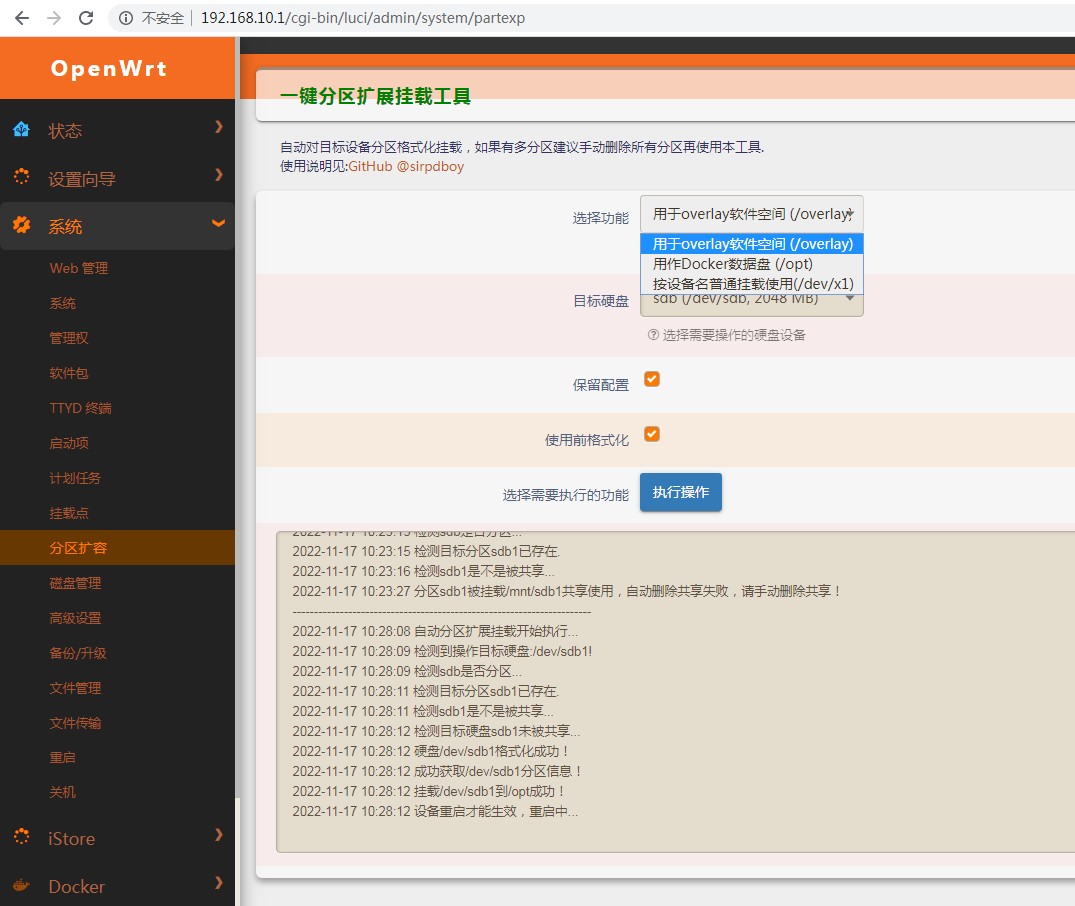
界面
使用与授权相关说明
- 本人开源的所有源码,任何引用需注明本处出处,如需修改二次发布必告之本人,未经许可不得做于任何商用用途。
My other project
-
网络速度测试 :https://github.com/sirpdboy/NetSpeedTest
-
定时设置插件 : https://github.com/sirpdboy/luci-app-autotimeset
-
关机功能插件 : https://github.com/sirpdboy/luci-app-poweroffdevice
-
opentopd主题 : https://github.com/sirpdboy/luci-theme-opentopd
-
kucat 主题: https://github.com/sirpdboy/luci-theme-kucat
-
家长控制: https://github.com/sirpdboy/luci-theme-parentcontrol
-
系统高级设置 : https://github.com/sirpdboy/luci-app-advanced
-
ddns-go动态域名: https://github.com/sirpdboy/luci-app-ddns-go
-
进阶设置(系统高级设置+主题设置kucat/agron/opentopd): https://github.com/sirpdboy/luci-app-advancedplus
-
设置向导: https://github.com/sirpdboy/luci-app-wizard
-
分区扩容: https://github.com/sirpdboy/luci-app-partexp
-
lukcy大吉: https://github.com/sirpdboy/luci-app-lukcy
捐助

 |
 |
|---|---|
 |
 |

 sirpdboy