

 simrat39
`rust-tools` not found
I'm getting the following error message
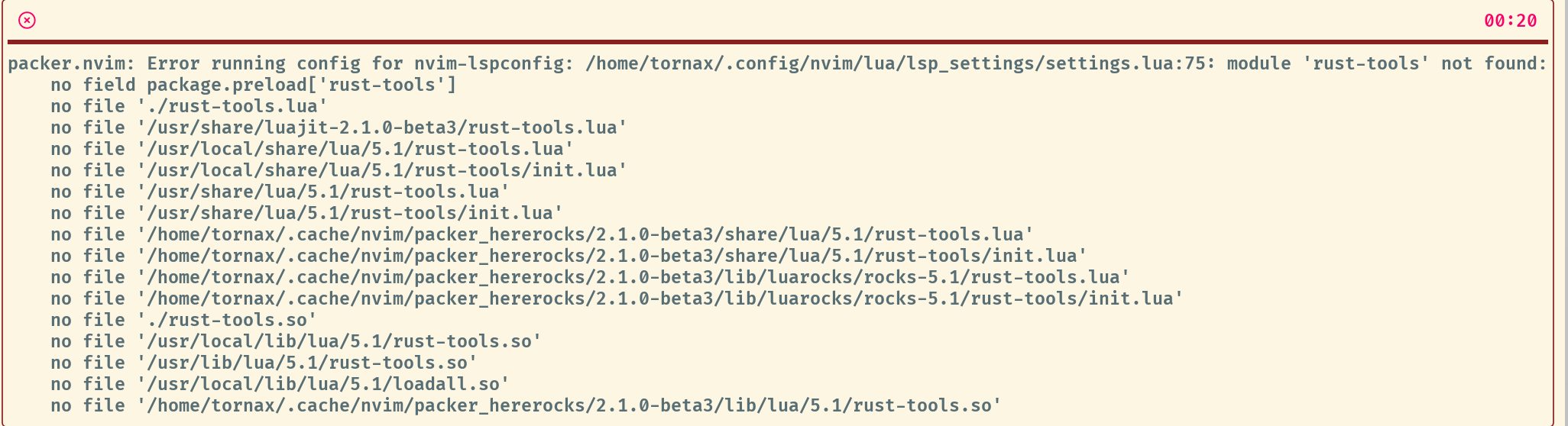
Reproduction steps
init.lua
packer.startup(function(use)
    use 'wbthomason/packer.nvim'

    use 'nvim-lua/plenary.nvim'

    use {
        'neovim/nvim-lspconfig',
        opt = true,
        cmd = "LspStart",
        requires = {
            {'nvim-lua/lsp-status.nvim'},
            {'folke/lsp-colors.nvim'},
            {'kosayoda/nvim-lightbulb'},
            {'jubnzv/virtual-types.nvim'},
            {'simrat39/rust-tools.nvim'},
        },
        config = function() require("lsp_settings.settings") end
    }
lua/lsp_settings/settings.lua
require("rust-tools").setup()
Now create a new project cargo new rofl and enter the main.rs file and execute the command: :LspStart, then the error should pop up.

Not really a rust-tools issue afaik, looks like something to do with your packer usage, although I won't recommend using it in lazy mode

I'm getting this error too. All I have to do to get it is,
luado require('rust-tools')
E5111: Error calling lua: [string ":luado"]:1: module 'rust-tools' not found:
        no field package.preload['rust-tools']
        no file './rust-tools.lua'
        no file '/usr/share/luajit-2.1.0-beta3/rust-tools.lua'
        no file '/usr/local/share/lua/5.1/rust-tools.lua'
        no file '/usr/local/share/lua/5.1/rust-tools/init.lua'
        no file '/usr/share/lua/5.1/rust-tools.lua'
        no file '/usr/share/lua/5.1/rust-tools/init.lua'
        no file '/home/ecarroll/.cache/nvim/packer_hererocks/2.1.0-beta3/share/lua/5.1/rust-tools.lua'
        no file '/home/ecarroll/.cache/nvim/packer_hererocks/2.1.0-beta3/share/lua/5.1/rust-tools/init.lua'
        no file '/home/ecarroll/.cache/nvim/packer_hererocks/2.1.0-beta3/lib/luarocks/rocks-5.1/rust-tools.lua'
        no file '/home/ecarroll/.cache/nvim/packer_hererocks/2.1.0-beta3/lib/luarocks/rocks-5.1/rust-tools/init.lua'
        no file './rust-tools.so'
        no file '/usr/local/lib/lua/5.1/rust-tools.so'
        no file '/usr/lib/x86_64-linux-gnu/lua/5.1/rust-tools.so'
        no file '/usr/local/lib/lua/5.1/loadall.so'
        no file '/home/ecarroll/.cache/nvim/packer_hererocks/2.1.0-beta3/lib/lua/5.1/rust-tools.so'
stack traceback:
        [C]: in function 'require'
        [string ":luado"]:1: in function <[string ":luado"]:1>
NVIM v0.6.1 Build type: Release LuaJIT 2.1.0-beta3

Having the same issue. Also on my side require('rust-tools').setup({}) triggers some errors.
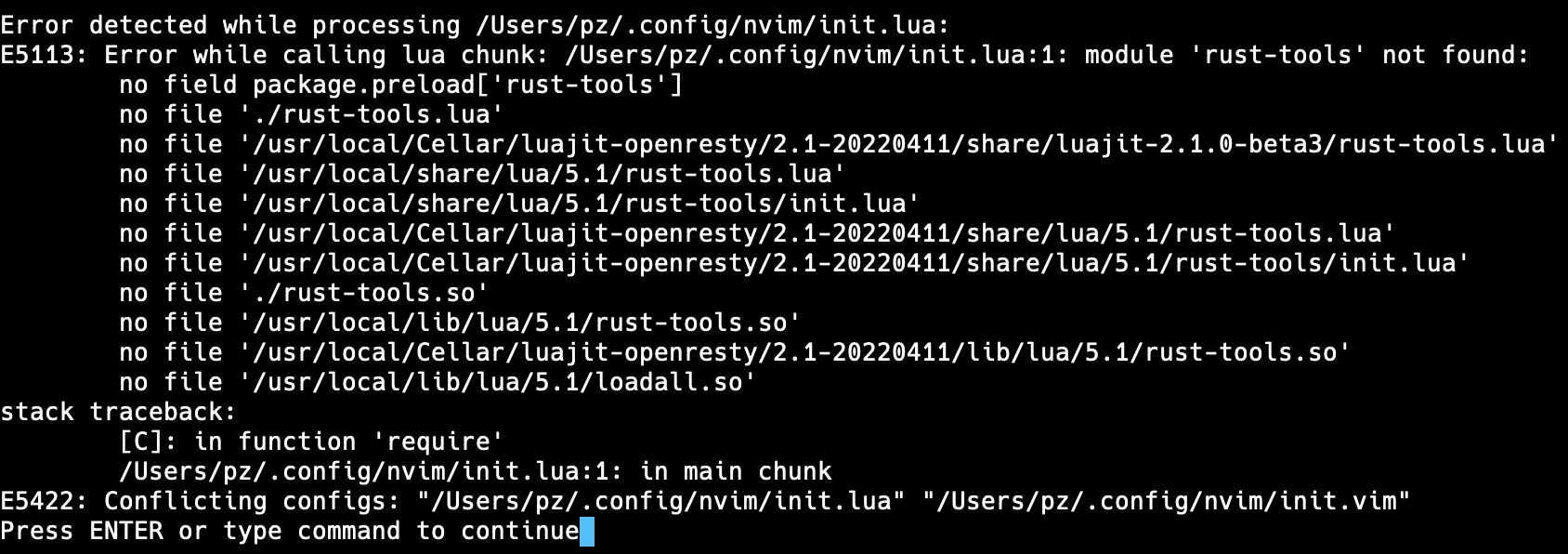
Below my init.vim and init.lua
init.lua:
require('rust-tools').setup({})
init.vim:
:set number

:set relativenumber

:set autoindent
:set tabstop=4
:set shiftwidth=4
:set smarttab
:set softtabstop=4

:set mouse=a

call plug#begin('~/.config/nvim/plugged')

Plug 'http://github.com/tpope/vim-surround' " Surrounding ysw)
Plug 'https://github.com/preservim/nerdtree' " NerdTree
Plug 'https://github.com/tpope/vim-commentary' " For Commenting gcc & gc
Plug 'https://github.com/vim-airline/vim-airline' " Status bar
Plug 'https://github.com/ap/vim-css-color' " CSS Color Preview
Plug 'https://github.com/rafi/awesome-vim-colorschemes' " Retro Scheme
Plug 'https://github.com/ryanoasis/vim-devicons' " Developer Icons
Plug 'https://github.com/neoclide/coc.nvim'  " Auto Completion
Plug 'https://github.com/tc50cal/vim-terminal' " Vim Terminal
Plug 'https://github.com/terryma/vim-multiple-cursors' " CTRL + N for multiple cursors

" Rust specifics
Plug 'neovim/nvim-lspconfig'
Plug 'simrat39/rust-tools.nvim'

" Rust specifics Debugging
Plug 'nvim-lua/plenary.nvim'
Plug 'mfussenegger/nvim-dap'

set encoding=UTF-8

call plug#end()
nnoremap <C-f> :NERDTreeFocus<CR>
nnoremap <C-n> :NERDTree<CR>
nnoremap <C-t> :NERDTreeToggle<CR>

" no idea what this one does
:set completeopt-=preview " For No Previews

:colorscheme jellybeans

inoremap <expr> <Tab> pumvisible() ? coc#_select_confirm() : "<Tab>"

hm... it looks like that we have to load the lspconfig first, before rust-tools.nvim can kick in? I added the following command, which I just execute, if I need it:
command! LspRustTools lua require('rust-tools').setup({})
@TornaxO7 thanks for your help, unfortunately it appears that this wasn't the issue 🤔
what was missing on my side:
In my init.vim this line was missing in my plugins:
Plug 'williamboman/nvim-lsp-installer'
And I had to remove the init.lua... So actually I only have the init.vim file left, but no Lua anymore 🤔
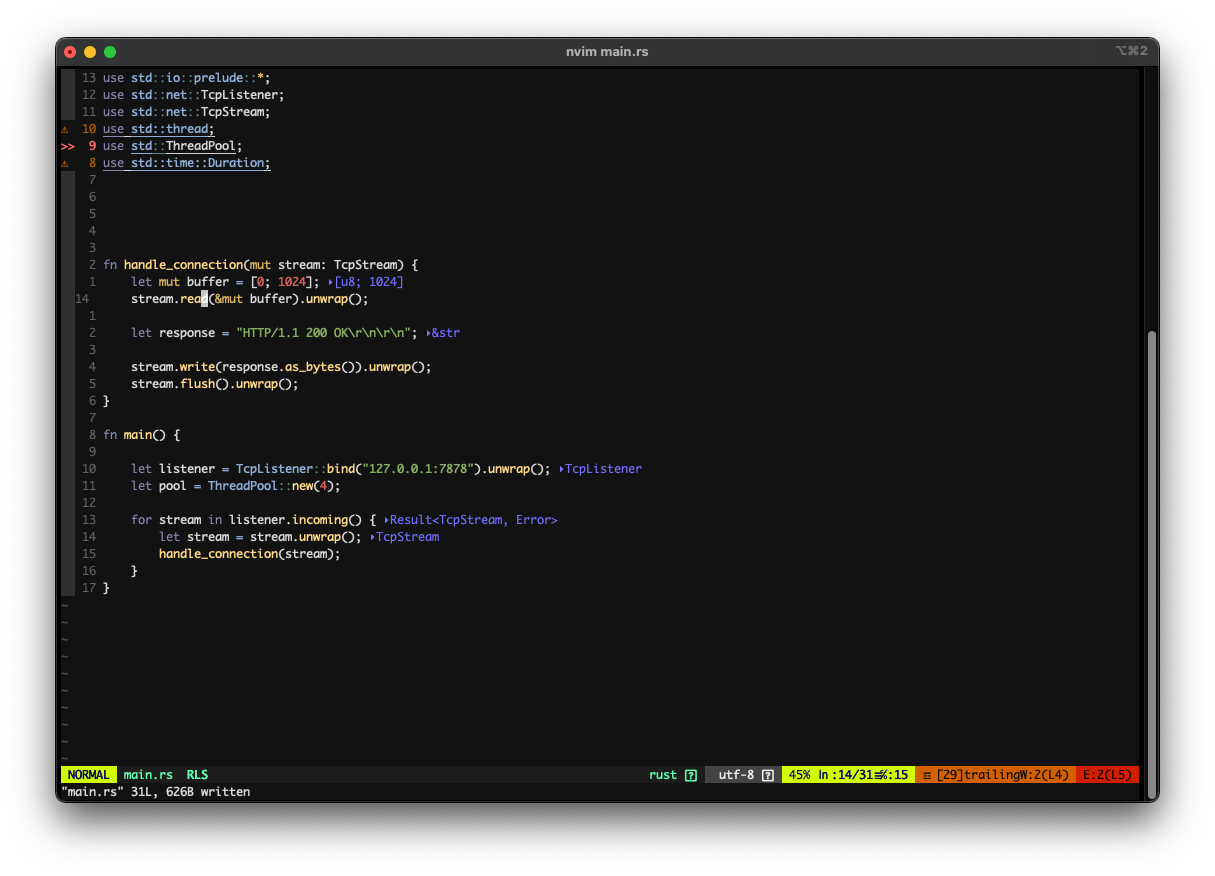
Doesn't feel right, but at least it seems to work, looking at the below screenshot showing some arbitrary Rust code in my Neovim, without the Lua config 🤔
Having the same issue. Also on my side
require('rust-tools').setup({})triggers some errors.Below my
init.vimandinit.lua
init.lua:require('rust-tools').setup({})
init.vim::set number :set relativenumber :set autoindent :set tabstop=4 :set shiftwidth=4 :set smarttab :set softtabstop=4 :set mouse=a call plug#begin('~/.config/nvim/plugged') Plug 'http://github.com/tpope/vim-surround' " Surrounding ysw) Plug 'https://github.com/preservim/nerdtree' " NerdTree Plug 'https://github.com/tpope/vim-commentary' " For Commenting gcc & gc Plug 'https://github.com/vim-airline/vim-airline' " Status bar Plug 'https://github.com/ap/vim-css-color' " CSS Color Preview Plug 'https://github.com/rafi/awesome-vim-colorschemes' " Retro Scheme Plug 'https://github.com/ryanoasis/vim-devicons' " Developer Icons Plug 'https://github.com/neoclide/coc.nvim' " Auto Completion Plug 'https://github.com/tc50cal/vim-terminal' " Vim Terminal Plug 'https://github.com/terryma/vim-multiple-cursors' " CTRL + N for multiple cursors " Rust specifics Plug 'neovim/nvim-lspconfig' Plug 'simrat39/rust-tools.nvim' " Rust specifics Debugging Plug 'nvim-lua/plenary.nvim' Plug 'mfussenegger/nvim-dap' set encoding=UTF-8 call plug#end() nnoremap <C-f> :NERDTreeFocus<CR> nnoremap <C-n> :NERDTree<CR> nnoremap <C-t> :NERDTreeToggle<CR> " no idea what this one does :set completeopt-=preview " For No Previews :colorscheme jellybeans inoremap <expr> <Tab> pumvisible() ? coc#_select_confirm() : "<Tab>"
Pretty sure init.lua is called before init.vim? so packer doesn't load rust-tools and it can't find it
hm... it looks like that we have to load the lspconfig first, before rust-tools.nvim can kick in? I added the following command, which I just execute, if I need it:
command! LspRustTools lua require('rust-tools').setup({})
nope :), please don't call lspconfig's rust setup as rust-tools also does it and it might cause conflict
Error message:
Error detected while processing /home/sarah/.config/nvim/init.lua:
E5113: Error while calling lua chunk: ...e/nvim/site/pack/packer/start/packer.nvim/lua/packer.lua:1026: /home/sarah/.config/nvim/lua/plugins.lua:11: module 'rust-tools' not found:
        no field package.preload['rust-tools']
        no file './rust-tools.lua'
        no file '/usr/share/luajit-2.1.0-beta3/rust-tools.lua'
        no file '/usr/local/share/lua/5.1/rust-tools.lua'
        no file '/usr/local/share/lua/5.1/rust-tools/init.lua'
        no file '/usr/share/lua/5.1/rust-tools.lua'
        no file '/usr/share/lua/5.1/rust-tools/init.lua'
        no file './rust-tools.so'
        no file '/usr/local/lib/lua/5.1/rust-tools.so'
        no file '/usr/lib/lua/5.1/rust-tools.so'
        no file '/usr/local/lib/lua/5.1/loadall.so'
stack traceback:
        [C]: in function 'error'
        ...e/nvim/site/pack/packer/start/packer.nvim/lua/packer.lua:1026: in function <...e/nvim/site/pack/packer/start/packer.nvim/lua/packer.lua:992>
        [C]: in function 'require'
        /home/sarah/.config/nvim/init.lua:4: in main chunk
Press ENTER or type command to continue
.config/lua/plugins.lua
-- This file can be loaded by calling `lua require('plugins')` from your init.vim

-- Only required if you have packer configured as `opt`
-- vim.cmd [[packadd packer.nvim]]

return require('packer').startup(function(use)
  -- Packer can manage itself
  use 'wbthomason/packer.nvim'
  use 'simrat39/rust-tools.nvim'

  local rt = require("rust-tools")

end)
.config/nvim/init.lua
-- sarah@bedevere

-- include plugins
use = lua require('plugins')

local impatient_ok, impatient = pcall(require, "impatient")
if impatient_ok then impatient.enable_profile() end

for _, source in ipairs {
  "core.utils",
  "core.options",
  "core.bootstrap",
  "core.plugins",
  "core.diagnostics",
  "core.autocmds",
  "core.mappings",
  "configs.which-key-register",
} do
  local status_ok, fault = pcall(require, source)
  if not status_ok then vim.api.nvim_err_writeln("Failed to load " .. source .. "\n\n" .. fault) end
end

astronvim.conditional_func(astronvim.user_plugin_opts("polish", nil, false))

if vim.fn.has "nvim-0.8" ~= 1 or vim.version().prerelease then
  vim.schedule(function() astronvim.notify("Unsupported Neovim Version! Please check the requirements", "error") end)
end
