
SwitchExplorer

SwitchExplorer copied to clipboard
 simontime
crashes upon loading NCA/XCI
running under wine-staging 3.19 on Xubuntu 16.04
the GUI looks weird, but R-clicking File gives me a menu:
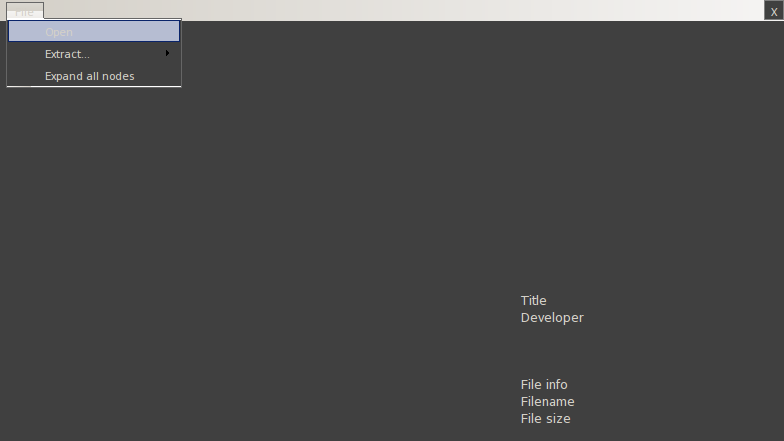
upon selecting the file, it crashes with:
tcll@tcll-AY589AAR-ABA-a4317c:/media/tcll/500GB_SG/tcll/Programs/win/SwitchExplorer1.1.1$ wine ./SwitchExplorer.exe
System.IO.DirectoryNotFoundException: Could not find a part of the path "C:\users\tcll\.switch\prod.keys".
  at System.IO.FileStream..ctor (System.String path, System.IO.FileMode mode, System.IO.FileAccess access, System.IO.FileShare share, System.Int32 bufferSize, System.Boolean anonymous, System.IO.FileOptions options) [0x0017e] in <773ec02b42f74a918ccd74911c8063c9>:0
  at System.IO.FileStream..ctor (System.String path, System.IO.FileMode mode, System.IO.FileAccess access, System.IO.FileShare share, System.Int32 bufferSize, System.Boolean isAsync, System.Boolean anonymous) [0x00000] in <773ec02b42f74a918ccd74911c8063c9>:0
  at System.IO.FileStream..ctor (System.String path, System.IO.FileMode mode, System.IO.FileAccess access) [0x00000] in <773ec02b42f74a918ccd74911c8063c9>:0
  at (wrapper remoting-invoke-with-check) System.IO.FileStream:.ctor (string,System.IO.FileMode,System.IO.FileAccess)
  at LibHac.ExternalKeys.ReadMainKeys (LibHac.Keyset keyset, System.String filename, System.Collections.Generic.Dictionary`2[TKey,TValue] keyDict, LibHac.IProgressReport logger) [0x00004] in <cc550c4e1eea43e8beb9b1e767a6acba>:0
  at LibHac.ExternalKeys.ReadKeyFile (System.String filename, System.String titleKeysFilename, System.String consoleKeysFilename, LibHac.IProgressReport logger) [0x00009] in <cc550c4e1eea43e8beb9b1e767a6acba>:0
  at SwitchExplorer.Form1.Open () [0x00049] in <85a704aded5b43c1ab3a0e32aed7ed8e>:0
  at SwitchExplorer.Form1.openToolStripMenuItem_Click (System.Object sender, System.EventArgs e) [0x0000e] in <85a704aded5b43c1ab3a0e32aed7ed8e>:0
  at System.Windows.Forms.ToolStripItem.OnClick (System.EventArgs e) [0x00019] in <dfcf5e19b3744f6abc3507fe9dffa1dd>:0
  at System.Windows.Forms.ToolStripMenuItem.OnClick (System.EventArgs e) [0x00090] in <dfcf5e19b3744f6abc3507fe9dffa1dd>:0
  at System.Windows.Forms.ToolStripMenuItem.HandleClick (System.Int32 mouse_clicks, System.EventArgs e) [0x00000] in <dfcf5e19b3744f6abc3507fe9dffa1dd>:0
  at System.Windows.Forms.ToolStripItem.FireEvent (System.EventArgs e, System.Windows.Forms.ToolStripItemEventType met) [0x00054] in <dfcf5e19b3744f6abc3507fe9dffa1dd>:0
  at (wrapper remoting-invoke-with-check) System.Windows.Forms.ToolStripItem:FireEvent (System.EventArgs,System.Windows.Forms.ToolStripItemEventType)
  at System.Windows.Forms.ToolStrip.OnMouseUp (System.Windows.Forms.MouseEventArgs mea) [0x00048] in <dfcf5e19b3744f6abc3507fe9dffa1dd>:0
  at System.Windows.Forms.ToolStripDropDown.OnMouseUp (System.Windows.Forms.MouseEventArgs mea) [0x00000] in <dfcf5e19b3744f6abc3507fe9dffa1dd>:0
  at System.Windows.Forms.Control.WmLButtonUp (System.Windows.Forms.Message& m) [0x00078] in <dfcf5e19b3744f6abc3507fe9dffa1dd>:0
  at System.Windows.Forms.Control.WndProc (System.Windows.Forms.Message& m) [0x001b4] in <dfcf5e19b3744f6abc3507fe9dffa1dd>:0
  at System.Windows.Forms.ScrollableControl.WndProc (System.Windows.Forms.Message& m) [0x00000] in <dfcf5e19b3744f6abc3507fe9dffa1dd>:0
  at System.Windows.Forms.ToolStrip.WndProc (System.Windows.Forms.Message& m) [0x00000] in <dfcf5e19b3744f6abc3507fe9dffa1dd>:0
  at System.Windows.Forms.ToolStripDropDown.WndProc (System.Windows.Forms.Message& m) [0x00017] in <dfcf5e19b3744f6abc3507fe9dffa1dd>:0
  at System.Windows.Forms.Control+ControlWindowTarget.OnMessage (System.Windows.Forms.Message& m) [0x00000] in <dfcf5e19b3744f6abc3507fe9dffa1dd>:0
  at System.Windows.Forms.Control+ControlNativeWindow.WndProc (System.Windows.Forms.Message& m) [0x0000b] in <dfcf5e19b3744f6abc3507fe9dffa1dd>:0
  at System.Windows.Forms.NativeWindow.WndProc (System.IntPtr hWnd, System.Windows.Forms.Msg msg, System.IntPtr wParam, System.IntPtr lParam) [0x00085] in <dfcf5e19b3744f6abc3507fe9dffa1dd>:0
and yes, the files do exist:
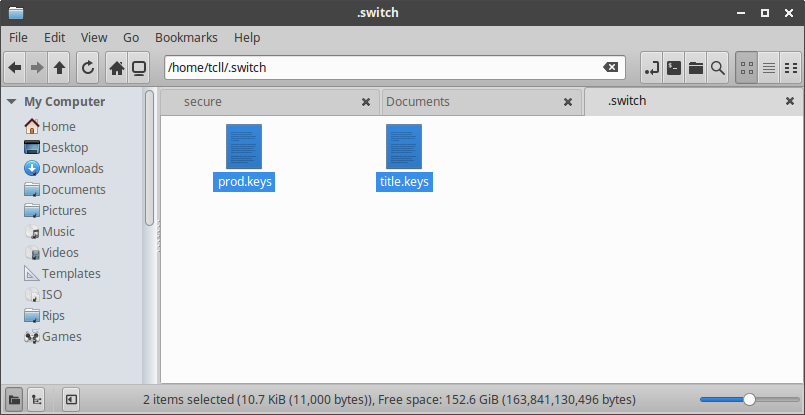

... huh... that's odd... alright, I admit to user error...
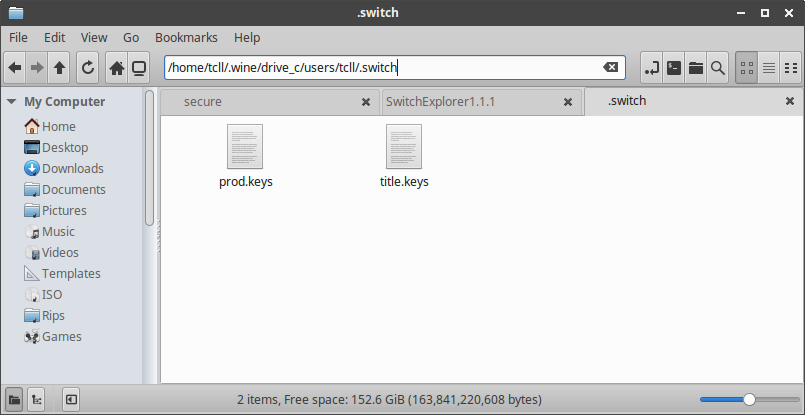
for some reason, /home/tcll/.wine/drive_c/users/tcll/ != /home/tcll/ like it has been in the past...
moved my folder here and ran again:
tried loading a test ROM, and this time it worked:
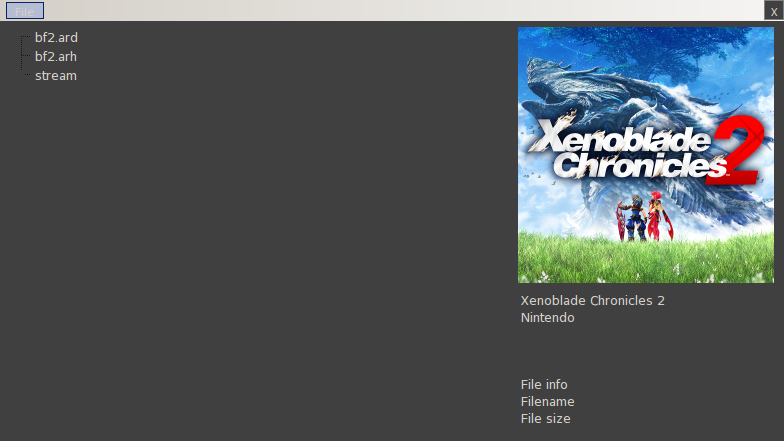
not sure if that should be detailed...