

 sillybun
UnicodeDecodeError: 'utf-8' codec can't decode byte 0x80 in position 0: invalid start byte
as long as this below error happened once, it will happen for each every \w on anywhere.
From that moment on, the only way I found to avoid this, is to visual select, and \w.
To resolve it I have to restart(toggle) repl.
Error detected while processing function repl#SendCurrentLine[46]..repl#ToREPLPythonCode:
line   23:
Traceback (most recent call last):
  File "<string>", line 5, in <module>
UnicodeDecodeError: 'utf-8' codec can't decode byte 0x80 in position 0: invalid start byte
Press ENTER or type command to continue


I found a way to reproduce this with below code:
import re
def show_chassis_hard_inventory(chassis_module):
    #find the first module:
    res = []
    regex_chassis_module = r'<chassis-(?:sub(?:-sub)?)?module>(.*?)</chassis-module>'
    # <name> is mandatory, make other captures optional
    regex_in_chassis_module = \
        r'<name>(.+?)</name>\n\s+<version>(.+?)</version>'\
        r'(?:\n\s+<part-number>(.+?)</part-number>)'\
        r'(?:\n\s+<serial-number>(.+?)</serial-number>)'\
        r'(?:\n\s+<description>(.+?)</description>)'\
        r'(?:\n\s+<clei-code>(.+?)</clei-code>)?'\
        r'(?:\n\s+<model-number>(.+?)</model-number>)'

    #find all (sub) modules:
    chassis_modules = re.findall(regex_chassis_module, chassis_module, re.DOTALL)
    print(chassis_modules)
    for chassis_module in chassis_modules:
        print("get-----\n", chassis_module, "\n-----\n")
        search_obj_in_module = re.search(regex_in_chassis_module, chassis_module, re.DOTALL)
        res += list(search_obj_in_module.groups()) + show_chassis_hard_inventory(chassis_module)
    return res

res = show_chassis_hard_inventory(chassis_module)
initially, it works fine. then you do some changings in the func def, then repeat \w to paste. then you will run into this easily.
for example, I remove this line
chassis_modules = re.findall(regex_chassis_module, chassis_module, re.DOTALL)
and execute the func again, then call the func, I will see the problem. if it does not work, try remove other lines and you will see the same issue also.
This code works fine on my machine.
What's your configuration related to vim-repl?
This is my config. I run into this issue VERY frequently now. the workaround is visually select each line and press \w.
nnoremap ,pr :REPLToggle<Cr>

autocmd Filetype python nnoremap ,pb <Esc>:REPLDebugStopAtCurrentLine<Cr>
autocmd Filetype python nnoremap ,pn <Esc>:REPLPDBN<Cr>
autocmd Filetype python nnoremap ,ps <Esc>:REPLPDBS<Cr>

let g:repl_python_auto_import = 0
let g:repl_width = 100          "REPL windows width
let g:repl_position = 3         "REPL windows on right
let g:sendtorepl_invoke_key = "<leader>w" "default value to send code
"not to stay at repl win - remain in original file"
let g:repl_stayatrepl_when_open = 0
let g:repl_ipython_version = '7.8.0'
"add support to .md
let g:repl_program = {
			\	'python': 'ipython3',
                        \       'markdown': 'ipython3',
                        \       'asciidoc': 'ipython3',
                        \       'asciidoctor': 'ipython3',
                        \       'tcl': 'expect',
			\	'default': 'bash'
			\	}

let g:repl_exit_commands = {
			\	'python': 'quit()',
			\	'ipython3': 'quit()',
			\	'ipython': 'quit()',
			\	'bash': 'exit',
			\	'zsh': 'exit',
			\	'default': 'exit',
			\	}

"once user sends a line starts with any pattern contained in the list, whole
"block will be send automatically.
"let g:repl_auto_sends = ['class ', 'def ', 'for ', 'if ', 'while ']

"once user sends code which is seperated into multilines, they are combined
"into one line automatically. For example, if the code is:
"a = 1+\
"    2+\
"    3
"then a = 1+2+3 will be sent to the repl environment instead of three lines.
let g:repl_python_automerge = 1

let g:reply_termwin_max_width = 30
let g:reply_repls = { 'python': ['ipython3'] }
let g:repl_console_name = 'REPL'
let g:repl_output_copy_to_register = 'r'
"default value
let g:repl_input_symbols = {
    \   'vim': [':'],
    \   'python': ['>>>', '>>>>', 'ipdb>', 'pdb', '...'],
    \   }
Error detected while processing function repl#SendCurrentLine[46]..repl#ToREPLPythonCode:
line   23:
Traceback (most recent call last):
  File "<string>", line 5, in <module>
UnicodeDecodeError: 'utf-8' codec can't decode byte 0x80 in position 0: invalid start byte
Press ENTER or type command to continue
It's funny that, once you run into this error ONCE, you will see it forever for anything you sent by '\w'. I have to either restart repl, (toggle), or visual select and \w to workaround this...very annoying.
today I can reproduce it easily with these 3 lines of code:
In [1]: import pandas as pd
In [38]: wb = pd.ExcelFile('32180.xlsx')
In [39]: wb.sheet_names
I run them first time:
Python 3.8.5 (default, Jan 27 2021, 15:41:15)
Type 'copyright', 'credits' or 'license' for more information
IPython 7.13.0 -- An enhanced Interactive Python. Type '?' for help.

[ins] In [1]: In [1]: import pandas as pd

[ins] In [2]: In [38]: wb = pd.ExcelFile('32180.xlsx')
---------------------------------------------------------------------------
FileNotFoundError                         Traceback (most recent call last)
<ipython-input-2-0119b6d5f0dd> in <module>
----> 1 wb = pd.ExcelFile('32180.xlsx')

/usr/local/lib/python3.8/dist-packages/pandas/io/excel/_base.py in __init__(self
, path_or_buffer, engine, storage_options)
   1069                 ext = "xls"
   1070             else:
-> 1071                 ext = inspect_excel_format(
   1072                     content=path_or_buffer, storage_options=storage_opti
ons
   1073                 )

/usr/local/lib/python3.8/dist-packages/pandas/io/excel/_base.py in inspect_excel
_format(path, content, storage_options)
    947     assert content_or_path is not None
    948
--> 949     with get_handle(
    950         content_or_path, "rb", storage_options=storage_options, is_text=
False
    951     ) as handle:

/usr/local/lib/python3.8/dist-packages/pandas/io/common.py in get_handle(path_or
_buf, mode, encoding, compression, memory_map, is_text, errors, storage_options)
    649         else:
    650             # Binary mode
--> 651             handle = open(handle, ioargs.mode)
    652         handles.append(handle)
    653

FileNotFoundError: [Errno 2] No such file or directory: '32180.xlsx'

[ins] In [3]: In [39]: wb.sheet_names
---------------------------------------------------------------------------
NameError                                 Traceback (most recent call last)
<ipython-input-3-6e58b7f4a0f7> in <module>
----> 1 wb.sheet_names

NameError: name 'wb' is not defined
These looks fine. I don't have that file under current folder. Now I go back to run the 3 lines again:
[ins] In [4]: In [1]: import pandas as pd

[ins] In [5]: In [38]: wb = pd.ExcelFile('32180.xlsx')
---------------------------------------------------------------------------
FileNotFoundError                         Traceback (most recent call last)
<ipython-input-5-0119b6d5f0dd> in <module>
----> 1 wb = pd.ExcelFile('32180.xlsx')

/usr/local/lib/python3.8/dist-packages/pandas/io/excel/_base.py in __init__(self
, path_or_buffer, engine, storage_options)
   1069                 ext = "xls"
   1070             else:
-> 1071                 ext = inspect_excel_format(
   1072                     content=path_or_buffer, storage_options=storage_opti
ons
   1073                 )

/usr/local/lib/python3.8/dist-packages/pandas/io/excel/_base.py in inspect_excel
_format(path, content, storage_options)
    947     assert content_or_path is not None
    948
--> 949     with get_handle(
    950         content_or_path, "rb", storage_options=storage_options, is_text=
False
    951     ) as handle:

/usr/local/lib/python3.8/dist-packages/pandas/io/common.py in get_handle(path_or
_buf, mode, encoding, compression, memory_map, is_text, errors, storage_options)
    649         else:
    650             # Binary mode
--> 651             handle = open(handle, ioargs.mode)
    652         handles.append(handle)
    653

FileNotFoundError: [Errno 2] No such file or directory: '32180.xlsx'

[ins] In [6]: In [38]: wb = pd.ExcelFile('32180.xlsx')
---------------------------------------------------------------------------
FileNotFoundError                         Traceback (most recent call last)
<ipython-input-6-0119b6d5f0dd> in <module>
----> 1 wb = pd.ExcelFile('32180.xlsx')

/usr/local/lib/python3.8/dist-packages/pandas/io/excel/_base.py in __init__(self
, path_or_buffer, engine, storage_options)
   1069                 ext = "xls"
   1070             else:
-> 1071                 ext = inspect_excel_format(
   1072                     content=path_or_buffer, storage_options=storage_opti
ons
   1073                 )

/usr/local/lib/python3.8/dist-packages/pandas/io/excel/_base.py in inspect_excel
_format(path, content, storage_options)
    947     assert content_or_path is not None
    948
--> 949     with get_handle(
    950         content_or_path, "rb", storage_options=storage_options, is_text=
False
    951     ) as handle:

/usr/local/lib/python3.8/dist-packages/pandas/io/common.py in get_handle(path_or
_buf, mode, encoding, compression, memory_map, is_text, errors, storage_options)
    649         else:
    650             # Binary mode
--> 651             handle = open(handle, ioargs.mode)
    652         handles.append(handle)
    653

FileNotFoundError: [Errno 2] No such file or directory: '32180.xlsx'
Now, at this time, if I press \w on the 3rd line of code, I'll get this:
Error detected while processing function repl#SendCurrentLine[46]..repl#ToREPLPythonCode:
line   23:
Traceback (most recent call last):
  File "<string>", line 5, in <module>
UnicodeDecodeError: 'utf-8' codec can't decode byte 0x80 in position 0: invalid start byte
Press ENTER or type command to continue
and nothing on the REPL pane. from now on, for every \w on anything, I'll get the same error. this plug stop working from this moment.
I will fix it, and disable let g:repl_output_copy_to_register = 'r' may solve this problem temporary.
I understand it's annoying, vim-repl is trying to copy output to register.
I see exact same issue. I am trying to \w on these 3 lines:
In [1]: import pandas as pd
In [38]: wb = pd.ExcelFile('32180.xlsx')
In [39]: wb.sheet_names
and I got:
Python 3.8.5 (default, Jan 27 2021, 15:41:15)
Type 'copyright', 'credits' or 'license' for more information
IPython 7.13.0 -- An enhanced Interactive Python. Type '?' for help.

[ins] In [1]: In [1]: import pandas as pd

[ins] In [2]: In [38]: wb = pd.ExcelFile('32180.xlsx')
---------------------------------------------------------------------------
FileNotFoundError                         Traceback (most recent call last)
<ipython-input-2-0119b6d5f0dd> in <module>
----> 1 wb = pd.ExcelFile('32180.xlsx')

/usr/local/lib/python3.8/dist-packages/pandas/io/excel/_base.py in __init__(self
, path_or_buffer, engine, storage_options)
   1069                 ext = "xls"
   1070             else:
-> 1071                 ext = inspect_excel_format(
   1072                     content=path_or_buffer, storage_options=storage_opti
ons
   1073                 )

/usr/local/lib/python3.8/dist-packages/pandas/io/excel/_base.py in inspect_excel
_format(path, content, storage_options)
    947     assert content_or_path is not None
    948
--> 949     with get_handle(
    950         content_or_path, "rb", storage_options=storage_options, is_text=
False
    951     ) as handle:

/usr/local/lib/python3.8/dist-packages/pandas/io/common.py in get_handle(path_or
_buf, mode, encoding, compression, memory_map, is_text, errors, storage_options)
    649         else:
    650             # Binary mode
--> 651             handle = open(handle, ioargs.mode)
    652         handles.append(handle)
    653

FileNotFoundError: [Errno 2] No such file or directory: '32180.xlsx'

[ins] In [3]: In [39]: wb.sheet_names
---------------------------------------------------------------------------
NameError                                 Traceback (most recent call last)
<ipython-input-3-6e58b7f4a0f7> in <module>
----> 1 wb.sheet_names

NameError: name 'wb' is not defined
so far, so good. looks normal.
if I go back to run the first command again:
In [1]: import pandas as pd
I'll hit the error:
Error detected while processing function repl#SendCurrentLine[68]..repl#ToREPLPythonCode:
line   23:
Traceback (most recent call last):
  File "<string>", line 5, in <module>
UnicodeDecodeError: 'utf-8' codec can't decode byte 0x80 in position 0: invalid start byte
Press ENTER or type command to continue

Are you using windows? I don't have a Windows machine so I can't fully test this plugin on Windows platform.
I'm with ubuntu 20.04, running as WSL in win10. I've recorded a gif but it's too big to upload... what is the diff between c-w and visual c-w? the latter always works.
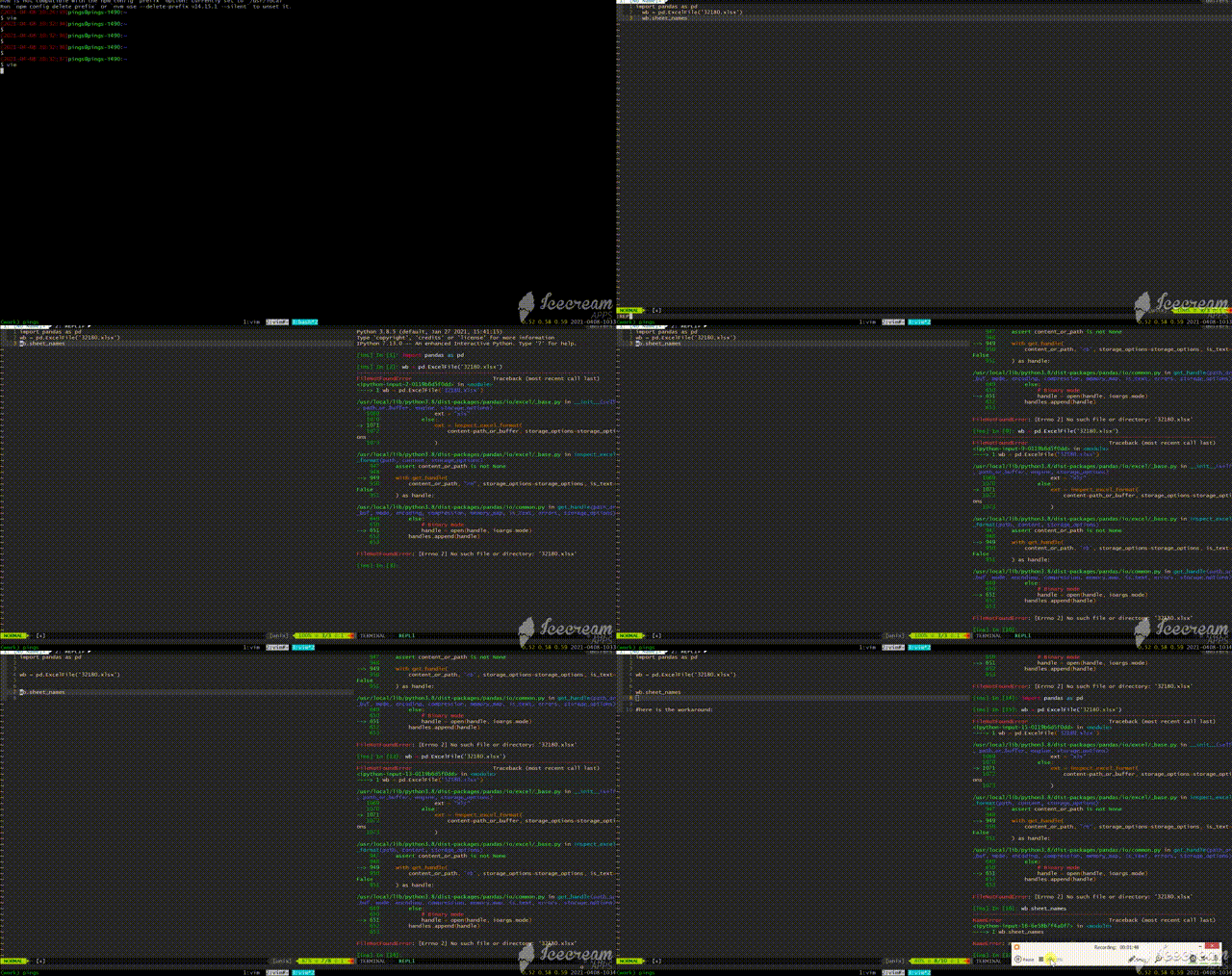 I think we need to know how to debug when something went wrong...
Do you vim use python2 interpreter?
what's the result of :echo has("python3")
I test it on my server (ubuntu 18.04, vim 8.2 with python 3.9 backed), cannot repo.
check the python version through :echo py3eval("sys.version")
sorry I missed this last message.
I'm with python3 interpreter
:echo has("python3") returns 1
:echo py3eval("sys.version") returns:
3.8.5 (default, Jan 27 2021, 15:41:15)
[GCC 9.3.0]
这问题简直太莫名其妙了。。。 如果你有时间, 我来开个zoom,直接通过我的电脑来debug下如何?
我今天反复执行这几行代码(包括```注释行)也能稳定复现:
    ```python
    >>> sorted([36, 5, -12, 9, -21])
    [-21, -12, 5, 9, 36]
    ```