

 shurans
Preprocessing of input depth maps
I'm trying to figure out how exactly the preprocessing of a depth map is handled before it's beeing fed to the neural network. But just looking at your code leaves some questions:
I assume the function depth2grid is supposed to take a depth map of [640x480] and return a 3D voxel cube of size [240x144x240].
This is the function that reads in the depth images, but it has some weird transformations which I don't understand (especially here and here )
depth_raw[i] = ((((unsigned short)depth_image.data[i * 2 + 1]) << 8) + ((unsigned short)depth_image.data[i * 2 + 0]));
and
depth_raw[i] = (depth_raw[i] << 13 | depth_raw[i] >> 3);
What would be the equivalent mathematical operation of this transformation? It's definetly not only dividing by 1000....

So looking at genSUNCGdataScript.m brought some insights:
% resave depth map with bit shifting
depthRaw = double(imread(filename))/1000;
saveDepth (depthRaw,newFilename);

function saveDepth (depth,filename)
    depth(isnan(depth)) =0;
    depth =single(depth)*1000;
    depthVis = uint16(depth);
    depthVis = bitor(bitshift(depthVis,3), bitshift(depthVis,3-16));
    imwrite(depthVis,filename);
end
So apparantly the depth values are stored in some weird way using bitshifts (why?)...
Still when I load a normal depth file from the SUNCG-Training dataset using matlab, I get a naturally looking depth image:
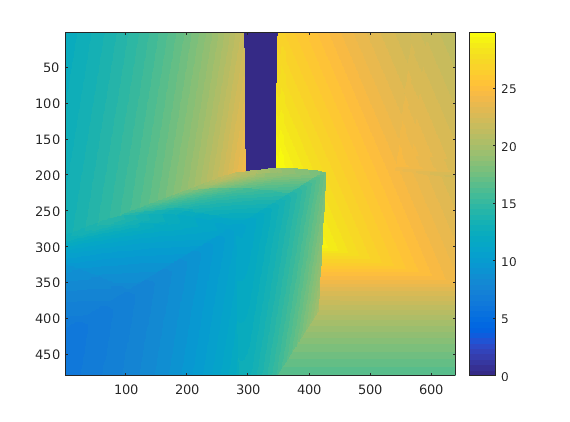
While when I use the ReadDepthImage function mentioned above the resulting depth image looks strange:
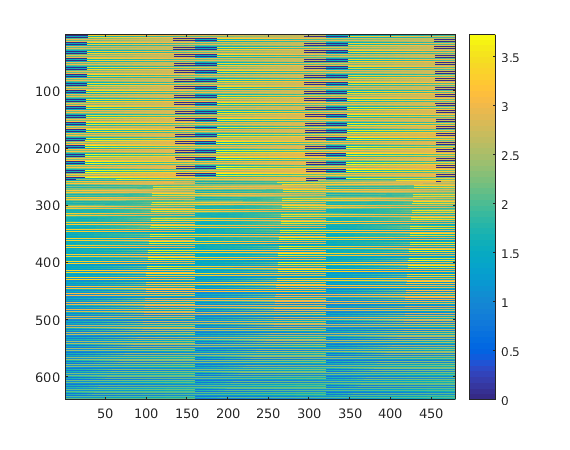 Still the scale of the depth values seems to be wrong in the case of loading via matlab. Since after projecting the world coordinates to the voxel grid, all projected points lie outside...
Edit:
By comparing the max-values of both depth maps it seems like the conversion factor is 8. Is that right?
The depth map is saved in a way that it shifts 3 bits to make the depth in PNG format more pleasing to human eyes.
Therefore we need to shift it back during file reading, using the matlab "readDepth" function (or depth_raw[i] = (depth_raw[i] << 13 | depth_raw[i] >> 3) in c++)
depthinMeter = readDepth('../depthbin_eval/depthbin/SUNCGtest_49700_49884/00000003_e5c91fa85ebb60073d89c6ed56e66593_fl001_rm0054_0000.png')
imagesc(depthinMeter)
should give you images like this:
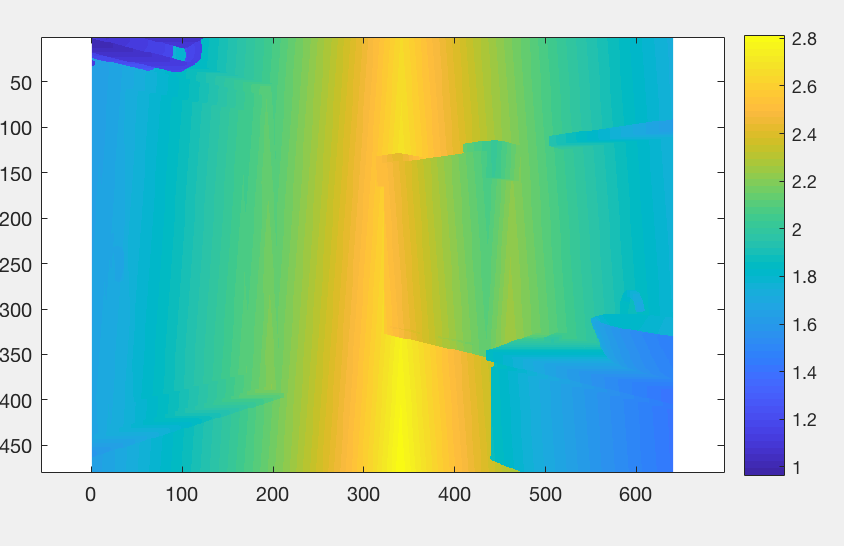 Could you provide your code and the depth image that causing problem?

Ah ok. Thanks for that hint.
This is the function I'm using to read the image. It's an extract from ReadDepthImage. Only assumption I'm making is that Dtype == float in this line
    cv::Mat depth_image = cv::imread(filenamePng.c_str(), CV_LOAD_IMAGE_ANYCOLOR | CV_LOAD_IMAGE_ANYDEPTH);
    int frame_height = depth_image.size().height;
    int frame_width = depth_image.size().width;

    float * depth_data = new float[frame_height * frame_width];

    unsigned short * depth_raw = new unsigned short[frame_height * frame_width];
    for (int i = 0; i < frame_height * frame_width; ++i) {
        depth_raw[i] = ((((unsigned short)depth_image.data[i * 2 + 1]) << 8) + ((unsigned short)depth_image.data[i * 2 + 0]));
        depth_raw[i] = (depth_raw[i] << 13 | depth_raw[i] >> 3);
        depth_data[i] = float((float)depth_raw[i] / 1000.0f);
    }

    Mat mat2d(frame_width, frame_height, CV_32FC1, depth_data);
    double min, max;
    cv::minMaxIdx(mat2d, &min, &max);
    cv::Mat adjMap;
    cv::convertScaleAbs(mat2d, adjMap, 255 / max);
    cv::imshow("Out", adjMap);
The images are saved as 16 bit png. I'm not sure whether the line
cv::Mat depth_image = cv::imread(filenamePng.c_str(), CV_LOAD_IMAGE_ANYCOLOR | CV_LOAD_IMAGE_ANYDEPTH);
handled it correctly.
@shurans So the readDepth function is just suitable for your synthetic depth image, right?
