
code-settings-sync

code-settings-sync copied to clipboard
 shanalikhan
Issues With UI Settings
🐛 Describe the bug
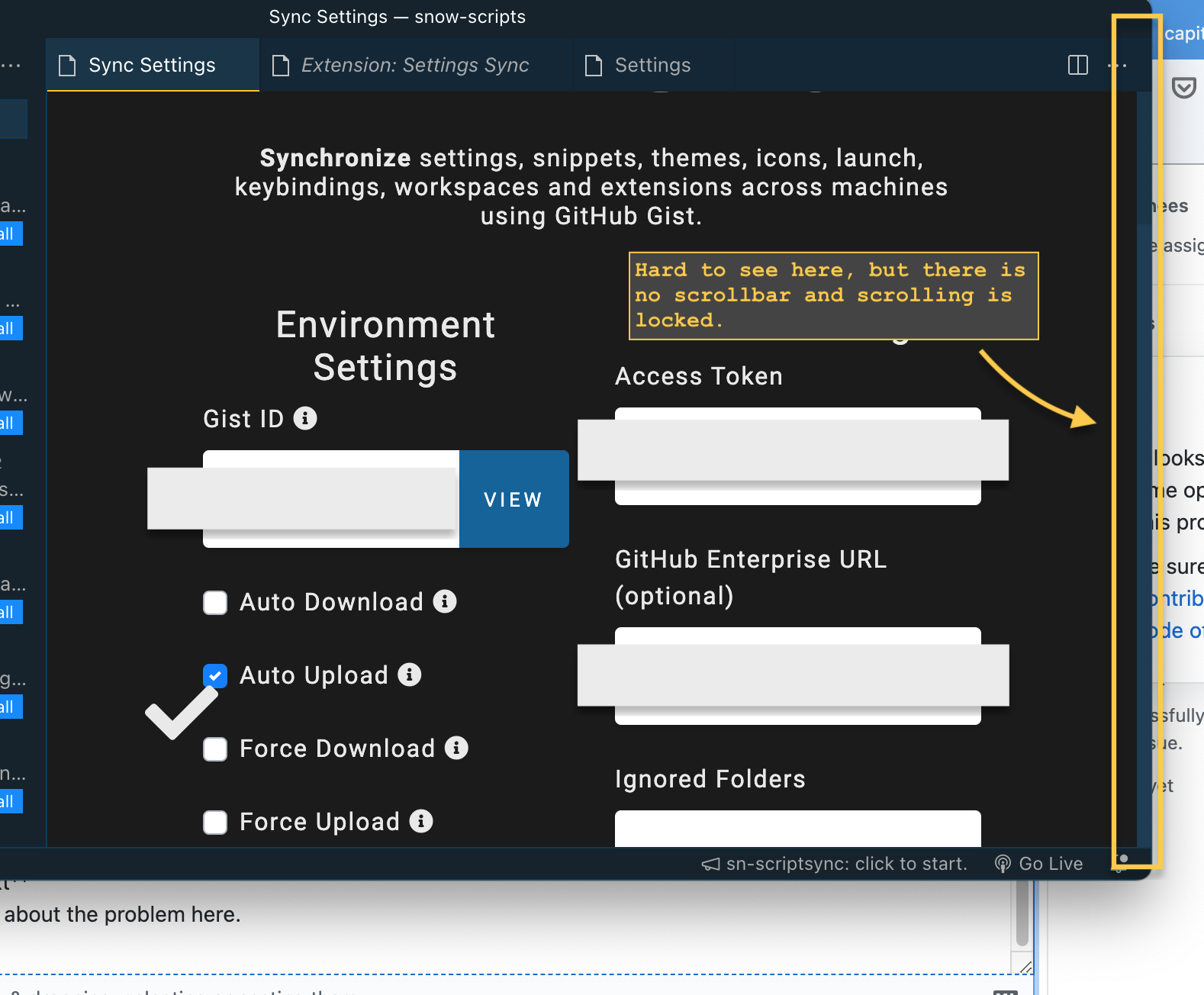
- When the Settings UI extends past the VSCode boundaries you cannot scroll.
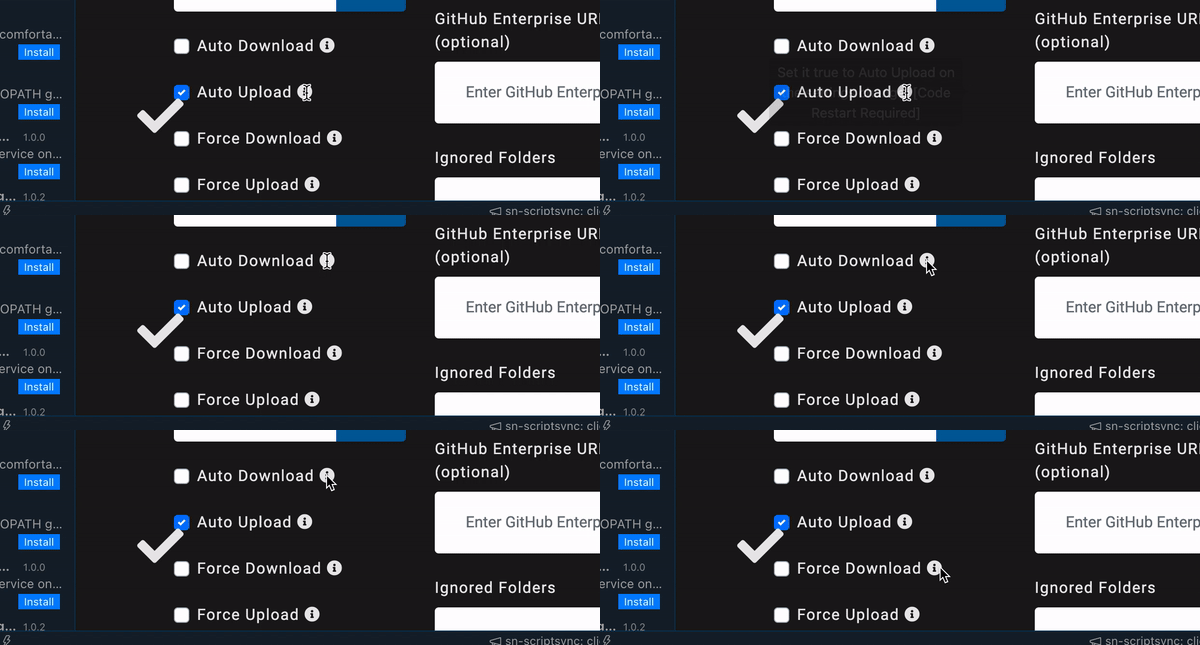
- While using the Settings UI if you click/hover over the (i) to view a tooltip, the cursor continuously switches between the mouse pointer and a text entry indicator [capital i == 'I'].
📰 To Reproduce Steps to reproduce behavior of Bug 1:
- Open UI for settings (not the JSON settings editor).
- Depending on screen size, either attempt to scroll down OR scale down VSCode a bit and then attempt to scroll down.
Steps to reproduce behavior of bug 2:
- Open UI for settings (not the JSON settings editor).
- Hover over a tooltip indicator ( i )
- Take note of pointer appearance
💪 Expected behavior Bug 1: To be able to scroll down and access additional settings that are currently inaccessible in the UI. Bug 2: To see the applicable tooltip.
📺 Console Error Log
Bug 1:
Bug 2:
📺 Additional context I never knew the UI existed (accustomed to the JSON settings editor), but noticed these issues and wanted to let you guys know. Additionally, the extension is awesome and I've been using it almost since the very first release, so a big thank you for the work put into the maintenance and development :).

