ui
 ui copied to clipboard
 shadcn-ui
"DialogTrigger must be used within Dialog" - Error in Astro
I keep getting this error when trying to use components like Dialog and Sheet.
As expected, i used npx shadcn-ui@latest add dialog to initialize it, and then when i try to use it, the error keeps popping up:
My usage:
import { Image } from "astro:assets";
import HealthPalLogo from "../images/HealthPalLogo.svg";

import {
  Dialog,
  DialogContent,
  DialogDescription,
  DialogHeader,
  DialogTitle,
  DialogTrigger,
} from "@/components/ui/Dialog";
---

<section>
  <div class="container py-4">
    <div class="flex justify-between items-center">
      <a href="/">
        <img
          src={HealthPalLogo.src}
          alt="HealthPal Logo"
          class="w-[100px] md:w-[150px]"
        />
      </a>
      <div>
        <button
          class="bg-primaryColor text-white py-2 md:py-3 px-3 md:px-7 text-center rounded-[5px] font-semibold"
        >
          Download App</button
        >
      </div>
      <Dialog>
        <DialogTrigger>Open</DialogTrigger>
        <DialogContent>
          <DialogHeader>
            <DialogTitle>Are you sure absolutely sure?</DialogTitle>
            <DialogDescription>
              This action cannot be undone. This will permanently delete your
              account and remove your data from our servers.
            </DialogDescription>
          </DialogHeader>
        </DialogContent>
      </Dialog>
    </div>
  </div>
</section>
Here is a screenshot of the error message 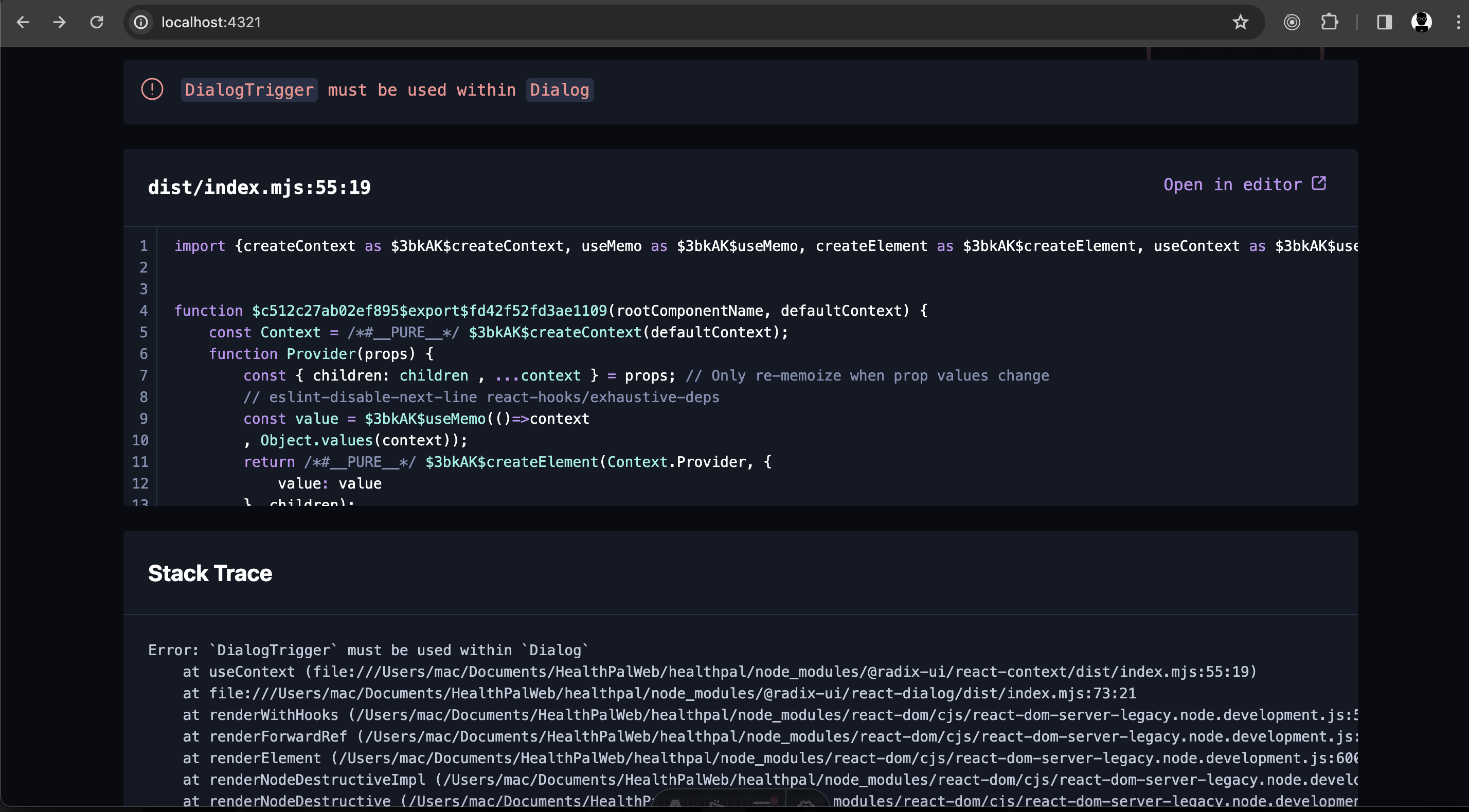
My package.json
{
  "name": "healthpal",
  "type": "module",
  "version": "0.0.1",
  "scripts": {
    "dev": "astro dev",
    "start": "astro dev",
    "build": "astro check && astro build",
    "preview": "astro preview",
    "astro": "astro"
  },
  "dependencies": {
    "@astrojs/check": "^0.3.4",
    "@astrojs/react": "^3.0.9",
    "@astrojs/tailwind": "^5.1.0",
    "@astrojs/vercel": "^6.1.1",
    "@radix-ui/react-dialog": "^1.0.5",
    "@radix-ui/react-slot": "^1.0.2",
    "@types/react": "^18.2.46",
    "@types/react-dom": "^18.2.18",
    "astro": "^4.0.8",
    "class-variance-authority": "^0.7.0",
    "clsx": "^2.1.0",
    "lucide-react": "^0.303.0",
    "react": "^18.2.0",
    "react-dom": "^18.2.0",
    "tailwind-merge": "^2.2.0",
    "tailwindcss": "^3.4.0",
    "tailwindcss-animate": "^1.0.7",
    "typescript": "^5.3.3",
    "vaul": "^0.8.0"
  }
}
i also even get similar error when using the Accordion component
Accordion must be used within Accordion


you need to add
client:loadokay thanks, where exactly am i to add that?
https://docs.astro.build/en/concepts/islands/#creating-an-island

Adding the client directive client:load to the <Accordion> component doesn't fix the error. Wrapping the entire accordion in a react component file fixes it. Although you have to pass client:load as an attribute to make it interactable.
Still it would be nice to be able to use these interactable components as intended in Astro.

Adding the client directive
client:loadto the<Accordion>component doesn't fix the error. Wrapping the entire accordion in a react component file fixes it. Although you have to passclient:loadas an attribute to make it interactable.Still it would be nice to be able to use these interactable components as intended in Astro.
this is what ended up working for me, thanks
This issue has been automatically closed because it received no activity for a while. If you think it was closed by accident, please leave a comment. Thank you.


I'm getting this error with nextjs 14.2.4. how do i fix it ?

make sure you're not importing the wrong Sheet component, i was having the same issue until i realized i was importing it from "lucide-react" instead of "@/components/ui/sheet"

I'm getting this error with nextjs 14.2.4. how do i fix it ?
make sure you're not importing the wrong Sheet component, i was having the same issue until i realized i was importing it from "lucide-react" instead of "@/components/ui/sheet"
Thanks for the tips! That was indeed the case. I had to go through each import statements related to Sheet in each file to find the bug
I'm getting this error with nextjs 14.2.4. how do i fix it ?
make sure you're not importing the wrong Sheet component, i was having the same issue until i realized i was importing it from "lucide-react" instead of "@/components/ui/sheet"