

 sezanzeb
Show overview of the mappings (input -> output description) of a preset
The current version I am using (1.4.0) has a center column that displays what device keys you have mapped, and the next column over shows what key they have been remapped to. However, the second column will only display the remapped key while selecting individual device keys. I thought I had used a version that showed the device keys and ALL the remapped keys AT THE SAME TIME. This was so easy to tell at a glance what each device key had been remapped to instead of having to select each key in the device key column one by one.
I searched the open and closed Issues going all the way back to December 2021 and did not see any topics that appeared to match what I am mentioning here. Is this a feature that was removed or am I mistaking this with another key mapping program I have used in the past? If this is not a current or past feature, consider this a Feature Request.
Thank you.

You are talking about this table?

This was changed because it was seriously lacking the possibility to extend with more features. Compare this with what the beta GUI can do:

Things like that just wouldn't have been possible with the old GUI.

I can certainly see why the Beta UI is much improved! That looks very handy for when fine-grained control is needed. I, however, have only used input-remapper for simple key remapping and a very easy macro (for emulating a held-down key). If there were a way to view all of the remapped keys on a device at a glance, that would help me figure out what I still needed to remap and what has already been remapped. Here are a couple shots of how "kbmaster" performed this function; the profile can be exported to a pdf file to view anytime and use as a reference at any time.
Pic 1, base profile
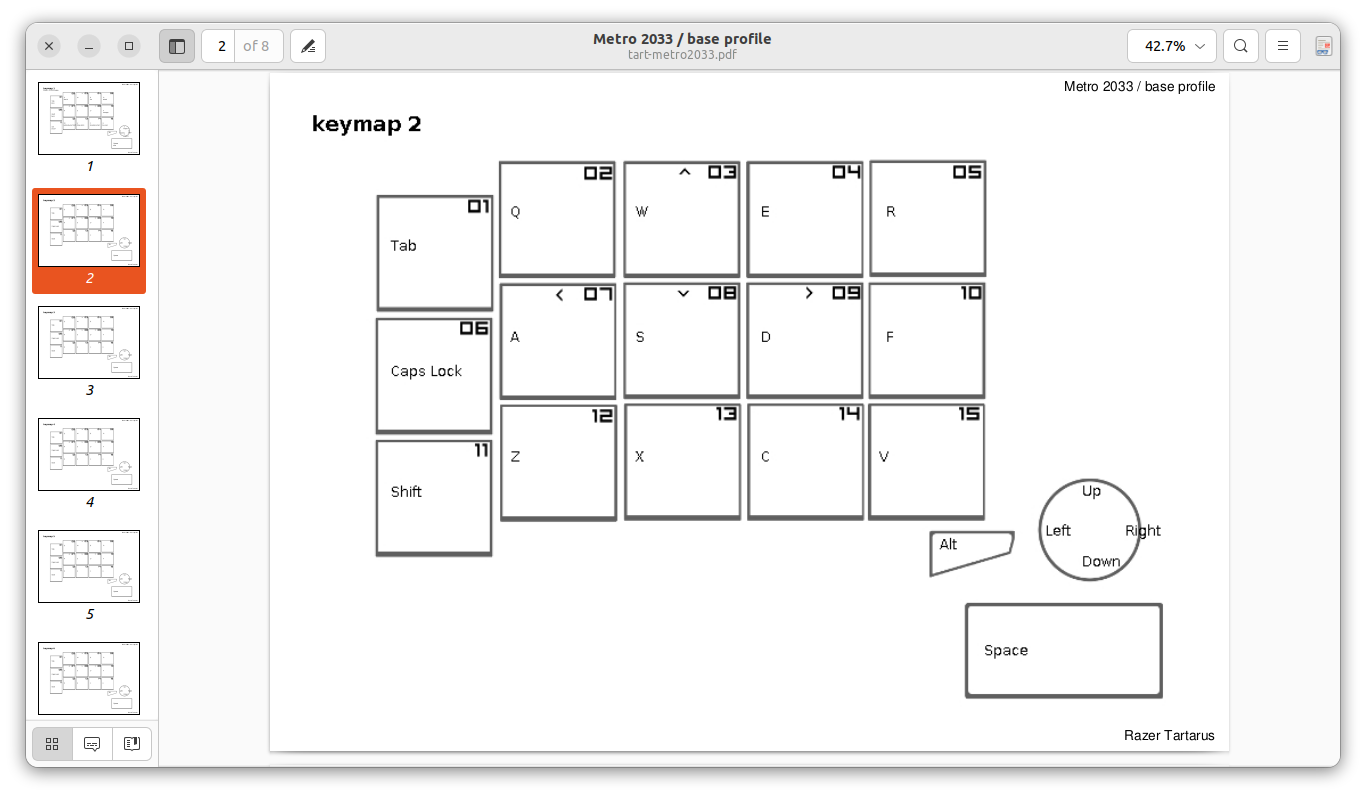
Pic 2, Metro 2033 profile
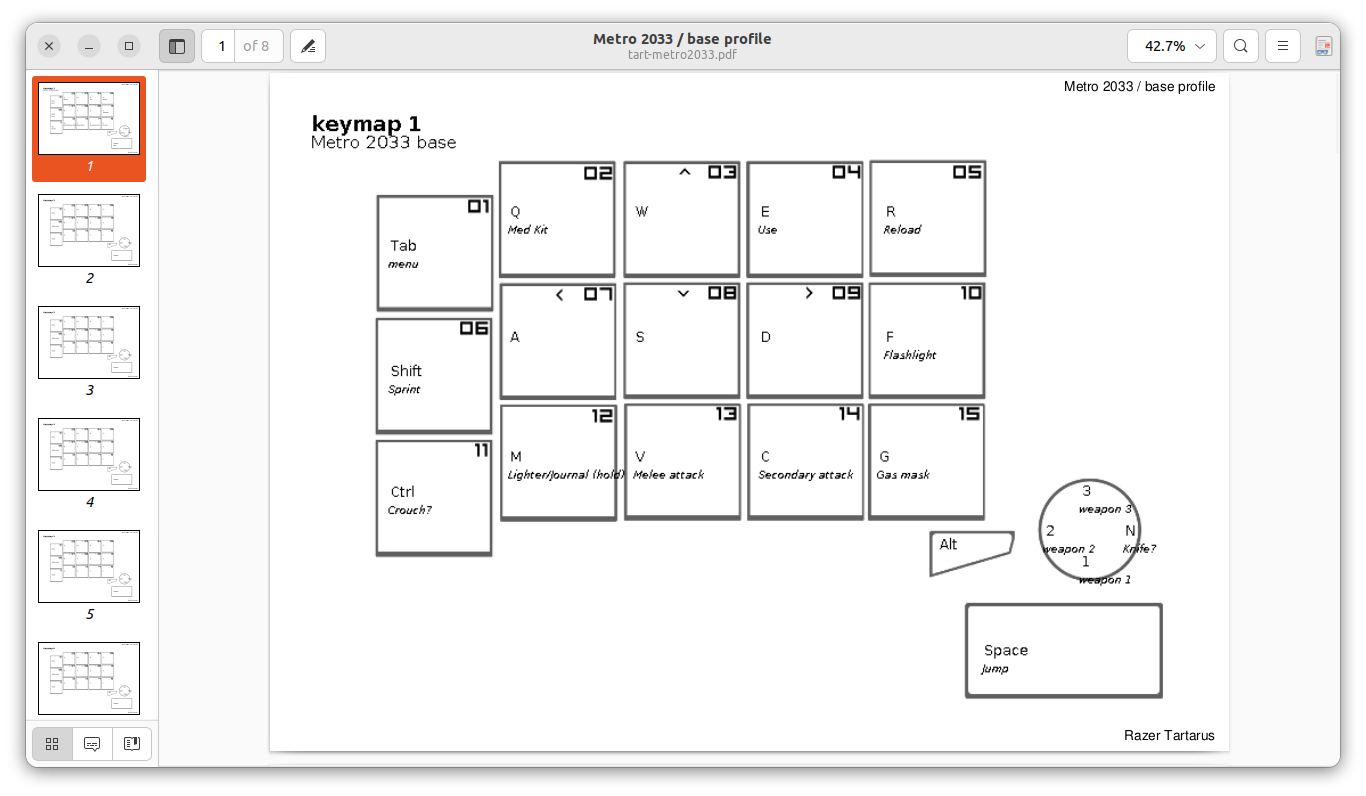
In the first pic ("keymap 2"), the layout of the Razer Tartarus is displayed in a very basic view, with the default key functions listed. In the second pic ("keymap 1"), you can see that the GUI allowed to have the name of the key changed and it is possible to label the key to make it easy to tell what its function has been remapped to.
I started to make a similar output from the .json files for input-remapper, but found my current BASH skills are not up to the task. In the json files for each device map, there are lines that have a pair of quotes in them. The first quote is the original key map of the device and between the second quotes is what the key has been remapped to. I imagine using some combination of sed/awk can read the contents of the values between each of the quotes and output them to a pdf, using the first set of quoted values in each line of the .json file as the name of the original key and the second set of quoted values in each line as what the key has been remapped to.
I have used only USB devices; therefore, since every make and model of USB device has a different USB ID (the Razer Orbweaver Chroma is 1532:0207), using the USB ID of a device will allow for use of a specific pdf background (like the simplified Tartarus one in the pictures above) to output the values of both quoted sections of each line of each .json file. A database of pictures/pdfs of each device could be used as the template to pull from for each USB ID number.
I realize that making a pdf background for EVERY USB device being used is a huge task, but I'll bet some volunteers could be found to do that sort of thing. I would be willing to give that a try.
As a compromise, what if a button was added to the right-half of the GUI (near "Output") that toggles the view to show just what the first picture you posted of the old GUI showed? By toggling back and forth we would be able to see what all the keys in the column from the left are remapped to and even a custom name, if desired.
Either of the above suggestions will prevent the need to click on every. key. individually. to see what each is remapped to.
