

 semaphoreui
Cron definition is ignored
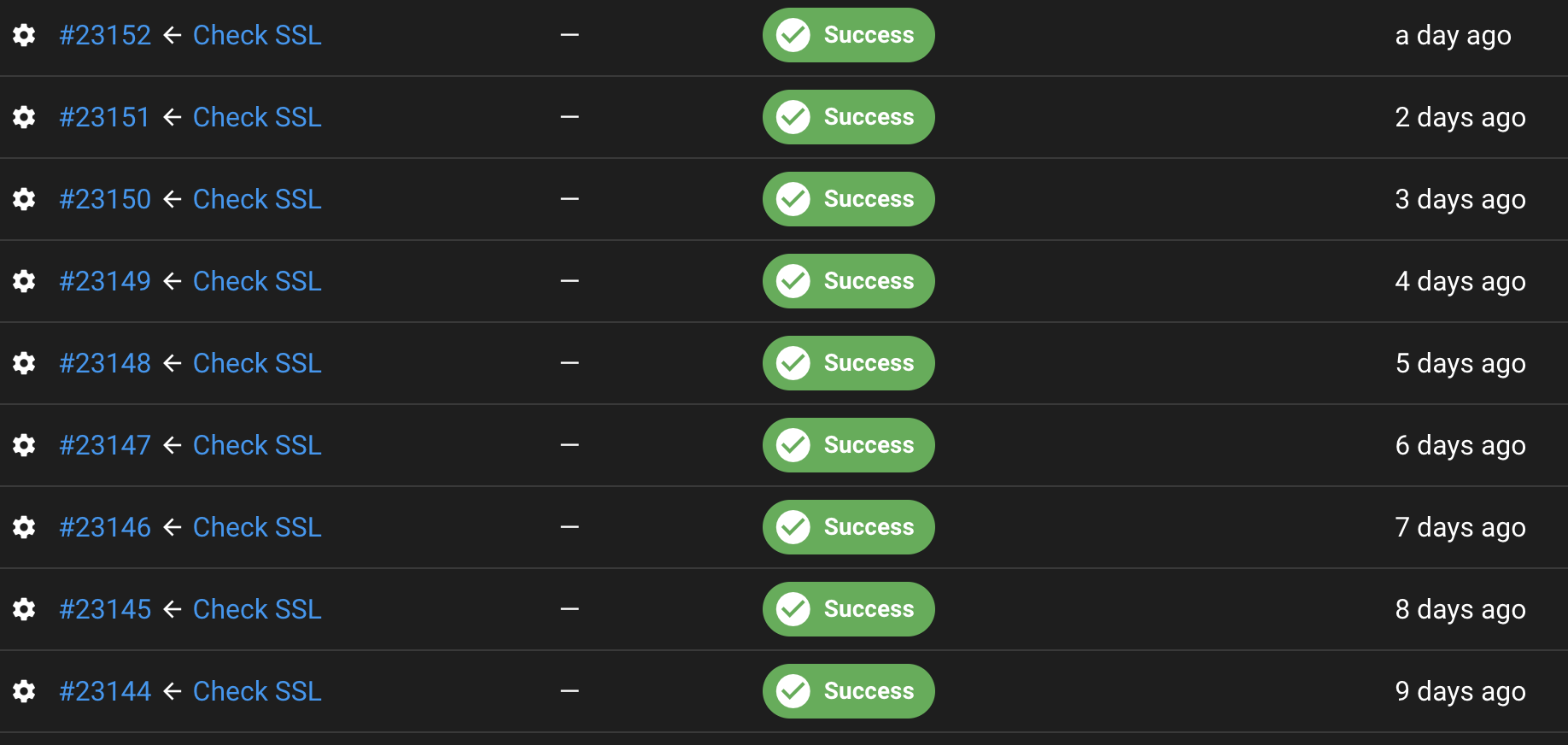
I have a task with defined cron '0 0 * * 0' but it's not started based on this schedule. I'm not able to find any related logs.
root@serverLinuxWEBAPP:~# cat /etc/redhat-release
CentOS Stream release 8
root@serverLinuxWEBAPP:~# rpm -qa | grep semaphore
semaphore-2.8.53-1.x86_64
root@serverLinuxWEBAPP:~# systemctl status semaphore
● semaphore.service - Semaphore Ansible
   Loaded: loaded (/etc/systemd/system/semaphore.service; enabled; vendor preset: disabled)
   Active: active (running) since Mon 2022-03-21 16:10:38 CET; 1 months 21 days ago
     Docs: https://github.com/ansible-semaphore/semaphore
 Main PID: 2530737 (semaphore)
    Tasks: 6 (limit: 23546)
   Memory: 68.9M
   CGroup: /system.slice/semaphore.service
           └─2530737 /usr/bin/semaphore service --config=/opt/semaphore/config.json
Can you please suggest where to look / start debug?

I'm also having an issue where cron is ignored. If for example I apply a cron to run every 15 mins, it'll run the first time in 15 minutes but then never run again after that.

Yes, I observe the same. I did change the pattern from 'monthly' to 'weekly on Sundays'. It was executed only for the first time.
Also having this issue, for example cron: * * * * * (task that should run every minute) runs the next minute and then never runs again. Any progress on this?

I can add that I also am seeing this issue on v2.8.49. I've tried different cron values and I see the following behavior:
- It repeats once at the time specified by cron.
- After that repeat, it never launches again.
- If I hit run or rerun on the task, it will do a repeat of the above pattern.
The syslog file that I found doesn't show any difference between the first job that I run and the one that executes from the cron task.
I did find a work around. Seems like this is only broken for tasks. If you do a cron for a build it works just fine. It does have an issue where it keeps the same cron value even after you remove it. If you change it back to a task, that does stop it from continually running the cron job.

I'm having the same behaviour with v2.8.53: cron is working for the first time but then it stops without error message, there is no event that shows if the cron job is trying to start. I'm running semaphore in docker. Running the jobs manually always works.


Could be related to this package specification: https://pkg.go.dev/github.com/robfig/cron and the required cron format from semaphore ?
 go package uses 6 arguments, semaphore just 5

Could be related to this package specification: https://pkg.go.dev/github.com/robfig/cron and the required cron format from semaphore ?
v1.2 uses 6 args v3.0 uses 5 args (https://github.com/robfig/cron , see the last paragraph)

Hi @mwallraf , @Yukics , @impishian
I can't reproduce issue. I use @daily value of Cron for task.
$ cat /etc/lsb-release
DISTRIB_ID=Ubuntu DISTRIB_RELEASE=20.04 DISTRIB_CODENAME=focal DISTRIB_DESCRIPTION="Ubuntu 20.04.5 LTS"
$ ansible --version
ansible [core 2.12.9] config file = /etc/ansible/ansible.cfg configured module search path = ['/root/.ansible/plugins/modules', '/usr/share/ansible/plugins/modules'] ansible python module location = /usr/lib/python3/dist-packages/ansible ansible collection location = /root/.ansible/collections:/usr/share/ansible/collections executable location = /usr/bin/ansible python version = 3.8.10 (default, Jun 22 2022, 20:18:18) [GCC 9.4.0] jinja version = 2.11.3 libyaml = True
$ semaphore version
v2.8.53
$ cat semaphore/config.json
{ "mysql": { "host": "", "user": "", "pass": "", "name": "", "options": null }, "bolt": { "host": "/root/semaphore/db/database.boltdb", "user": "", "pass": "", "name": "", "options": null }, "postgres": { "host": "", "user": "", "pass": "", "name": "", "options": null }, "dialect": "bolt", "port": "", "interface": "", "tmp_path": "/root/semaphore/playbook", "cookie_hash": "QG8.......................+enMQ=", "cookie_encryption": "ss..........................ro=", "access_key_encryption": "ky.......................jc=", "email_sender": "", "email_host": "", "email_port": "", "email_username": "", "email_password": "", "web_host": "", "ldap_binddn": "", "ldap_bindpassword": "", "ldap_server": "", "ldap_searchdn": "", "ldap_searchfilter": "", "ldap_mappings": { "dn": "", "mail": "", "uid": "", "cn": "" }, "telegram_chat": "", "telegram_token": "", "max_parallel_tasks": 10, "email_alert": false, "email_secure": false, "telegram_alert": false, "ldap_enable": false, "ldap_needtls": false, "ssh_config_path": "", "demo_mode": false }
$ nohup semaphore server --config /root/semaphore/config.json 2>&1 > /root/semaphore/nohup.log &
Open the Edit Template dialog box, click the Save button, and within a few minutes, the log message "Task xxxx added to queue" is printed only once.
$ tail -f nohup.log
time="2022-10-12T21:02:00+08:00" level=info msg="Task 2147483529 added to queue" time="2022-10-12T21:02:03+08:00" level=info msg="Set resource locker with TaskRunner 2147483529" time="2022-10-12T21:02:04+08:00" level=warning msg="read |0: file already closed" error="Failed to read TaskRunner output" time="2022-10-12T21:02:04+08:00" level=warning msg="read |0: file already closed" error="Failed to read TaskRunner output" time="2022-10-12T21:02:05+08:00" level=warning msg="read |0: file already closed" error="Failed to read TaskRunner output" time="2022-10-12T21:02:05+08:00" level=warning msg="read |0: file already closed" error="Failed to read TaskRunner output" time="2022-10-12T21:02:05+08:00" level=info msg="Stopped preparing TaskRunner 2147483529" time="2022-10-12T21:02:05+08:00" level=info msg="Release resource locker with TaskRunner 2147483529" time="2022-10-12T21:02:08+08:00" level=info msg="Set resource locker with TaskRunner 2147483529" time="2022-10-12T21:02:08+08:00" level=info msg="Task 2147483529 removed from queue" time="2022-10-12T21:02:11+08:00" level=info msg="Stopped running TaskRunner 2147483529" time="2022-10-12T21:02:11+08:00" level=info msg="Release resource locker with TaskRunner 2147483529"
Open the Edit Template dialog box again, click the Save button, and within a few minutes, the log message "Task xxxx added to queue" prints again only once.
Maybe it's related to the setup of the server? I have the issue on the Turnkey Linux image: https://www.turnkeylinux.org/ansible
Perhaps you can replicate it on there?
https://github.com/ansible-semaphore/semaphore/issues/928#issuecomment-1276188882
to log source file name and line number, i upgrade logrus to v1.9.0, and add "log.SetReportCaller(true)" to some go files.
the output like this:
$ semaphore_new server --config /root/semaphore/config.json 2>&1

Hi @impishian ,
Perhaps the issue related to BoltDB... I will try to reproduce. Thank you
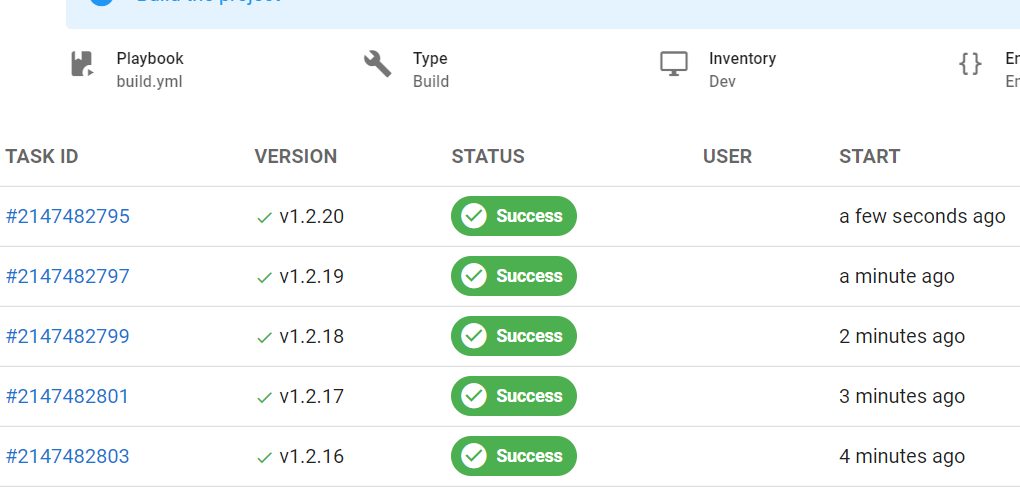
Ubuntu: 20.04.2 Semaphore: 2.8.67 Cron: * * * * *
Working as expected:
Log for single task:
2022-10-21T17:57:00Z semaphore.semaphored[110913]: time="2022-10-21T17:57:00Z" level=info msg="Task 2147482789 added to queue"
2022-10-21T17:57:00Z semaphore.semaphored[110913]: time="2022-10-21T17:57:00Z" level=info msg="Set resource locker with TaskRunner 2147482789"
2022-10-21T17:57:03Z semaphore.semaphored[110913]: time="2022-10-21T17:57:03Z" level=info msg="Stopped preparing TaskRunner 2147482789"
2022-10-21T17:57:03Z semaphore.semaphored[110913]: time="2022-10-21T17:57:03Z" level=info msg="Release resource locker with TaskRunner 2147482789"
2022-10-21T17:57:05Z semaphore.semaphored[110913]: time="2022-10-21T17:57:05Z" level=info msg="Set resource locker with TaskRunner 2147482789"
2022-10-21T17:57:05Z semaphore.semaphored[110913]: time="2022-10-21T17:57:05Z" level=info msg="Task 2147482789 removed from queue"
@impishian ,
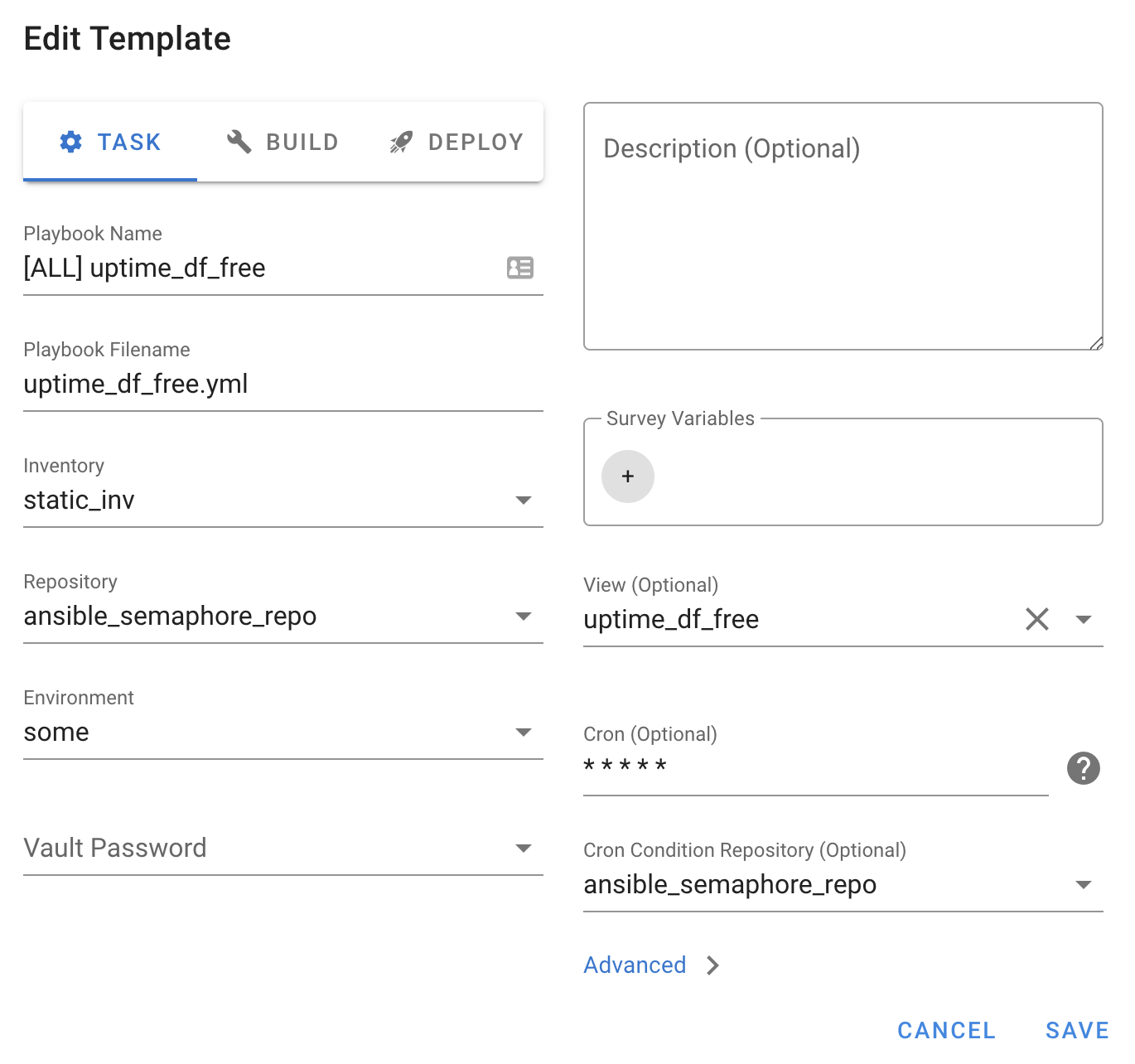
Perhaps I know why it runs only once.

The cron will check this repo once a minute but execute task only if new commits appears.
I know the field's title is not clear. But I don't know how to call it another. Please suggest your options.
@fiftin, that could be the reason in my case! This field is indeed filled in. It says "optional" but actually I'm unable to clear it once something is selected .. I will try to do some more tests later