
Takashi Sawanaka



Takashi Sawanaka
In older versions, enabling the "Match similar lines" option had the side effect of splitting the Diff block line by line, but the current version does not behave that way.
Dragging and dropping two folders to the WinMerge application icon is equivalent to invoking the WinMerge executable with two folder paths as command line arguments. When invoking WinMerge with two...
You can specify the prediffer plugin on the command line as follows "C:\Program Files\WinMerge\WinMergeU.exe" file1.txt file2.txt /prediffer "IgnoreColumns 5-14"
Pull requests are welcome. https://github.com/WinMerge/winmerge/blob/master/Docs/Manual/EN/Command_line.xml
I haven't tried with that version yet, but I could not reproduce the issue on Windows 11 Home Insider Preview 22H2 Build 25182.1000. What version of WinMerge are you using?...
Thank you for the info. Although the build numbers are slightly different, I could not reproduce this problem with build 22621.1. 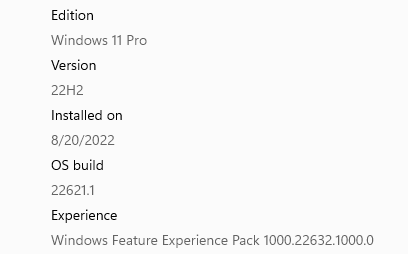  
The reason the second menu is displayed is because the ShellExtension for Windows 10 or earlier is registered. You can unregister it by clicking the "Unregister Shell Extension" button in...
Perhaps a little different from what you're looking for, WinMerge has the ability to hide matching lines. You can hide matching lines by selecting View → Diff Context → 0...
Thank you for your report. This issue has been fixed in the latest version 2.16.22, so could you try it?
Thank you for the info. The 32-bit version of WinMerge does not support image comparison of pdf files due to limitations to support WinXP.