dateparser
 dateparser copied to clipboard
Published
20 hours ago •
 scrapinghub
scrapinghub
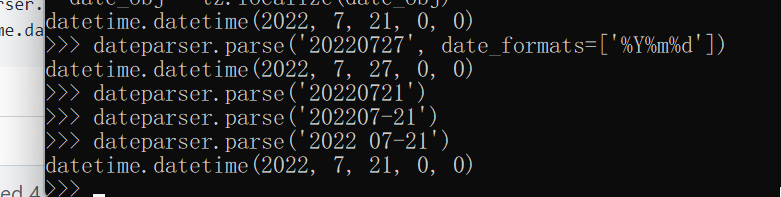
Unable to parse the simplest case of 20220727

Hi @redreamality You can use the date_formats argument to parse the date in this format.
In [1]: import dateparser
In [2]: dateparser.parse('20220721', date_formats=['%Y%m%d'])
Out[2]: datetime.datetime(2022, 7, 21, 0, 0)

@redreamality Please let me know if you were able to parse dates in this format using this argument. Thank you.
It works using date format though, I thought the highlight of this package is parsing arbitrary date string, wasn't it?