

 scorelab
Unable to install
Describe the bug Installation error
To Reproduce run rpm install
Expected behavior expected to successfully download
Screenshots
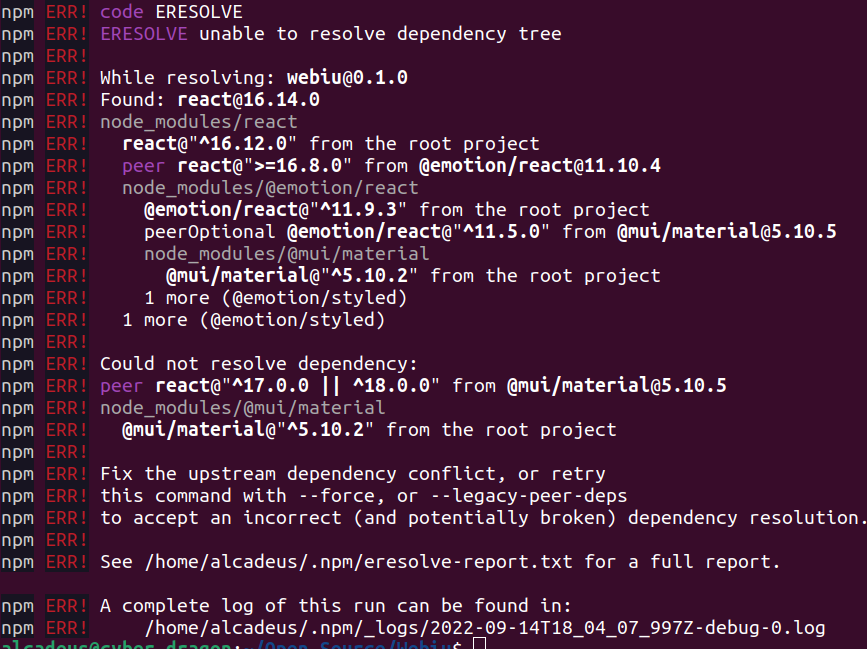
Desktop (please complete the following information): Linux Ubuntu 22.04


@Alcadeus0 , Hey did you resolve this issue, I am facing the same. I also tried to delete package.lock.json and did npm install again. but could not fix it. Also did with --force, still getting errors.

@Alcadeus0 , Hey did you resolve this issue, I am facing the same. I also tried to delete package.lock.json and did npm install again. but could not fix it. Also did with --force, still getting errors.
@Sapnajha19 I haven't been able to resolve it yet
@Alcadeus0 This error is coming because this project requires node v14 for proper functioning.
You can follow the following steps to remove this error
- Install node v14 from this link if haven't installed previously.
- Install Gatsby js version @4.0.0 as it is supported by node v14 by runnning
npm install -g [email protected] - Cd into the project using this command
cd Webiu - Install the dependencies of the project using this command
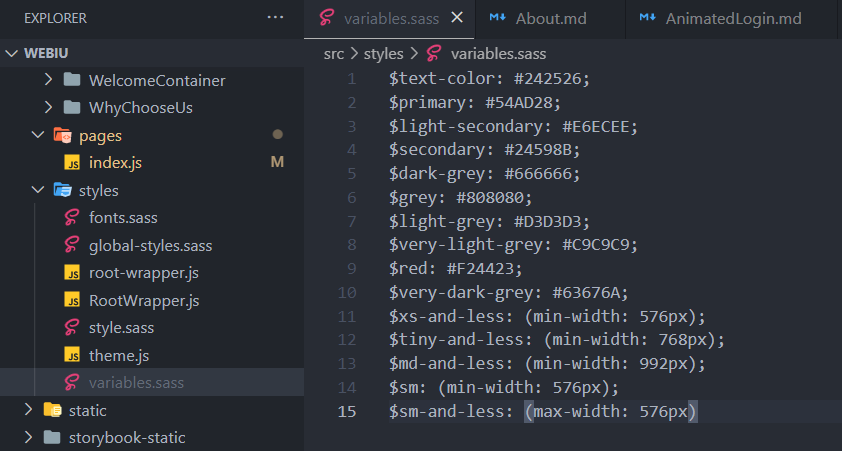
npm install - Add a file as
src/styles/variables.sass. You can download the file from the drive link given below. variables.sass
- Then develop the Gatsby project
npm run develop or gatsby develop
For switching between different node versions you can use nvm-windows
You can refer to this document for more help.
