

 schellingb
Add auto state loading so we can jump directly into any Windows game
Automatically loading a save state could skip the Windows boot sequence and go directly to a games menu screen or gameplay. It would be significantly better than the frame skip option which can only be used to skip the OS starting up (and for me it also occasionally causes Windows to lock up).
Maybe there could be a core option like 'Create auto load at this point' which would create a state that is separate from any others. This way it wouldn't interfere with any saves in the State Slots. Then the 'auto load' state could be shown on the Start Menu and toggled on/off, similar to the Auto Start setting. Just an idea :)

For sure, i'm using same trick on Atari ST disk games .... so long to load ... With a savestate made on title screen :) I'm starting games on titlescreen directly ! But maybe it is more complicated to do it on DOS games, and hardest to do it on Windows games too ? :(

@PoloniumRain I like that suggestion but 2 things I'd need to think about.
Such a core option would be a bit awkward because it would need to end up having two options "YES"/"NO" (or "NOW"/"NOT") and to use it you have to toggle it from "NO" to "YES" which is weird but the only way because we can't have a core option without actual multiple options.
Second thing is, how reliable is it? I can see it being really confusing to the operating system. The save state contains the content of the entire RAM but not the hard disk(s). So if one were to load a state while the operating system is in the middle of writing some important system file (for example the Windows registry) to the hard disk - boom - it most likely will corrupt the hard disk. Loading a state while the operating system hasn't even booted shouldn't cause that, but it might still confuse it. Windows 95/98/ME for example writes to the hard disk that it has safely booted up (and it clears that information when it has safely shut down). So now we might be able to jump into the operating system without having that information ever written.
Have you used regular save states to do this? Just loading them during the startup sequence of Winodws?

Hmm... How about instead of having "YES"/"NO" it could work like:
- Run game, go to core Options and select something like ''Create Auto Load State Here'
- Go to the Start Menu
- Go to the 'Select operating System Disk Image' menu
- Select an OS and press left to set 'Auto Load State'
Currently you have the press right to set 'Auto Start', so you could press left to set 'Auto Load State'.
Here's an example:
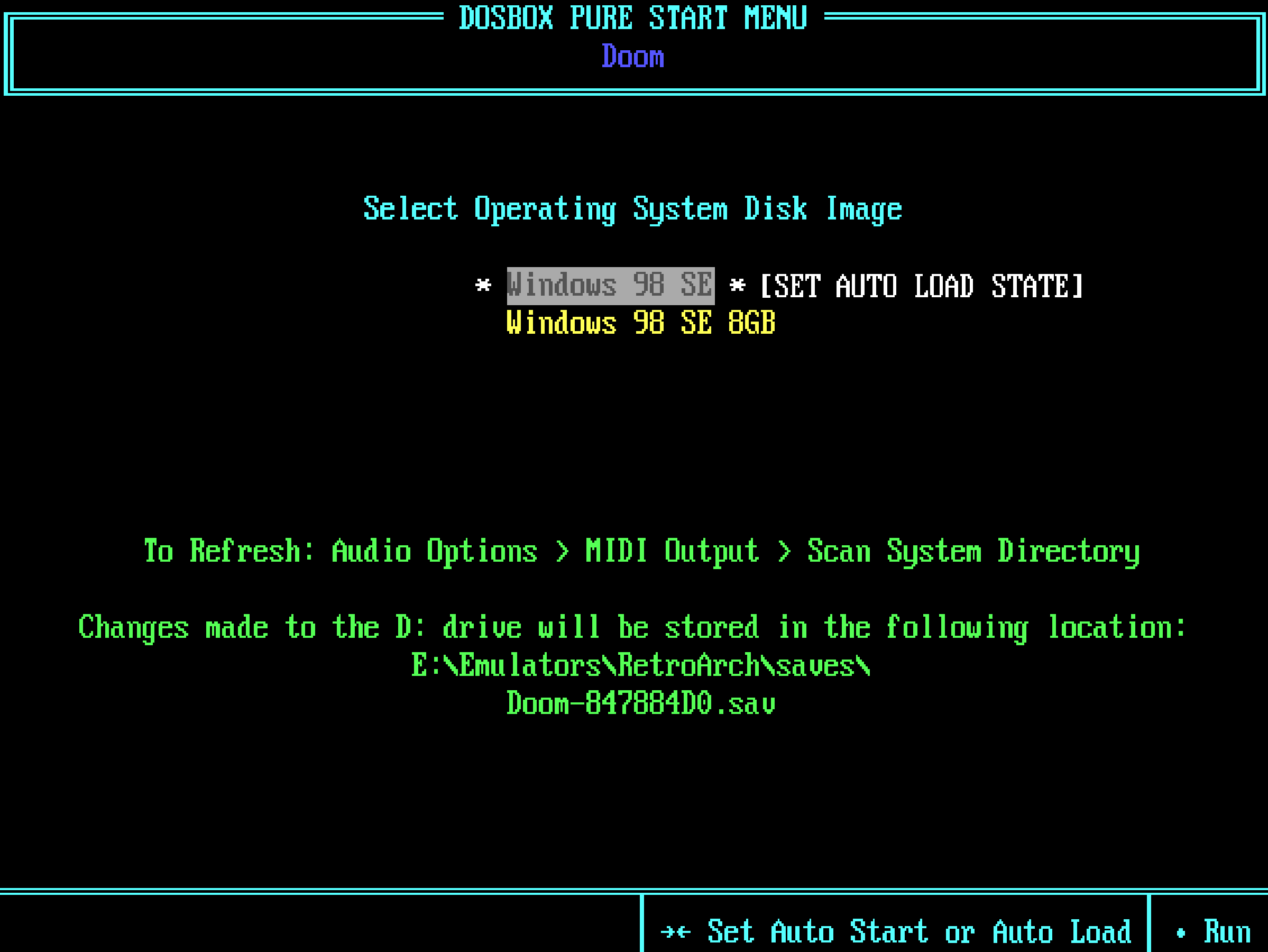
As shown above, the bottom blue text also says "-><- Set Auto Start or Auto Load".
And if you press left twice it could then select 'Auto Load State & Start'. Which will skip the Start Menu as well as auto loading the state.
Have you used regular save states to do this? Just loading them during the startup sequence of Winodws?
Just tired this and it doesn't work lol. Loading a state during the boot process will cause Windows to do a disk check next time, or start up in Safe Mode. But it does work ok (so far) when saving/loading states during gameplay.
So how about having 'Auto Load State' only appear on the 'Select operating System Disk Image' menu if 'Discard OS Disk Modifications' is set to 'ON'? But it could always appear on the main Start Menu, so then it will always work with DOS games. There could be text at the bottom of the OS selection menu that says that 'Discard OS Disk Modifications' needs to be enabled for this feature to work.
Hows that sound? Maybe i'm missing something here... Or maybe you can get it to work without having to disable OS disk modifications. And at the moment i install all games on the C: drive, so obviously any game saves/progress couldn't be saved without disk modifications, but now that a .IMG can be used for D: i'll just use that instead! Lots of people are looking for an ideal way to set up games with Windows and i think this way with an Auto Load State feature could be the best option overall.