

 scalda
Cannot harvest cinnamon, no drops for any action
There appears to be a bug in Pam's harvestcraft or a bad interaction with another mod (perhaps HungerOverhaul?) that makes it impossible to harvest cinnamon and some other things from trees.
I googled this and found a similar report here: https://github.com/progwml6/HungerOverhaul/issues/177

Well, from just reading the issue you linked, it looks like a version with a fix was released... which means it requires a Foolcraft update to fix. Thing is, judging from the apparent stagnation of the pack; that sadly might not happen. Of course, there's always manually updating the mod...

Thanks, @Revvilo. For my sake and anyone else using the mod, can you provide some hints on how to do this?
I found all the mod jars at: Documents\Curse\Minecraft\Instances\FoolCraft 3\mods
Can you tell me which mod is actually causing the problem? How do I find the mod for download, make sure it's compatible with the current version of Forge, and make sure that Forge knows that this is the mod that needs to be loaded (i.e. edit config files to refer to the right jar)?
Thanks!
I downloaded an update to the mod from here, installed it, and it seems to be working: https://minecraft.curseforge.com/projects/pams-harvestcraft/files
Oh, so updating Harvestcraft fixed it? Glad to hear it! For everyone in future, if you want to edit a Twitch app modpack, you can do it like this;
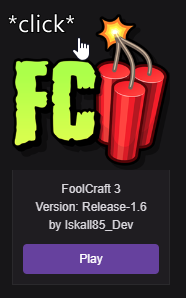
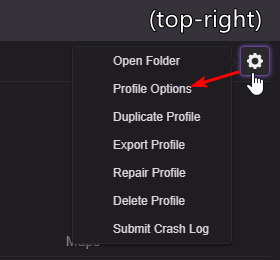
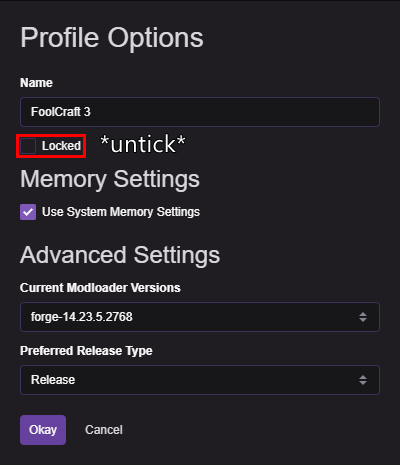
Doing the above will "unlock" the pack, allowing you to update mods like so, or install new ones using "Get more content."
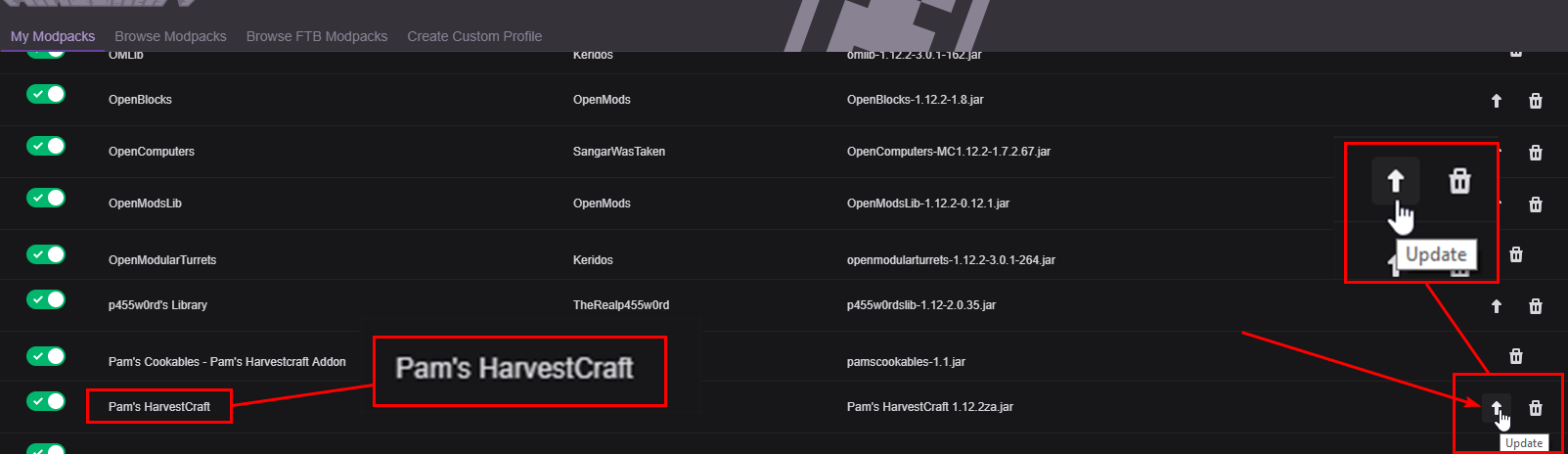
Optionally, you can lock the pack again to avoid accidental changes. Hope that helps you guys out :)