

 saschaleib
Search Dropdown Doesn't Populate With Small Screen Widths
Again, not sure if this is a template issue or not. Again, using Vivadi on Android (and it happens on Desktop), if the screen width is "too small" (I dont know the specific size, desktop Vivaldi allows you to tile tabs vertically... 4 vertical tiles causes the problem) the contents of the search dropdown are not displayed. The dropdown appears, but isn't populated (it's just a thin, horizontal sliver).

Hello and sorry for the late replay (busy here these days ;-)
Could you please post a screenshot so I can see how it looks like? I am trying this in Vivaldi Desktop with the Developer Tools to shrink the view to a small enough size, but the result is pretty much how I expected it (see below).
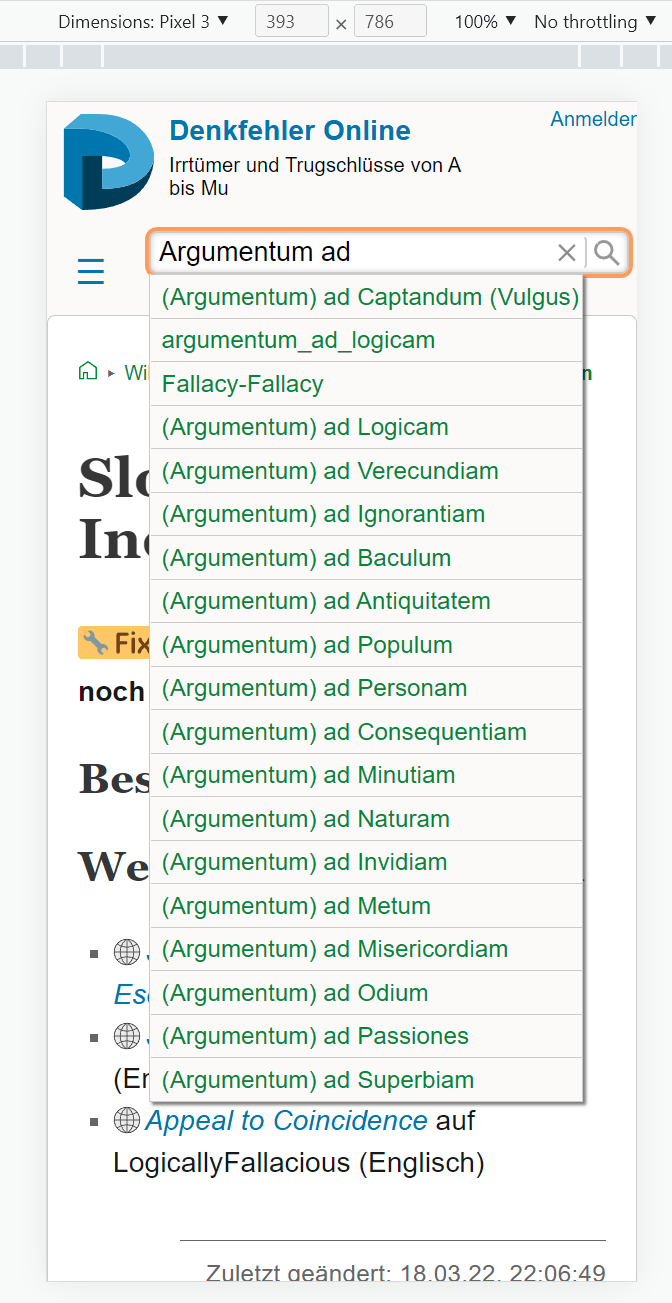
I am considering to put a limit to the results in the search dropdown, though, as this list can get pretty long for generic terms... but that is probably a different issue.


This is full width. Though, in getting that screenshot, I realized that the error is much more random than I thought. I noticed that when it displays the menu correctly, I'm able to zoom.

I think I have found the problem: oversized page titles and/or narrow screens can cause this kind of behaviour. I am just preparing a new release, let me know if this fixes it for you... :-)
I installed 1.4.2 and I still have the same problem. If I make the screen wide enough, it works.
Oh, wait... I reset the browser cache and it seems to be working better. I'll test it over the next day or so and get back to you. Thanks!
Well... it works if I type in the wiki search bar on the search page. If I type in a normal page's search bar, it doesn't work.
I'll keep testing to see if I can repeat success/failure. Pages I've visited recently dont work, but pages I havent been to for a long do work. That sounds like a "cache-like" issue.
For comparison, this is how it looks in my tester now:
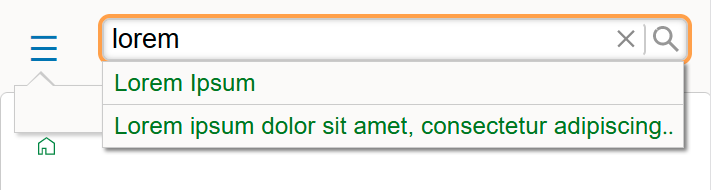 The second result is an extra long page title that previously broke the search popup. I can only assume that there was something similar happening in your browser...
I'm marking this closed. I have yet to see the empty search results in the last day. Thanks!!
Thanks for the update. I still have one more very minor touchup to do here, but that can come with the next update. I am working on the print styles now, so a new version should come rather soon... Cheers :-) /sascha
I think this issue should be reopened. Often, an initial visit to a page still yields an unpopulated search dropdown. If I refresh the page (F5), the dropdown works as expected. Is there something different about the initial visit that doesn't set the screen width stuff correctly?
(Or, you could reclose and create another issue... however you want to handle things.)
Reopening is a good way - but I still have problems replicating this behaviour. It is still on my watchlist, though...
Ok, I think I have some more information. I've been getting some php-related errors (from structsections plugin). When I inititally go a page in the wiki, the error shows and search dropdown does not populate. When I refresh, the error goes away and the search dropdown works fine. Today, I tried setting hidewarnings and things are working fine: no errors displayed and search dropdown works all the time. So is there something about encountering errors that changes the way the search dropdown populates?
These PHP errors are an absolute pain, but luckily DokuWiki now offers a way to redirect them to a log file. If there are no further problems, I will just close this for now...
Yeah, I haven't noticed any problems recently. Still using this template. Thanks for the hard work!