lumberjack-obsidian
 lumberjack-obsidian copied to clipboard
 ryanjamurphy
Unable to create to file
Hi,
i installed your plugin according to the instructions. I can run the timber command without any problems but when I run the log command it says Unable to create file..
If I delete my daily note, I don’t get this error but the command doesn’t put the cursor at the right position. Instead it’s at the very beginning of the file. The position I configured is - #Log.
Any clues as to what might be wrong here?
Thank you!

Sorry for the trouble! Interesting problem. What daily note plug-ins are you using?

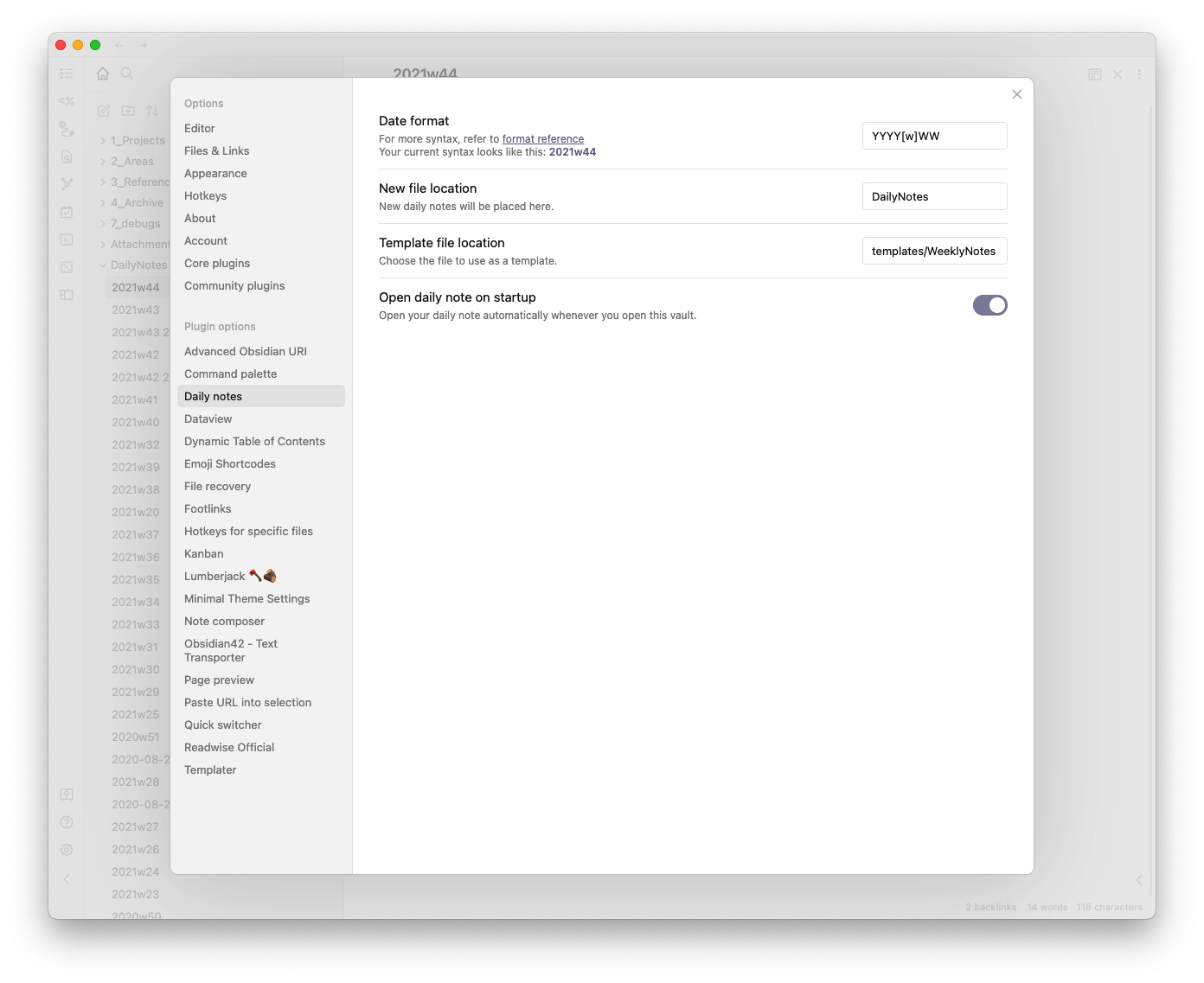
Hmm. Can you take a screenshot of your settings in Preferences → Daily Notes?
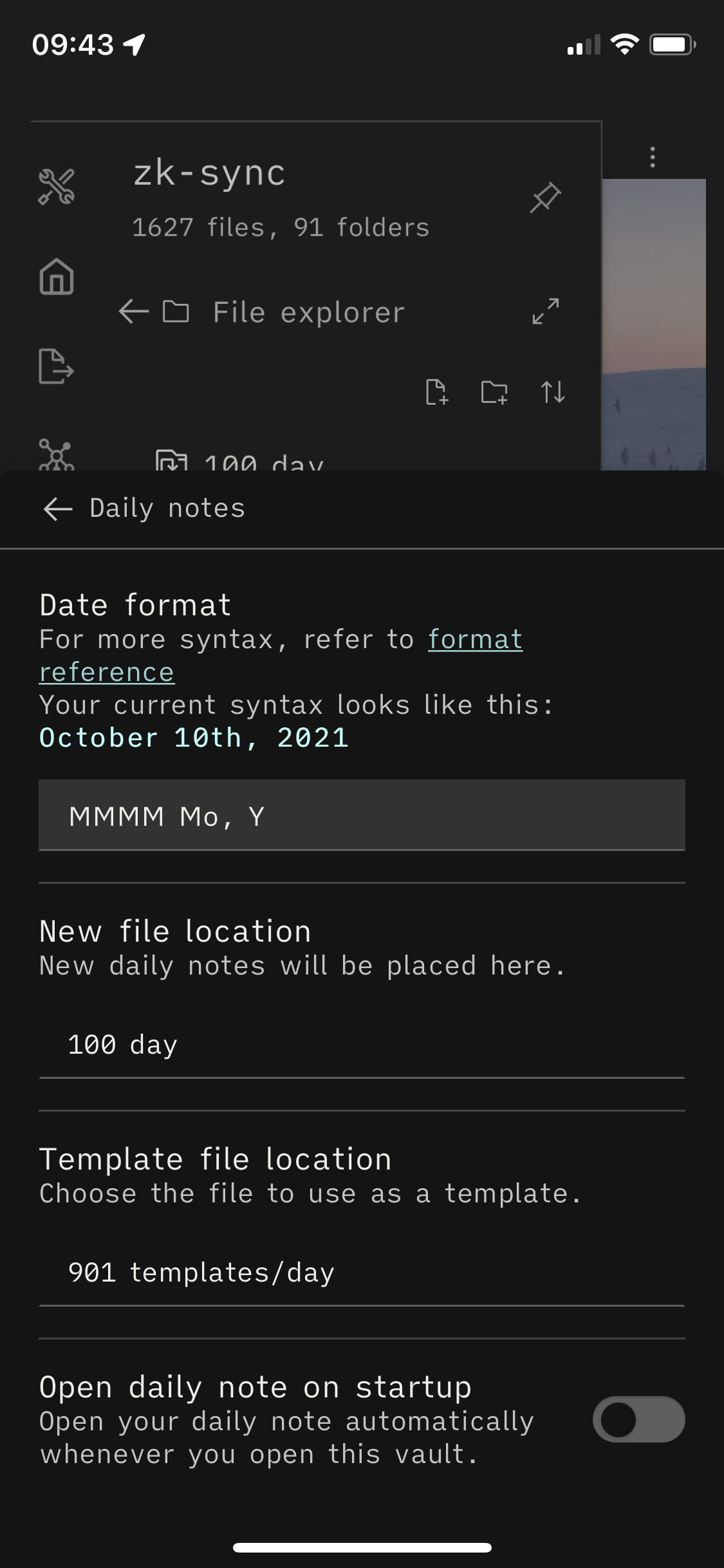
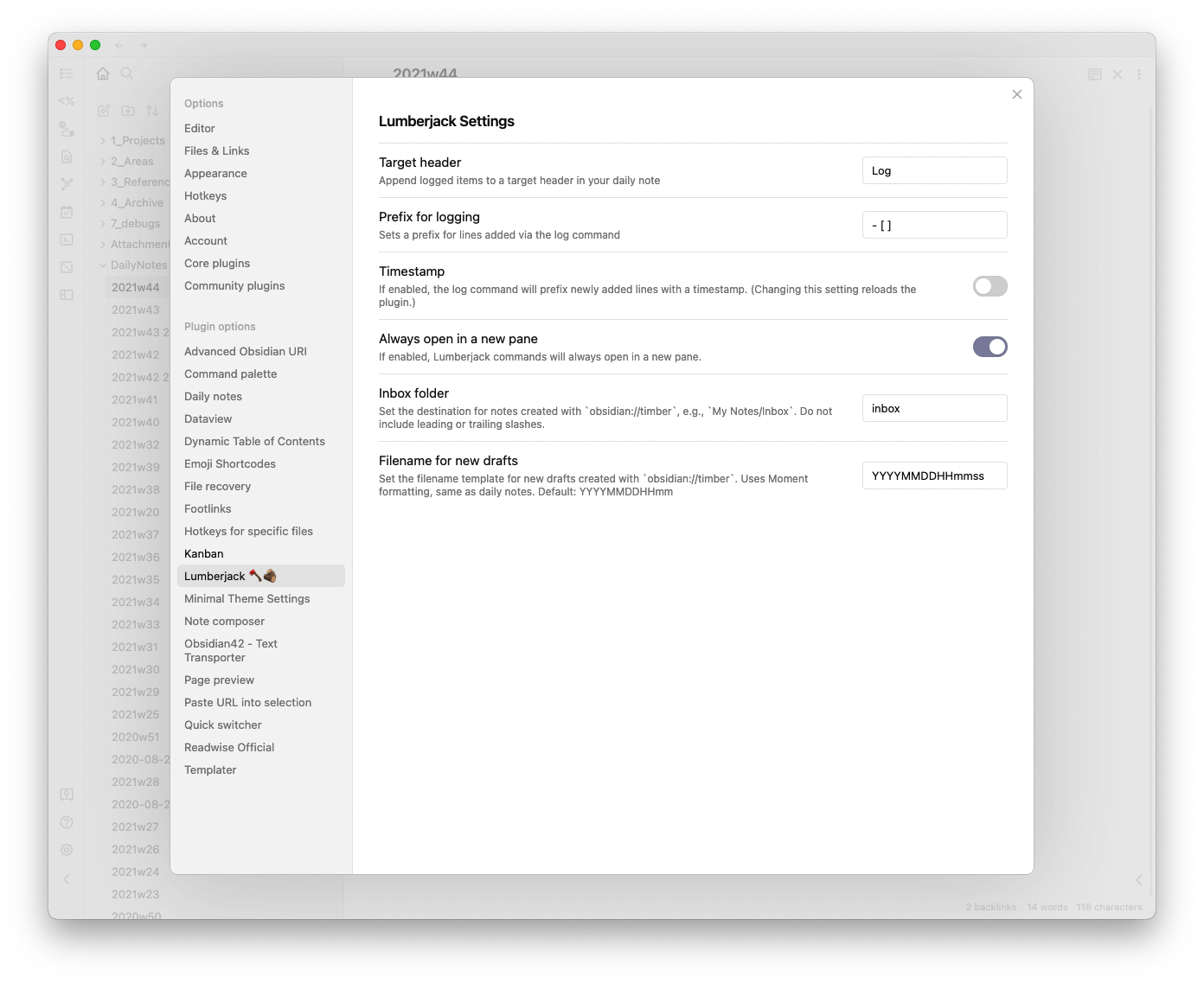
Two more screenshot requests: your Lumberjack config settings, and your daily note template. If you can!
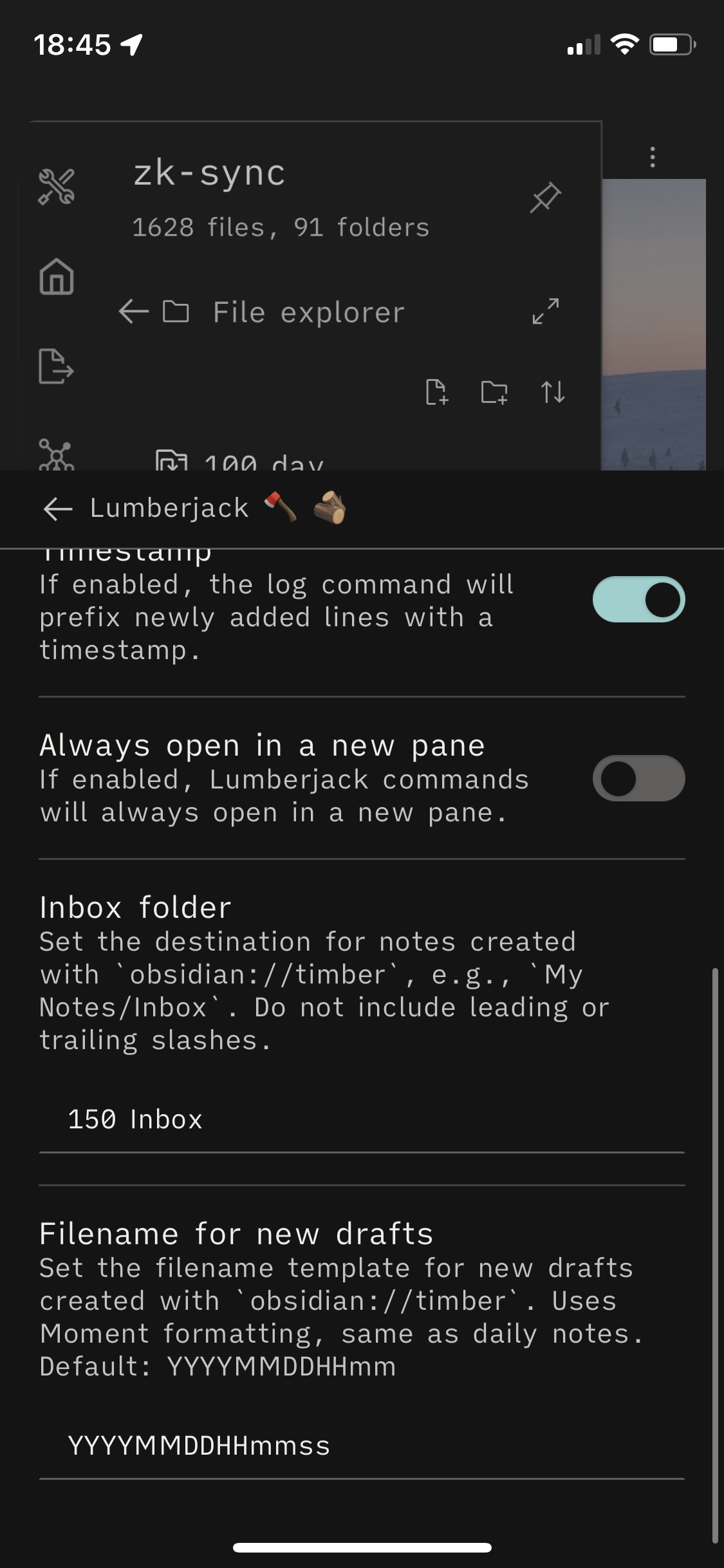

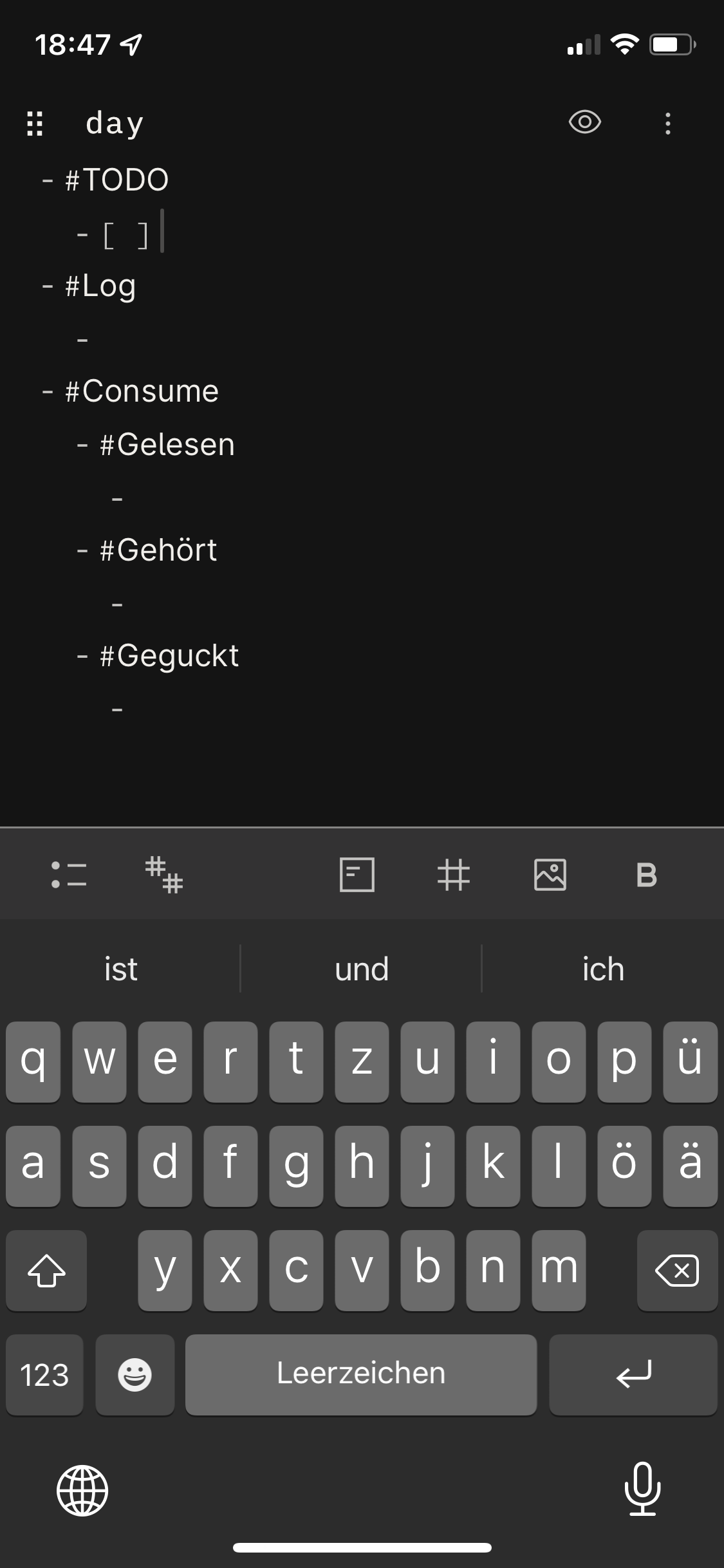
Double-checking, @ituri: I fixed a few things in the last few releases. Can you update the plugin and tell me if this problem is still occurring?
Updated, but unfortunately I still get Unable to create file. when running the lumber command.
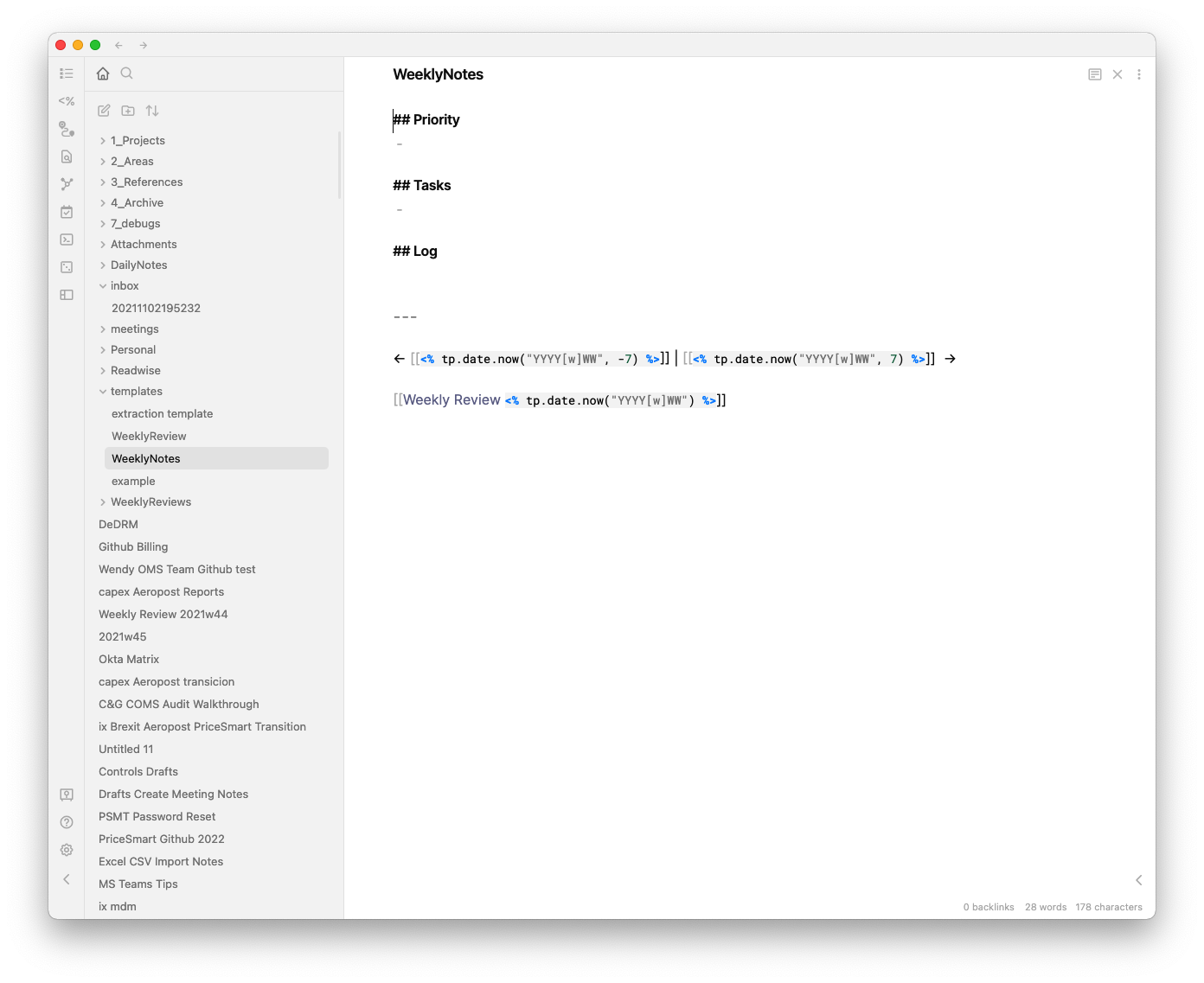
Hi @ryanjamurphy similar issue on my side – could it be related to weird DailyNotes format? (I use Daily notes as Weekly Notes). My screenshots:
Daily Notes plugin:
Lumberjack Settings
Daily Notes templates: