

 ryanblenis
Can't manage to schedule tasks
Hi, Non scheduled tasks work fine and node history displays all expected information. But when it comes to scheduled tasks I can't get it to work. Procedure:
- click on 'Advanced run'
- select a task within my list of tasks (tested with a Run attempt first)
- select a node (or any number of nodes)
- click 'Schedule on selected' button
- define a Hourly recurrence that never ends
- click 'Schedule' button to accept
'Script Schedules' list remains empty, same for Node Schedules and the tasks never run. Anything I am doing wrong? Thanks, Christophe

That process sounds right. Do you have limited permissions to the endpoints or are you a full admin in MeshCentral? Any errors showing up in the browser's console?

I have full admin permissions and no errors are showing up in the browser's console.
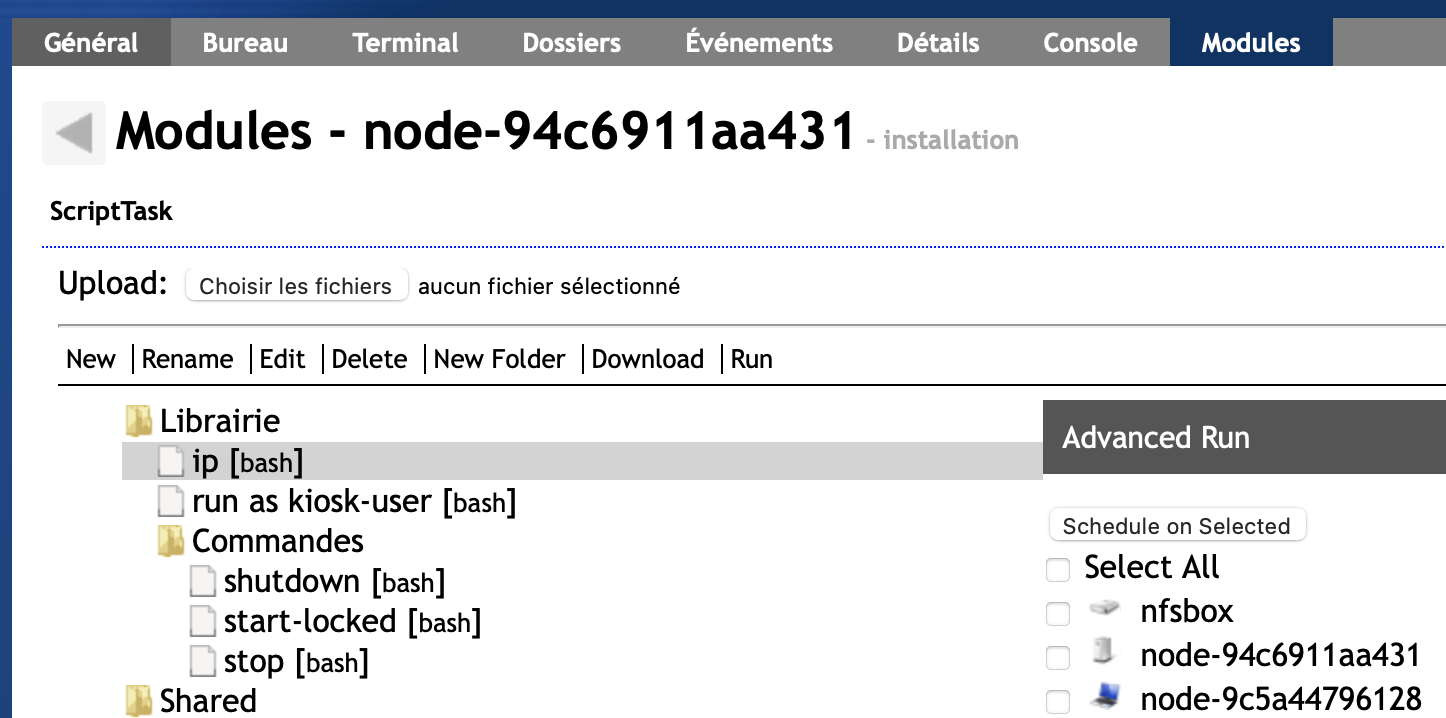
Something seems a bit awkward though: to be able to display the 'Modules' panel from the tabs I have to select an endpoint (see screen capture). From that initial selection I can now select other endpoints from the Advanced Run menu. So if I have endpoints A, B, C I need to select A to be able to schedule A, B and C. Is there any other way to have multiple endpoints selected for a scheduled task ?
Thanks,
Christophe
Hi, Scheduled Tasks run fine on Chrome! The issue I described earlier occurs when using Safari Version 14.1.1 (16611.2.7.1.4) on Mac OS Big Sur version 11.4. Didn't test on other browsers yet. Thanks, Christophe